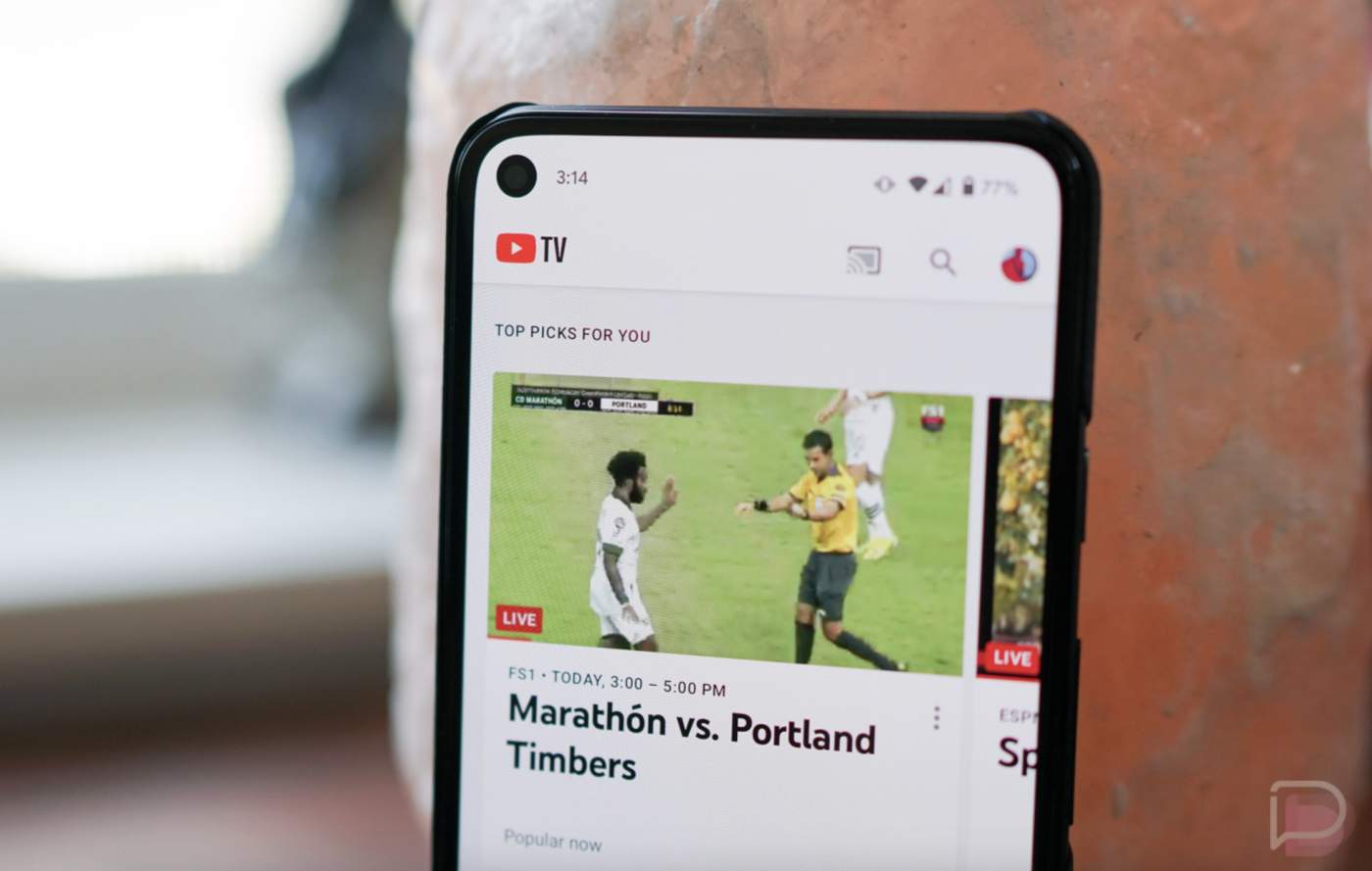

YouTube TV got a first version of multiview back in 2023 at the start of that year’s NCAA Tourney. It showed us a glimpse of the future even if that original multiview only allowed for pre-set selections from the platform. This wasn’t a customizable multiview, but it was at least an option that was awesome during certain events.
Fast forward to this week and the fully customizable YouTube TV you’ve been asking for is finally here. I actually thought it was supposed to launch a year ago, but here we are.
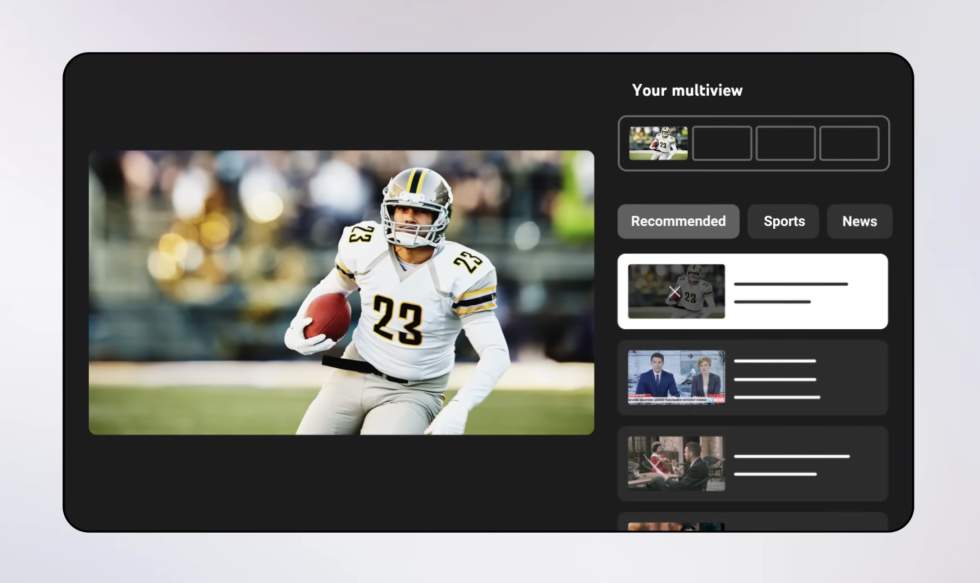
Google announced the feature rollout on Twitter (yuck) and shared the screenshot you are seeing below. This shows the setup screen where you can “Choose up to 4 live programs” to take up the 4 multiview boxes. There are tabs to help get you setup too, with Recommended, Sports, News, and others as a part of this initial screen.
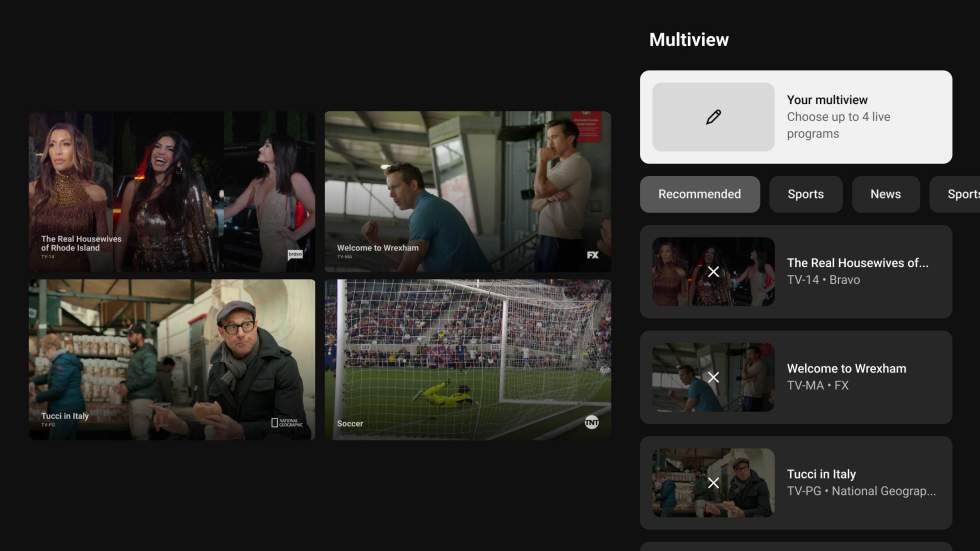
YouTube CEO Neal Mohan says this experience is “officially launching fully customizable multiview” today, so you should be able to find it very soon. He didn’t say if this was only the beginning of a rollout or not.
How to Setup YouTube TV Multiview (Custom)
To get started on YouTube TV custom multiview, you’ll do the following:
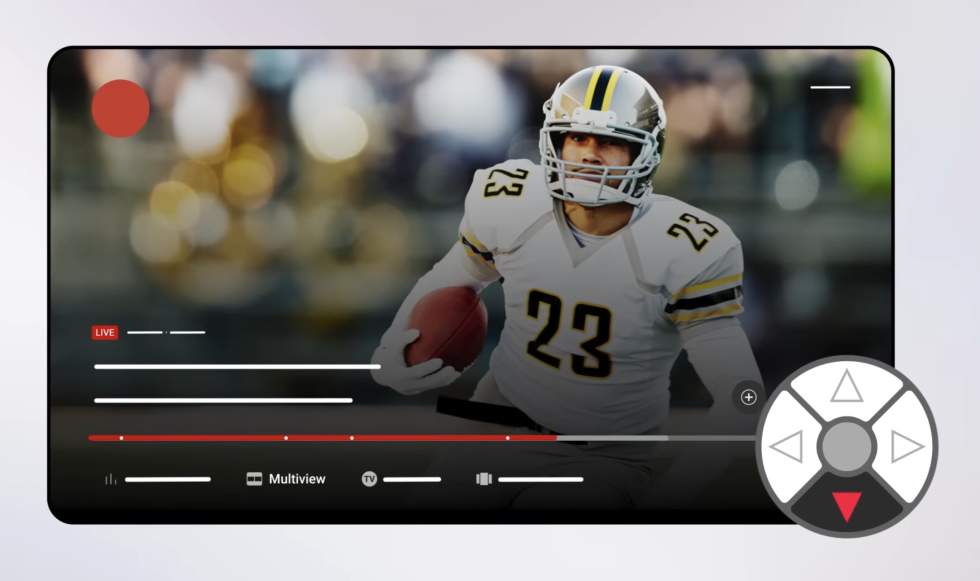
- In YouTube TV on your TV, when watching something, you’ll press down on your remote and select “Multiview”
- This opens the custom Multiview builder. From here, you’ll pick from available options in the Recommended, Sports, News, etc. tabs that show
- Once you find content, click to see it added to your Multiview setup at the top right of the screen
- Continue selecting up to 4 pieces of content
- To remove one, you’ll open the Multiview builder again, find it listed and click on the “X” showing for that stream
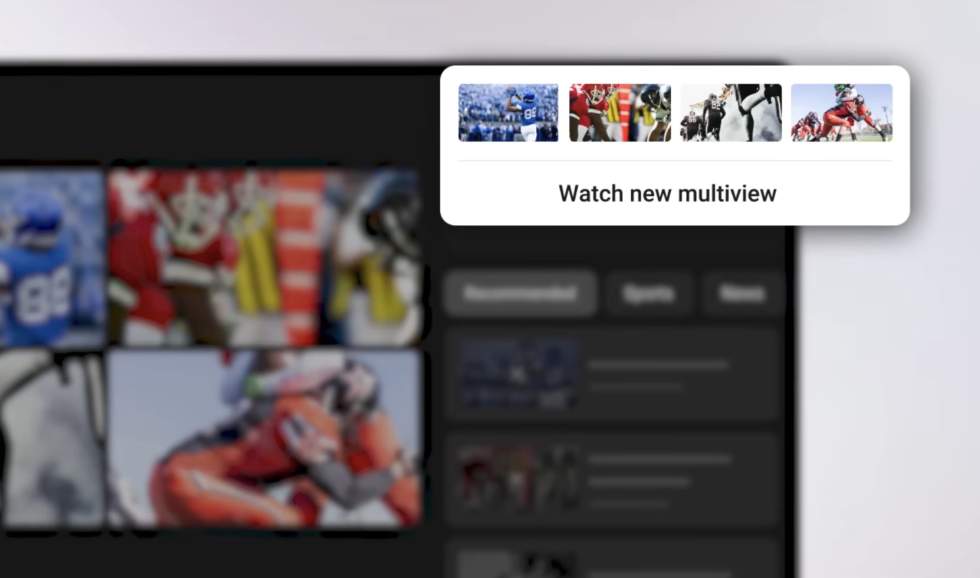
- Once ready to view, scroll to the top of the builder and click “Watch new multiview”
- To access your multiview again, press down on your remote again like you did in step 1
Have you received the ability to create a fully customizable YouTube TV multiview yet?