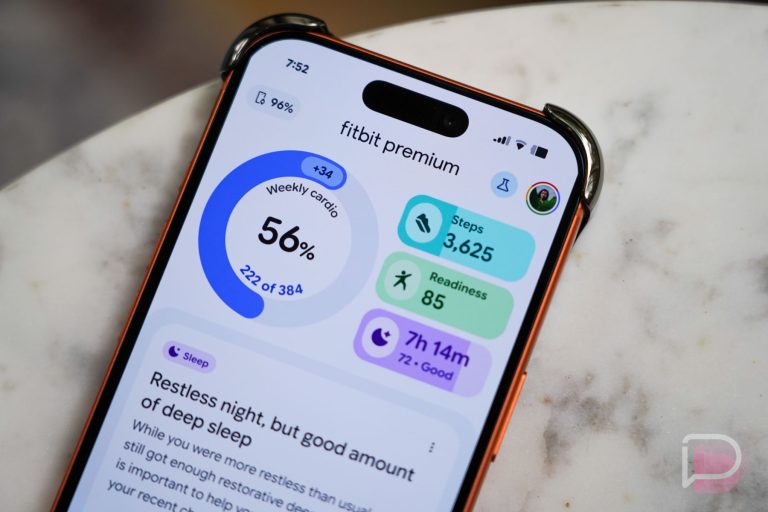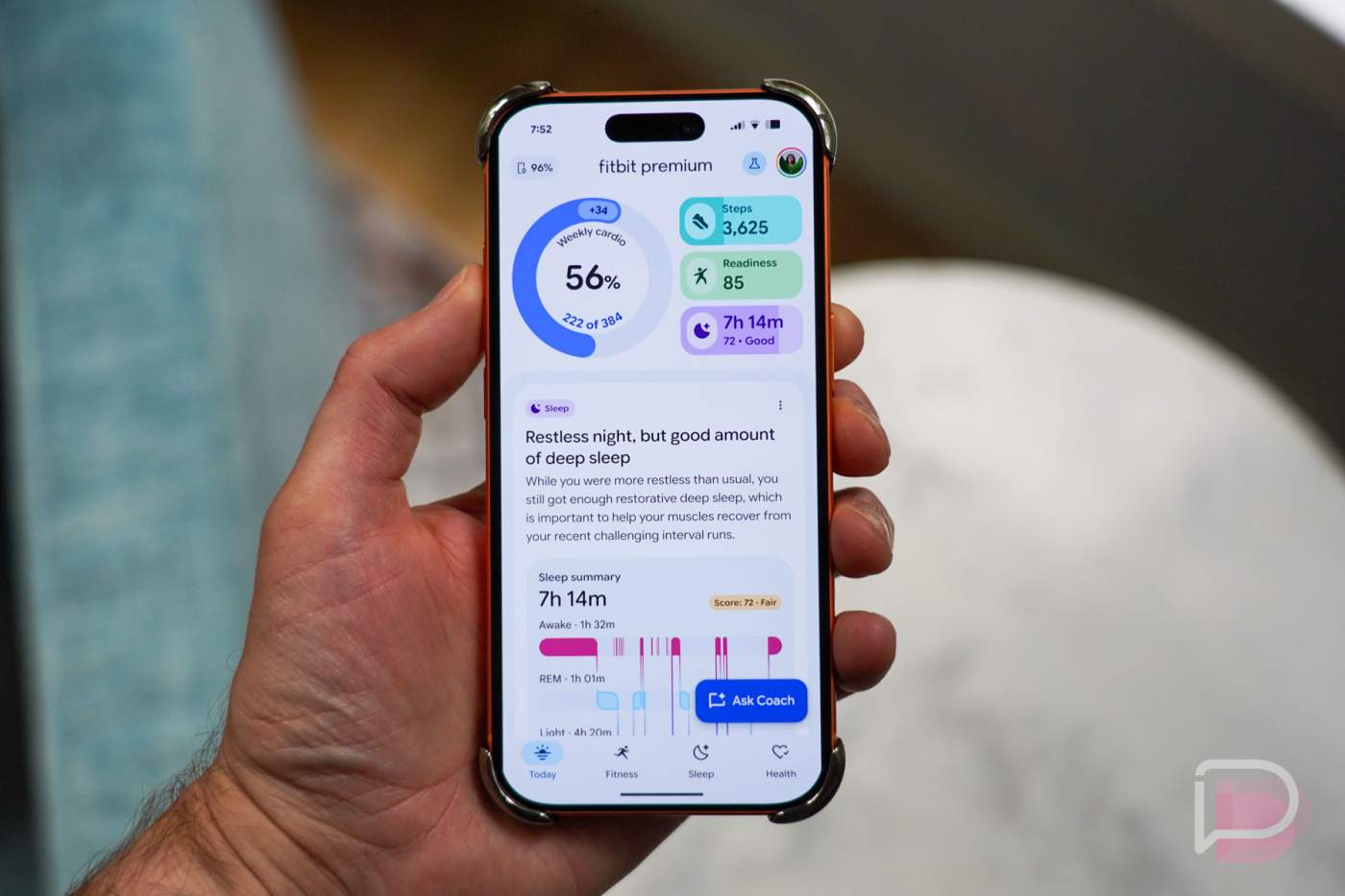

Google and Fitbit shared details of the rollout of the new Fitbit app with its AI coach today, giving us a Public Preview of the future of fitness and health tracking, at least in their vision. Alongside the updated UI, they want you to talk to the Fitbit AI coach as if it were your own personal fitness coach, with information shared that’ll get you very personalized plans, analysis on your sleep, and questions answered whenever you have them. However, that vision currently has some limitations when compared to the current Fitbit app that you should be aware of.
Since the new Fitbit app and AI coach are only launching at this time in a Public Preview for Android users who subscribe to Fitbit Premium, most of you don’t have to worry about the lack of features. Google will continue to move features to the new experience over time, and we hope they all make it there before this goes public and leaves its preview status next year. But if you do get in the preview, we have a list below of all of the missing features in the new experience. Also, Google and Fitbit are giving you a way to toggle between the two experiences should you see something you are missing and want to go find it.
OK, so what’s missing? You’ll find it all listed below.
Health tracking features
- Menstrual health logging and tracking
- Nutrition and hydration logging and tracking
- Blood glucose logging and tracking
- Body temperature logging and tracking
- Stress Management Score, Body Responses, mindfulness days, and mood logging
- Manual editing of sleep sessions and data
Exercise tracking features
- Heart rate zone analysis (including time in zones) in exercise summaries
- Sedentary time and hours
- Advanced running metrics for Pixel Watch 3 and 4 users
- Cardio Fitness Score
Social and sharing features
- Friends, groups, leaderboard, and messages
- Viewing your badges – both new ones and previous ones
- Sharing workouts to social media or with friends
Other features
- Exporting TCX files from workout summaries
- Switch to children’s view to see the data from one of your children’s accounts that you have added to your Fitbit account
- Syncing data from Aria Air to the Fitbit app. You can enter your weight manually in Preview, or you can switch back to the standard experience to perform the sync.
Coach data limits: The new Fitbit app and AI coach cannot provide personalized responses based on the following list–
- Height
- Weight
- Body Fat
- High and low heart rate notifications
- Irregular rhythm notifications
- ECG
- Sleep score details (sub-scores)
3rd party apps and devices: The following items cannot be sent from 3rd party apps or devices to Health Connect and then to the new Fitbit app–
- Exercise sessions and routes (like a run or bike ride)
- Health metrics (like heart rate variability, breathing rate, resting heart rate, SpO2, and temperature)
Google says they plan to update this list regularly, so we’ll attempt to do the same. And again, you can always switch between the two experiences by tapping on your profile picture (top right corner) in the Fitbit app, then “Public Preview” and then between the two experiences. Your data is all still there, you just may have to dance a bit to see it all.
// Fitbit