


Having iMessage on Android is a topic that won’t ever go away until Apple officially releases an iMessage client. Until then (which may be never), we’ll continue to share with you options you have as an Android user to make your messaging experiences with iPhone users less of a problem. You know, that whole green and blue bubble thing, well, it’s still a thing that effects people to this day.
You may have heard of Beeper, probably because it is one of the longest running iMessage-on-Android clients available. We first wrote about it back in 2021 and once again over this past summer when it received support for RCS. The app is led by former Pebble smartwatch founder, Eric Migicovsky, so it has solid name recognition to back it up.
Today, Beeper announced Beeper Mini, their latest attempt at making iMessage on Android an easy thing with fewer drawbacks or security concerns. So far, all the blog bros who were briefed on the app seem to love it and believe it is the iMessage client Android has needed.
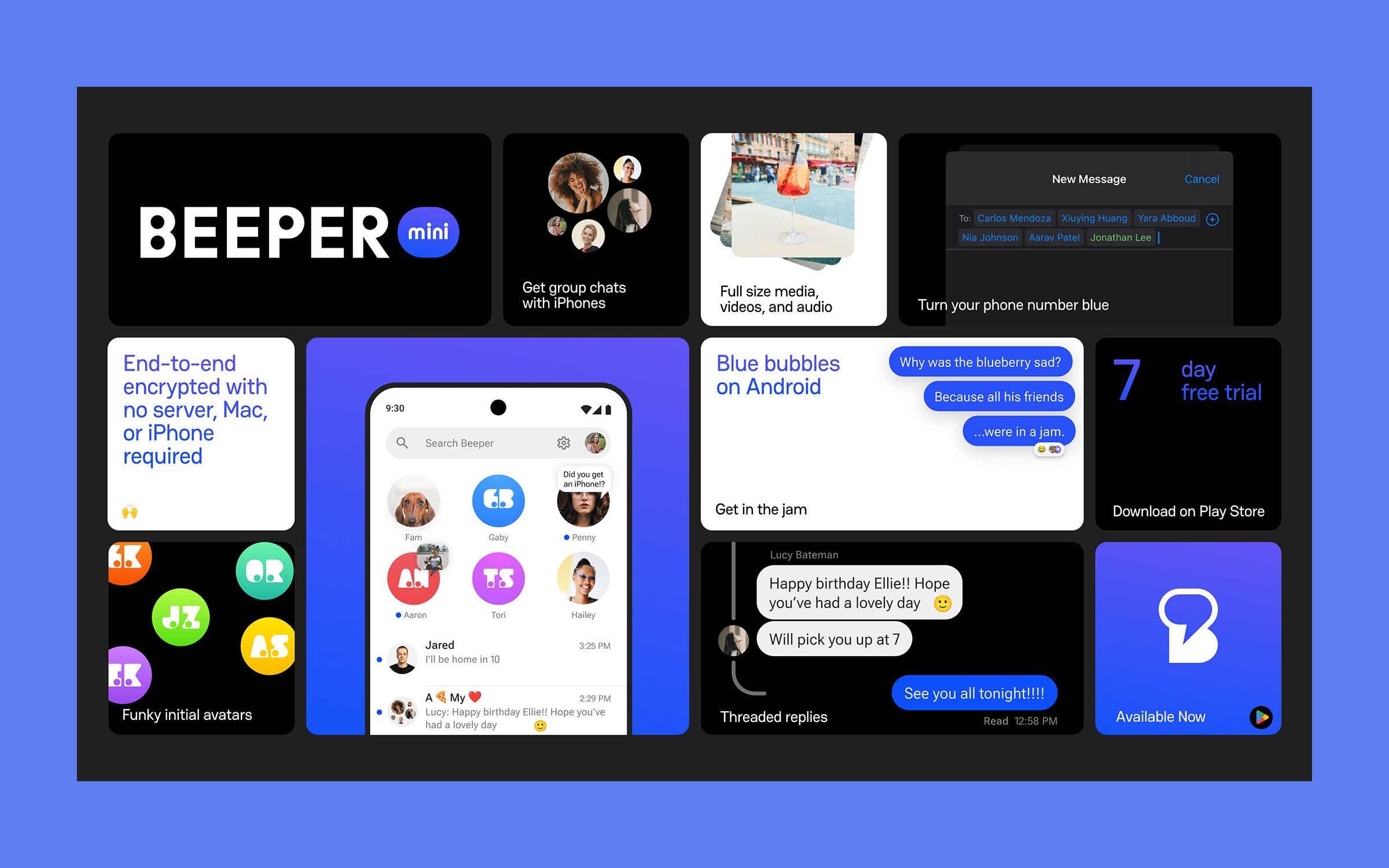
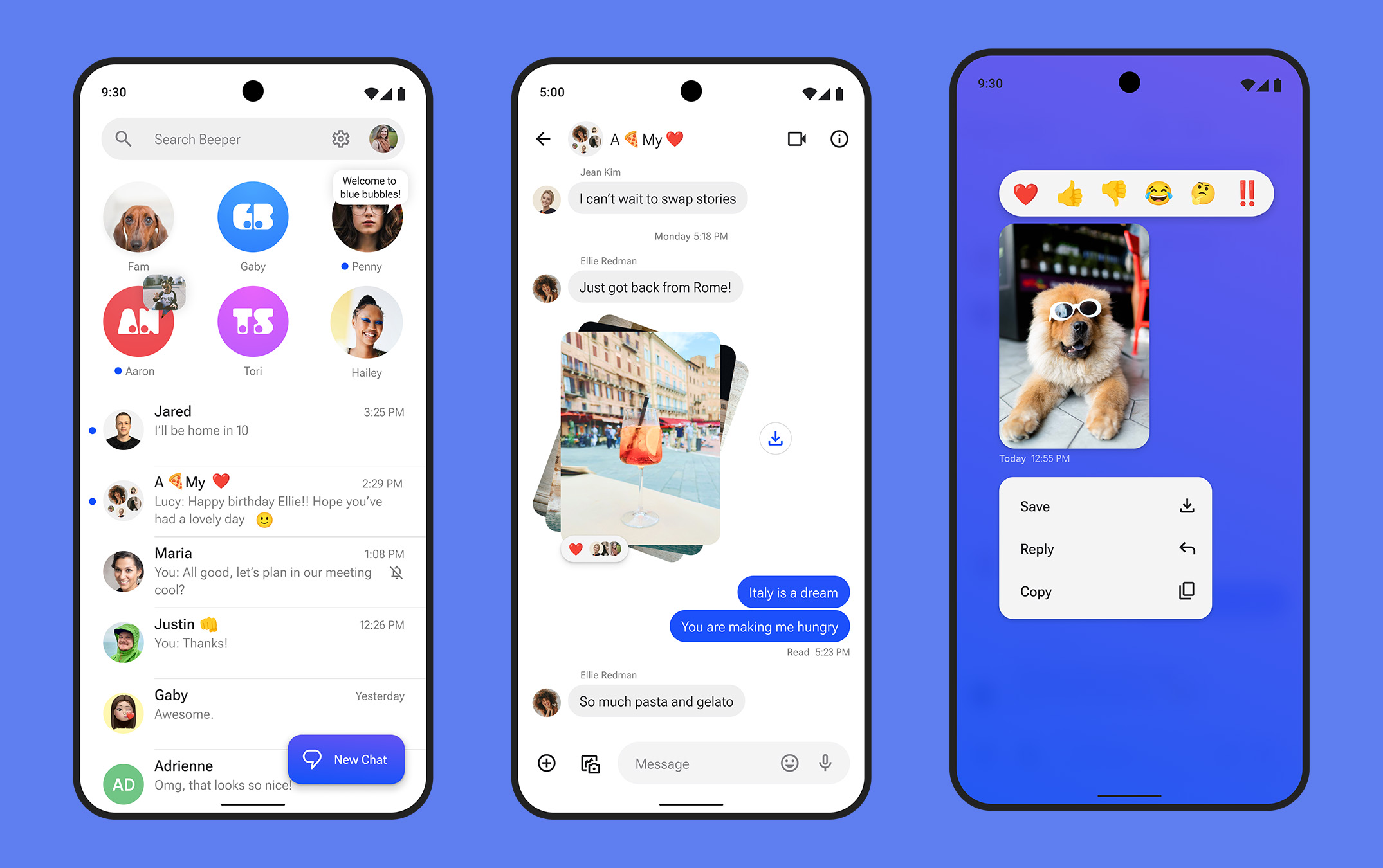
BEEPER MINI FEATURES: Beeper Mini turns your bubble to blue and does so with only your current phone number that you have been texting with in green bubble format previously. It sends full size photos and videos, has reactions and typing indicators and read receipts, works in iPhone-only group chats, can send voice notes, and is end-to-end encrypted.
After spending 3 minutes with the app, I can sort of see why this might be the option you’ll choose, assuming you don’t mind paying $2/mo for it. It really is super simple to setup, the features you need the most are there, it looks slick, and the Beeper team has shared everything they can about security and encryption to try and help you feel good about using it. This doesn’t appear to be the security nightmare that was Nothing Chats.
BEEPER MINI SECURITY: How does Beeper Mini work? Look, I’m no security guy, so to get that information, I’ll direct you to this blog post from the Beeper team. That’s the technical deep dive that talks about reverse engineering iMessage to make this all happen, as well as the security and privacy measures in place (like full end-to-end encryption). I think the big thing here is that, unlike the other iMessage on Android options, this isn’t using a Mac Mini in some remote area as a relay mechanism. You also don’t need an Apple ID to get started, just your phone number. You can attach your Apple ID if you want, though, to get a full cross-device experience.
And to get started you simply download the app from Google Play. There’s no waitlist or anything, you can start using it today. You then sign-in with a Google Account to get your profile icon, email address, and name. It then registers your on-device (SIM) phone number through their backend magic to get you started. Once done, it’ll pull in the conversations you’ve had with iPhone folks and flip your bubble to blue for iPhone users to see going forward. And that’s it.
So far, the service just works quite well. I tested reactions, saw typing indicators, and even sent images and a voice note. The only drawback I’m seeing for now is that it only pulls in iMessage conversations. It sounds like Beeper Mini will soon switch to just Beeper when it adds more services or features, like the old Beeper. Because at the moment, this is only an iMessage messaging app.
Oh, and yes, I mentioned this earlier, but it does cost $2/mo to use. There is a free 7-day trial to start before you are charged. If iMessage and blue bubbles are that important, I can’t imagine you will mind parting with $2.
Google Play Link: Beeper Mini
// Beeper

This app is pretty darn slick. That’s for sure
Hey Google, if this company can implement it in their app then there is zero reason you can’t implement it in Google Messages so we have everything all in one. It’s all written out in their press release.
Once RCS was their plan, this should have been researched and implemented.
I switch back and forth between iPhone and Android pretty frequently. EVERY TIME I do, it’s a nightmare for the people in my family who use iPhones because no matter how diligent I am about signing out of iMessage and unregistering my number, their texts go into the void and I never receive them for days. They also have group chats that I was a part of that just happily ignore me because I’m no longer on iMessage.
My concern with this is that I’d sign up and then when I switched back to my iPhone, I’d have trouble getting messages on that device because they’re still going to my Android in Beeper. I just wonder how hard it is to get “unregistered” from iMessage when you’re using a third party workaround like this.
Of course, my use case is pretty unique, but I do wonder if the Android phone becomes just another iMessage device that simultaneously receives messages (along with my Mac and iPad).
It seems to be pretty slick and work great
I’ve been using the old regular Beeper with my own PC running the pypush registration for the past month or two with my phone number. Works great. I also have SMS/RCS integration into the old Beeper (now Beeper Cloud). I’m not going to the new Beeper until Google Messages integration is re-added and they have a desktop PC client for it (which also exists for “Beeper Cloud” already).
I didn’t do it for the blue bubble, but it is nice to be able to send full videos and high resolution pics to my wife who I still can’t convince to switch to Android yet. I also tend to switch between my Pixel and iPhone every few months. This way both devices stay synced and have all of my messages no matter what phone I’m using.
I tried it but decided against using 2 different messaging apps, but now I can’t receive texts from Iphone contacts they can receive from me. Their FAQ says that the number should deactivate in 12hrs after uninstalling the app, guess we will see!
Using it now, it’s really good for essentially 1.0
This would be pretty great to work with Google Voice…
Maybe I’m just a jerk but I am a proud Android guy and give abosolutely zero F&^% about what iphone sheep think about the color of my bubbles. I can send hi-res videos and pics all day long. I have dozens of clients who are iphone users and found absolutely no barriers to communicating with them or sharing data. If they want to facetime me, I send them a link for Meet and we do our thing. Some folks use pencils and some use pens…enough.
How are you sending High Res Videos and Pics?
Dropbox or OneDrive share links. Takes seconds. Also use Google Photos sharing function…select the photos in Google Photos and share. My clients love it.
Hadn’t thought about GPhotos. Good idea. Last I checked GPhotos compressed their photos (and presumably their videos)- is that not still a thing? Even so, it’s got to be better than Imessage compressing to SMS sized (UGH). But how do you avoid this compression? Do you just not send videos through GP and use DB or OD to send uncompressed? Or do you/your clients not care about this compression? Or is my understanding incorrect and GP has changed their evil ways?
GPhoto links are sent in full quality
PREACH MF!!!
So right!
PREACH!
You’re not a jerk. As I pointed out on my other comment, this bubble nonsense is childish. And there are countless ways to share high-res media and have video calls. Most of which will be resolved with RCS support in a year anyway. so who cares? lol
“…with fewer drawbacks or security concerns.”
I take it no one learned the lesson from Nothing’s Sunbird attempt at this? Just because you want something to happen doesn’t mean there is not a cost. People really need to stop focusing on the color of a dot or convenience and focus more on security and privacy with personal messages. This isn’t 1999 anymore.
I honestly wish the bubble would stay green (just to piss them off) for the Crapple users and we get the full res photos/videos, etc.
Giving in to the bubble color pressure thing is so childish. I’d be interested to know HOW they do it, but don’t care to become an user. If someone in my life were to make a big deal out of something like this, it just makes it that much easier to ghost them. Don’t want to deal with any of that. Glad RCS on iPhone still keeps the bubbles a different color.
Bubbles aside, it also enables better features when an iPhone user messages you. The bubble stuff is dumb, but the high-res images and typing indicators and non-broken group chats are a pretty big deal.
But we’ll all be getting that with RCS support. And there are a TON of ways to share media without resorting to iMessage/SMS. If someone in my life is petty enough to make a big deal about receiving media any other way than iMessage, I don’t need them in my life. ¯_(ツ)_/¯
why is typing indicator important? genuinely curious? i feel like whether I’m typing or not is none of the other person’s business.
God knows.. because ppl are immature? If I’m having a conversation with someone and they are not typing back I’m going to make an assumption and move on. Maybe I’m just not a teenager so I don’t understand.
FOMO is a thing amongst the teen crowd. Sadly.
Agreed. Worth the 2 bucks a month to be able to just text a document or let my daughter see I read her message.
Do the right thing and Get her an android. 😉
https://media2.giphy.com/media/U1Ul6ezCrUH1jZFyVj/giphy-downsized-small.mp4
who texts a DOCUMENT? that’s what email is for
except when the document is large.
If you’re sharing files beyond the email limit of 20MB, chances are you are experienced enough in using one of the several cloud services available. Also, does that mean I can send something that’s 1GB large over iMessage? I’d be surprised if that’s the case.
I just hope the developers of beeper mini actually try to add more and more features
Do you have to have 2 different message apps to work? One for iMessage and one for standard SMS/RCS?
Yep, for now. It’ll only pull in iPhone conversations you’ve had. You’ll still need your other text app for other messages. They are going to add other services next year.
Here’s their roadmap: https://blog.beeper.com/p/818f5ba2-d81a-4ab4-a1dd-bf7fc2478214
Hmm. I’ll probably wait. Not sure I want to have 2 separate apps now, but I’ll keep an eye on it. If they can combine, that would be cool.
Same, running two apps. It didn’t pull all my iMessages in tho.
It does work really well though