

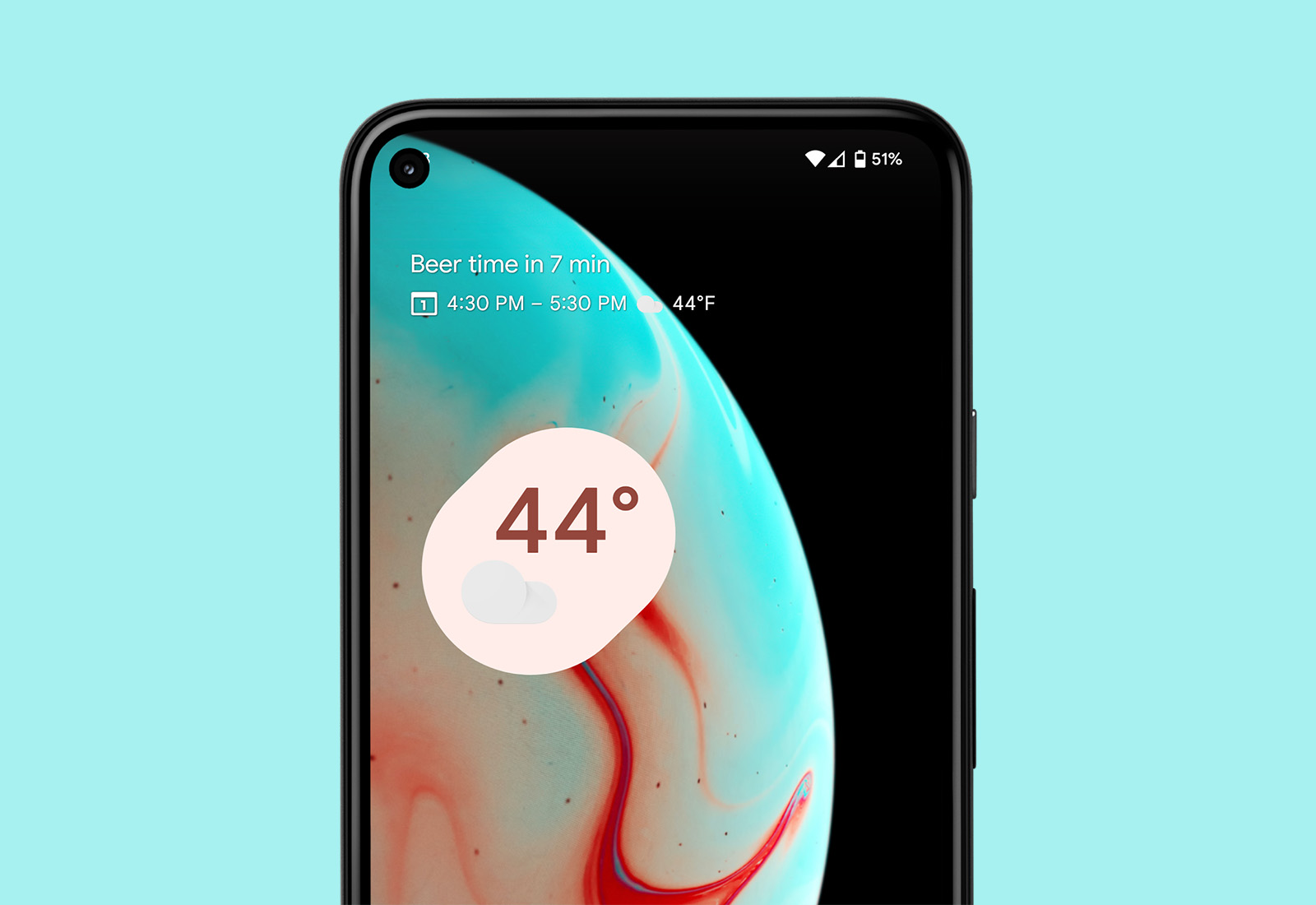

The “At a Glance” widget that Google won’t let us turn off on Pixel phones is finally going to do more than show you the weather and your commute times and calendar appointments. It was previously rumored to be getting a sizable list of new integrations and those have now begun to rollout to devices, including the Pixel 6.
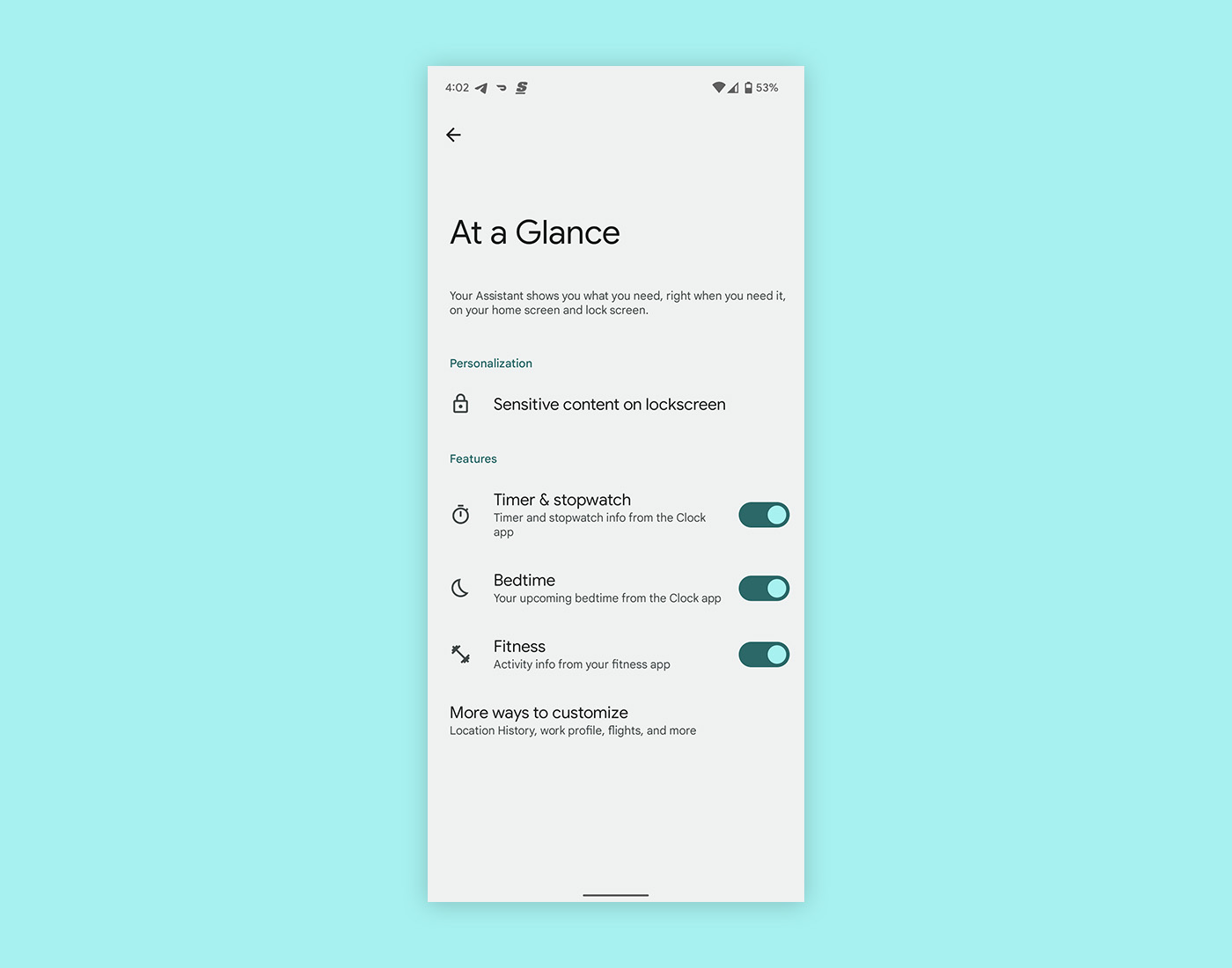
Likely thanks to a Google app update that rolled out earlier in the week, the At a Glance options have started to show three new “features” for you to toggle on or off. Those new options are “Timer & stopwatch,” “Bedtime,” and “Fitness.” They should be mostly self-explanatory, but let’s talk briefly about each.
- Timer & stopwatch: Google lists it as pulling timer and stopwatch info from the Clock app on your phone. We hope this means it’ll pull up timely shortcuts to previous timers and stopwatches depending on your usage.
- Bedtime: Google explains it as “your upcoming bedtime from the Clock app.” For those who use the Bedtime setting, we assume this is going to show as a reminder that your Bedtime schedule is about to kick in and potentially change settings.
- Fitness: For this option, Google says it’ll simply show “activity info from your fitness app.” This really should just show you recent activities, like a run or workout, which is a piece of info I’m not sure anyone needs there.
These aren’t the only features we are expecting, though. As I mentioned above, a previous report had 8 new features on the way and this is only 3. The others include an integration of shopping-related cards or lists when at a store, summary of connected devices, notifications from something like your doorbell, a flashlight reminder, and a safety check.
Here’s what we wrote about those other 5 features previously:
- At a store: If you are at a supported store, you could see shopping lists, Google Pay rewards cards
- Connected devices: When Bluetooth devices are connected, it could show you battery. I’d still rather have this widget.
- Doorbell: You could see a notification or shortcut to view your doorbell when it rings
- Flashlight: A home screen reminder that your flashlight is on
- Safety check: A safety check countdown from the Personal Safety app
Again, I’d really like to turn this entire area off and reclaim it for use with my own widgets, but if Google is going to force it on us, new features could get us to appreciate it once again.
// 9to5Google
Download Luca & Friends learning App provide Physical interactive E- Learning experience & engaging learning through reading, Move learn and play. early childhood care and education Fun games, nursery rhymes & kids songs
Someone see his travel/commute time incl. time to arrival on the at glance widget?
I tried liking the pixel launcher, it’s nice and all ,but I always end up back to Nova. I actually like the at the glance widget and it’s implemented better on the Pixel launcher than Nova, but I can definitely see how annoying it is not being able to remove it.
personally I’d like to be able to customize at a glance on home screen differently than on the lock screen.
My Pixel 3’s “At a Glance” hasn’t worked since Android 11.
Surprised that Google has no plans to put package tracking on At A Glance. It would be easy to do since they already track flights from Gmail and package delivery emails get a special card within Gmail
Am I the only one who can turn At a Glance off? In settings, just tap the At a Glance On label (for Pixel launcher, not Assistant) to the left of the gear icon and, on my phone at least, Google asks me if I’m sure I want to turn off At a Glance.
Is it broken in some way, or did it just roll out today… What am I missing?
Turning it off only removes your personal settings. it doesn’t remove the widget from the homescreen
Not being able to remove the at a glance widget if I want to, and be able to move the search bar wherever I want, are my main gripes with the Pixel launcher. Oh, and good thing I’m stuck on Android 11 on my Pixel, I don’t particularly like the design of Android 12 on the Pixel’s that support Android 12.
The At A Glance and search bar always at the bottom are two of my favorite things about the Pixel launcher.
These aren’t the only features we are expecting.
I don’t mind at a glance, but I prefer the previous version. Take the width of the screen if necessary. Show me pertinent information, especially Now-esque, proactive stuff. LET ME CLICK ON THE DATE AND OPEN THE CALENDAR!
I’m not a busy man, I rarely check my calendar. That said, I can imagine how annoying it is for a busy person to either open the calendar app or use a widget when a much better alternative already existed.
I guess I feel the opposite. I think At A Glance is too small. It’s difficult to read the weather icon. It should be bigger if it’s to be useful in elevating information. Definitely agree they should bring back tap the date to launch calendar
You can turn off “at a glance”.. it’s in home settings.
They meant that you can’t remove it. Even if you turn it off, it is still displayed
If you don’t want that, use a different launcher? With that said, I still use ruthless launcher on my Pixels for one reason: to get rid of home screen icon labels.
It is super annoying that little things like this Google doesn’t allow customizations on…especially annoying when one of the primary attractions to Android IS customization.
Ya, I’m not even some diehard customization guy, but I always end up back on 3rd party launchers for one reason or another. Using Niagra now and hoping for universal search for 3rd party launchers. Man, if they opened that up, and let third party messaging apps like Textra use RCS, I might finally have some faith in android again. I sort of feel like the small devs do a better job with this stuff. Google’s first party stuff has been so buggy lately, especially the At A Glance Widget. BTW, never heard of Ruthless launcher, I’ll check it out.