

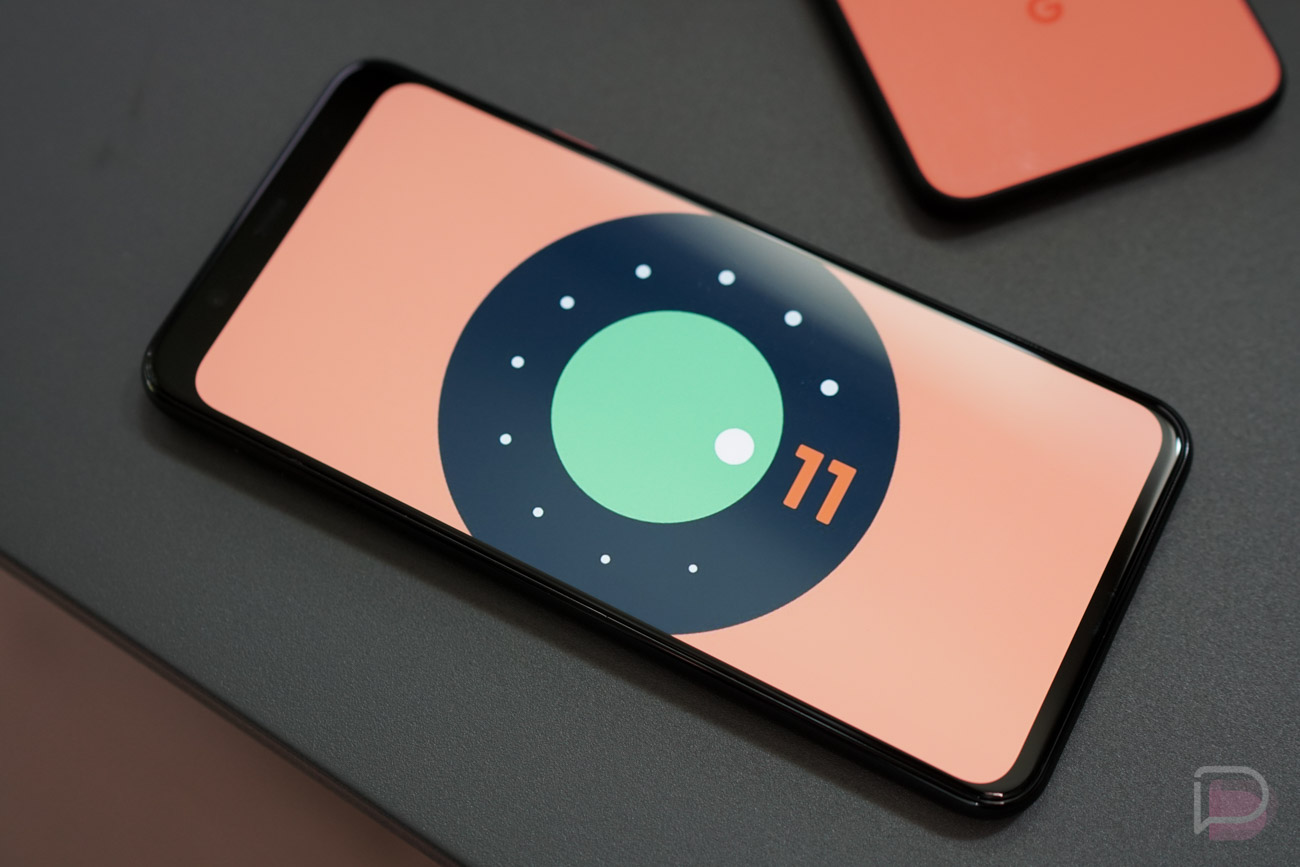

Google just dropped the Android 11 Beta 2 on Pixel phones and we are already diving in to see what’s new. As a mostly-stable build under the Platform Stability milestone, we might not see anything huge, but Google often continues to tweak UI elements up until the final release.
In this post, we’ll do our best to track those changes. We can’t promise that the list will be long or that exciting, although we are already finding some changes that make a lot of sense.
App Overview changes
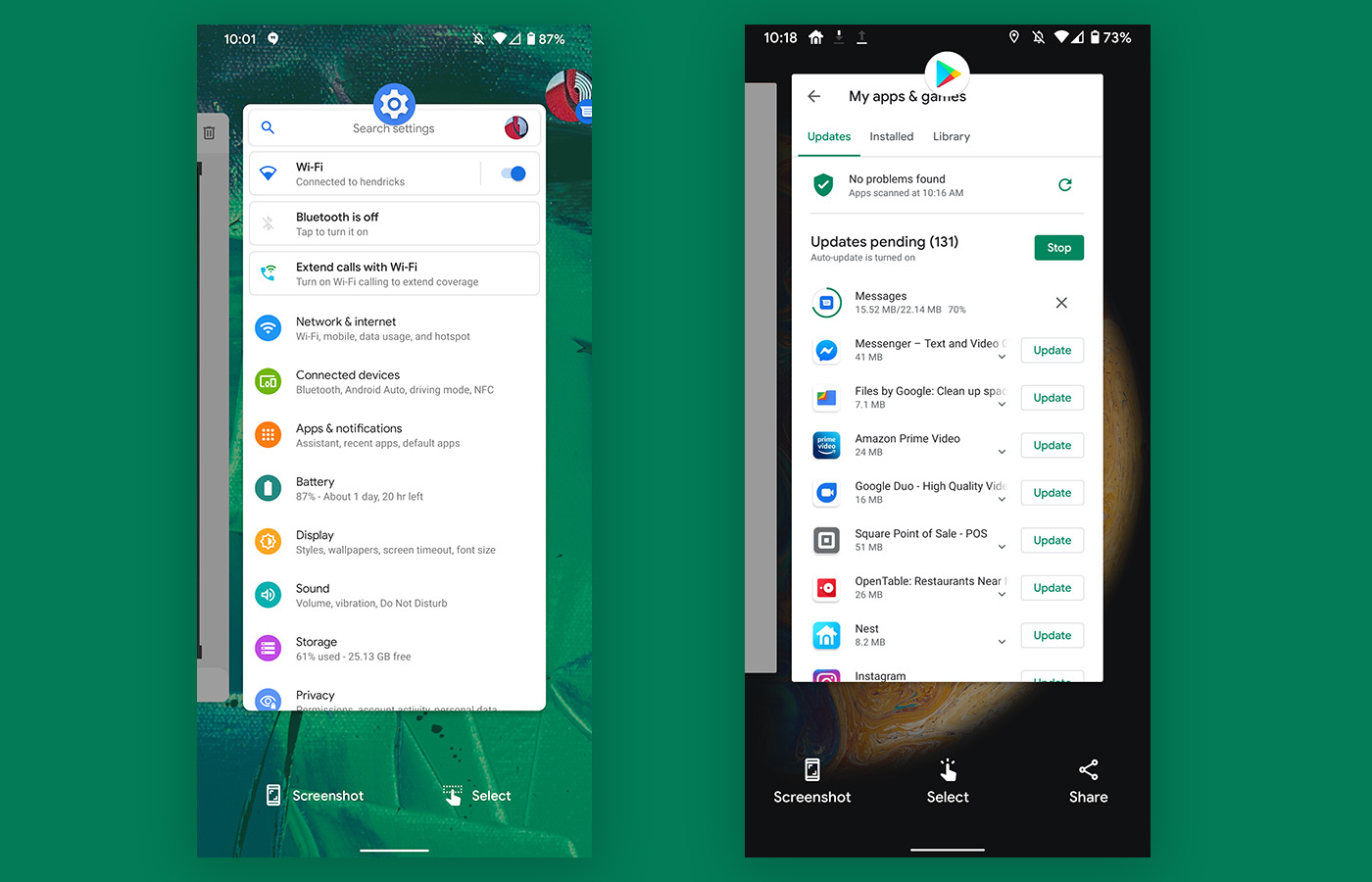
Beta 2 vs. Beta 1
This isn’t a huge change here, but the app switcher in Android 11 Beta 2 has been cleaned up. In the previous preview and beta builds, Google was including 3 options to screenshot, select text, or share. Having all three made so little sense, and Google appears to have realized that. In the new Android 11 Beta 2, they’ve reduced that down to just screenshot and select, with a new icon for text selection.
Bubbles icon makes more sense
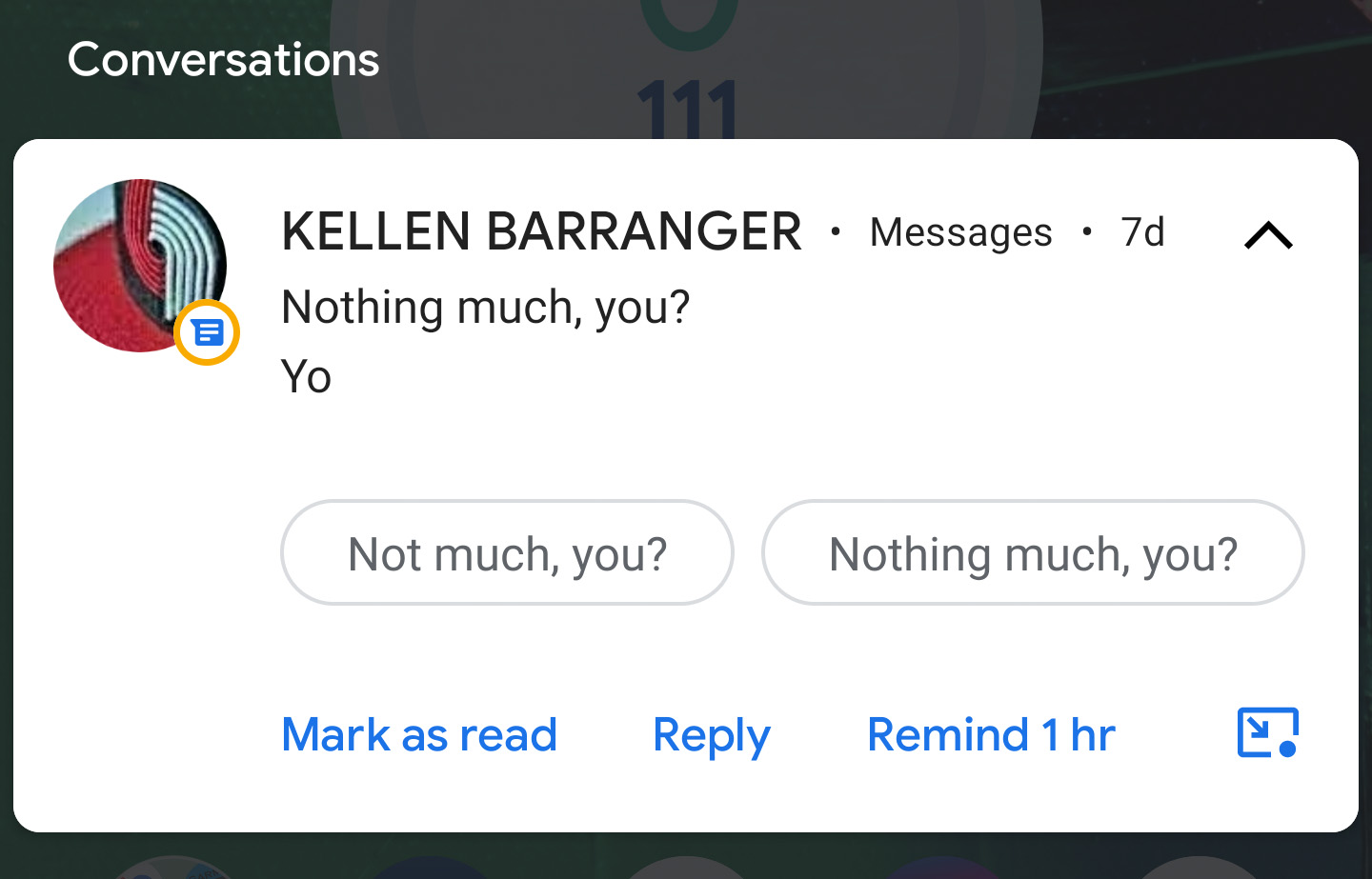
This is a minor change, but inside of a notification that allows you to open into a Bubbles conversation, Google tweaked the icon some to make more sense. In the bottom right corner above, see how the Bubbles icon now has an arrow suggesting the button does something outside of the notification? That wasn’t there before. Previously, it was just this weird circle with a dot in it and no indication about what it might do.
Clock option removed from Style section
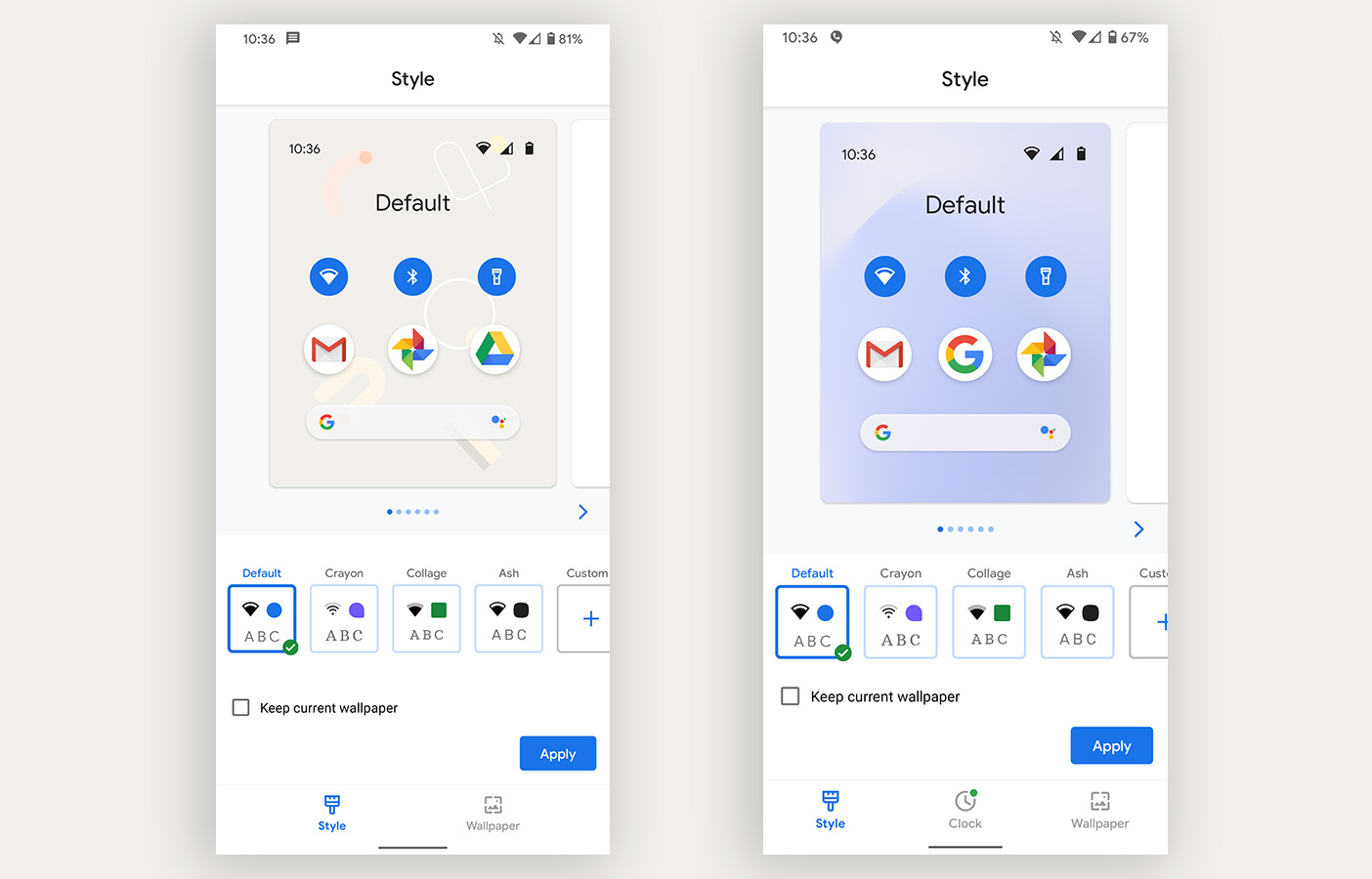
Beta 2 vs. Beta 1
In previous preview and beta builds, Google included a Clock section within the Styles & Wallpapers area, but that has been removed on my Pixel 4 XL in Beta 2. We assumed that area was going to allow for customizations of the lockscreen and always-on display clocks, so to see that now removed is a bit weird. Maybe Google is saving it for a Pixel feature drop?
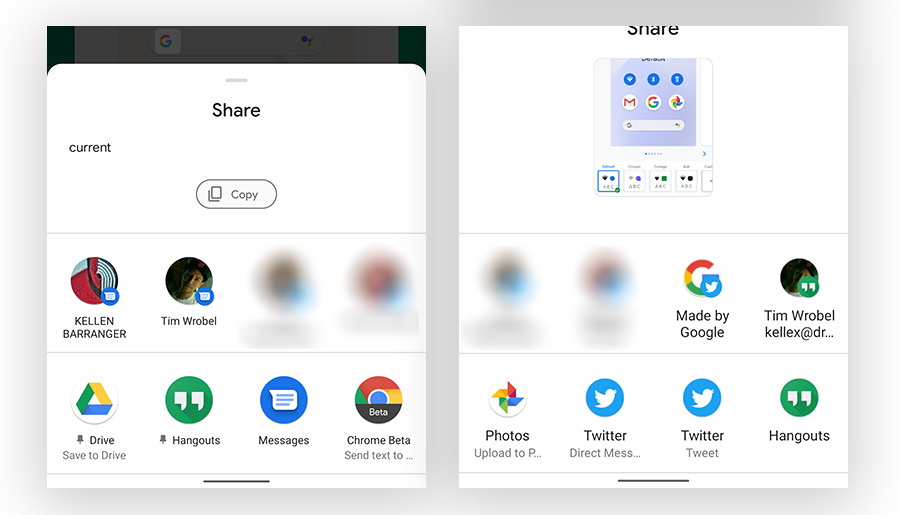
Share menu tells you when you pin an app
Beta 2 vs. Beta 1
This is another UI clean-up or improvement thing, but the app pinning you can do in the Android 11 share menu now shows a pin icon next to the apps you have pinned. I like it.
Screen recording can record device audio
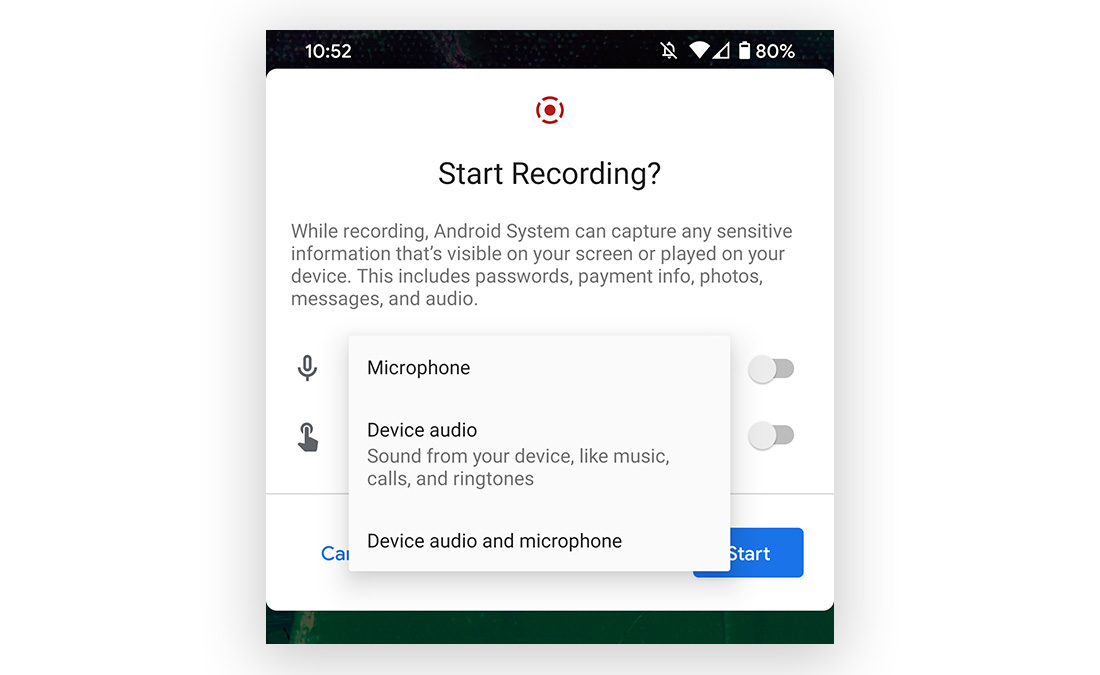
Screen recording in the new Android 11 Beta 2 added a couple of new audio options. Instead of only recording from the microphone, you can customize the audio experience further to record only device audio or both device and microphone audio. It looks like the screen record feature got a new icon too.
Notifications sections no longer have such weird names
Beta 2 vs. Beta 1
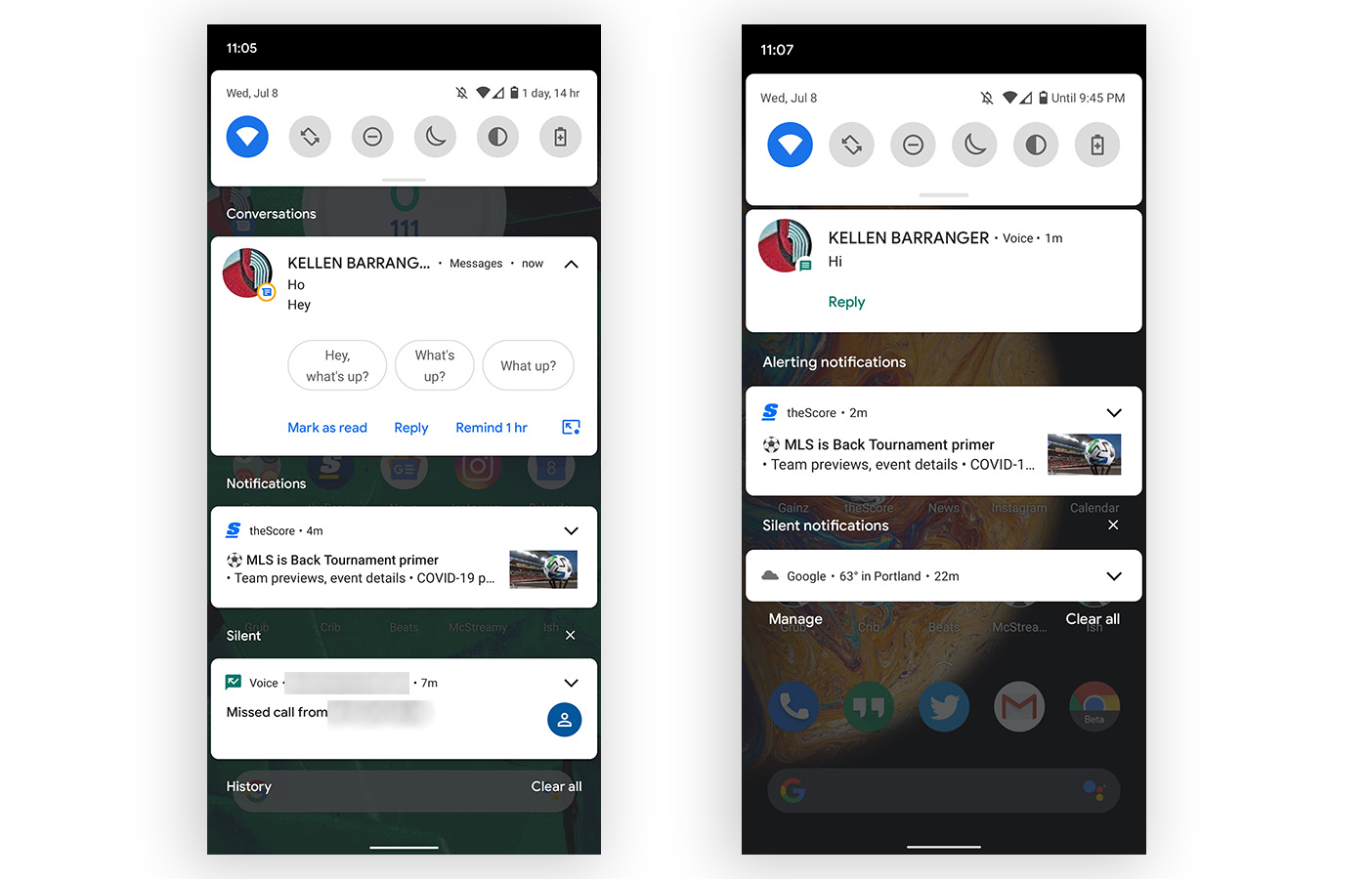
Remember how silly it was from the early previews that Google was writing out confusing and absurdly long names next to each section in the notifications area of Android 11? They were using “Alerting Notifications” and “Silent Notifications” to help us understand that some notifications would alert us while others were silent. In Beta 2, those are now gone and the sections now just say “Notifications” and “Silent.” Thank you, Google!
The new media controls in quick settings are here, for some
The new media player in Quick Settings design is now enabled by default. pic.twitter.com/urpJZICr8p
— Mishaal Rahman (@MishaalRahman) July 8, 2020
In Beta 1, Google showed off new system-level media controls that would now be housed within the quick settings area, rather than as an always-showing notification. The implementation in Beta 1 wasn’t complete, required you to enable them through a developer option, and didn’t look like what Google had teased, but we are now seeing the finished product in Beta 2. Well, some people are. The new look is showing up for some, just not all…like us. ????
Picture-in-picture gets simple resizing
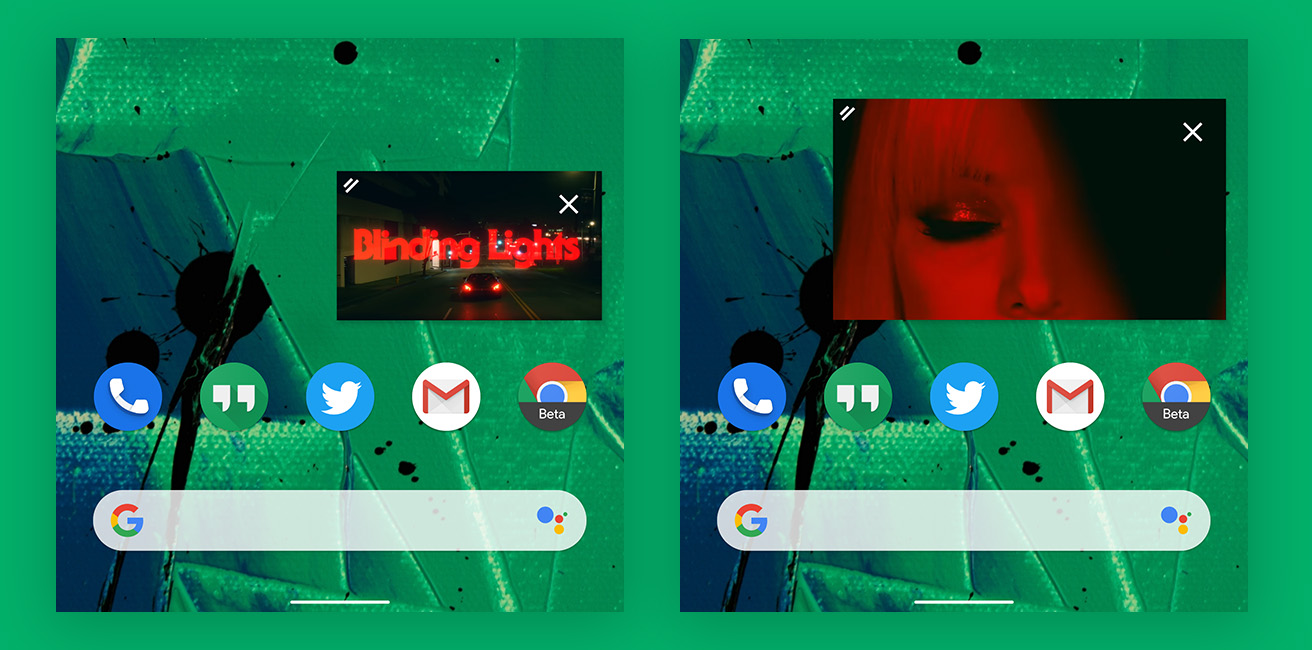
My Pixel 4 XL running the Android 11 Beta 2 just grabbed an update to YouTube and it brings with it a better way to resize picture-in-picture windows. In previous builds, there was a barely working pinch-to-zoom action that would sometimes resize these windows, but Google has now baked in real support.
In the shots above, you can see the floating window has an icon in the top left corner with two white bars that indicates you can make something happen by touching there. With a swipe out or back in on that spot, you will resize the picture-in-picture. Take that, Apple!
We’ll keep updating this post.

What’s new? My display now constantly switches between 60 and 90hz causing a flickering effect. Near seizure inducing. Not cool, Google. Not cool.
Did anyone else have the issue of Google Photos reverting to an older version? I can’t get it to update
Is it me or are these yearly Android updates becoming less exciting? Gone is the wow factor IMHO.
Am I the only one who feels that these transparent notification section names look horrible??? On Android 10 there’s only a very small line of you homescreen shining through but on Android 11 they just look like huge gaps to me.
When do we get it?
Daily driver worthy?
1 and 1.5 were so this definitely is
I started having this issue, with beta 2.
https://9to5google.com/2020/07/09/pixel-4-display-flicker/
The PiP resizing is extremely underwhelming!! (unless it’s buggy on my device.)
When the video switches to PiP overlay, it’s a tiny window.
If I tap inside the window, the window expands slightly.
Instead of that, if I just drag the top left corner of the window, I’m able to resize the window slightly.
The maximum size of the windows in both cases is same; which is still very small!!
Is that the expected behavior or is it bugged on my device?
Okay, I dig message bubbles!
only thing that sucks is when i dismiss them the screen goes black and reverts back to the lock screen.
I’m not seeing that.
Still no rolling screenshots. 🙁
One of the very few things I like about Samsung’s One UI.
Let’s see if this update cures the constant System UI crashes I get on my 2XL.
Gesture Nav was working great with Nova in 1/1.5, but not goes to Pixel Launcher. FYI
Nevermind, temporary bug that a reboot fixed.
Stable to use as a daily driver?
I haven’t had any issues on beta 1 on my pixel 4 XL. a little lag here and there in the launcher but that’s about it. Your mileage my vary
I mean, it was just released.
Very true. I asked because it hit this Stability milestone mentioned. Wasn’t really sure what that meant.
Dismissing Bubbles has already crashed the UI twice for me, sooooo, maybe?
Power menu has changed as well, power off and restart are consolidated into one button.
Yeah slight change there. You must have lockdown enabled. Lockdown used to be in a side menu.
Yeah, I do have lockdown enabled.
Not sure if related, but the Nest app seems to be behaving itself now. You can switch between cameras without having to exit and dismiss the app in between. It hasn’t been updated on its own in a few days, so I’d like to think this update had something to do with it.
i think it does as well since i was having the app cause me trouble for a while now in beta 1 with frequent app crashes, refuses to load into the app itself etc, seems to be better now in beta 2 but im keeping an eye on it
Still won’t show the gif-like preview in the notification tray for my Hello doorbell, but the other cameras show the gif…
Be cool if Google put some bubble animation in for the chat bubbles trigger. GIFs in 3,2,1….
Looks like they took out the force 90hz in developer options?
That sucks :
Yea. I saw on Reddit that the 90hz comes on more often but if you use a OP you notice the difference between the 2
So far it appears that they fixed the issue where you couldn’t use gesture navigation in apps that go full screen. (At least I had this issue on beta 1)
https://uploads.disquscdn.com/images/a340226ae277da79f6bca86c82a2374549b7899832b0eafc5da945115f3078a8.png https://uploads.disquscdn.com/images/227bfdedfae1b9071bc11804bb7e0e9cc9032113784981358bd62f31e9adb3d9.png
The new media play bar seemed to have changed now just a bit before it used to be in the top left corner with the toggles on the right side now it’s beneath the toggles
I like this change a lot!
Same! the off left location bothered my ocd like it just didnt look right to me, this is a much needed, cleaner look.
Didn’t get this and I want it badly