If you have gone through the process of installing one of the new CyanogeMod ROMs, then chances are that you are unable to overclock it past 600Mhz. Don’t panic! We can fix you! What we’ll have to do is install a new overclock-able kernel which is super simple.
*Warning* – The process we are about to layout is extremely risky. If you choose to do this, we are not liable should you brick your phone or cause any sort of permanent damage. If you do harm to your phone, please do not email us asking for help as you have already been warned and accept all risk involved. Cheers!
*Note 1* – Overclocking can only be performed on a rooted Droid. Rooting can be completed by following this post.
1. Open ROM Manager hit the Options key and choose “Developer Mode” and “OK”.
2. Then “Download ROM” and “CyanogenMod”.
3. You should now be able to choose “bekit Kernels” from the list. (See Note 2)
4. You are prompted with options for various kernels, choose one. Click “OK”.
5. Allow the kernel to download and when prompted, do NOT choose “wipe data”. Backup if you want.
6. Phone will boot into recovery and install your new kernel. (See Note 3)
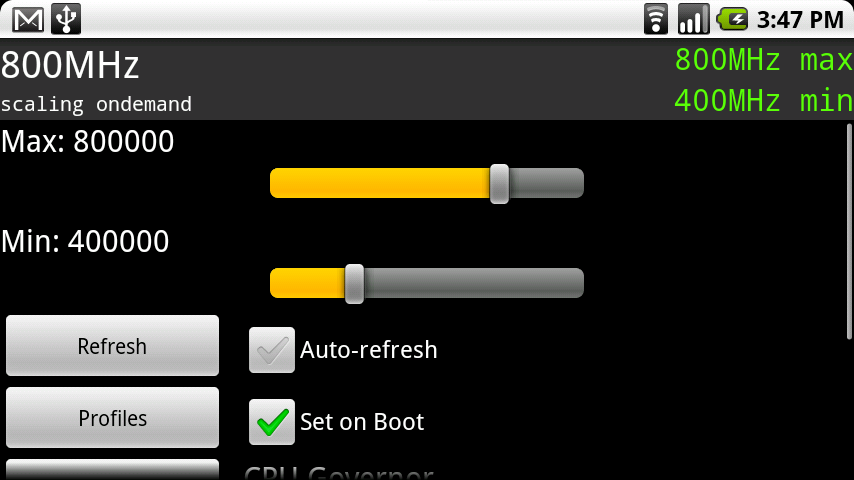
7. Once it boots back up, return to SetCPU and you should now be able to overclock.
8. Done!
*Note 2* – For all kernel support, follow this thread at the Cyanogen forums. We’ll also put a light description on kernels below.
*Note 3* – If you phone freezes at the M logo, it does not like the kernel you chose. Perform a battery pull, reboot into recovery and restore one of your nandroid backups. Go back into ROM Manager and choose another kernel.
And now a little background on these bekit kernels:
- New CyanogenMod ROMs all come with the stock kernel meaning you need to choose a new one to be able to overclock.
- Bekit Kernels are all “low voltage” unless it says otherwise. This means they put less strain on your Droid and should also enhance battery life. Higher voltage kernels should probably be left to super advanced users and the low ones to the rest of us.
- These kernels come in either 5 or 7 slot. This means you have either 5 or 7 different speeds to choose from on that particular kernel. For example, on a 5 slot it could be overclocked to “250/400/550/800/1000” and on a 7 slot it could be “125/250/400/500/550/600/800”.
- When you are prompted to pick a kernel, the MHz or GHz listed is the highest that kernel will go. For example, if you choose “5 Slot 1.1 Ghz 0.8.1” your max overclock speed would be 1.1 Ghz.
- “0.8.1” is simply the version number that is currently available. This really means nothing when choosing.
Drop your questions in the comments and we’ll be sure to get to as many as possible!
Huge cheers to TOM!