

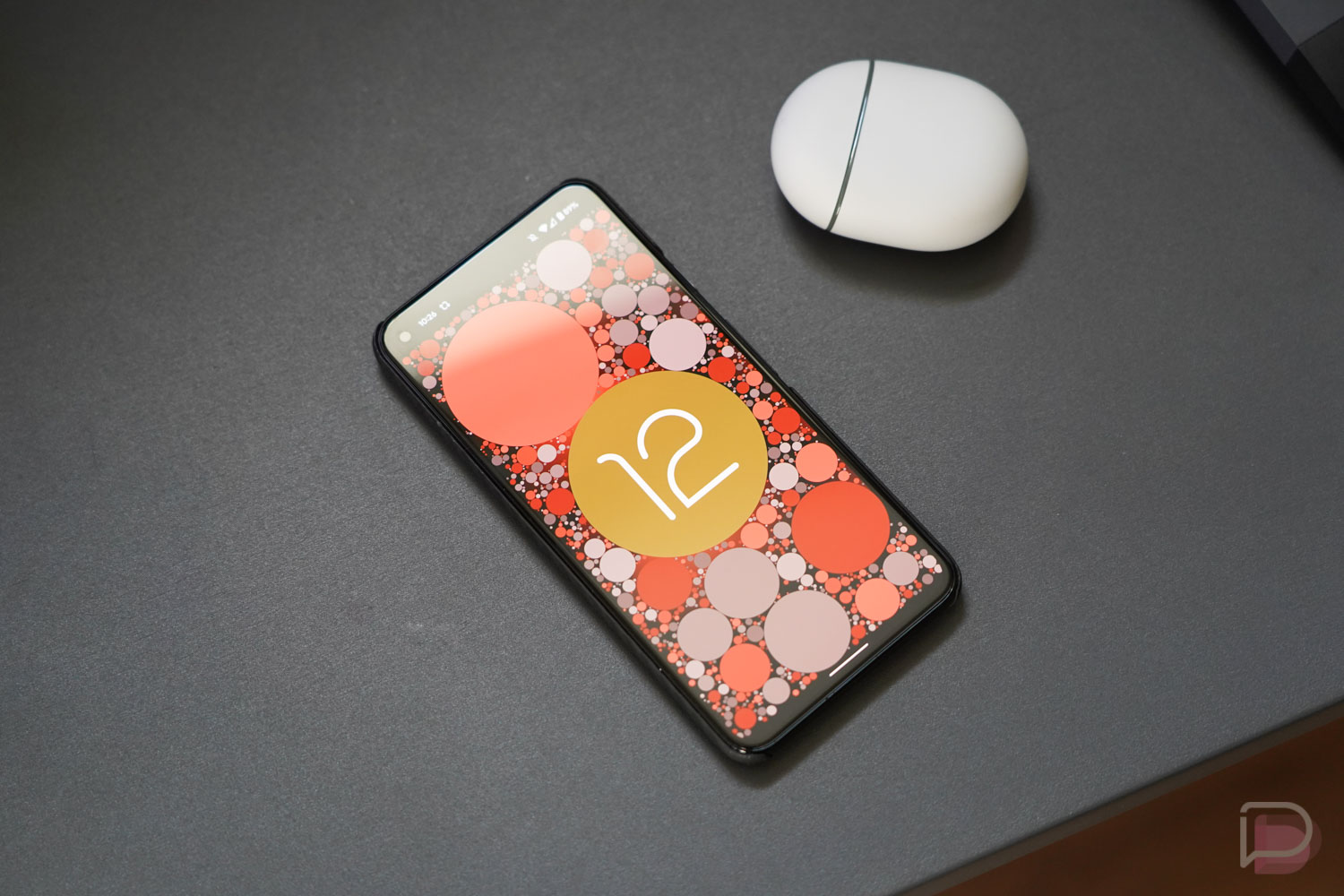

The final Android 12 Beta just dropped and we’ve already got it up and running on our Pixel 5 to look for changes. I can’t say that we are expecting a ton, as this is the fourth beta and has finalized features, but there is always a chance that Google slipped in some new stuff.
In this post, we’ll do our best to document the biggest changes, assuming there are any.
Android 12 Easter Egg!
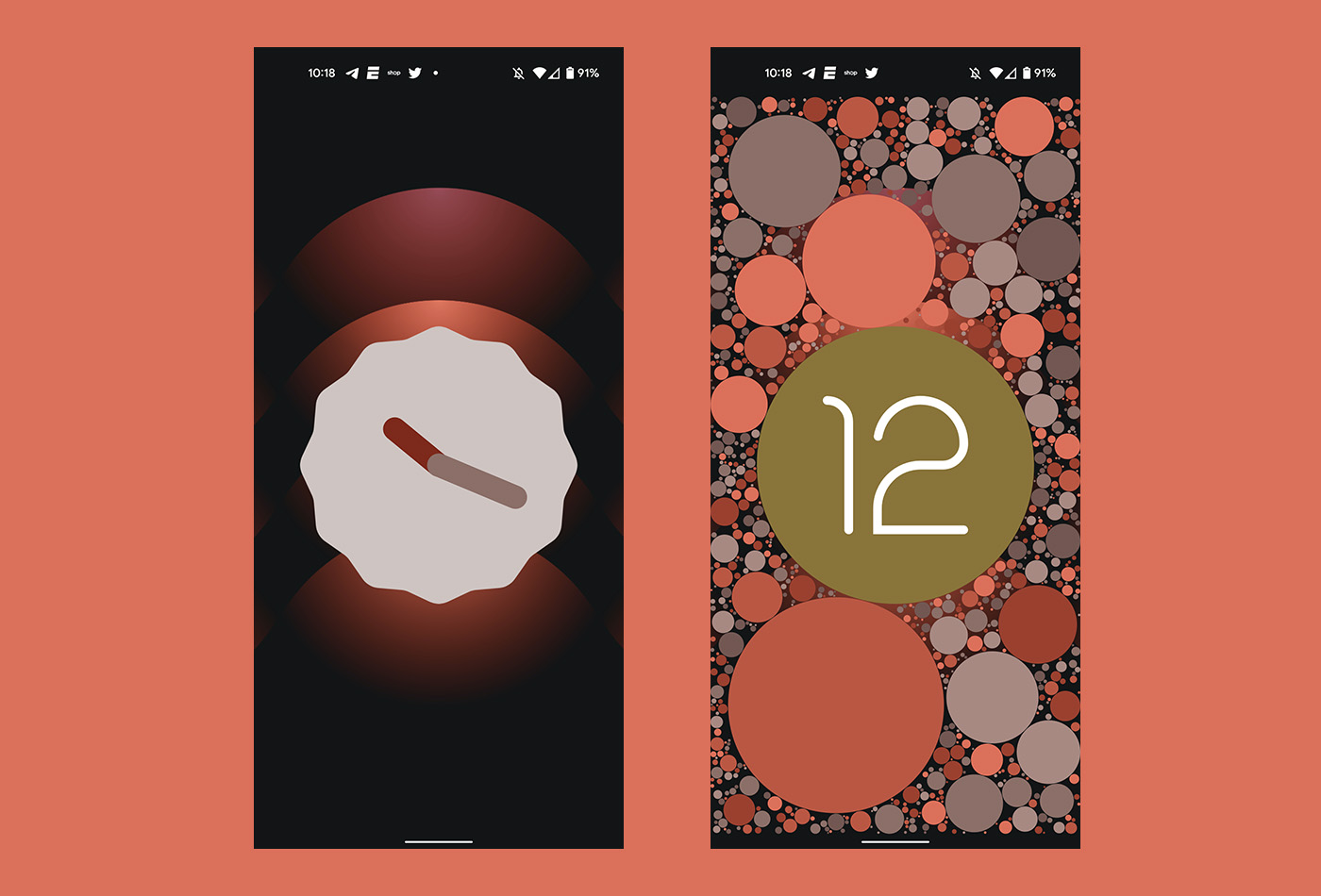
The Android 12 Easter Egg is indeed here. If you head into Settings>About Phone and then tap on the Android version “12,” you’ll get to the Android Version page. While there, tap 3 times quickly on the 12 and you should see the above clock image show up. If you twist the time to 12 o’clock, it’ll flip over to a colorful 12 image with plenty of circles.
Icon theming now in “beta”
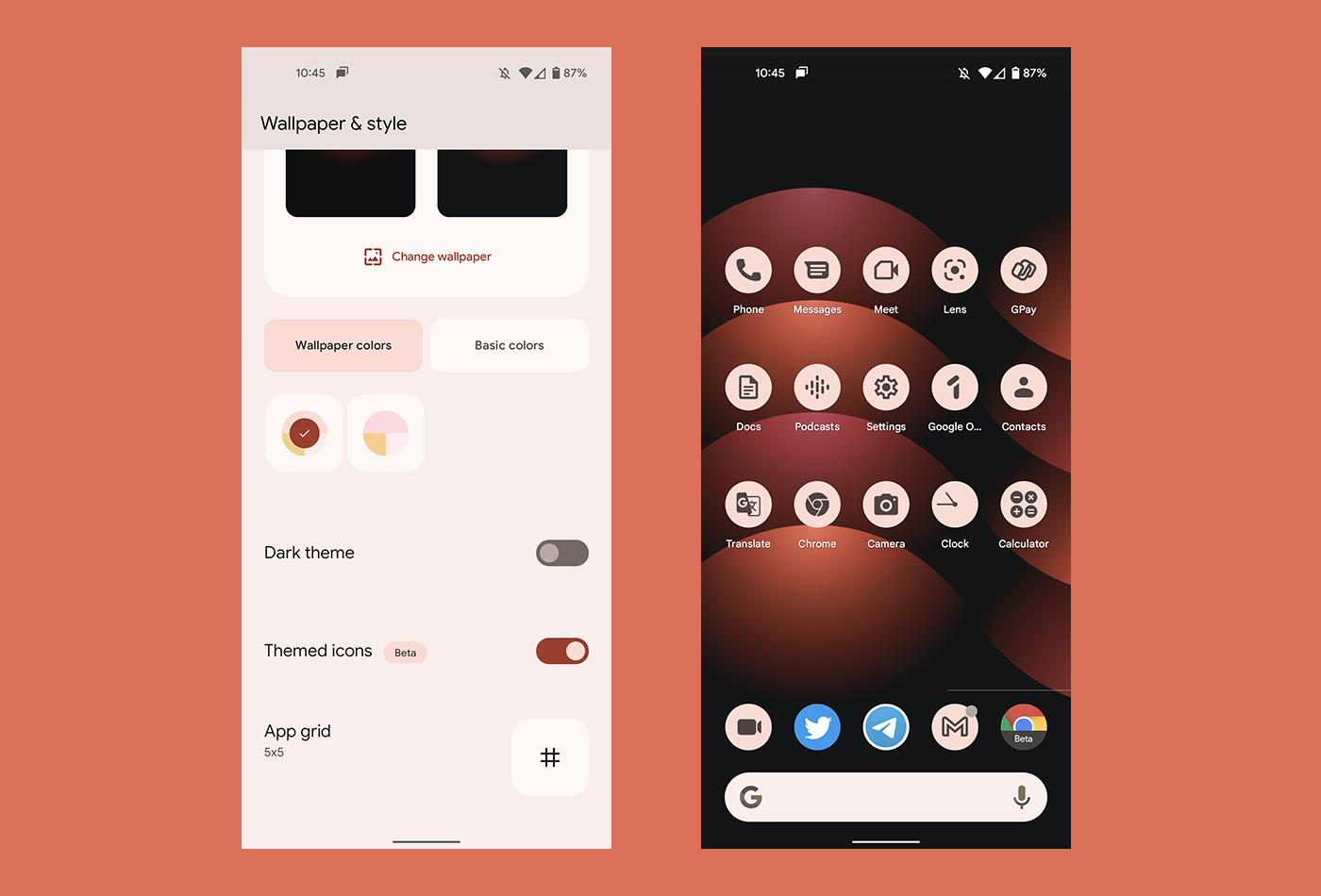
In Android 12 Beta 3, Google first introduced us to system icon theming that really only added wallpaper-theme matching to Google apps. They are now labeling this as a “Beta” feature. Who knows why, but it’s a change.
Internet pop-up improves again
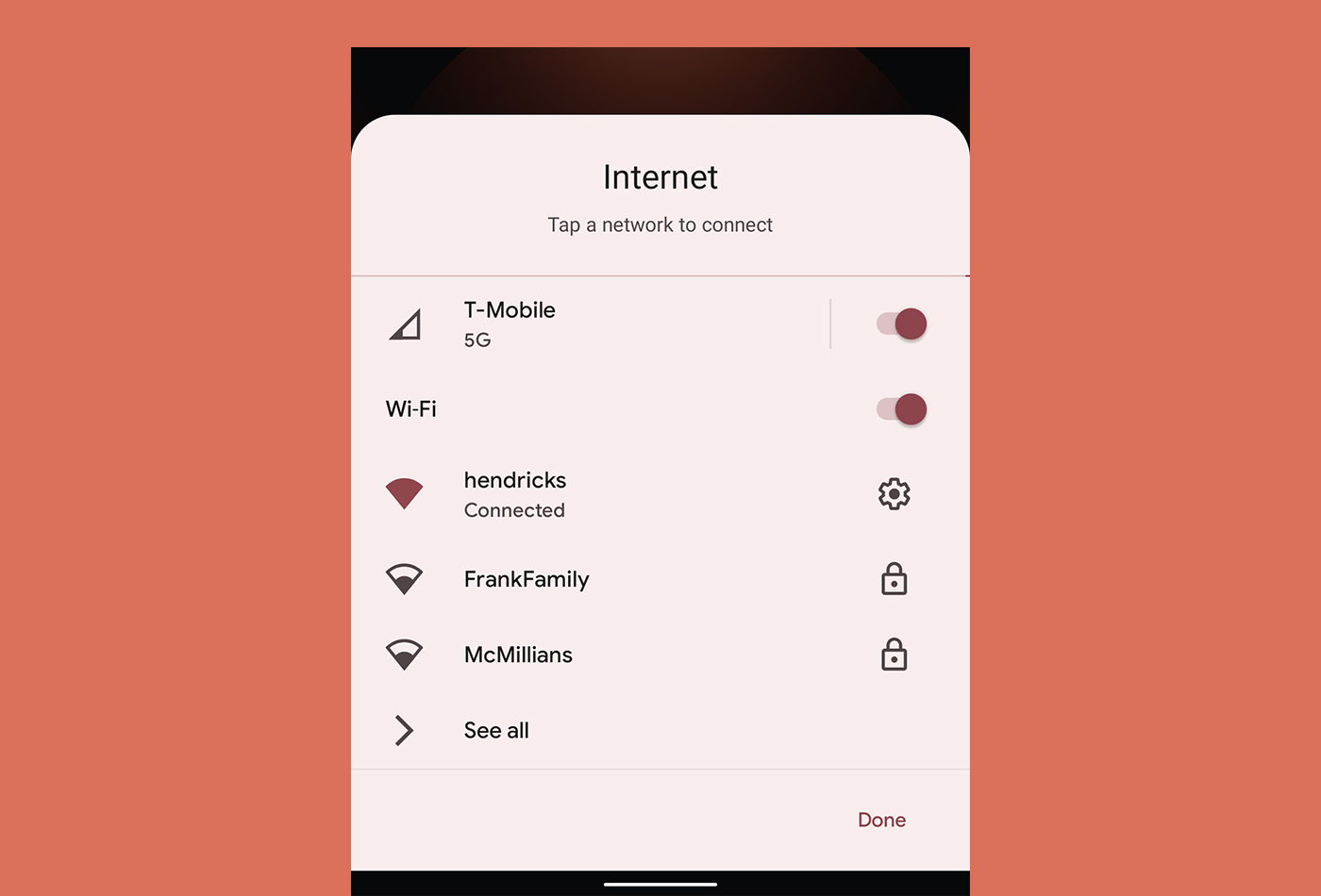
Google continues to tweak the Internet pop-up, this time by adding simple toggles to turn off WiFi or mobile data. In Beta 3, they added a WiFi-off option, but it was weirdly placed in the bottom left corner. This new toggle makes a lot more sense.
Still broken…
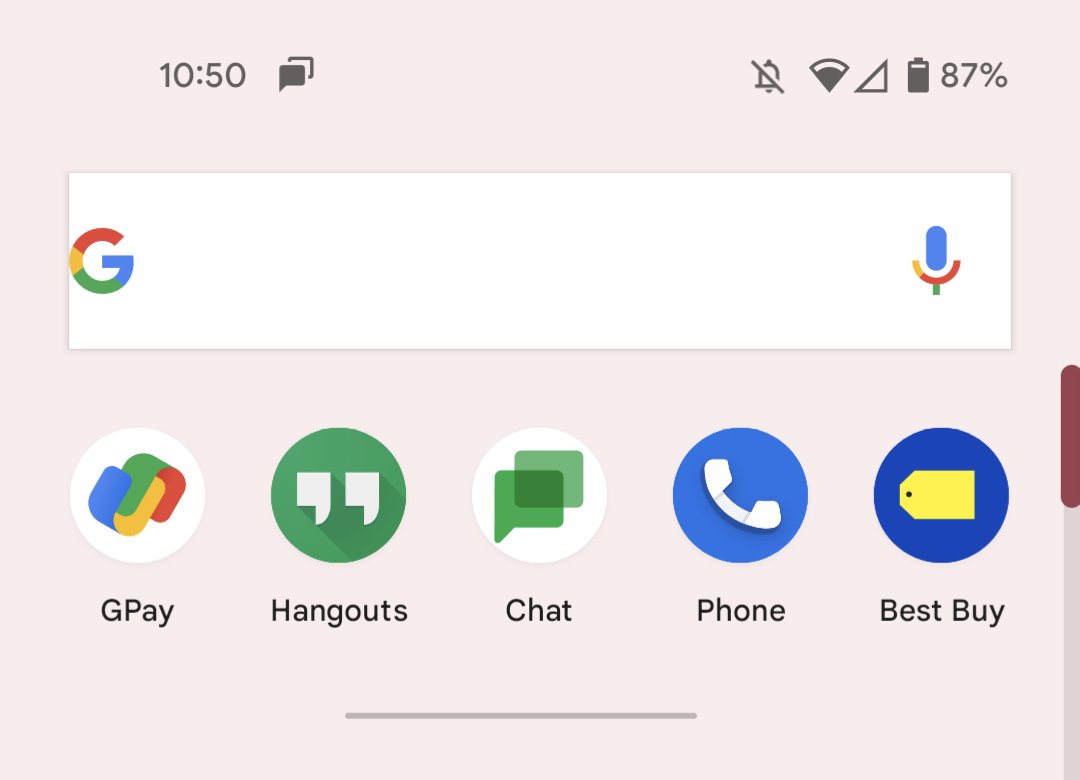
The search box in the app drawer still appears to be broken. It kind of works, but yeah, still looking like a 12-year old unpaid intern submitted their first assignment and was promptly let go.
Updating! But there isn’t much here…
Is it daily use stable?
Yes….has been since 3 IMO.
Thanks! Going to give it a try.
I just discovered One-Handed mode in this Beta release. I think this feature may have been available in past Beta’s as my apps kept getting stuck mid screen and I thought it was a bug. Now in this beta it provides a prompt how to get in and out of one-handed mode. https://uploads.disquscdn.com/images/10b9b621159f0c8ad86e19dc645111c3da8d0bff6dda92d675cb556a1326970b.png
Did anyone else rely on the initial pull down to click on the clock to set/change alarms? That was the best “quick” feature I utilized on a daily basis. Anyone have a better workaround other than bringing up the app drawer and clicking on the clock?
Looks like Beta 4 doesn’t play nice with some VPNs. Turn on VPN, webpages won’t load, turn off VPN, webpages load fine. For me, Beta 3 worked fine with my VPN.
https://media0.giphy.com/media/11xVhnKOKtAj5e/giphy.gif
Messages app was having issues for me, but seem to be fixed, things look a little large for some reason…
your new adventure ringtone is now available
so far for me, I’m not noticing any other new features but the speed and stability are a lot better. Google searches used to crash every other time i opened one on 3.1, as messages had a lot of background ANR’s, but so far I haven’t seen a crash, or even an app reloading because it fell out of memory after 30 seconds, pretty good
Is anyone else having issue with data connectivity since updating? Im usually full LTE and now im either 3g or cant find any service. this is a real bummer
This has been my biggest issue. Phone just drops all data and toggles for something like a minute or two and sometimes longer
It would seem that this just randomly cleared up for me. It was happening most of the day, i tried turning the phone on and off over and over and then just left it with the wifi on. Then, it just had full bars and full LTE. I dont know what it was….. but its all good now. Hoping the same happens to you
Anyone else’s notification shade stay black when not on Dark Theme? Been like that for me since Beta3 and did not get resolved in Beta4.
I haven’t installed any of the betas but I’ve seen many videos and screenshots showing the quick toggles as black even when the actual notifications are light and dark mode is off. I wonder if that’s just how Android 12 is.
Holy crap I didn’t really see or think to look at any videos of 12 and just assumed it was broken. It looks like you are right and that’s just how it might be.
I hope I’m wrong. I also thought it might only be that way when having the theme colors based on wallpaper but having never used Android 12 I have no way of confirming that.
Is the missed call notification bug finally fixed?
It was not fixed in 3.1
From what I have seen, this appears to have been fixed.
Fixed on my end as well.
What I want to know is how you got past the app optimization so fast? Once the OTA is out I’m about 1 hour away from actually booting into it.
My guess is by side loading, which is much faster
Yep, sideloading the OTA is the fastest way and that’s what I do every time
Same! Stuck on the E for the past 40 min.
So sad that my Pixel 3XL won’t be updated to Android 12. 🙁
Why not? My 3XL is running the beta now
It will be, not sure why you think that
Pixel 3 series updates end October 1, 2021, so there is only one more monthly update Monday (September). Even if there is a special Android 12 OS update for the Pixel 3 series there will be no follow-on patches. Who in their right mind would want a new OS on their phone with no future patches and updates to fix all the little things that are bound to happen? Not smart.
It matters much less because of Project Treble and Mainline. The most “critical” Android modules receive updates seamlessly in the background now, so long as they’re running Android 10 and above.
You’re good to go.
Couldn’t some of those other modules stop supporting older versions of Android? They might be updated outside of the system updates but they still could have a dependency on Android version.
Also, Android fixes OS level bugs through system updates all the time.
As far as I’m aware they aren’t. Mainline will bypass previous road blocks like your carrier, device type and Android version so long as you’re running Android 10 or above. That’s the whole idea behind Mainline, to keep up to date modules”critical” to Android security despite carriers or OEMs not providing updates. There could be support for certain modules that drop off over time related to antiquated hardware, but that would be years off still for the OP’s Pixel 3.
Monthly patches do still fix some bugs yes, but very little compared to past years, and system updates, bug fixes, and security improvements in the form of point updates to the OS itself aren’t required at all anymore.
That said, Google is still adding some modules, with Android runtime among the additions this year, so absolutely everything isn’t covered by Mainline, and I’m not sure that it’s intended to. Google’s goal is to secure the parts of Android most “critical” to security with Mainline, and with such a broad reach already it’s hardly the “no support” situation the OP described once OS updates stop. For devices running Android 10 and above support for modules important to security will carry on still.
If true about the Pixel 3, then I agree with you, which is why I like Samsung’s route of doing things, get an extra year or 2 of security updates after the last major OS. I currently have an S20, so I’ll get up to Android 13 I believe, then an extra year or 2 of security updates/patches.
This IS the final major update your phone will get. The Pixel 2 series won’t be getting the update.
But why would anyone put a major new OS on their phone with no future patches or updates going forward after October 1? All new OS have bugs that need to be patched. So yeah, Pixel 3 owners can get Android 12 but then no fixes for anything buggy afterwards. I would rather keep a perfect Android 11 running on my phone. Typical how people only think of right now and not the future.
This is nonsense, monthly patches are tiny now because of Mainline support from Google Services. Same reason Android doesn’t need point updates anymore. If OS supports ends then phones may not get any feature drops but Mainline will continue to provide security support seamlessly in the background.
Mainline covers phones on Android 10 and provides security for 25 Android modules, with at least 1 more module added this year in Android runtime if reports are accurate. Monthly patches and point updates have become far less relevant for Android thanks to Mainline.
I’m running Android 12 on my Pixel 3XL and it certainly will be getting the final build too.
You’ll probably get one last update in December like the Pixel 1 and 2
No. Google support clearly states Pixel 3 series will have no more updates after October 2021
Lmao
It said October for the Pixel 1 and 2
But they got their last update December 2019 and 2020.
So you should get Android 12 which likely comes out in September. Google said the Pixel 2 XL would stop getting updates in October of 2020. My Pixel 2 XL for Android 11 in September 2020 and monthly updates until December.
My 3 XL has been running 12 since the first Beta. Runs super smooth. True this will be the last OS update, but it will get one more “fix/security” update in December to round out the release. Just because it’s the last OS shouldn’t stop you from enjoying the 3 series for another year. Google wouldn’t release a new OS version if they didn’t think it’s worth it for a year’s worth of use. Why release a new OS only for users to stop using the phone because they think it will be bad? They wouldn’t. They will make sure it’s as stable and bug free as can be so users can use it until OS 13 is ready, and then they can upgrade to a new phone, and start the process all over again. The 3 series was released in 2018, and is still holding its own for me, so running 12 will make me happy until next years Pixel 7 release. Especially since I just got a new battery about three months ago, so it’s basically a new phone now.