


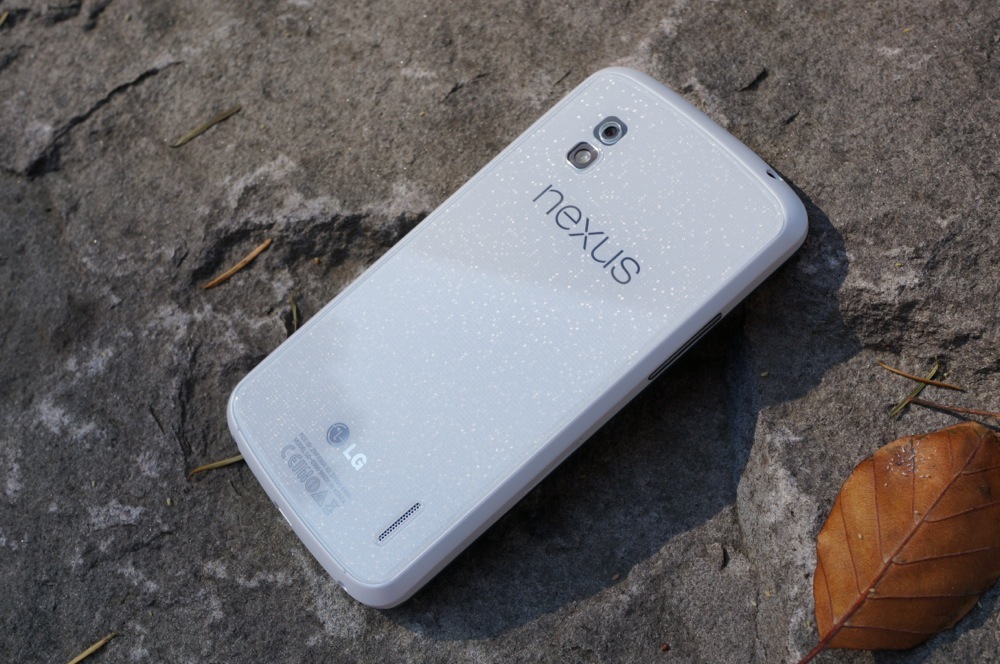
Nexus 4 owners, we know that you aren’t the happiest bunch at the moment, thanks to what seems to have been a delay in your OTA update to Android 4.4 “Kit Kat.” In fact, the Moto X managed to beat you to the fun. Sorry about that. The good news is that the update is finally rolling out, and we have the direct link from Google for you below.
The file below can be used by Nexus 4 devices currently running stock JWR66Y.
In order to flash, you can use the “adb sideload” command through adb and the Android SDK (instructions). If you are stock with root and recovery, flashing the .zip file through recovery often times works.
Cheers Josh, Michael, and everyone else!



I decided to wait and received the OTA on Saturday! #Rwanda
Updated via OTA to the latest version of Kitkat. My Nexus 4 is now stuck on the loading graphic. What should I do?
Just go to Settings/Apps/All/Scroll down to “Google Services Framework”
Open it, Clear data/Force Stop and turn phone of while still in that
screen. Reboot device and it should pop right up! It took 2 tries for me
and I’ve heard of it taking 4 or more but it appears to work almost
every time. Worked like a charm for me!
Now I have it and the GEL apk. installed and it is basically an N5 for all intensive purposes. Now I’m bored. Next!
please help, i updated my nexus 4 to kitkat and now its just been on the uploading screen for about 30 + mins and its not doing anything I know i shouldnt have turned it off after 30 mins but didnt know what else to do … but i restarted it and the samething does anyone know what to do please help thanks
My nexus 4 has been stuck on this loading screen for an hour now after the system update to kitkat was interrupted. At first it was frozen on the “optimising/updating apps” for over around 45 minutes so I restarted it and now it won’t boot. I tried using the bootloader to put it into recovery mode but it just says “no command”. Nothing I’ve tried has worked and it’s quite frustrating, can anyone offer a suggestion?
same thing for me as well, wtf is going on
I contacted google about it and they told me to wipe cache partition in the device’s settings which is completely useless.
The cache reset usually does it. Since it that would rebuild the kernel cache.
Same thing here. After trying everything (deleting cache, wipe all data etc), had to download new one and apply it with nexus root toolkit.
After contacting them they told me that they want to exchange my device for a new one
how do you contact them
I just emailed google play support, but they told me that i would be given a refurbished device as a replacement, and that i may have to pay the full price of the device if it is not covered under warranty so I’m just going to manually install kitkat.
Did this work?
You can reinstall the ROM by using the Nexus Root Toolkit.
A similar thing happened to me. My phone is stuck at the loading four animated circles screen after the restart. What do I do?
I have attempted everything with still no joy. Even left the four animated circles running for 1 hour…. Might need to contact Google I think.
I’m stuck too.
on a screen with 4 stupid circle cycling around.
Tried left it overnight. Didn’t work.
Is anybody unimpressed by the speed of 4.4 in the Nexus 4? I flashed the stock image last night and I’ve noticed stuttering between animations at times.
Yes. Noticed it.
Got the update. Feeling like a gringo… It’s a ‘no happiness’ giving update. My Nexus 4 remains the same and that too erased the blue status bar icons. Crap.
Run ART. Flash GEL. Profit.
Can u share more light. Thanks.
ART is the new Android RunTime environment; it replaces Dalvik. It’s a developer option because it’s in beta, but if you don’t use Whatsapp or Titanium Backup you shouldn’t have any app compatibility issues and it will run faster with better battery life than Dalvik does. Google it for info; don’t want to link another site on DL. On a related note: holy crap, Droid Life, do an article on this already! #1 feature in Kit-Kat.
GEL is the Google Experience Launcher as found in the Nexus 5. I have a Nexus 5 that I just traded for my wife’s Nexus 4; she could use the better battery life, better camera, and less fragile build far more than I, so it made sense. I really liked the GEL, and if you’re rooted with a custom recovery you can load it up really easily by just flashing a zip. If not, you can always sideload it (look that up if you’re unfamiliar).
You’re on a Nexus; keeping it stock is fine, but there’s so much you can do with it! I’m running PSX ROM 4.4 with the GEL and loving it; I really don’t even miss my Nexus 5. The Nexus 5 was for sure a nicer device, but in day to day usage I don’t see much difference right now.
Is the battery life on the 5 that much better than the 4?
It was for me. I was able to get over 1 day of battery with 2.5 hours screen on time and still have 32% remaining. This was after having it for a week, though. The problem was, initially, that Google Now was learning its place. Also, some things were set to sync that didn’t need to (though I generally sync everything). Though I will say that since going ART on my Nexus 4 I’m seeing some fairly good battery life. For me, the difference between the devices isn’t great; I’m able to get through the day on either. Just on the Nexus 5 I’d end the day with ~40+% and on the Nexus 4 I’m ending the day with more like ~20%. For my wife, the Nexus 5 has enabled her to get through the day without a charge in the evening, though she has experienced some wonkiness that I’m going to have to chase down (like Google Search keeping the device awake for over 4 hours yesterday; weird).
Sideloading is complicated. Why can’t Google come up with something like iTunes?
Installing OTA update now…
I know we’re not supposed to clear the Google Service Framework app but I’ve been checking for the OTA all day without luck. As soon as I cleared the framework just once, the OTA showed up on the first check.
OTA downloading now 😀
My sister decided to be helpful and updated my phone after I got an OTA notification… The problem is I’m rooted and haven’t made a backup since 4.3. I get a “no command.” error that loops every 30 seconds. Any ideas?
Edit: Recovery mode also enters the “no command.” error page.
Same here and I haven’t backed up since 4.2. Tried tons of things and nothing has worked yet. Tried to flash backups and it didn’t work either.
It just happened to me, i installed the 9MB ota update and the phone rebooted into twrp, automatically started flashing the zip file with no success i guess since nothing new changed in my phone like it was supposed to update the build number from KRT16O to KRT16S but none of that happened, but thanks god i wasnt stuck in a bootloop.
I have yet to get the ota. Is there a way to get the update without rooting and without hooking my phone up to a computer?
Nope. You can’t sideload or flash factory images without a computer.
I stopped caring as soon as I installed PSX 4.4 with GEL. That’s why I have a Nexus, right?
i know this is completely unrelated to this article so don’t hate on me for it, but i was curious if anybody knew if the update to 4.3 for the Verizon galaxy s3 was still expected to start rolling out tomorrow or if it was delayed at all. anybody happen to know the answer to this?
Is this for the white version or black? Lol
The white nexus 4 looks so good in this pic and then flip it over and it’s all ruined.
I just got notified the OTA update is available for my nexus 4, but it says verification error and can’t download. I tried restarting my phone but when I click retry download it does nothing and says can’t download in upper right corner. Any thoughts?
Uhm, download the update given the ‘Link’ above. Install it.
That’s my thought.
Same case with me ;( It wouldn’t download again.
Clear Cache of Google Services Frameworks in Apps Settings and go to the System Update again
Whenever I get the chance, I’ll go grab this update for my Nexus 4 sitting in my desk drawer. Good thing that my Moto X got its update already!
gah! why couldn’t they do all these insanely quick updates when i had the galaxy nexus. verizon too wth. gah! now i have the LG G2 and there’s no love.
Look 2 posts after this LOL. there is ROM for 4.4 for the VZW G2. Many more to follow im sure. There is a big DEV community.
This delay was really not fair to Nexus 4 owners.
You do realize there have been many blogs since last night covering the direct statements from the Google engineer who detailed how their OTA rollouts work, right?
Plus, you could have done an OTA sideload and not had to wait. Yes, you “shouldn’t have to” but that’s simply the way it is.
The Nexus 4 is a year old. The Nexus 7 2013 users hadn’t even received 100% OTA status yet, and that’s much newer. I would hardly expect the Nexus 4 to receive an update before the Nexus 7 2013 if OTAs are rolled out gradually.
I bought a Nexus 5 with the idea that I’ll be the first to get the latest android for the next few years. If I had a Nexus 4, I’d be a little upset that my Nexus device wasn’t getting the update quickly.
Don’t worry. When the next Nexus comes out, it will take you a few weeks to get the latest version of Android. Some Motorola branded phones from carriers will get the update before you as well. Cheers.
yeah NOW that’s how their OTA rollouts work… it wasn’t like that for android 4.3 or earlier versions where nexus devices had to wait a month.
Do you frequently base assumptions on the past after new facts are presented? If this is the way the OTAs work now, what does it matter how they worked in the past? Things have changed.
yes but just because thing’s have changed AFTER someone purchased their device, doesn’t mean they arent allowed to get upset…
what if you bought a nexus 5 because of it getting updates and then next month Google was like, Nexus 5’s actually wont be getting any updates past 4.4… wouldnt you be upset because the main reason you bought your nexus 5 in the first place or would you just shrug n go “oh well, rules is rules”.
That’s kind of an irrelevant and insane supposition – what device in the history of Nexus devices have they dropped after one month? If you’re going to base your arguments on hypothetical situations and rely on an anything goes mindset, there’s no point to this conversation. The standard is about 18 months of support. At 18 months, yes, I shrug and say “that’s business.” After a year and a half, it just doesn’t make business sense for them to support a previous generation when the next is already out and the next after that is only another 6 months away – the already small population that purchases Nexus devices every single year would shrink as people hang onto their devices longer.
And yes, to entertain your hypothetical, I would shrug after 1 month because it’s a Nexus device and I can unlock it and root it and be part of the development community to get it the update because -at its core- the Nexus is a development device. If you’re part of the subset of users that bought it as such, you don’t give a crap if you have to wipe to flash a factory image, and you wouldn’t be bemoaning the OTA schedule right now.
I have an idea for a new Droid-Life story…. interviewing the rock that’s always under these phones.
It’s in so many photos but we don’t know anything about it.
Is this it’s only gig?
Does it dream?
Does it like Nutella?
Does it own a Nexus 5, a G2, a Moto X…… or is it still sporting the OG Droid?
The public wants to know!
I hear the rock works for DL, but actually uses a Windows Phone.
And will always use a Windows Phone, but recommend whatever phone is being photographed with the rock as its backdrop
And does it own a Pebble?
Flashing right now! 😀
I just received my Kit Kat update on my Nexus 4 today. I was shocked to see the update available for the N4.
I want to go push refresh and clear out my Google Services Framework….must…resist…
I resisted until a few minutes ago…
I’m downloading the OTA as we speak.
Yeah I cleared GSF, second time and now downloading 4.4
First and with kit Kat
Do you pity the fool?
Nah. We just pity the ‘first’ fools.
But if that’s all you have to live for in the day…