


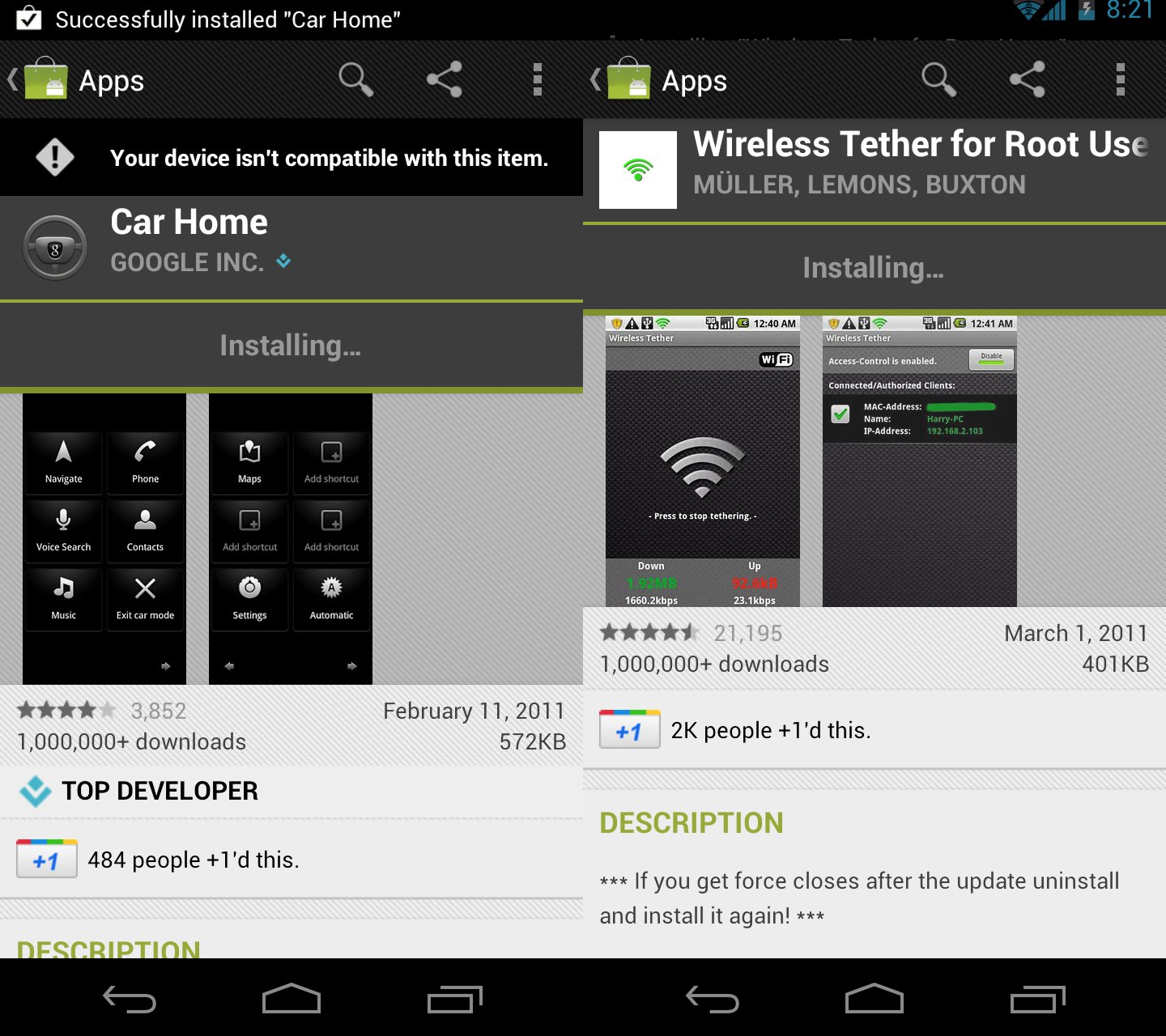
One of our readers discovered yesterday that through a loophole in the Android Market and browser, you could install Google Wallet. After the community got a hold of this method, they quickly realized that this not only works for Wallet, but just about any app that a carrier has blocked from your phone. As you can see in the screenshot above, I was able to download and install both Google’s Car Home app and Wireless Tether.
There is a good chance that this will be patched before too long, so for now, feel free to load up just about any app that you would like. For the most part, this will get you into just about any tethering app you want, but there are bound to be other hidden options. In the comments, feel free to drop as many that you can think of to help out the rest of the community.
Instructions:
*Tip: You may want to clear data and defaults on browser and Market before doing this.
1. From your phone open the browser and head to http://market.android.com.
2. Search for “Google Wallet.”
*If your browser prompts you to open the Market, don’t. Just stay in the browser.
3. When the results come back, tap on the Google Wallet icon.
4. Tap the “Install” button from within the browser and then sign into your Google account.
*Again, this is all from the browser, not the Market app.
5. Once you have signed in, you should be redirected back to the Market page in the browser.
6. Obviously, you will not have the option to install there since the VZW Nexus is not supported.
7. Tap the back button until you are prompted for the Market or Browser again, this time choosing the Market.
8. The Android Market should open to the Google Wallet page with an option to install.
Video:
[youtube]http://www.youtube.com/watch?v=jI-f2T4cCWI[/youtube]
Cheers Jigga_z and everyone else!
does not work anymore since play store checks for device
It just worked for me.
Looks like google play put a stop to this, any new work arounds?
Sweet this is perfect.
Google Wallet will only work on phones with an NFC chip, i.e. Nexus S (Sprint) and Galaxy Nexus (AT&T, VZW, T-Mo). It won’t work on any other phones.
did not work for my droid charge , installed google car successfully but no icon created anywhere,reinstall from my app manager folder and the open button is disabled. drat!
i have HTC incredible an i tried this,it worked i got google wallet on my cell but every time i tried to open,it just force closed and kept saying not suitable for my carrier.but the app did download to my cell.i just erased it cuz i couldnt use it.Thanks for the info,i love Reading DL..
You cant use google wallet if your phone doesn’t have NFC
broke on T-Mobile
How is it legal for carriers to even do this? Block market apps. And why does Google even allow it.
Seems that any of these work-arounds are useless if they are just going to hear about them, then block or remove them from your phone. I had a tethering app on my Thunderbolt that worked great, and VZW took it off with an “update”. Is there an app that blocks the carrier from installing “updates” or removing your apps?
Yeah I want a list of games available on other platforms that are not on Verizon.
Alteratively you can just install a custom ROM, right?
Got to the final steps to successfully download this on my Droid X (stock, no root) and the market defaulted this “Your device isn’t compatible with this item”. ALL the directions to follow in this Droid-life article perfectly describe how to do this, but I think I’m SOL on my Dx :o(
Nothing said that Car Home was blocked by the carrier…
C’Mon K, google says it isnt compatible with the GNex, quite a different story than with wallet.
Now if we can sideload and it runs fine (I take it the gnex has no magnet dock activation aka moto, correct?) Then i’m all for it!
Anyone test car home on the gnex now?
Lastly K, can you reach out to your google contacts and find out if they are planning on an ICS version of car home?
Much much easier to just grab the apk and dropbox it to your device then install directly. I found the apk over here:
http://www.droid-life.com/2011/12/17/download-google-wallet-apk-for-galaxy-nexus-lte-all-users-no-root-or-zip-flashing-required/
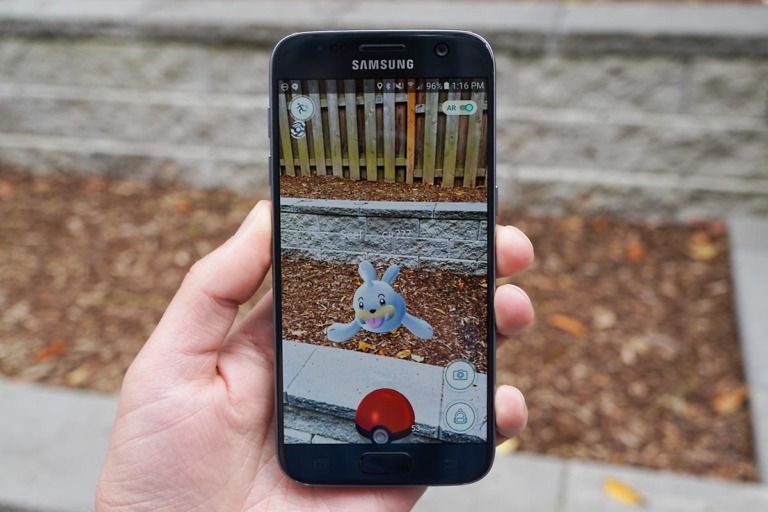
this dose not work …at all PERIOD. case in point : Play augmented reality games on your Taco Bell box
Download, play the reality fighters dojo with your phones camera pointed at this picture, profit. upon going to MARKET like the steps state I get a message across the top of my screen ( YOUR DEVICE ISN’T COMPATIBLE WITH THIS ITEM ) …. The point of blocking apps in the market has VERY LITTLE to do with carriers and lots to do with the fact they do not show you apps your phone can’t use
Blocked on Tmobile, gdammit what a pain in the ass
“This item isn’t available by your carrier”
you have to log in and out for each app download. I got Google Wallet and the tether for all root users but the tether app says “kernel not supported” so I guess I will root.
Is there a time frame set for 4.0.3, but I guess not with “the CDMA versions not being supported”
Also FYI “WIFI hotspot & USB tether PRO” works great for $10 on unrooted Gnex.
Whats the best tethering app (wired?) Just saw the clockwork mod one, no root needed…. is that a good one (as i use rom manager)
Now… other then wireless teather and google wallet… what else is Big Red blocking us from getting? 😛
..and car home (not too worried w/that one tho)
still works…5:03 ET Oh, yeah!!
strike that…
strike what? LOL
Can’t install Car Home or Google Wallet on a stock Droid X.
I think it’s time to Root!!!
just because you can install it does not mean that the apps will work i just did the spell around for Google Wallet and it id not supported on the Droid bionic. so yes i have it but out don’t work i truly wish i did not buy the bionic there is really nothing out there for it.
Bionic doesnt have NFC
Yeah I tried to just hit the icon instead of the install button and it would just take me directly to the market link with no prompt even after clearing the data. It’s weird…I’m just going to install the downloadable .apk that was posted here a month ago and try to link it to the market
Are you signed in on the browser? when you open it.. make sure you hit ‘sign out’ at the bottom of the page
Yeah I even tried clearing the data for the market too. After searching google wallet it brings me to search results and it is showing sign in at the top right so I’m not even signed in yet and it still takes me directly to the market. I got it installed manually but when I tried to link it to the market through titanium backup it shows up but won’t allow me to update it. I don’t think I will be trusting putting any of my CC’s on there if I can’t get security updates. The link to just install manually is here http://www.mediafire.com/?2oqw5uur1af9uuj
dang… thought clearing the data would let u choose browser or market.. seems its ‘stuck’ on market for default
Yeah it’s really weird….thanks for the help though 😉
Alright wtf? I have cleared data and tried like 15 times from my nexus and I can’t get it to work! Every time I click install it takes me to the sign-in screen, I click sign-in through browser, then at the screen where it says install I click back and it just takes me back to search results totally bypassing the option to use the market. I also have tried just clicking the icon for google wallet in the search results like the video shows but it takes me directly to the market version and doesn’t even ask me which do I want to use. Have they caught on or something?
did u look at the vid?? I had hit ‘install’ instead of the wallet icon… was my problem
Download 4shared app to get any apps on your phone
Both still working for my rooted GNex as of 3:30 Central
You can google any apk.
I’ve tried a million times! Has this worked for anyone outside of the US?
Is there a list of carrier blocked APPS?
The easier way:
1. http://market.android.com in phone browser, choose browser.
2. Search app
3. Tap icon
4. Chose Market.
This installs from the market, no signing in from browser, or pushing back.
Didn’t work for me on the Droid X2. Me so sad 🙁
I used this method to install Car Home. However, it does not show up anywhere on my phone. I tried using an app like Circle Launcher to find it but no luck. When I go into the market it says it’s installed. What good is it to use this method to install an app on your phone if you can’t use it anyway?
I take it back. I downloaded an app that forces the phone into car mode and the car dock app works just fine.
No if only voice actions was separated from google search I would be all set.
I found this to work as well. Again, was able to load car home, but did not show up anywhere, other than in market as installed. car dock app launches it and closes it.
Can you tell me exact name of app you downloaded to activate it? thanks.
It is called Car Mode Control.
Agree with Falcon34. Car Home downloaded, installed, then was no where to be found. ICS incompatibility?
First off who cares. Second off downloading an application from the market is not the same thing as ‘pulling an apk’. Third again this is pointless as you can pull any apk from a number of sites as well as paid apps. Who uses the market?
Just used it to install wireless tether on my Incredible.
Worked for me… thanks for the post! Got me wireless tether and google wallet, sweet!
What do you mean you pulled the apk? I too dled this and not yet rooted. Since its installed from maket should it just start working once we root?
Worked great! Thanks
i tried it in the verizon market a while back, just says its not for nexus
anyone know what ‘ key chain ‘ is in apps?
all rite aid drugstores use wallet
so does Petco, whole foods, 7-11, and probably more and more everyday
not sure why anyone with a nexus would want car home app
Why not? I want it.
it said hbogo was not compatible for nexus
I too tried HBO Go. I got it to download but when I opened the app is said it was not compatible…bummer
I just installed wireless tether on the GNex and Waalet as instructed, took all of 2 minutes. I’m not rooted yet (I know, I know) but I grabbed the app so I can pull the apk and keep it for when I sit down and root this thing. Nice find!
What do you mean you pulled the apk? I too dled this and not yet rooted. Since its installed from maket should it just start working once we root?
Dead. Just tried it for Car Home and Google Wallet on my DX and both times got the Incompatible message. 🙁
wow… your DX has an NFC chip???
lulz
tethering installed but doesn’t work unless you are rooted.
Same here on GNex… It has to be rooted… I should have read the comments before installing it…
What other apps should i download on my GNexus? So far gwallet, car dock, wifi tether, then also hulu plus and hbo go (even though they still dont work) what else???
I have those apps on my GNEX when I downloaded the AOKP v21 ROM. I haven’t tried using them though.
Works on bionic but wallet crashes when you try to open it
Bionic doesn’t have a NFC chip does it?
Bionic crashes because you need a NFC chip
The Bionic has no NFC or secure element, that’s probably why it crashes. You can’t use wallet without that (it’s a hardware issue, not a software or blocking issue).
nevermind – i’m an idiot. i just installed car home on my X
This actually didn’t work for me at all
Does this work for “incompatible” games, i.e. Madden 12?
Nevermind, I tried.
“The app you are trying to purchase does not exist.”
I guess that’s a no.
How do you get the 10 dollar credit?
All you have to do is add a Google gift card and it’ll automatically set it up for you.
GN LTE – still works (as of 10:20am Pacific) + $10 credit
It’s already blocked. I can’t navigate to the Market with my browser.
more likely you set it to default to the market, below should solve that for you
Instructions:*Tip: You may want to clear data and defaults on browser and Market before doing this.
try clicking request desktop site. i was getting an error until i did this
still works for me
Sweet, free $10 Google prepaid card!!
Does anyone have a list of apps blocked by verizon? I’d love to see what I’m missing.
I installed google catalogues on my Gnex. Not really that useful of an app, but it works even though it said incompatible in the market.
Catalogs is tablet-only, not carrier blocked. It is very useful on a tablet… you can click each item and get the price, videos and descriptions. Great app…
Some other incompatible apps don’t even let you download it, like the TWC TV app… the screen refreshes after you hit Accept & Download and says incompatible. HBO Go and Max go install, but block you at the splash screen.
i got a 3 prompts/FC’s when i opened up Google wallet saying the app hasn’t been made for my phone or country and this app is not compatible then shut down
Same…
Success for the car home!!! oh wait no it didn’t work
Since there has been a HUGE bug in the market for over 4 months, I figure they’ll fix this sometime in 2015.
Wow, Google Wallet is mostly useless unless you have a CitiBank Mastercard, or have one of the four gift cards it supports.
You can load up money on the Google prepaid card.
That’s true, though kind of a pain.
Did it in 2 minutes.
But now you have to do that every time you want to add funds. I’d rather just have it linked to one of my debit or credit cards. What would be sweet is if a Google prepaid card automatically pulled money from a linked account/card whenever it ran out of funds. Does it do this?
I believe you can set it up to pull from your saved card when you run out. I don’t have it doing this but from the options that seems like it’s possible. If not, you can at least save your card and hit two buttons to fill it up again.
Here in the Bay Area I have FastPass and it recharges my transponder automatically so it definitely is nice not to worry about it. So the option should be available for a “$ amount to fill device” when balance gets to $20.00 or $50.00, or whatever.
Not a pain at all. It takes the same amount of time as adding a regular card.
Ok, so it’s not a huge pain, but it’s not as convenient as just linking a debit card.
Pretty sure everybody just put you in your place.
I think Mr. Truelove presents a valid argument. It’s not difficult to do, but when you consider that it’s more work to limit your buying options, the practicality wears off. If NFC payment capable hardware becomes more prevalent, and google allows you to link your card, then I think the practicality will be there. At this point, if I add money to my google wallet gift card, then I lose the ability to use that money online or at any store that doesn’t have an NFC-capable terminal.
And before I get flamed, I have used wallet to make a purchase.
I agree, it should be an option and would be more convenient.
I do think the prepaid card is a great idea though, it can be used as a nice budgeting tool if more places start to get setup with paypass.
Or just get that credit card. I did. $150 back after you spend $750. PS VITA here i come.
Yep, load it up on the Google card and you can use it just like a debit card.
It’s useless, but for a very different reason. It’s very easy to get a Citi card, and you should do so anyway — you should always use a credit card for shopping instead of debit, just remember to pay it off at the end of the month. However, Wallet is useless because so few places accept it — I never go to McDonalds and gas station food is horrible, the only thing I’ve bought is a pack of gum.
*Useless for you
I don’t have a credit card, no interest in getting one. There are also groceries and pharmacies around here that have the paypass.
Also, Jack in the box does and that’s awesome when I’m drunk at 2am.
Fair enough. And I am sure a lot of big cities have more places that accept them. Even though I am technically in a big city, no places where I would shop have paypass. I am sure a lot of other are like me too.
And not that you asked for advice, but you should consider getting a credit card. They are not evil or anything, and unfortunately, we live in a broken system where you need to build credit. Plus, with almost any credit card, you get added benefits, like fraud protection and rewards points, and as long as you pay them off every month (aka spend only what you would spend anyway) there are no added fees either… wow, I really need to be sponsored by a bank.
True, but Credit cards are only as good as the responsibility of the people who use them. CC companies rely on people living on revolving credit. I’m using my debit card as a CC and dumped 2 of my 6 CC already. The 4 that are left I keep at near zero balance just for the credit to debt ratio and for true emergencies. As for them being evil, well, that’s subjective depending on how suckered a person is in believing it’s free money. 🙂
“you should always use a credit card for shopping instead of debit”
That’s very true… if you don’t already have a balance on your credit card. right now I (and I’m sure many others) already have a balance on my credit card of a few thousand dollars. Raising that balance further will only raise the amount of interest I pay.
When my card has a 0 balance, I do exactly as you suggest. I use the credit card for all purchases and pay it off at or before the end of the month. It helps build your credit score, and gets you rewards/points/whatever if you have a card with such an option. But doing that with a balance of a few thousand dollars is just going to end up costing more, especially if you don’t have a card with rewards.
That’s all the more reason to bet a new Citi card for everyday purchases. I have two different credit cards — one with a low interest rate and high limit for large stuff, and one with a high interest rate but great rewards for everyday purchases that I always pay off before getting interest. And like you said, this would build even better credit.
I’ve used it at McDonald’s (for drinks), Starbucks, CVS, Best Buy, Office Depot, Sports Authority, Taco Bueno, several mall stores, several gas stations, several local restaurants, my local liquor store, Macy’s, Kroger, Kroger Gas, Home Depot…the list goes on. It is more widespread than you think. Download the MasterCard PayPass locator app.
I have the app. However, none of those places are places I go, and some of them are not everywhere. My local Best Buy, Kroger, and Home Depot do not have PayPass, and I never go to McDonald’s, Starbucks, Macy’s, or CVS. The other places you mentioned don’t exist in my area. It is widespread in very select markets. As for the rest of us, it’s pretty rare. I’ve done my homework, because I’ve been talking about this kind of payment system for years and I really want to use it, but it is not possible in my area.
Even being so widespread in my area, it is still mostly a novelty. Because of issues that could arise in software, or dead batteries, we’ll need a backup before it will be able to replace Credit/Debit cards.
Yeah, but really all those issues are actually non-issues. If more stores have NFC payments, all other issues will solve themselves.
We’ve always had problems with digital money, or even cash. “Oh no, I forgot my wallet at home.” “Oh no, I shouldn’t have left my wallet sitting around in the magnet lab.” A system doesn’t need to be perfect, it just needs to be widely used.
If we all used NFC payments, instead of checking for our wallet in the morning, we would check to see if we have a full battery charge. Or maybe stores will have a phone plug at the register.
This is really just a Field of Dreams kind of problem.
Tied into the google card for the 10 dollar credit which you can re-up and then also your CC within your google account after that I think.
First
ten minutes late joker
ugghh, had to try 🙂 yep blocked for me too
They have already patched it. Will not install.
This is what it does on my D3…
Your Droid 3 doesn’t have an NFC chip, no clue why you would try and install it anyways.
Just fill me in real quick as I am not up to speed on this (still rocking the OG): do some phones not come with Car Home, and then prevent you from installing it? o_O
I wondered the same thing. I assumed it was just dropped from ICS when I didn’t see it on the GN. Whats up with blocking car home? Not that I miss it much…
I was kinda wondering about that too. I have car home installed on my phone, I think because it came on the phone, and it was backed up and restored when I went to CM7. But now I can’t update it to the latest version (not that I need to, since I never use it, but still…) because it says my phone isn’t compatible or whatever. Seems kinda strange to me that it came on the phone, now it says it’s not compatible. (I have a Droid 2 btw)
It was already installed on my GNex. I didn’t do anything. Not sure why I was the apparent one exception.
The Nexus doesn’t even seem to have a trigger for the car dock — the magnet trick doesn’t work like it did on the original Droid. I assumed that a dock would identify itself over the 3-pin connector, but nothing happens on videos that review the European car dock.
Also, I assumed that a “car mode” is built-in. On the original Droid, you didn’t have Car Dock visible until the Market update came out, which put the icon in the app drawer. All phones have had some form of car dock (I am almost sure) until 4.0; it’s pretty hard to tell in 4.0 because we haven’t seen any accessories, or any big interest in these things.
At the top of my install screen it says “your device isn’t compatible with this item” it will install, but it is totally useless
Same for me. I’m using adwlauncher ex – which allowed me to make a custom action… which i then navigated to the hidden application, and now it works fine.
This is also how I installed Game Command before it hit the market.
If you install a wifi tethering app will it still be blocked from working on version?
No it’ll still work. Not sure if verizon has any way of knowing you’re using it unless you eat up a crap ton of data every month and they flag you for that.
I tried this with Car Home and it installed, but it doesn’t show up in the app drawer.
That’s exactly what happened to me. I still have wallet showing up but not Car Home. F*ck you VZW
“It’s one of those apps that only pops up when activated by a car dock. If you use a program like AnyCut, you can create a shortcut to it.” – Kellex
It’s one of those apps that only pops up when activated by a car dock. If you use a program like AnyCut, you can create a shortcut to it.
Well that’s crappy. It didn’t used to behave that way. I’ve never owned a car dock, and it worked just fine on my last Android phone. That kind of behavior sucks for those of us who prefer generic car docks.
Let me know if you figure the Car Home app out. I can’t get it to work on my Nexus either. It says installed but I can’t fine a shortcut to it even using that suggested app from Kellex. I’m wondering if when it says installed it is talking about on my OG Droid.
The question is why they blocked Car Home.
I was able to install Wireless Tether with a bit of a hassle. Apparently I already have Car Home installed on my GNex and didn’t even notice it because I don’t normally use it (since I don’t have a Nexus car dock) and didn’t think anything weird because I didn’t even know it was blocked by VZW. When I went to install it the way above it told me the application already exists. I went into my App Drawer and it’s sitting right there. I have not done anything to manipulate this or manually add the shortcut. Maybe I got the one LTE GNex that Verizon allowed to have Car Home AND I’m lucky enough to have a shortcut in the App Drawer? The weird thing is that the Market flat-out tells me it is not compatible with my device, yet it is already installed through no effort by me.
Custom ROMs usually include it. I uninstall, as it is useless.
And this method will be shut down in 3…2…1…
Agree. I cringed when I saw this posted on here.
Should be posted to various forums not DL
Wonder why DL doesn’t utilize (or fix) their forums. Guess no interest in that area.
Revisiting that actually.
Awesome, was hoping you would eventually.
Ive been checking it, but doesnt get used alot since all the spamming quit… was gonna post jailbreakingisnotacrime.org there also
I recommend the Vanilla forums: http://vanillaforums.org/
I didn’t even know they had a forum. From the looks of it, neither did DL
lol
Do you think forums are somehow shielded from corporations? They are monitored the same as here. If you know about it, so do they.
You should be posting on various forums and not DL :p
Right because those who will be shutting this down don’t have any idea what goes on in the wild where their products/solutions live, they just read DL.
Very flattering for DL if true, but I highly doubt it.