<?xml version="1.0" encoding="UTF-8"?><rss version="2.0"
	xmlns:content="http://purl.org/rss/1.0/modules/content/"
	xmlns:dc="http://purl.org/dc/elements/1.1/"
	xmlns:atom="http://www.w3.org/2005/Atom"
	xmlns:sy="http://purl.org/rss/1.0/modules/syndication/"
		>
<channel>
	<title>Comments on: Video:  Ice Cream Sandwich Features on the Galaxy Nexus &#8211; Disabling Apps, Camera Software, Settings Menu, and Boot Time</title>
	<atom:link href="http://www.droid-life.com/2011/11/28/video-ice-cream-sandwich-features-on-the-galaxy-nexus-disabling-apps-camera-software-settings-menu-and-boot-time/feed/" rel="self" type="application/rss+xml" />
	<link>http://www.droid-life.com/2011/11/28/video-ice-cream-sandwich-features-on-the-galaxy-nexus-disabling-apps-camera-software-settings-menu-and-boot-time/</link>
	<description>An intense Android news community bringing you the latest in phones, rooting, apps, and reviews.</description>
	<lastBuildDate>Sat, 18 May 2013 17:53:00 +0000</lastBuildDate>
	<sy:updatePeriod>hourly</sy:updatePeriod>
	<sy:updateFrequency>1</sy:updateFrequency>
	<generator>http://wordpress.org/?v=3.5.1</generator>
	<item>
		<title>By: Pwsdanscene</title>
		<link>http://www.droid-life.com/2011/11/28/video-ice-cream-sandwich-features-on-the-galaxy-nexus-disabling-apps-camera-software-settings-menu-and-boot-time/comment-page-2/#comment-1304574</link>
		<dc:creator>Pwsdanscene</dc:creator>
		<pubDate>Mon, 16 Jan 2012 03:31:00 +0000</pubDate>
		<guid isPermaLink="false">http://www.droid-life.com/?p=54184#comment-1304574</guid>
		<description><![CDATA[What is the best way to e mail and text groups of people.  Was very easy with my blackberry and that feature is important for work. ]]></description>
		<content:encoded><![CDATA[<p>What is the best way to e mail and text groups of people.  Was very easy with my blackberry and that feature is important for work. </p>
]]></content:encoded>
	</item>
	<item>
		<title>By: Gularra</title>
		<link>http://www.droid-life.com/2011/11/28/video-ice-cream-sandwich-features-on-the-galaxy-nexus-disabling-apps-camera-software-settings-menu-and-boot-time/comment-page-2/#comment-1249654</link>
		<dc:creator>Gularra</dc:creator>
		<pubDate>Sun, 01 Jan 2012 03:19:00 +0000</pubDate>
		<guid isPermaLink="false">http://www.droid-life.com/?p=54184#comment-1249654</guid>
		<description><![CDATA[I&#039;ve been using a Samsung Omnia i910 for the last few years and FINALLY switched over to Droid, and got a Galaxy. Great, but then I discovered (unlike Gingerbread) that true hands free calling doesn&#039;t exist.  AARRGGHHH!!!! 
a) anyone know if there will be an update soon b) what&#039;s the best app out there for this in the meantime?
thanks.]]></description>
		<content:encoded><![CDATA[<p>I&#8217;ve been using a Samsung Omnia i910 for the last few years and FINALLY switched over to Droid, and got a Galaxy. Great, but then I discovered (unlike Gingerbread) that true hands free calling doesn&#8217;t exist.  AARRGGHHH!!!!<br />
a) anyone know if there will be an update soon b) what&#8217;s the best app out there for this in the meantime?<br />
thanks.</p>
]]></content:encoded>
	</item>
	<item>
		<title>By: Anonymous</title>
		<link>http://www.droid-life.com/2011/11/28/video-ice-cream-sandwich-features-on-the-galaxy-nexus-disabling-apps-camera-software-settings-menu-and-boot-time/comment-page-2/#comment-1231415</link>
		<dc:creator>Anonymous</dc:creator>
		<pubDate>Wed, 28 Dec 2011 00:36:00 +0000</pubDate>
		<guid isPermaLink="false">http://www.droid-life.com/?p=54184#comment-1231415</guid>
		<description><![CDATA[finger hold.]]></description>
		<content:encoded><![CDATA[<p>finger hold.</p>
]]></content:encoded>
	</item>
	<item>
		<title>By: Jarrett Hall</title>
		<link>http://www.droid-life.com/2011/11/28/video-ice-cream-sandwich-features-on-the-galaxy-nexus-disabling-apps-camera-software-settings-menu-and-boot-time/comment-page-2/#comment-1226629</link>
		<dc:creator>Jarrett Hall</dc:creator>
		<pubDate>Mon, 26 Dec 2011 22:43:00 +0000</pubDate>
		<guid isPermaLink="false">http://www.droid-life.com/?p=54184#comment-1226629</guid>
		<description><![CDATA[How do i delete one call log instead of clearing the entire call log?]]></description>
		<content:encoded><![CDATA[<p>How do i delete one call log instead of clearing the entire call log?</p>
]]></content:encoded>
	</item>
	<item>
		<title>By: Lakerzz</title>
		<link>http://www.droid-life.com/2011/11/28/video-ice-cream-sandwich-features-on-the-galaxy-nexus-disabling-apps-camera-software-settings-menu-and-boot-time/comment-page-2/#comment-1096142</link>
		<dc:creator>Lakerzz</dc:creator>
		<pubDate>Mon, 05 Dec 2011 04:58:00 +0000</pubDate>
		<guid isPermaLink="false">http://www.droid-life.com/?p=54184#comment-1096142</guid>
		<description><![CDATA[Any chance for a wallpaper hook-up Kellex? :)]]></description>
		<content:encoded><![CDATA[<p>Any chance for a wallpaper hook-up Kellex? <img src='http://www.droid-life.com/wp-includes/images/smilies/icon_smile.gif' alt=':)' class='wp-smiley' /> </p>
]]></content:encoded>
	</item>
	<item>
		<title>By: waveGuide3e8</title>
		<link>http://www.droid-life.com/2011/11/28/video-ice-cream-sandwich-features-on-the-galaxy-nexus-disabling-apps-camera-software-settings-menu-and-boot-time/comment-page-1/#comment-1091357</link>
		<dc:creator>waveGuide3e8</dc:creator>
		<pubDate>Sat, 03 Dec 2011 21:29:00 +0000</pubDate>
		<guid isPermaLink="false">http://www.droid-life.com/?p=54184#comment-1091357</guid>
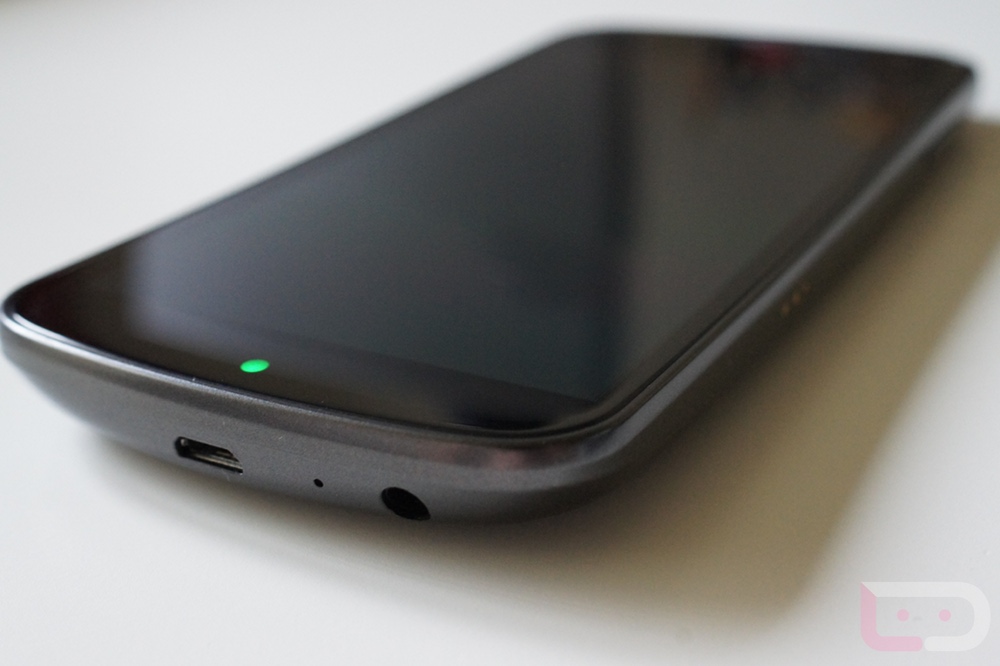
		<description><![CDATA[The micro USB port on the bottom is an MHL port. With the right kind of splitter (like in the portrait desktop dock) you can get HDMI out of the phone.]]></description>
		<content:encoded><![CDATA[<p>The micro USB port on the bottom is an MHL port. With the right kind of splitter (like in the portrait desktop dock) you can get HDMI out of the phone.</p>
]]></content:encoded>
	</item>
	<item>
		<title>By: Anonymous</title>
		<link>http://www.droid-life.com/2011/11/28/video-ice-cream-sandwich-features-on-the-galaxy-nexus-disabling-apps-camera-software-settings-menu-and-boot-time/comment-page-2/#comment-1077861</link>
		<dc:creator>Anonymous</dc:creator>
		<pubDate>Thu, 01 Dec 2011 07:01:00 +0000</pubDate>
		<guid isPermaLink="false">http://www.droid-life.com/?p=54184#comment-1077861</guid>
		<description><![CDATA[Man that camera is ridiculously fast compared to my slow DROID 3]]></description>
		<content:encoded><![CDATA[<p>Man that camera is ridiculously fast compared to my slow DROID 3</p>
]]></content:encoded>
	</item>
	<item>
		<title>By: Anonymous</title>
		<link>http://www.droid-life.com/2011/11/28/video-ice-cream-sandwich-features-on-the-galaxy-nexus-disabling-apps-camera-software-settings-menu-and-boot-time/comment-page-2/#comment-1069589</link>
		<dc:creator>Anonymous</dc:creator>
		<pubDate>Tue, 29 Nov 2011 18:20:00 +0000</pubDate>
		<guid isPermaLink="false">http://www.droid-life.com/?p=54184#comment-1069589</guid>
		<description><![CDATA[Support Bluetooth voice dialing or commands. Least we forget the TRUE HANDS FREE calling...&quot;SAY A COMMAND&quot; I see no mention of that feature..and with the ever changing State laws , - As more state and local areas pass laws mandating hands-free driving, such capability will only grow more important 
Example: You issue a command from your BT but do you hear voice prompts come from the phone speaker or through the BT headset speaker? after the prompt Do you issue commands through your BT headset or to your phones mic?.If your phone is in your office 20 feet away and you want to send a call can you without having to listen to your phone,view it,touch it and can you go back and cancel and follow through command options to make your call.all through your BT Headset
1 Regular voice dialing through bluetooth is a resolved issue, at least from Google&#039;s perspective, because it is included in Froyo via the separate application &quot;Bluetooth Voice Dialer&quot;2 Voice command is designed for complete hands free. Voice command prompts you for option 1 or option 2 verbally for you to select. It can go back and cancel and follow through command options. through your BT Headset Only.
 
what is very important and needs to be noted is that the API functions used for voice recognition over bluetooth are not public APIs. I do not know why Google has yet to add these APIs to the public code, but for now, it is technically impossible to incorporate voice recognition over bluetooth, even with the standard voice search activity. 
 
Example...I have an old moto razrV3 , Lg voyager ,works with any BT, press button on BT, HEAR &quot;say a command&quot;..no need to touch Phone, I am aware of google&quot;s voice dialer, voice actions and search 
 
 
Sorry for the long post, just wanted to mention what I thought were some of the short-comings of HANDS FREE BT... on android os.
 Remember some of the older &quot;Dumb-Phones&quot; where BT was implemented and using a BT Headset ONLY, worked and had options. without having to look, touch or listen to your phone .Compared with todays &quot;smartphones&quot; where we have updates and third party apps to make things work.. 
I love my OG and Android Os.,things are getting better but should of started with the OG.

 While the dangers of texting while driving are clear does the Gnex , razr or the D4 support True Hands Free calling over Bluetooth??]]></description>
		<content:encoded><![CDATA[<p>Support Bluetooth voice dialing or commands. Least we forget the TRUE HANDS FREE calling&#8230;&#8221;SAY A COMMAND&#8221; I see no mention of that feature..and with the ever changing State laws , &#8211; As more state and local areas pass laws mandating hands-free driving, such capability will only grow more important<br />
Example: You issue a command from your BT but do you hear voice prompts come from the phone speaker or through the BT headset speaker? after the prompt Do you issue commands through your BT headset or to your phones mic?.If your phone is in your office 20 feet away and you want to send a call can you without having to listen to your phone,view it,touch it and can you go back and cancel and follow through command options to make your call.all through your BT Headset<br />
1 Regular voice dialing through bluetooth is a resolved issue, at least from Google&#8217;s perspective, because it is included in Froyo via the separate application &#8220;Bluetooth Voice Dialer&#8221;2 Voice command is designed for complete hands free. Voice command prompts you for option 1 or option 2 verbally for you to select. It can go back and cancel and follow through command options. through your BT Headset Only.</p>
<p>what is very important and needs to be noted is that the API functions used for voice recognition over bluetooth are not public APIs. I do not know why Google has yet to add these APIs to the public code, but for now, it is technically impossible to incorporate voice recognition over bluetooth, even with the standard voice search activity. </p>
<p>Example&#8230;I have an old moto razrV3 , Lg voyager ,works with any BT, press button on BT, HEAR &#8220;say a command&#8221;..no need to touch Phone, I am aware of google&#8221;s voice dialer, voice actions and search </p>
<p>Sorry for the long post, just wanted to mention what I thought were some of the short-comings of HANDS FREE BT&#8230; on android os.<br />
 Remember some of the older &#8220;Dumb-Phones&#8221; where BT was implemented and using a BT Headset ONLY, worked and had options. without having to look, touch or listen to your phone .Compared with todays &#8220;smartphones&#8221; where we have updates and third party apps to make things work..<br />
I love my OG and Android Os.,things are getting better but should of started with the OG.</p>
<p> While the dangers of texting while driving are clear does the Gnex , razr or the D4 support True Hands Free calling over Bluetooth??</p>
]]></content:encoded>
	</item>
	<item>
		<title>By: John Landgrave</title>
		<link>http://www.droid-life.com/2011/11/28/video-ice-cream-sandwich-features-on-the-galaxy-nexus-disabling-apps-camera-software-settings-menu-and-boot-time/comment-page-2/#comment-1069296</link>
		<dc:creator>John Landgrave</dc:creator>
		<pubDate>Tue, 29 Nov 2011 17:00:00 +0000</pubDate>
		<guid isPermaLink="false">http://www.droid-life.com/?p=54184#comment-1069296</guid>
		<description><![CDATA[Maybe not a great idea to admit to piracy using your real, full name when you have a fairly unique name?]]></description>
		<content:encoded><![CDATA[<p>Maybe not a great idea to admit to piracy using your real, full name when you have a fairly unique name?</p>
]]></content:encoded>
	</item>
	<item>
		<title>By: Jared Kirk</title>
		<link>http://www.droid-life.com/2011/11/28/video-ice-cream-sandwich-features-on-the-galaxy-nexus-disabling-apps-camera-software-settings-menu-and-boot-time/comment-page-2/#comment-1069164</link>
		<dc:creator>Jared Kirk</dc:creator>
		<pubDate>Tue, 29 Nov 2011 16:29:00 +0000</pubDate>
		<guid isPermaLink="false">http://www.droid-life.com/?p=54184#comment-1069164</guid>
		<description><![CDATA[I know the new ICS launcher allows you to put any apps/shortcuts/folders you want in the 4 slots on either side of the app tray, but does it allow you to use custom icons like Launcher Pro or other 3rd party launchers?  I&#039;m not quite sure that I like the look of the stock icons they use for phone, browser, sms, etc; they are a bit cartoony looking to me.]]></description>
		<content:encoded><![CDATA[<p>I know the new ICS launcher allows you to put any apps/shortcuts/folders you want in the 4 slots on either side of the app tray, but does it allow you to use custom icons like Launcher Pro or other 3rd party launchers?  I&#8217;m not quite sure that I like the look of the stock icons they use for phone, browser, sms, etc; they are a bit cartoony looking to me.</p>
]]></content:encoded>
	</item>
	<item>
		<title>By: Anonymous</title>
		<link>http://www.droid-life.com/2011/11/28/video-ice-cream-sandwich-features-on-the-galaxy-nexus-disabling-apps-camera-software-settings-menu-and-boot-time/comment-page-1/#comment-1069017</link>
		<dc:creator>Anonymous</dc:creator>
		<pubDate>Tue, 29 Nov 2011 15:46:00 +0000</pubDate>
		<guid isPermaLink="false">http://www.droid-life.com/?p=54184#comment-1069017</guid>
		<description><![CDATA[lol, As long as its a software/hardware thing she doesn&#039;t mind lol :)]]></description>
		<content:encoded><![CDATA[<p>lol, As long as its a software/hardware thing she doesn&#8217;t mind lol <img src='http://www.droid-life.com/wp-includes/images/smilies/icon_smile.gif' alt=':)' class='wp-smiley' /> </p>
]]></content:encoded>
	</item>
	<item>
		<title>By: Jason</title>
		<link>http://www.droid-life.com/2011/11/28/video-ice-cream-sandwich-features-on-the-galaxy-nexus-disabling-apps-camera-software-settings-menu-and-boot-time/comment-page-2/#comment-1068989</link>
		<dc:creator>Jason</dc:creator>
		<pubDate>Tue, 29 Nov 2011 15:36:00 +0000</pubDate>
		<guid isPermaLink="false">http://www.droid-life.com/?p=54184#comment-1068989</guid>
		<description><![CDATA[And the November 29th pre-order! Lol ]]></description>
		<content:encoded><![CDATA[<p>And the November 29th pre-order! Lol </p>
]]></content:encoded>
	</item>
	<item>
		<title>By: Jason</title>
		<link>http://www.droid-life.com/2011/11/28/video-ice-cream-sandwich-features-on-the-galaxy-nexus-disabling-apps-camera-software-settings-menu-and-boot-time/comment-page-2/#comment-1068985</link>
		<dc:creator>Jason</dc:creator>
		<pubDate>Tue, 29 Nov 2011 15:35:00 +0000</pubDate>
		<guid isPermaLink="false">http://www.droid-life.com/?p=54184#comment-1068985</guid>
		<description><![CDATA[it would be confusing to people to have a menu button if there weren&#039;t any menu options and it didn&#039;t do anything. ]]></description>
		<content:encoded><![CDATA[<p>it would be confusing to people to have a menu button if there weren&#8217;t any menu options and it didn&#8217;t do anything. </p>
]]></content:encoded>
	</item>
	<item>
		<title>By: Anonymous</title>
		<link>http://www.droid-life.com/2011/11/28/video-ice-cream-sandwich-features-on-the-galaxy-nexus-disabling-apps-camera-software-settings-menu-and-boot-time/comment-page-2/#comment-1068972</link>
		<dc:creator>Anonymous</dc:creator>
		<pubDate>Tue, 29 Nov 2011 15:33:00 +0000</pubDate>
		<guid isPermaLink="false">http://www.droid-life.com/?p=54184#comment-1068972</guid>
		<description><![CDATA[phlpn.es/829r8s]]></description>
		<content:encoded><![CDATA[<p>phlpn.es/829r8s</p>
]]></content:encoded>
	</item>
	<item>
		<title>By: Jason</title>
		<link>http://www.droid-life.com/2011/11/28/video-ice-cream-sandwich-features-on-the-galaxy-nexus-disabling-apps-camera-software-settings-menu-and-boot-time/comment-page-1/#comment-1068971</link>
		<dc:creator>Jason</dc:creator>
		<pubDate>Tue, 29 Nov 2011 15:29:00 +0000</pubDate>
		<guid isPermaLink="false">http://www.droid-life.com/?p=54184#comment-1068971</guid>
		<description><![CDATA[you might save money but shotty service areas aren&#039;t really worth it. Unfortanetly with these companies you do get what you pay for. ]]></description>
		<content:encoded><![CDATA[<p>you might save money but shotty service areas aren&#8217;t really worth it. Unfortanetly with these companies you do get what you pay for. </p>
]]></content:encoded>
	</item>
</channel>
</rss>

<!-- Performance optimized by W3 Total Cache. Learn more: http://www.w3-edge.com/wordpress-plugins/

Page Caching using apc
Database Caching 6/32 queries in 0.112 seconds using apc
Object Caching 664/688 objects using apc

 Served from: www.droid-life.com @ 2013-05-18 11:06:37 by W3 Total Cache -->