T-Mobile Nexus 6 Receiving OTA Update to Android 5.1, Build LMY47M

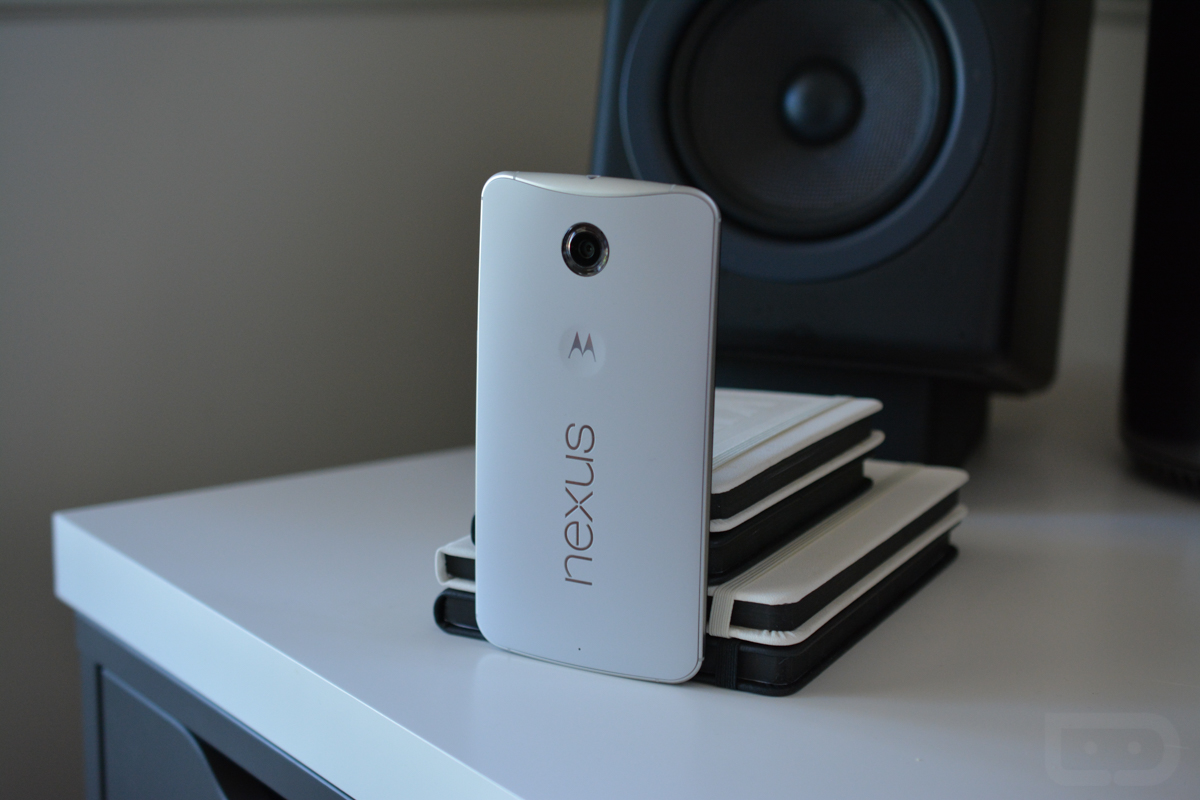
An OTA update is rolling out to Nexus 6 owners on T-Mobile, labeled as build LMY47M, being Android 5.1.

According to T-Mobile’s update facts, the update includes “Device Anti-Theft,” software stability fixes, and various bug fixes. Of course, you can see everything Android 5.1 offers right here in our writeup. 

As reported by a couple users who already received the update, it appears owners might also be able to connect to T-Mobile’s 700 MHz spectrum after the update.

Nexus 6 owners on T-Mo, be on the look out for the OTA.
Via: T-Mobile

Comments

86 responses to “T-Mobile Nexus 6 Receiving OTA Update to Android 5.1, Build LMY47M”

  1. Erick Avatar
    Erick

    Anyone able to get Voice and Data on Verizon?

  2. Dave Johnson Avatar
    Dave Johnson

    I bought an unbranded gsm model from moto back in nov & have been running on verizon. It does contain the sprintdm app. No 5.1 ota. Not on wifi or wifi/no sim either.

    Unrooted, locked, stock. Its very nice. I love having one device. Its not really that big…just a hairball bigger than a dollar. I have no issues w/ 5.0.1, everything is awesome. I just want 5.1…

    Its why i bought a nexus.

    I didnt just purchase a fast flagship. The m8 is faster even w/ the full quadcore activation of 5.1 on the 6. What i purchased for $748 was to be first place in line.

    1. Nothappening Avatar
      Nothappening

      You do know that you can download the factory image, right? https://developers.google.com/android/nexus/images for the image and this is the guide you’ll need to use http://howtorootmobile.com/unroot-nexus-5-return-stock-factory-image/ Scroll down to Method 2. I know it is for the Nexus 5 but the process for the Nexus 6. Here are the files for Android ADB and fastboot, also. You will need all three and you will also need to follow all three to the number.

      1. jimt Avatar
        jimt

        Only problem is that LMY47M factory image is not available yet. And I am at LMY47D and a OTA zip cannot be sideloaded. Need the factory image.

  3. JK Avatar

    still no AT&T 5.1??? come on, give me an OTA. I cant flash this on my Chromebook.

  4. CabbageHeadCat. Avatar
    CabbageHeadCat.

    I’d be sure to get the Nexus that pairs with my service provider. In theory it should run better. Have the 2014 X Pure, kinda want to get this, but realistically I should wait for the next Nexus or OPO.

  5. Nick Avatar
    Nick

    I was on LMY47E because I like to always have the latest build, not knowing it was carrier specific even on the factory images. I can and did downgrade back to LRX22C with one little hiccup that I can’t fix, the bootloader version number is a different number now than with 22C’s bootloader. Everything works fine on the phone but I’m worried that when and IF I get the T-Mobile ota that it will fail because of the different bootloader number now. I’m just hoping that if the factory image for LMY47M is released it will have the same bootloader number as I have now or higher so it successfully flashes everything to the phone. I’ve even tried with no success to flash the older bootloader image but that didn’t do anything. Here’s hoping the version numbers match or the factory image is higher so it flashes fine next time.

  6. M.e.Puente Avatar

    What about Wi-Fi calling?

  7. Brian Menius Avatar
    Brian Menius

    Anyone who sideloaded LMY47D will not get this, according to TMo’s page. Oh well.

    I wonder if we’ll be orphaned now…?

    1. meijin3 Avatar
      meijin3

      🙁 Any chance the image gets posted?

      1. Nicolas Finn Avatar
        Nicolas Finn

        It will soon enough, at least the E image did…

        1. meijin3 Avatar
          meijin3

          The image or the OTA link?

          1. Nicolas Finn Avatar
            Nicolas Finn

            The factory image

          2. jimt Avatar
            jimt

            Need that factory M image was to quick with the D sideload. Who knew there would be four 5.1 android images?

  8. Orlando Sablon Avatar
    Orlando Sablon

    So, I paid all this money for a nexus device and still have to wait for att to update my device… I bought my nexus 6 from Motorola for $748… Google needs to have a central location to just download it without having to deal with OTA by the carrier…am I missing something?

      1. Orlando Sablon Avatar
        Orlando Sablon

        What’s the different builds and will it factory erase my phone?

        1. David VanHouse Avatar
          David VanHouse

          D build is US/Sprint Build
          E is Verizon Build
          M (soon to be posted) will be TMO build

          Learn how to manually flash via fastboot and you dont have to erase/reset your phone

          1. Orlando Sablon Avatar
            Orlando Sablon

            What about ATT?

          2. David VanHouse Avatar
            David VanHouse

            Works with the D version, although i would bet any of these builds would work. TMO users have been flashing the verizon radio firmware and it works just fine

          3. jimt Avatar
            jimt

            Welcome to AT&T. You can sideload the D build and it should work fine. What build is your phone at?

          4. Orlando Sablon Avatar
            Orlando Sablon

            LRX22C

          5. jimt Avatar
            jimt

            The instructions are right here on droid life as to go from lrx22c to lmy47D.

        2. Wayne Howard Avatar
          Wayne Howard

          These are factory images so yes, they will erase your phone. There are guides Droid-Life posted as to how to use them.

        3. M.e.Puente Avatar

          Flashing factory images don’t wipe the phone unless you have to unlock the boot loader or …. <> as it says in this link:http://goo.gl/hN3Oym (that link is for flashing on the nexus 5 but if you change the applicable lines its basically the same instructions for the Nexus 6)

  9. jbdan Avatar
    jbdan

    It’s all so weird on a Nexus. 47D enabled volte and band 12 on Tmo. Guess we’re getting into carrier optimized/approved builds now….

  10. jimt Avatar
    jimt

    LMY47M is a big jump from E. What happened to all the letters between?

  11. Greg Avatar
    Greg

    I bought from t-mobile but slapped my verizon Sim in. This update still apply to me?

    1. David VanHouse Avatar
      David VanHouse

      No since the update going by which SIM card you have loaded

  12. backslashV Avatar
    backslashV

    image file?

  13. mr_stuber Avatar
    mr_stuber

    has anyone on here *actually* received the update yet? i’m sittin here patiently waiting…

    1. droidrazredge Avatar
      droidrazredge

      nope I have not received it yet either. I started thinking that maybe they were halting the update because of the severe Nexus 5 issues and as a result they were going to start pushing 5.1.1

    2. jbdan Avatar
      jbdan

      2 people have received the 47M ota that I know of. They were on 5.0.1 C build tmo

    3. michael arazan Avatar
      michael arazan

      Still have not received 5.1 for my Nexus 6 Google Play device on Verizon sim

      Google says updates to a new OS can take up to 2 weeks before you receive update from an article I read on how Google updates devices at certain time scales.

  14. 775summit Avatar
    775summit

    so I bought mine right from Motorola and I use it on Verizon. It’s very frustrating that I can’t use the Verizon voice and data at the same time and I understand that the 5.1 update will correct that I hope. if I don’t have a carrier specific model when is the update coming as I have not computer savvy and cannot sideload myself

    1. droidrazredge Avatar
      droidrazredge

      I’m in the same boat as you. Have you at least pre-enabled and flagged the HD Voice on your account so far ? That’s what you will need to do along with have the 5.1 update. Verizon requires both unfortunately.

      1. 775summit Avatar
        775summit

        I read this the other day I was going to try it. Is there more needs to be done to get this to work

        1. droidrazredge Avatar
          droidrazredge

          1. Sign in to My Verizon.
          2. Click Manage My Account and select Manage Products & Apps.
          3. Click the Get Products tab at the top of the page.
          4. Click Get it now to select the product or service you wish to purchase.
          5. When the checkout window opens,
          choose the compatible devices you’d like HD Voice added to.
          6. Click Confirm Purchase to complete the checkout process for the selected
          devices.
          7. Click OK on the confirmation screen. If applicable, a free text message with
          a link to download the app from the App Store will be sent to the device/s
          you’ve selected.

          I’ve provided a picture that illustrates what this should look like. Let me know if you have anymore questions or you can’t find it.

          1. Erick Avatar
            Erick

            Perfect! Thanks for the help!

      2. dtm4 Avatar
        dtm4

        Be careful about pre-enabling it. I enabled it on Verizon’s site over the weekend while I was still on 5.0.1 and my phone stopped being able to make calls. I had to disable HD Voice again to make a call. So don’t enable it until you have the update.

    2. creed Avatar
      creed

      Use wugfresh’s nexus root tool kit. It will do all the work for you.

  15. red014 Avatar
    red014

    Where the hell is a Nexus 9 update?

  16. droidrazredge Avatar
    droidrazredge

    Anyone that has updated to Android 5.1 and installed it can you check your system apps and find out if you have any of the following
    applications installed ?

    SprintDM
    VZWAPN
    VZ Backup
    VZ App Directed SMS

    Apparently Sprint and Verizon got Google to allow these bloatware in the factory 5.1 images and the OTA since they provided updated firmware for the radios
    for the HD Voice / VoLTE. If this is in fact true it makes sense now why HD Voice and VoLTE is included in 5.1 for all models and not just the Verizon model.

    1. Fernando Gonzalez Avatar
      Fernando Gonzalez

      I see VZAPN on my N6 with 5.1. That said, I’d hardly call 32kb bloatware. People used to bitch and moan about the Verizon Galaxy Nexus not being a “real” nexus because Google didn’t control the updates. So now Google does what they have to do in order to ensure that they have control over the Nexus updates on all carriers, and people still bitch. Which is it? Do you want all Nexus phone updates to be handled by Google, or do you want the BS that Verizon Nexus devices used to go through? It’s one or the other. Packaging carrier specific stuff in all Nexus builds is the only realistic way to have all Nexus devices on the same page, even if it is a just a little bit more messy than before.

      1. droidrazredge Avatar
        droidrazredge

        I agree with you that Google needs to take control and I don’t have a problem with that. I also don’t want another Verizon Galaxy Nexus issue that made people on Verizon very unhappy. I’m on Verizon and I’m happy that I can just use a Nexus let alone have it work with their network. I was more or so asking because I have the SprintDM on Android 5.0.1 and was wondering if this was in fact something true or just a rumor. I don’t really care what Google includes as long as it helps my device work better with the carrier I choose. A 32 kb bloatware does not bother me but it does bother a lot of people that get Nexus devices for having an un-bloated stock Android experience where they have control over what’s on their device. If Apple can play nice with all carriers and get updates and control them without carrier bloatware why can’t Google ? I doubt it’s just Apple’s “branding” name that gives them that leverage. I’ve seen a lot of people and top android sites complain about this because this goes against what Google said in the past. They’re not complaining about this bloatware as much as they are about the fact that it can’t be uninstalled, disabled, or removed without root. This goes against everything Google said about Bloatware & Lollipop at I/O & at Launch with select start-up packages in emulation for each Network in the U.S.A. Lollipop introduced a method for carriers to install their own carrier apps through carrier payload feature and this was supposed to solve this. The kicker is that it’s not just US models that have this it’s all Nexus models if the Global SKU XT1100. What would someone in the GSM Global world need a Verizon service so their phone could work with them if they don’t even have the Verizon LTE radios ? and If Verizon’s backup app has something that requires it to have a system app to perform it’s carrier-specific function, why can’t T-Mobile include whatever low-level system software is necessary to support T-Mobile WiFi Calling? Which carrier do you have ? You should also have the VZBackup one and the VZ App Directed SMS if you side-loaded the build LMY47E. I think only SprintDM and VZWAPN are in build LMY47D.

        1. Fernando Gonzalez Avatar
          Fernando Gonzalez

          You definitely made some great points that I honestly didn’t even think about. Thinking about it more, can’t say I disagree with you.

    2. Jim Avatar
      Jim

      I have SprintDM, VZWAPN only on my nexus 6 5.1 LMY47D on verizon wireless

      1. droidrazredge Avatar
        droidrazredge

        Thanks! I am still waiting for the OTA to see if the one that Google pushes is different than the LMY47D or LMY47E factory images. I am on Android 5.0.1 currently and I have the SprintDM. I am also using my Nexus 6 on Verizon. Did you buy it through them or did you get a Nexus when it originally came out ?

    3. jimt Avatar
      jimt

      I have all except VZ App Directed SMS on my N6 on Tmo with android 5.1 LMY47D that I got from google playstore.

      1. droidrazredge Avatar
        droidrazredge

        alright thanks! I appreciate it. It seems like both LMY47D and LMY47E have it then. Did you gets yours through Motorola.com or GooglePlay as well ?

        1. jimt Avatar
          jimt

          google play

    4. creed Avatar
      creed

      I only have vznapn. I wouldn’t call that bloat as I believe you need verizon’s correct apns to connect to their network.

      1. jimt Avatar
        jimt

        The VZ Backup just says backup in the apps listing of all apps.

      2. Jason B Avatar
        Jason B

        VZWAPN has global roaming APNs, as well as 8 or so VZW APNs. Why they need more than 2 (1 for LTE, 1 for eHRPD/CDMA) is beyond me.

  17. Guest Avatar
    Guest

    I’m thinking they are just making tweaks right now and once the next update (maybe 5.1.1) comes out everyone will be on the same page.

  18. Chris Bailey Avatar
    Chris Bailey

    ..still waiting for my OTA with my nexus 6. (and i have work email on it, which is why I don’t just sideload – can’t root or even enable usb debug).

    1. Paul Hansen Avatar
      Paul Hansen

      You can sideload it without root or adb.

      1. Nesmall2 Avatar
        Nesmall2

        You are right that you can sideload it, but if you go with build E than you will have to factory reset it while version D will allow your to OTA sideload it. People with GPS version but running Verizon have reported some issues

      2. Chris Bailey Avatar
        Chris Bailey

        I tried that – but ran into the problem where adb doesn’t recognize the device once it’s in bootloader. I’m not savvy enough and/or haven’t taken the time to try the fix involving editing the drivers. boo-urns.

        1. Jarrett Lennon Kaufman Avatar

          For me I just unplugged it and plugged it back in, and it was immediately recognized.

          1. Fernando Gonzalez Avatar
            Fernando Gonzalez

            +1. Same for me.

        2. King Lo Avatar
          King Lo

          Try installing PDAnet. Usually does the trick.

        3. Paul Hansen Avatar
          Paul Hansen

          Pretty easy actually. Open device manager // rightclick the phone with the ? on it // update driver // browse manually // select android // composite adb device

          unplug phone and plug it back in and it’ll be recognized

          1. Aaron Avatar
            Aaron

            That’s what I had to do.

    2. Chris Bailey Avatar
      Chris Bailey

      Thanks for all the help guys – i’ll try it out this weekend.

  19. j-wood Avatar
    j-wood

    So…carrier specific builds for a nexus device that is supposed to work on all carriers?

    1. Paul Hansen Avatar
      Paul Hansen

      It seems like there are some carrier specific framework stuffs that requires it. VZW has thier XLTE nonsense so they have a different radio. For those of us that sideloaded the D or E update, you may have noticed the occasional double incoming SMS message. It doesn’t happen to me every time but it seems like every 10th message or so gets doubled up. Thankfully I use Hangouts for most of my messaging. Not sure what the overall differences are but when I compared D to E there were probably about 100 different files. mostly framework and the obvious radio change.

      1. jowaldo Avatar
        jowaldo

        Is there a specific one that I should run while on Verizon?

        1. Nesmall2 Avatar
          Nesmall2

          The Verizon ones come specifically with the “E” version, but currently there is no OTA version available

          1. King Butt-Touches Avatar
            King Butt-Touches

            The factory image is up, though.

          2. juaninamillion Avatar
            juaninamillion

            Its the first build for that device. There’s nothing to update from.

          3. jimt Avatar
            jimt

            Makes you wonder what they will do when they do update, will it include D or will it only update E to whatever.

          4. C-Law Avatar
            C-Law

            I didn’t notice a difference in signal or performance. I ran D fine on mine and now I’m running E fine. The only difference was E installed my Verizon and vzw voicemail apps

          5. JonathonFlores Avatar
            JonathonFlores

            What if I bought a N6 from Tmo and put my Vzw Sim in it. A Tmo Sim hasn’t seen the inside of my N6.

          6. mboyd Avatar
            mboyd

            Never been a fan of Nexus, too many problems. I prefer to use top rated phones (like http://www.phonezone.com/best-phone/ for example…) always.

          7. c.tucker Avatar
            c.tucker

            I don’t think it would work. But its nice that N6 is being updated already. Sorry to those that were left behind. Pray that you’re update will come very soon. /c.tucker from http://www.reviewrun.org/phones/

        2. Paul Hansen Avatar
          Paul Hansen

          E is Verizon’s build that ships with the phone.

      2. James Briano Avatar
        James Briano

        I’m running LMY47E on my T-Mobile Nexus 6…. wishing I had left well enough alone. Battery life has plummeted.

        1. jimt Avatar
          jimt

          You might try a factory reset. I only have LMY47D at the moment and haven’t had a problem with bat life on my N6 but it did do wonders for a nexus7 after each update of lollipop, could help your N6 also. Just make sure you have everything like data backed up before.

        2. Alix8821 Avatar
          Alix8821

          Really? I’m also on TMO, and everything is just as it was on LMY47D. If not slightly better… Stock ROM, FrancoKernel

          1. James Briano Avatar
            James Briano

            I guess I’m just unlucky.

      3. Jason B Avatar
        Jason B

        XLTE is just 20MHz-wide band 4 (AWS) LTE, nothing else.
        The Verizon radio probably just enables carrier aggregation for band 2 and band 13, as well as band 4 and band 13, which are Verizon bands. None of the other carriers will need to aggregate band 13. Might have some CDMA adjustments as well, who knows.

        Here are the officially supported CA bands:
        CA DL (B2-B13 [Verizon], B2-B17 [AT&T], B2-29, B4-B5 [AT&T], B4-B13 [Verizon], B4-B17 [AT&T], B4-B29)
        Notice that there’s no B2-B12 or B4-B12 for T-Mobile? 20+20MHz band 4 (MIMO) is used automatically when available.

    2. jowaldo Avatar
      jowaldo

      I don’t get that either.. is the tmobile OTA update different than the stock 5.1 that was posted before?

Leave a Reply