


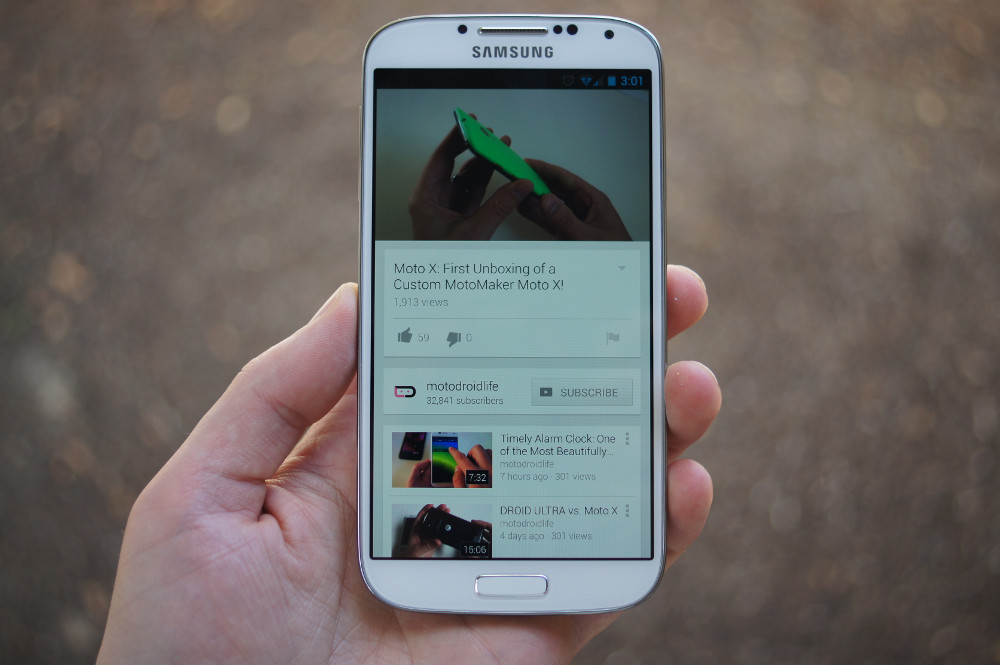
As you might have seen, the new YouTube application for Android began rolling out today. It’s a big update, full of features that we think are completely video worthy, so we went ahead a made a highlights video. The biggest change you might see is an updated layout – it still has the side panel for navigating your channels and trending videos, but the colors are more light and contrasted now than they were before. It is definitely a more polished UI.
The second major change is the ability to watch videos while still browsing through the app for other videos. Yep, that’s groundbreaking.
Take the tour with us in the video down below. And if you want to download the app before Google’s staged rollout hits you, head over to this post.
[youtube]http://www.youtube.com/watch?v=mue6mXxUNlo[/youtube]
Here’s a full list of apps and sites that help you download YouTube
videos https://www.favsync.com/common/publicTab/v2d4x234a4-151eece7fb451c947b351ae861e8cd9f/download-youtube-videos
is it just me or can you not fast forward/backward while holding it sideways (also I hate the little screen that pops up in the corner)
All you people here are autism idiot kids, grow the hell up
I hate making these types of comments but… What’s the icon pack being used on this video? ._.
allow me to leave the app and keep the video playing
Galaxy Note 2/S4. Done.
Ha, at 2:34: EWW! KICK ASS WEINER!
this is an awesome app for Android version 5.0 !
Kellex your an idiot… How do you know if this isn’t the pop up feature that samsung offers, where as you can have two screens or you can email or text while watching a movie or video…
Have you tried this on a non samsung s3 or s4 phone? no, not based on the review… NOT ALL CAN DO THAT…
I have a nexus 7 and galaxy nexus and they both can do that pull down feature
This works on everything idiot.
Are you trolling or just that stupid?
Well, I have a 2-year old Motorola Droid Bionic, (with stock 4.1.2 Jelly Bean) and this YouTube update works just fine as Kellen’s video shows. So, yes, it does work outside of Samsung.
Nice. Youtubeinception @1:50
Anyone feel that this app has been heavily optimized? The new update is freaking smooth, especially when pulling the video to thumbnail view in the bottom right corner!
Seriously though, can we get all apps to be like this?!
I’m smelling that Android 5.0 is going to be similar to this! 🙂
The connected TV option is also where you pair an Xbox 360, Wii, etc.
360? I didn’t know about this. Can you explain?
In the settings of the 360 YouTube app there’s a pair device option. It gives you a 9 digit code you add into connected TVs on your phone. Then you can queue videos from your phone just like Chromecast. Only downside is you have to launch the YT app on the 360 before it will allow you to do it.
Nice. Didn’t know about this. Probably won’t use it though now that I have chromecast. Thanks.
Fantastic update. Nice job Google
Fix maps
I saw Marques Brownlee :3 What a small world.
i was hoping the video would keep playing in a window even if you left the youtube app, but i suppose that is too much to ask 🙂
Well you wouldn’t really be leaving the app as it would still be playing the video. But it could shrink to the size of the player window.
Just download Floating YouTube Player and boom; mind officially blown.
Does it finally display 1080p on supported devices?
when connected to chromecast and streaming a video, when u swipe down does the original video keep playing? this would be great for tablets when u have a group of people over watching youtube over the chromecast…?
The answer to your question is yes it will continue to play thru Chromecast when the video is minimized BUT keep in mind Chromecast is NOT mirroring your phone so your phone can be in another app or completely off and Chromecast will continue to play.
Its weird the icon in the app drawer in the video is different than the bold new red one that is in mine?
He has an icon pack!
Ah! Of course!
And I didn’t think they could make the Android YouTube app any better, I was wrong… (happily)
Good job google! 😀
BUFFER!! YouTube has gone downhill since the Google acquisition!……. Come get me, fanboys! But you know it’s true!
/”
|./|
| |
| |
|>~<|
| |
/'| |/'..
/~| | | |
| =[@]= | |
| | | | |
| ~ ~ ~ ~ |` )
| /
/
/
_____ /
|–//''`–|
| (( +==)) |
|–_|_//–|
fail
Since 2006? They year after it started? Yeah, Google has owned it for 7/8 years.
Pretty cool! It actually takes a little getting used to! Definitely some pretty awesome things in the pipeline the next couple months.
Pressing the return or back button on my S3 did the pop-out box thing too.
I almost wish it didn’t. I mind doing the swipe thing or hitting the actual button. Hitting the back button should close that video. IMO.
especially when the video has ended !
Hopefully the #1 improvement in the Youtube app is that it actually works. To view Youtube videos.
I sure hope they fixed the buffering/lag whereas I stopped having any interest in the app due to its suckiness.
Your connection speed is the most likely reason for buffering, when I was on 3G and minimal ram I used to get buffering all the time. Your phone is only as fast as the network
I’m more of a swipe to the left to close things type of guy. *sigh*
You can do that.
You can swipe right, Kellex hadn’t tried it yet 😉
This is awesome, especially since this means Android 5.0 will be quite amazing as well.
Why?
Have you not noticed recent updates? Or just trolling? Yeah, probably trolling.
Assuming this is a sign of things to come from Android 5.0 meaning KLP is likely to be very Google Now-esque. At least that’s the theory anyway.
Personally I think Google’s apps will all incorporate one Google Now design language across all platforms (iOS, WP, Android, etc.) while Android itself will remain a little more futuristic/techy like it is now.
The icon changed!
yes! the new icon looks slick
Still cant view top rated comments and thumbs up/down comments.
Bur that’s the worst feature on YouTube so it’s okay.
Heh, that’s not the Moto X Kellex.
but it looks so good on a 1080p screen 🙂
You should play with youtube on the N7. There are a few new features that are not available on a phone.
Such as…?
I am experiencing a black screen as I maximize minimized or videos on Samsung Galaxy i9500 android 4.2.2 official S4
That’s frustrating. It’s working surprisingly smoothly on my gnex running PA 3.97.
Would it kill these Devs to make the app background BLACK? If you try to say its easier to see….You’re BLIND
“these Devs”? as in Google?
if you keep track of the android app design guidelines you would know they are going away from the dark theme…..this is the card UI….using slighly gray background with white “cards”
I personally prefer this style, but i know there are users out there that love the blacked out look….thankfully this is android, and finding a blacked out youtube 5.0 app shouldn’t be too hard to find 🙂
Does this officially kill the nexus Q now?
No, Google did that ages ago, plus the ChromeCast did.
I meant more in regards to support. YouTube was the last application that still worked with the Nexus Q, curious if it is now gone.
Ah, probably, yes.
Why are you getting down-voted for asking a simple question?
Between the Youtube app and Chrome for desktop, these updates that keep changing the UI so often are getting old.
This is a video of Kellex watching a video of himself making a video! Go Kellex!
Kelleception
When the next big YT update comes, Kellex should watch this video of him watching another video. And it could be an endless cycle.
Can we get a “Yo Dawg!” meme please!
“I heard you like watchin videos…so put a video inside yo video so you can tube while you tube!!!”
Sorry Kellex, the people asked. Who would I be if I ignored the people?
Haha! Oh man, . that was just fantastic. Thank you 🙂
For a second i thought this was the youtube app for the yet unconfirmed Android 5.0
Tricky title is tricky. 😉