



Sooooo, the Motorola XOOM WiFi received another update this morning that brings the device up to build HTK75D. We aren’t exactly sure what all is included and is still Android 3.2.1, but there does appear to be a new Market on board. It matches up to the styling of the newest Market on phones – which we are huge fans of.
To pull the update yourself, head into Settings>About tablet>System updates.
After the break, take a look at the brand new Market that came with it.
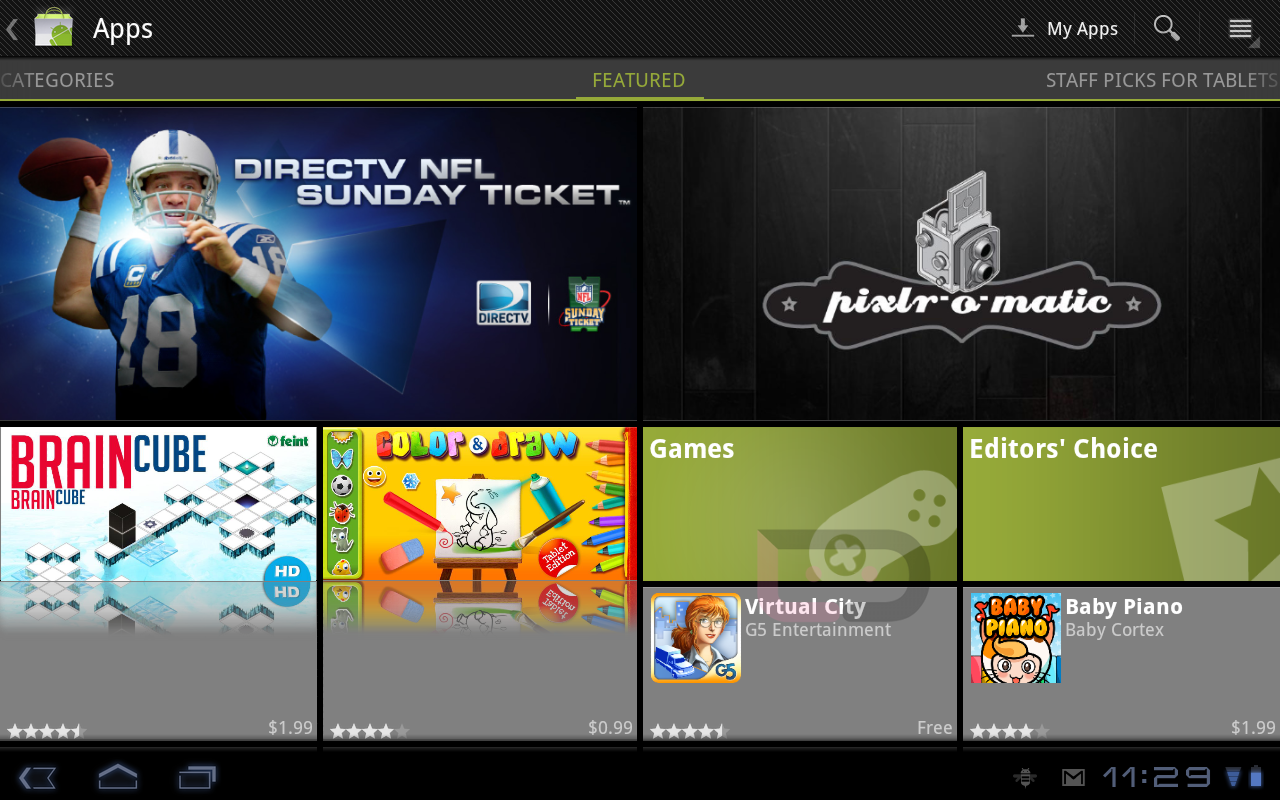
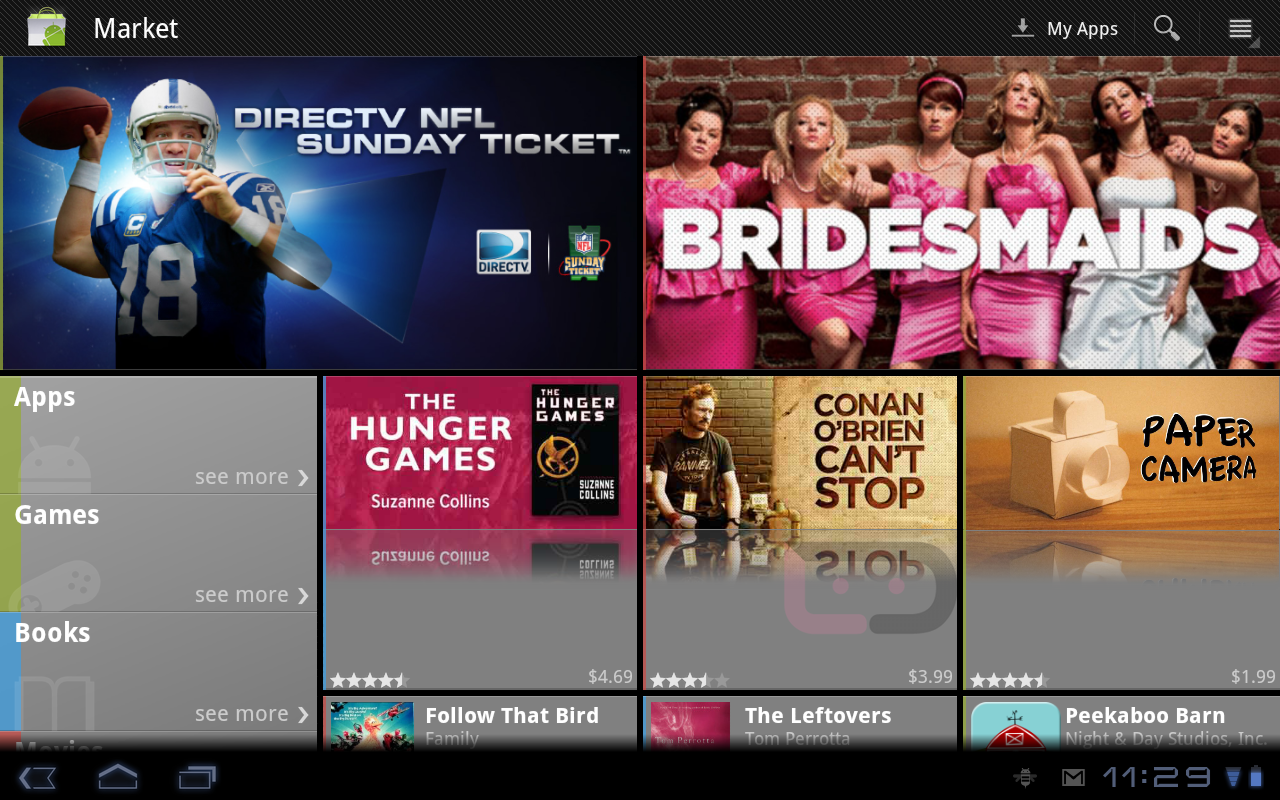
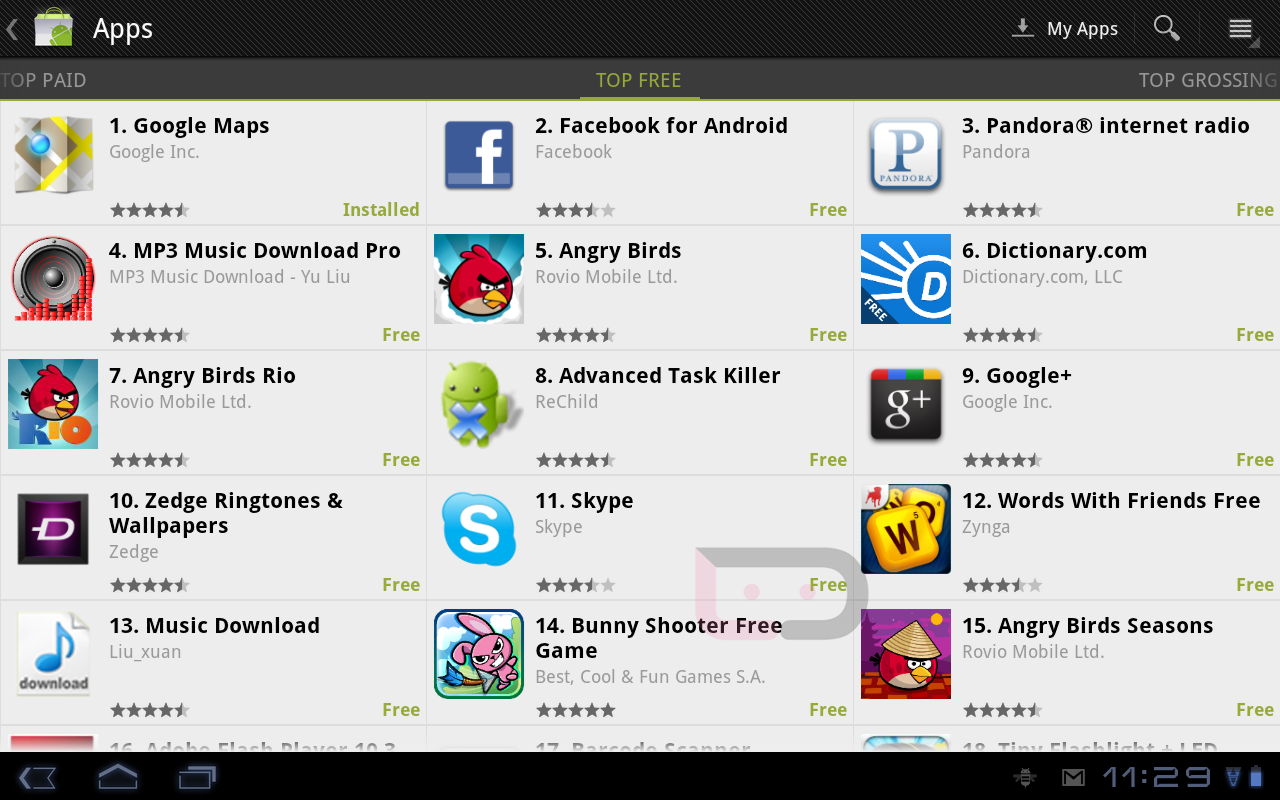
Cheers Michael, Logan and Ron!
why is they cant include an option to rate and comment on apps in the tablet version of the market, this seems like such a neccessary fix, when i download an app i always read the reviews they make or break apps, esspecially app updating another great time for reviews. i have reached out to google through the market help but their response was go on to the web based version if i want to leave comments or rate an app. usually i would be more than happy to do that except the update that fixes my browser from fc’ing all the time has not made it on to my google experience 3g Xoom( which will soon be a 4g), but thats made it on to a number of other tablets.
youtube seems to have changed slightly looks like the home screen in the youtube app has smaller and more tiles
Since the update my Xoom force closes in the market and I noticed my wifi is lagging behind now. I also noticed certain apps like Kindle are acting up. Kindle has slowed down.
I am having he same problem since the recent update. Force close every time I try to go to my apps while in the market.
wow first the thunderbolt update now another update for my wifi xoom? good week to be an android fan. right on!
I have those devices too. Just got the latest cyanogen on my bolt. As for the xoom update, I like the new market. But it seems to have done away with the market widget as it was before, which I liked.
http://www.lovetoshopping.org Cheapest Vans Shoes,Tiffany Jewelry Company,Wholesale Hollister Clothing
Any instructions to update if rooted?
Telephoneteck posted a link to a build below. Try that out. I ended up going back to stock to grab’em.
Telephoneteck posted a link to a build below. Try that out. I ended up going back to stock to grab’em.
I recently rooted my Xoom and since I waited so long, I’m having trouble finding the instructions to go back to stock…any instructions or link to instructions for that? And since you’ve done it, does it wipe your xoom when either going back to stock then root, or both?
This market looks like a step back from the tablet version. Why would they remove the tablet optimized version and just oversize the phone version???
I got this update 3 or 4 days ago, I tried to see what was new and couldn’t find anything online, but I did notice a change to my market, other than that, I cant tell anything different.
Do we have an apk. for the market? I’ll admit I’m TF user. But we don’t have the new one yet.
These tiles in the market seems to resemble the new Windows Mobile stuff.
So, anyone with a rooted WiFi only Xoom having problems installing updates? This is the second time an update popped up and is clicked for update, that it gets stuck at the /! boot screen. Not sure what gives.
I am rooted and running 3.2.2 but build HLK42B, I would love to have the new market though!
I found this link to market apk version 3.1.5
http://forum.xda-developers.com/showthread.php?p=17984492
where did you find that build? I was still on 3.2 HLJsomething. I ended up resolving the update issue by unrooting my Xoom. I’m keeping a backup of today’s img, just in case.
I think you can find it here http://forum.xda-developers.com/showthread.php?t=1209341
I rooted this about a month ago and got this build same day. Unfortunately my memory is shot so I don’t know what exactly where I got a it!
I personally HATE the new Market app on phones. It’s WAY too cluttered and I don’t like having to go past movies and books and crap I don’t want to find apps.
wow the new market looks horrible. it looks like they just took the phone version and stretched it to tablet size.
damnit, i just went through the trouble of rooting and overclocking and all of that *finally* last night after having it since april. xoom starts to act pretty slow when you start getting into the multiple hundreds of apps on it and i was itching to OC it, not to mention backup my apps’ data so i can share with my bionic now that i have a phone that can support newer games and stuff.
anyone know the quickest way to go from rooted 3.2.1 to this new build, rooted? at least my market apps never automatically came back (neither did wifi settings and some other things when i logged in).. was pretty bummed about that last night but at least i’m pretty much starting from scratch here anyway now.
Yes: http://forum.xda-developers.com/showpost.php?p=17981519&postcount=98
Sweet, thanks dude!
Sure glad I bought the 3G model…Oh well at least I got my LTE upgrade on its way.
I’m 99% sure the Chrome Sync already existed in the browser
ditto
ya, bookmark sync has been there since 3.0
I’ve seen the Chrome Sync thing in the Honeycomb SDK Emulator.
The new Market lets you write reviews on the Xoom – we didn’t have that before.
Mine is at home, does the new market finally work in portrait now?
It DOES! Thanks for reminding me to check!
yes it does! 🙂
Yes ,WOO HOO!!!
First my Droid 3 gets an update this morning, now my Xoom this afternoon. . .
The “Shop” icon in the apps grid is different now – it’s a minimalist shopping bag – no more Andy on it.
i love it when something i send in makes it to the website. lol
-michael
What about the 3G models…?
updates for the 3g model are performed by motorola i believe, but they have been doing a good job of keeping up. Wifi version updates come straight from google.
Verizon has the last say for the 3G/4G updates.
Mine updated 2 days ago and I have had some issues when it has been sitting for a bit and then unlocking screen, it wouldn’t unlock until I held the power button down for 15 seconds or so then the screen would light up
will be checking this when i get home.
The browser allows you to sync your bookmarks with Chrome as well!
I noticed the Browser # version changed as well. I’ve had some browser trouble since 3.2.1 rolled out. I hope this browser update fixes them.
Ooohhh. Checking now. Thanks for the heads up!
This is why I bought the Xoom. It’s the Google Experience, I’ll accept the extra thickness and weight for the chance to have Google’s latest 🙂
The WiFi version seems much more “Experience” these days. My Verizon version is now weeks behind even the Asus Transformers and Iconias of the world. 🙁
Update also brought chrome bookmark sync!!!
We had that previously.
I assumed the wifi model didn’t have it based on all these comments. Thanks for ruining my one shining moment of being proud for having the 3G version.
Haha! I do what I can. 🙂
Sounds like maybe Moto isn’t to blame for everything after all.
They most definitely aren’t. Verizon is known for taking their sweet time or at least being overly anal about updates.
Makes that woot deal more tempting now huh. If you didn’t already own one that is.
ditto
Second.
[scruffy.jpg]