


Back on the 13th, we ran through a video tutorial for users looking to check out the CyanogenMod which has essentially been ported over to the Motorola Droid. While that process seemed to create issues on various levels, the newly released v5.0.5 comes packed full of easiness. So if you are sick of waiting for Android 2.1 from Verizon and are in the mood to check out what we believe is the best custom ROM on the planet, then let’s do this!
*Warning* – As always, you are performing these tasks at your own risk. We are not recommending that you do ANY of these, but simply providing information to you. There is a chance you could brick your phone, do other permanent damage and this will more than likely void your warranty. Please do as much research as you can beforehand. We are not liable for any of your actions.
*Note 1* – Before performing this you may want to create a backup of settings and apps which we covered at this post.
Instructions if coming from stock…
1. Root your phone using DM Updater. If you want a backup created, fully install DroidMod 1.0.
2. Download ROM Manager from the market: Download Link
3. Open ROM Manager and tap “Flash ClockworkMod Recovery” and confirm model as Motorola DROID.
4. When prompted for access, check “remember” and then tap “allow”.
5. If it appears to freeze during this process, just hit the “home” key and re-open ROM Manager.
6. Tap “Download ROM”. (Should download in 3 parts.)
7. Tap “CyanogenMod 5.0.5”.
8. Check both options for Google Apps and Modules and then hit “OK”.
9. The ROM will now be downloaded.
10. When it finishes, you will be prompted to install the ROM with options “Backup Existing ROM” and “Wipe Data and Cache”. Choose both as you can now choose the backup option and the Clockwork recovery will not freeze. Tap “OK”.
11. Let the phone boot into recovery and watch it work backup/ROM magic.
12. Your phone will boot back up once finished. Log in to your Google account and you are done.
*Note 2* – Response I received in regards to exactly what the Google Apps add-on is: “The ROM is built on the separation of Android from it’s dependency on Google apps. So you have the ability to install the ROM with no Google apps. However, you won’t be able to log in to the market or setup your main account.”
- Open ROM Manager, perform a backup, download the new version through ROM Manager and then install it. You also should not have to “wipe data and cache”.
- If you are currently running 7 screens, you may get some force close issues after installing as 5.0.5 defaults to 5 screens. Think about switching to 5 screens before loading this new ROM. Try going back to the stock 3 screen launcher plus removing all widgets before upgrading.
For the newest release details and support, check out the CyanogenMod forums.
A couple of things you can expect:
- The delay after pressing “home” while being in the browser has been eliminated in this version.
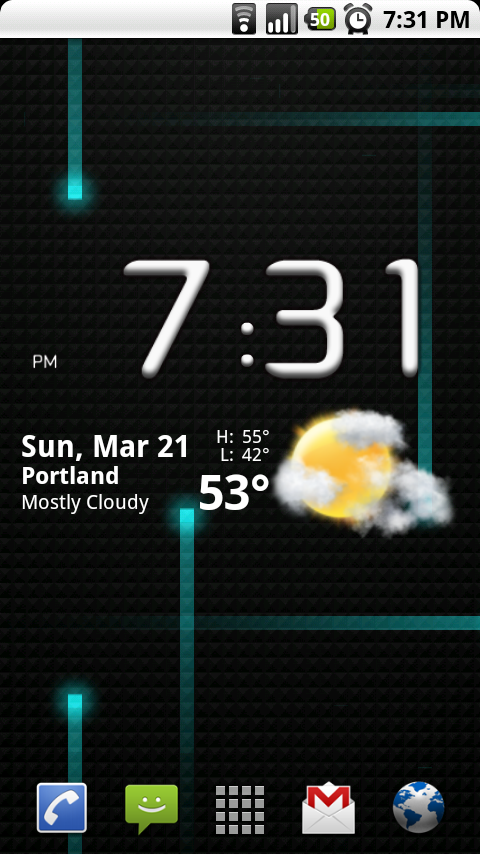
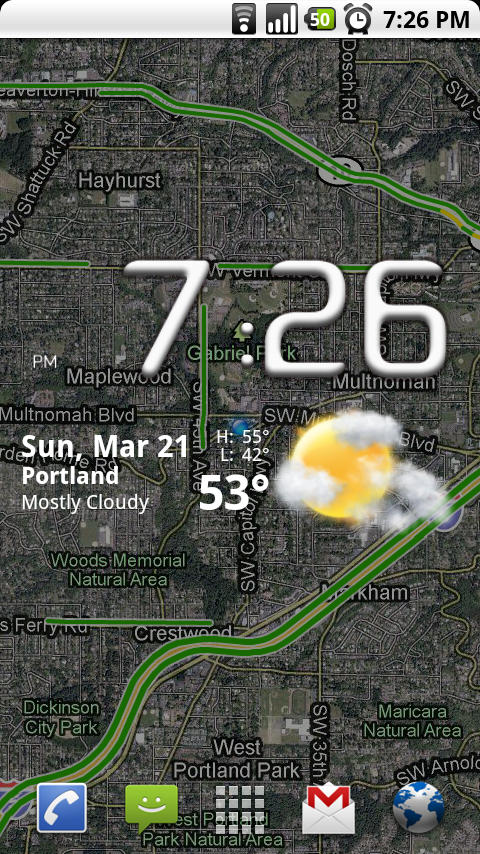
- You can now utilize the Google Latitude live wallpaper which I’ve capped above.
- The HelixLauncher is also incredibly fast now.
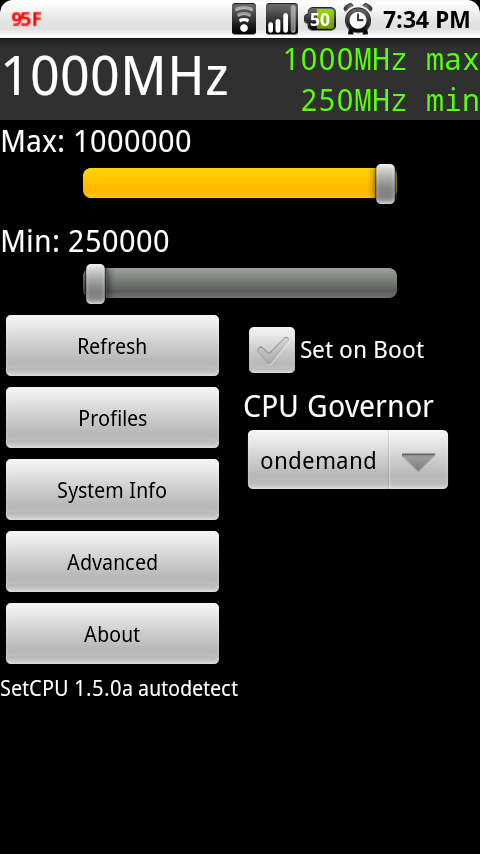
- Can still be overclocked to 1000Mhz.
- If you want to return to stock, you can do so at this post.
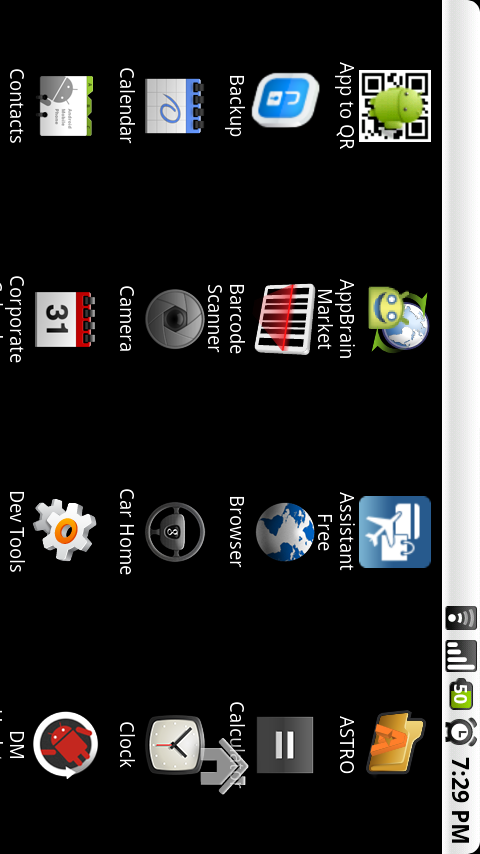
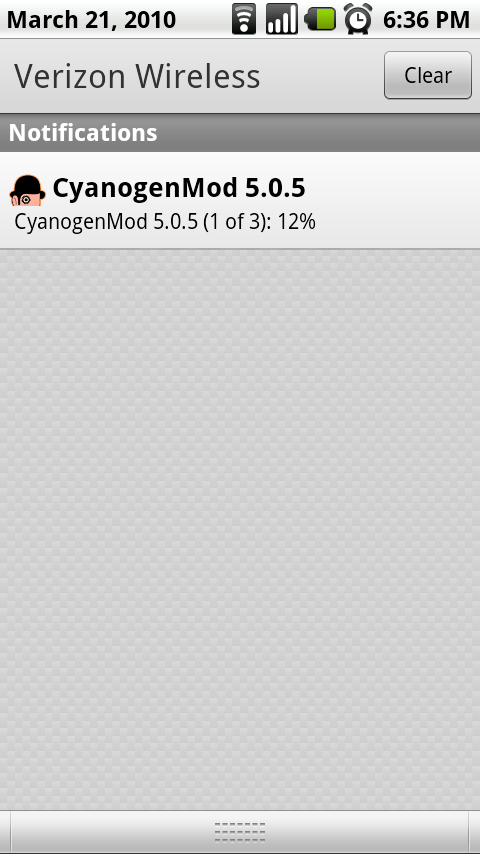
As always, if you decide to go this route, please let me know how it all works out!
Have a rooted 2.1 Droid. Downloaded Setcpu and ROM Manager. Flashed the latest version of Clockwork 1.8.1.2. Backed up current ROM Downloaded Cyanogen 5.0.6.2 and bekit Kernels 0.8.3 from ROM Manager. Tried to install cyanogenmod four times and it backs everything up claims the install is complete and then reboots but freezes on the Motorola logo for 10 – 15 minutes and then I give up, yank the battery, reboot holding down X and then restore properly to my current ROM without issue. Any ideas Droid-lifers??!!
Let's just say that I am not sure what is different but it worked this time…the fifth time! I guess persistence rules the day! Case closed!
-Yagermeister
I keep getting an “Installation aborted” message while trying to install the update from the android system recovery screen.
It says
“E:EOCD marker occurs after start of EOCD
E:signature verification failed
Installation aborted.”
I do have android 2.1 installed so I was wondering if that's the problem?
If switching to the newest version of any ROM is it necessary to first install the first version or can i skip?
Hey Kellex…I have had my Droid for about 1.5 months now…have rooted the update.zip way loved the smoked.glass look to the phone…then learned about the Droidroot pro…Loved that also. Now the evolution to DMupdater and ROM Manager has taken the need to know how to root out of the individuals hands and basically point and click…that simple and cool…the writers of these apps have done great work…
My question…I am running CyanogenMod 5.0.5.3 Haxzamatic xROM_v1.0.1…I love the black sleek look to this and want to keep this feel…is there a way to update to 5.0.5.4 and keep the look and feel of the Haxzamatic xROM_v1.0.1?
Thanks…wish I had your expertise…
Ok just installed cyanogen 5.0.5 for my droid and now none of my apps are on my phone. They all show up in the market (both paid and non-paid apps)…is there an easier way to put them back on my phone besides clicking and manually installing each individual app? Wasnt a backup part of this rom…and i guess I dont know how to utilize it haha. Thanks guys, you're videos are incredibly easy
Hey man…cool you rooted and installed Cyanogen..What you needed to do prior to installing Cyanogen was to use Astro File manager and backup your apps by going to Menu…Tools ….Application Manager/Backup. Once Up and running in your new Cyanogenmod, reinstall Astro from the Market and return to Manager Backup and install all backed up Apps.
Have fun.
Yesterday I just installed Cyanogen 5.0.5.3. Every time I add a wifi network (that being mine with WPA2_PSK) i get the error “unable to connect to the network”. Any ideas? I posted this on CyanogenMod forums as well; and still no fix available. 2-3 others have chimed in on CyanogenMod forums with the same problem. Yes my WAP is running in 802.11N (b/g compatible mode). This is so weird, I go down the street to Buffalo Wild Wings; and Cyanogen 5.0.5.3 connects up to that open hot spot no problem!
Well, I fixed the problem myself. I'll just post it here if it might help others. I had my SSID broadcast shut off. I enable SSID broadcast, and now Cyanogen 5.0.5.3 connects fine no problem. I then turned off SSID broadcast (better wireless security to stay quit); and Cyanogen refused to play. So for now while I stay on Cyanogen (WHAT A GREAT ROM); I will just have to live with broadcasting my SSID. Just for reference; when I was running Stock 2.0.1; wifi worked fine with broadcast turned off! Cheers. Kellex, Kudos to your fantastic site and informative videos. They are great, thanks so much.
hey how can i overclock after ive done this ROM? help anyone? and thanks this is one amazing ROM and im a noob with customizing phones haha so yea.. thanks a bunch for the step-by-step and videos
SetCPU ($1 in Market) is what most seem to prefer. I was using the free Overclock Widget, but it was kinda funky, so I went to SetCPU
Newbie Here with a quick question.
I am trying to install CyanogenMod 5.0.5.3 using the above instructions and get stuck after I perform Step 10. After I check both backup and wipe data and cache and hit ok, my phone reboots into recovery mode and then it states “There may not be enough free space to complete backup… continuing… Backing up boot… Error while dumping boot image!” what can I do from here, I was assuming the backup would be going on my SD card, which has more than enough space on it.
I am also having an issue with upgrading to CyanogenMod 5.0.5.3 from 5.0.4.2, I get and a launcher error that will not go away I went into safe mode and rebooted and was oK into getting into GDE home screen, not launcher, I tried to use ROM manager but it is now giving me an error “an error occurred while attempting to run privilege commands” I uninstalled and re-installed Rom manager but no go. I cannot get bact to the launcher no matter what I do, I originally went from 7 screens to five, got rid of my widgets and that's when launcher issues started. Now things are worse. HELP!
so when i launched the launcher. It is just black and the wallpaper will pop up for a second and go black again whats wrong. i did everything signed back in through google?
Any suggestions on what i should do?
Nevermind just got it working! How do i get my apps back? I did a backup and everything
I've got Nandroid installed, and rom manager. When I go to install the cyanogen rom from rom manager it restarts and then goes into what i'm assuming is nandroid (its where i installed simply stunning and smoked glass) but i can't seem to figure out how to install cyanogen. Any idea what to do?
I just rooted and installed this ROM… first time doing any of this but was sick of waiting for 2.1 OTA… am blown away by how simple it was with the great videos on this site and am loving the slick new features. Not a single problem or bug so far!
Quick follow-up to my comment a few minutes ago. I noticed that my apps (backed up and reinstalled post-root via My Backup Pro aren't linked to my account in the app store anymore (running fine, just worried I won't get updates when new versions come out, etc).
Do I need to do a permissions repair with Rom Manager? If so… to get that option do I need to flash ClockworkMod Recovery in Rom Manager?… will this mess with CyanogenMod? I did this step when rooting per the above instructions (made a DroidMod 1.0 backup to be as safe as possible) but it seems to not know that I did it as it needs me to do it again to unlock the fix permissions utility. Any help is much appreciated!!
I installed it last night and I love it so far…I was running droidmod 1.0 which was great also. But I like try new (stable) roms and I the 3D app drawer is what really got me to try cyanogen and the fact that it now just got more stable and is OTA! I don't think I will ever go back to stock even when and if 2.1 official decides to bless us with its presence lol. I'm an indirect agent for Verizon and I gave up on waiting for the update lol. Now I spend most of my day rooting my fellows sales reps DROIDS!!! : )
So I attempted installing the latest version of this rom, following the directions above. Everything went as expected. However, when it got to step 11, I got a message stating that there was not enough disk space on the sd card. At this point I backed out of the install and rebooted. Now, I believe that I am back to droidmod 1.0 but battery usage is high, phone is warmer than before, and it seems like the battery is not charging. Any thoughts?
Should we use helixlauncher or helixlauncher2
root with cyanogen launcher2, it works beautifully. unroot or any other mod, launcher1 may be better
update, 6 hours into cyanogen:
not sure if i can handle not having my wi-fi. more importantly, my little red light that tells me i've pushed too many buttons today. I have to say, i was a bit worried about rooting and all that fun stuff, but following the videos you created made it too easy. However, i had to take cyanogen off. It was a little buggy, a little laggy, and at least with DM i still have a few root options, enough to hold me over until 2.1 is offically released. All in all, I would have to say that it has been an experiance, and i feel complete….until tomorrow.
Hey guys, finally took the plunge and am in love with this, quick question though….for some reason my LED doesn't blink anymore whenever I have unread email…still pops up in my notification bar though. Anyone else have any idea what's up with that?
Check the notification in settings. Mine had to be turned on again (along with the option to do it when the screen is on).
Don't have my phone in front of me, so I can't give you an exact location.
I went into notifications for both my email and handcent, checked to see if they were on (they were), checked LED colors (email to green, sms to blue), and those were on, as well as the screen-on option, and still nothing. I know my LED isn't burnt out because it still turns/flashes red when my battery gets low. It's not the biggest deal in the world but I keep it on vibrate at work and if I have to charge it it would be nice to look and see without waking the phone up.
Also one thing I was wondering, I remember something about a Google Apps box you check…I've noticed in the market that the apps I backed up with Astro say they're uninstalled even though I still have them. Does this mean that while I have CM running the market won't push any app upgrade notifications to me (been rooted for almost a week and can't remember seeing any in my bar)?
Yeah, I think it was Settings>Sound & Display>Pulse Notification Light (and Pulse with screen on), both under “Trackball Settings”
I had the same issue with reinstalling my apps from the Astro Backup (and I did install the two modules at the time). I think one of the other backup programs has a “restore Market links” feature so Market will recognize it.
Sweet action on the LED…I would've never thought to change the trackball settings, heh.
hehe…yeah. I knew it was somethin' a tad diff, but just couldn't remember. Glad that did the trick.
Just went through this whole process this morning (this and the 3 part vid for rooting), everything I needed to know was handled. Worked perfectly, without any troubles. You all rock.
ok so I am in a little bit of trouble, when I installed the latest v5.0.5.3 I must have clicked wipe data, so when I reinstalled DM Updater, it says my sd card is not mounted, and I dont have the choice of selecting a ROM and going back to stock. Any clues?
Last night I hooked my phone up to the charger and this morning I woke up and went to unlock it and when I slid the tab over it just froze there so I had to pull the battery. Also with the 3D launcher, the letters underneath the apps arent lined up correctly anymore. Think I may just go back to droid Mod 1.0
Did a little more research and found my answer.
Well I installed everything and it installed with no problems. Coming from SPrecovery/Smoked Glass 5.
I installed version 5.05.3 but it didnt give me any options to add/remove options/programs during the install? Was I suppose to install just 5,05 to get these install options?
Okay, so I finally took the plunge and rooted last night, so first off, I want to thank you, Kellex, for putting up tutorials that made it seem like even a technical moron like me could do it, and to everyone else for the questions and answers re: some of these things. But I'm still a little hazy, so I'm hoping to get a little more help. So I got the DM Updater and ran through that, and I got to droidmod 1.0 without any problem, and, like the vids said, it kept all of my settings. And I really liked droidmod 1.0, but I'd heard about the cyanogenmod ROM for so long and it seemed to be the ROM of choice, so I decided I might as well check it out, too. I played with both, and I still haven't really decided which to go with, but here are my questions:
1. Some of you have probably played with these a lot more than I have. And you almost certainly understand them better than I do. Are there any advantages to cyanogen over droidmod? Droidmod over cyanogen? Anything that makes one the “better” one overall?
2. When I switched over to droidmod, I think it created a backup. When I switched over to cyanogen, I think it also created a backup (although I'm not sure about either… I followed the steps in the tutorials, basically). Droidmod retained all of my settings, as the vid indicated (which is awesome) while cyanogen wiped me. Restoring isn't a huge deal, and I'm doing it to give the cyanogen rom a good test run, but if I want to go back to droidmod, what is the process (or is there a process) whereby I can use that backup to basically “undo” the cyanogenmod ROM install? What is a backup for anyway?! If that is what a backup is for, where is it and how can I access it?
3. Because my apps got blanked with cyanogen, I went to the market to re-download them. At first, it showed my list of downloads, but as I was working my way through re-downloading them (and is this necessary or can a backup be used here, too?), they disappeared for some reason. I have a list of them, so I can get them again, but I didn't get DM Updater from there. Do I just get it again from here as I did before? Do I need to go through that process again (I don't think so because the superuser ninja is still showing up in my apps)? (I do still have the ROM manager icon.)
4. If I want to overclock, is that embedded in either cyanogen or droidmod, or do I need to download Set CPU in the market? If it's in cyanogen/droidmod, where is it?
I guess I'm hoping, principally, to learn about where my backup is and how to use it (if it can be used) to go back to droidmod (my initial impression is that I like that ROM a little better, although I'm not set on it yet, especially if I learn a lot about why cyanogen is better). If I want to go back, can I use the backup to do that? If not, I'm not sure how to do it. Is there a list of steps for that? Anyway… sorry for all the questions… I'm a bit of a technophobe. Any assistance is hugely appreciated, and thanks again for such an amazing website.
I updated to the 5.0.5 MOD last night and all seemed to go well. I was able to download from the market fine until I tried to do a restore of one app to test. After the restore of the app I can't download from the market at all. I get the following Force Stop error:
The application market(process com.android.vending) has stopped unexpectedly. Please try again.
Any suggestions with out going back to stock and starting over?
Unistalled the app with astro file manager and the install it again.
I'm getting a pretty crappy problem after installing Cyanogen 5.0.5 from stock.
There were no issues during the installation, but now whenever I return to the home screen from an app, say from the browser, it takes at least 5+ seconds for all my shortcuts and widgets to load. The pinned shortcuts on the bottom of the screen load instantly, but every time I press home, I'm staring at my wallpaper for several seconds before I actually see anything come up.
I am using a live wallpaper w/ the 3d launcher, but I know it's not anything to do with the live wallpaper because the problem persisted even when I used a regular still background. Is anyone else getting this problem or is it just me?
Try doing a fresh install on it. (the rom)
Has anyone truelly resolved the issue with the Droid that people on the other end of the phone call can't hear very good? I've changed the settings in the ##Program but t still isn't very clear. Will any of these programs work to help resolve it, or is it just a hardware glitch?
mine didnt work…was it because i had my phone plugged in?
most likely… unless you are transfering something to the phone via usb you need to unplug the phone from the usb cable
for whatever reason, it wouldnt install-so I installed DroidMod 1.0 again, and low and behold, now Cyanogen is installing.
before when it would reboot-i just got the phone and yellow ! icon…now when it reboots, it actually goes into the BootLoader / Recovery screen and works…so its installing right now. knowing my luck, Verizon will push out the update like right after its done…lol
I am running Droidmod 1.0 and want to try Cyanogen. I am pretty sure that I have a nandroid backup because there is a file by that name in Astro. Are there any special steps I have to take that are not described in the above video because I am going from Droidmod to Cyanogen?
You should not have any issues, if you do just post them here. You will most likely run into an issue going from Cyanogenmod back to droidmod if you so choose to.
My LED(not the camera ones) stopped working when i installed 5.0.5! I was upgrading from 5.0.4.2.
Does anyone else have this problem??
First time rooter and now have the awsome 5.0.5 cyanogenmod. I have found an issue with it though. When i set a custom ringtone for a contact via 'contacts' then 'options', it continues to ring the default ringtone when that contact calls. Anyone else notice this behavior?
i tried putting a metamorph theme on here and it made me go into a force close loop now i cant do anything can someone please help me!!!!!!!!!!!!!!!!!!!!!!!!!!!!!!!!!!!!!!!!!!!!!!!!!!!!!!!!!!!!!!!!!!!
You can always do a battery pull, then hold x and power to reboot into recovery mode. from there wipe everything and just reinstall the cyanogenmod.zip.
I have gone through the process of installing DroidMod 1.0 with no problems. I have done the steps of installing Cyanogenmod 5.0.5 up to step 11. After it backed things up and rebooted again it has been in a loop of showing the droid flash animation and the eye, then starting over and over again.
I can get to the recovery screen again by the way. So if anyone has any ideas besides restoring backup let me know.
Did you do a full wipe of data and cache before installing. Droidmod is 2.0.1 so you have to do it before installing cyanogenmod. Droidmod hasn't switched to 2.1 yet because they have “ethics”.
restoring backup is your option at this point. when you are flashing the rom again (5.0.5) don't do a backup as that has caused some people issues. As long as you have one good backup that you are happy with, stick with it.
I installed the new mod, but after it reboots and I put in my google account and whatnot it just comes back to the normal rooted phone with all of my apps missing. I tried installing again to come up with the same results. Any suggestions?
thats what will happen, I am assuming that you are coming from stock or some other 2.0.1 rom correct?
If I go back to droid mod 1 or stock will my apps be back?
if you did a backup and restore that backup, your phone will be exactly as you copied it.
Same thing happened to me. I would love to know if someone can tell me how to get my apps back. Astro isn't there..
just download astro from the market
Yep, thanks EndiSky. All you have to do is back up your apps on Astro first, then once your in the new mod, download astro again and your apps will be in the backup section and you can reinstall them. Brilliant.
Okay I need some help in a major way as I have hit a block here. i have installed Cyanogen 5.0.5 and have ran all kinds of different mods from DroidMod, BlackDroid, Cyano and had no problems until now. I want to go back to Stock and when I DL DM Updater to begin the process it never flashes SP Recovery to allow me to go back. I obly have the ROM options menu and when I pick one the phone boots back into CLOCKWORK recovery? How can I get back to stock a different way? I have deleted DM and re-downloaded it Several times now and it never flashes the SP recovery? Thanks
You and me both. This is the exact thing I am having trouble with. I hope someone has the answer!
I was finally able to get back by doing a Nandroid Restore from the Clockwork screen…It took a while but when it booted I am stock still rooted but I know where to go from here. Try doing a NANDROID restore. My next step if that had not worked was flashing back to Cyanogen 5.0.42 and attempting DM again from that Cyano. There is a manual way to flash the SP Recovery outside of DM using the ADB (Android Debug Bridge) but that is not something I was gonna be able to do.
just go into droidmod and load 2.01 stock no root rom and you will be good
The problem the other user and I was having was whether you picked stock no root or droid mod it never worked because our phones aren't being recognized by Droidmod and would never flash SP Recovery back onto the phone. Without SP recovery DroidMod wont allow either to work as the phone boots into Clockwork.
i know i didnt explain it vary well i wanted him to do what you did takes forever but works
I have no idea what you just described. Just call me lost! Where are all the step by step instructions available?
1 boot into recovery 2 wipe permissions wipe cache 3 go to i think it says nandroid and then restore this should be the backup up made before flashing Cyanogen. After that i think it is on autopilot. it takes a good 5 minuts and then will reboot. from there you can open dm and go to stock. hope this works this is what i did. good luck dont blame me if something goes wrong. ha ha
Thank you for all of your help. I finally got back to stock. I installed Cyanogen 5.0.4 and did the reverse steps that Kellex posted on video. Swooooooo! I was sweating! I do appreciate all your advice tho!
oh and after this my phone sat there with the W on it so i did a battery pull and booted up fine. once agin hope this works. i did for me. dont blame me.
***********************************************************************************************************************
***anyone that is having trouble running dm updater***
sprecovery and clockwork recovery hate each other…. the way that I was able to get it to work is by manually pushing sp recovery to the phone using a free app in the market called terminal emulator ( by jack palevich)
step 1: install the terminal emulator app
step 2: download this http://downloads.droidmod.org/recovery-0.99.3.img and copy it to the root of your sd card
step 3: open terminal emulator and typ this in EXACTLY
____________________________________________________________
su [press the enter button on keyboard]
flash_image recovery /sdcard/recovery-0.99.3.img [press enter again]
reboot recovery [press enter again]
____________________________________________________________
the phone will reboot into recovery (sprecovery), then just choose reboot and your phone will reboot like normal. you will then be able to run dm updater like normal. any questions hit me up on gtalk @ DroidDoesRoot (or gmail droiddoesroot@gmail.com)
thanks to droidreview guy for the tip that helped me figure this one out. thanks to Kellex for an awesome site!
***********************************************************************************************************************
what happens if I hit the button “factory data reset” under the privacy button in the settings menu
All that will do is erase all of your text/calllog etc.
Can you please help me upgrade to 5.0.5? I am currently running on 5.0.4.2 and I've downloaded ROM manager but the only choice i is “Flash ClockworkMod Recovery” after I hit that and select my device I get “An error occurred while attempting to run priveleged commands!” I must be doing something wrong. Any help will be greatly appreciated. someone had suggested that I might not be rooted. I assumed because I saw the ninja that I was rooted. Is there any other way to check?
0
email me @ endisky@gmail.com
I had the same problem, and I sent you an email EndiSky, but I was able to figure it out so you can disregard the email. Thanks for the help (previous comments in this thread).
mod version on about phone still says Cyanogen mod-5.0.4.2. Am I missing a step?
Probably just downloaded 5.0.4.2 again, so try to download the file from rom manager again.
How do we unroot from Cyanogen 5.0.5? I tried the above process from 5.0.4 and i am all messed up!
Let me know where you are stuck exactly, we can work from there.
I'm not really stuck. I just want to go back to stock! I'm sort of freakin out that I can't get back.Any advice would be appreciated!
did you get it resolved?
When I tried to flash sprecovery it never did so I went into CO recovery and wad able to flash back to before I flashed the Rom and then opened droidmod and went back to stock.
CO Recovery?
clockmod my bad
I am running Cyanogen 5.0.5 and I'm trying to unroot and the dmupdater will not give me sp recovery mode. What is the deal? Any takers on trying to explain this one?
First of all this is by far the best site for any droid or android user. Keep up the awesome work droid life rocks!!!This is an amazing rom, far better than anything verizon can put out. i am having one problem, i have my facebook and news and weather icon and news and weather widget stuck in a screen. i tried adding the 7 screens just to see if i can access the icons and widget but that did not work its like they are frozen in a unusable screen. please help
So do I need to do anything with SPRecovery? Or just follow the steps above and ignore SPrecovery?
SPRecovery will be overwritten by ClockWorkRecovery, so SP will be unusable if you stick with a CyanogenMod
SO do I need to do anything with SPRecovery or just disregard it completely? and follow the steps above?
Is there any reason why my GMail isn't pushing mail to my inbox?
Make sure that the account is set to sync
I just did a update from 5.0.4.2 and it seems to have worked beautifully. I didn't wipe cache or data and that was impressive.
Curious, what weather app/widget do I keep seeing on the home screen for cyanogenmod? I like it better than the built in 2.1 weather/news widget but I dont know what its called.
Good question. I have been trying to find the answer to this since I started using cyanogenmod. I figured being in all the screenshots it would be built into the ROM but I havent seen it anywhere. Can anyone put an end to this mystery?
Great, I finally bit the bullet and caved in and installed this Cyanogen Mod… and of course it won't go smoothly for me. Everything but the most important thing appear to be working. I can place calls, surf the web, use the phone, but I can't get it to add my Google account to the phone. So I can't use Gmail or load my contacts or anything.
I get the message:
“Can't establish a reliable data connection to the server. This could be a temporary problem or your phone may not be provisioned for data services. If it continues, call Customer Care.”
So I'm guessing that no one is on here at this hour… What do I do now? I've tried rebooting, but that didn't work. I think I'm going to have to try and go back to stock, which sucks because it wasn't exactly “quick” to get to this point for me.
Ok, so from what I can tell… I'm STUCK! I can't log into Google so I can't get to the Market to at least install Astro so I can go back to being unrooted. What else can I do? I can't call customer care now and ask them for help.
Has anyone else had this problem?????
Did you try to do a nandroid restore from co recovery that should take you back to where you were before you flashed the Rom.
When I can get the thing to reboot into the Clockwork Recovery that Cyanogen uses it has a nandroid option, but it tells me that the folder is empty. My steps were, I rooted, then I installed Droid Mod, then I installed Cyanogen. I let Droid Mod do a backup during it's process. How do I get back to Droid Mod at the very least? Or can I reinstall Cyanogen on top of itself to try and get the Google log in working?
Please help! I can not really use my phone because I don't know everyone's numbers that were in here and I don't want to have to dig them up manually.
Ok, so my options are:
-reboot system
-apply sdcard:update.zip
-wipe data/factory reset
-wipe cache partition
-install zip from sdcard
-nandroid (but it says “No files found”)
-partition menu
-advanced
Can I use one of the install options to reinstall Cyanogen from the beginning?
Ok, so I've learned a little more than I knew last night. But I'm still not sure what to do here. PLEASE CAN ANYONE HELP?
Bottom line: I don't have a backup that I can find. Can I use Clockwork Recovery to install either Droid Mod or the stock 2.0.1? When I am in there, I have the option that says “apply sdcard:update.zip.” Can I just click that????
Thank you!
I'm not sure what your original problem was, but if it was not being able to run your google account with 5.0.5 then try this. download this file (google apps) http://www.mediafire.com/file/mnzmk1nytt2/gapps… and save/move to root of SD card. Then boot into recovery, select “install zip from sd card”, then “choose zip from sd card”. you should be able to find the Gapps one on there selcet it and install, you can also find the cyanogenmod 5.0.5 in their as well and you can reinstall that too. Use the power button to go back in menus and select reboot phone. it should let you sign into google automatically when the phone reboots.
Thanks so much for the reply! That's what I ended up doing with Endisky's help last night. And I'd like to thank Endisky for taking the time to assist me with my issues and preparing for the future should I ever need to go back to stock! Very knowledgeable!
Please Help!! So I didn't do an Astro application backup and now all of my many precious apps are gone. I upgraded from Droidmod 1.0, do i have to restore my previous droidmod installation and then do an astro backup and then re-upgrade to CM? Is there an easier way for getting my apps back? How would I go back to my previous install with all my apps??
Nevermind. Power on while holding X, nandroid backup, only one thing to back it up to. Astro File manager back up and my backup pro. and viola. Thanks guys
if You Go To The Market Then Hit menu at the bottom tap downloads and re-install
Ok so I just did this rooting business for the first time, no force closes and all looks great, only thing I noticed is my keyboard and my home key buttons don't light …everything else is working great any help will be greatly appreciated..
Is it safe to set the CPU speed to 1Ghz?
Yes, generally. Keep in mind that every phone is different and it may run too hot on yours. Trial and error, just do more trial and less error.
I have mine set at that and was wondering the same thing… haven't noticed any downfalls not even any more battery usage with it set that high
Has anyone ever had problems with the words under the icons not centering properly? They are cut off?
restart your laucher
Nathan, thank you! Dumb question, but how do I restart launcher and what do you recommend I use as a launcher? I have used Helix but it seems to leave certain items out.
I would use launcher 2 it works very good with CM, thats what I'm using, I always stick to what works the best for me, everyone has there opinions, hope this helps
Sorry, found it!
this is so easy to install i installed it during class
Love this, it is much better than the previous version. For some reason, the launcher still cuts off text, so I downloaded the helix launcher2, and it is much better!
HELP!!! I keep getting forecloses everytime i start my phone, I'm in safe mode but have no clue cause i keep getting the FC message theres no way for me to get into anything right now, the message just keeps popping up…anyone please I need some droid life advice!!!
ok so this was very strange, I did a hard reboot, wipe date and cache and then rebooted the phone…the next thing I see id live wall papers ..”) and then my phone said it was running 5.0.5 CM I was like wow God must really love me, ha ha Love you God, love my Droid!!! LOVE DROID LIFE
This ROM is awesome. Kellex you make it so easy for even a newb like me to do this…I've rooted, unrooted, and now rooted back to 5.0.5…Verizon can keep the 2.1 update…
I am trying to run setcpu and the app says I'm not rooted. I am running Cyanogen 5.0.5 so I am rooted. I uninstalled and reinstalled the app but still says I'm not rooted. Any suggestions?
I'm assuming that it does not have super user permission
Does anyone (or Kellex) know of a problem receiving MMS messages. When I get a picture with text the text comes through but the picture does not. If a pix msg is sent by itself it comes through. I have searched and searched and cant find any answers. I reflashed the rom and it still doesnt work. any help would be greatly appreciated
I found an error! Does any one know of a fix? This new rom wont let me lock the screen via the physical lock button on the top of the phone. Anyone else having this issue?
****
Duh! I fingered it out. SpaerParts>End Button behavior…
Followed the guide and now i am on cyanogen 5.0.5. So far so good! Good guide, A++++
How is the speed this time around? I was running Cyanogen 5.0.4.2 but found it a bit laggy and draining my battery a bit too much. I have since used Simply Stunning which i loved except for the theme, and now I am on UltimateDroid v8 which is incredible in my opinion
Installed 5.0.5 Smooth install.Glad I got back my Corporate calender
I Installed Cyanigen 5.0.5 and I have noticed that the home screen doesn't rotate when I turn the phone. It will rotate if I open the phone as if not rooted. Is this the way it suppose to be?
check under settings and screen/display auto rotate should be checked… (correct me if I'm wrong anyone) I did the full 360 rotate in the same area
I have it on 360 rotation. Should there be 2 fields for rotation?
not too sure what your next step would be… maybe a battery pull or restart?
there is one setting for it when you press from the home screen menu/configure then there is another in spare parts both have to be one to go 360
Works like a charm! Thank you
I may try this out
No you do not have to stay in the rom manager screen you can back out and it will work continuously in the background.
Hi, big fan of this site, very helpful. Just wondering if anyone could tell me what are the benefits to going through all of this? I currently have Droid Mod 1.0 running and I use the Helix Launcher. What am I gaining by installing this? I'm pretty new to the whole rooting thing (newly rooted as of last weekend) and I'm just a little nervous about messing with my phone more. Any help would be appreciated. Thanks!
the only benefit is knowing that you are running the baddest rom available to mankind
Downloaded and overclocked to 1ghz!! LOVE it so far… install was a breeze thanks to everyone on here for all the help and to Kellex for posting this info with great instructions! Just trying to customize to my liking now. It's like having a new phone all over again!
ROM is super smooth and very fast.
LOL crap there was one damn widget i forgot ( bad thing about having too many screens with out having some kind of way knowing what screen ur on) now i am getting FC like crazy, i am in safe mode now but nothing is fixing this..
any ideas?
Rooted, Installed Droidmod, Installed Cyanogen Mod 5.0.5, and now restoring my apps for full use of my rooted DROID… All thanks to Droid-life! So far things seem to be peachy, lots of reconfiguring to do now but all worth it!
Thanks for all your video's and everyone's suggestions, made the process so much easier 🙂
Cheers!
Chalk up another 2.0.1 user giving VZW the finger with the help of Droid Life.
Been following for awhile and took the plunge to 5.0.5 today. Went as advertised with no issues.
Thanks Kellex (and everyone else) – DL is soo much better than some not-to-be named forums. Friendly and no poo-pooers 😉
Installing right now… one more question when the phone is downloading the ROM can I back out to main screen till prompted or do I need to stay in ROM manager? Thanks again for the help!
I want to update to 5.05 but i dont want to lose my gmail or market place and i dont quit understand the directions to getting them back and would i have to find all my apps over again?
What are you running now?
I am on Cyanogenmod 5.0.4.2 currently
I am giving Moto and Big Red one week to get the 2.1 OTA out, If not this is looking very tempting.
Help, I'm on step 11 and just frozen on recovery screen. Nothing is happening from here. This is my second root so I don't feel like a noob except right now. Any help would be appreciated.
Thanks Kellex, I'm now able to run my Droid at 1000mhz but being smart (a little) I'll tone it down to 800mhz only, don't wanna fried or brick my Droid.
Am I the only one finding 5.0.5 laggy? It seems to stick continuously as opposed to the smooth/ fast scrolling that everyone was talking about. Is there a solution? I'm using HelixLauncher2. I was hoping to use Live Wallpaper but finding it even laggier.
It is a bit of a known issue with the 3d launcher and live wallpaper. cant use the two together on the Droid, even while OC'd
what's your recommendation for 7 screen/ live wallpaper – for a ROM and home? If it's cyanogen, what do you recommend? Or do you recommend another configuration? What's the advantage of Cyanogen? (I really like 7 screens, if possible, and I love the live earth wallpaper). Obviously I like the voice command.
did you wipe data and cache(some say twice)
i did it once. how do you do it twice?
you can do it more than 1 time if you boot into recovery mode. just told x and power button when you reboot
Not sure if anyone mentioned this, but there's a new music widget which includes a back button and album art! 😀
What's the music widget called?
It's called “Music”
What's the full name? There's no app just called Music.
For some reason my LED doesn't blink when i get a text message
Battery life with 5.0.5 is way better! However is anyone having problems with Bluetooth connections? Looks like everything is connecting just fine on my phone side but I think it is causing the connecting device (2006 Infiniti G35 factory Bluetooth) to lock up. Anyone having this issue with other devices?
How do i know if it successfully updated???
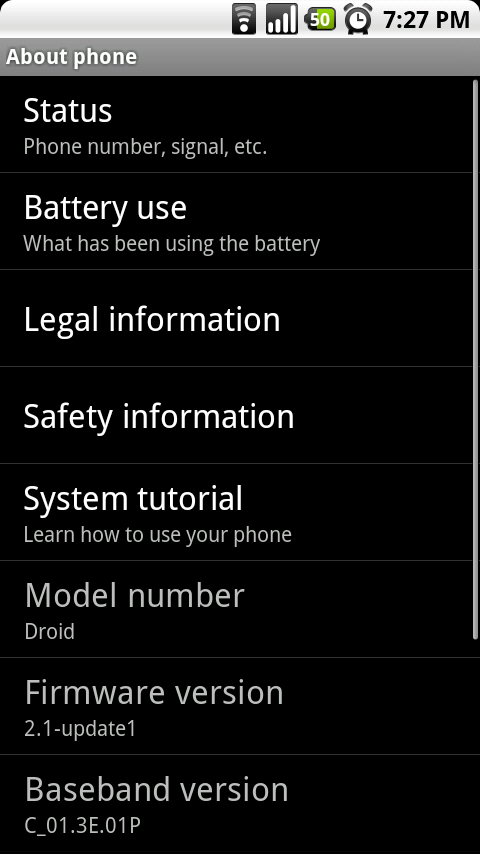
Menu, settings, about phone, mod version CYANOGENMOD-5.0.5-DROID!
Ok thanks. It offically worked for me
hey Kellex I know I sound like a noob but I really need your help with either the upgrade or the return from cyanogen to stock. Ive watched those vids countless times but I cant seem to get both DMUpdater or ROM manager to work like in the vids. I would really appreciate your help.
DMUpdater is not really going to affect you in this situation.
I just created a new Gmail/ Google Talk if you want help… hit me up @ DroidDoesRoot (Gtalk is the easiest)
(((( Unless you REALLY want to go back to stock!))))
i really dont want to go back to stock. The only reason I do is so I can start all over since i cant upgrade from cyanogen 5.0.4.2 to the new upgrade
hackers helping hackers…just what our forefathers envisioned. 🙂
ROTF that is so true….
I want to do this so bad but… 1) don't want to have to do the work to switch back when the 2.1 update actually comes out. 2) nervous about voiding any warranty that Verizon MIGHT honor for anything.
You have no worries, going back to stock is not really an issue. Your warranty is fine, trust me, if you have trouble going back to stock, we will help you here.
Ok I really really really wanna root my Droid to this ROM but am super scared to do so.Ive watched the tut but am afraid I may do something to mess it up.lol..Am I just being paranoid?
Yes, you are paranoid! message me on google talk. (endisky)
I successfully installed it but I'm missing a widget I accidentally removed, it's the one that controls the wifi, brightness and ect.
thats the power control widget, should be available to put back on the home screen
Thank you. Got it working now.
Long press on the screen until the box appears that says ADD TO HOME SCREEN. Press on Widges. One of the options when you scrool down is Power Control. It's the box with five icons for brightness, wifi, bluetooth, satellite and sync
I am on Cyanogenmod 5.0.4.2 currently. I go to Rom Manager, nothing is available to do except flash clockwork recovery mod. So I did that, and all my options became available again.
I backed up everything, and it is saved on my SD card.
I go back to Rom Manager, and click on Download Rom.
It gives me an error saying download list not available. Any ideas?
Uninstall Rom Manager and then reinstall it from the market.
Gotch. Seems the v1.79 I had got replaced by a v1.8. That done it. Thanks.
Im trying to upgrade to the 5.0 cyanogen but im having a problem when I open ROM Manager I get only one choice, Flash Clockwork Recovery, and when I hit that I get “An error ocurred while attempting to run priveleged commands” I would really appreciate the help.
Uninstall and reinstall “rom manager”
I just tried that but didn't work. I also tried that with dmupdater. One
thing I did notice was when I downloaded the app to overclock my phone and
tried to do it I got a “your device is not rooted” even though I am running
on cyanogen and I have the ninja icon on my menu screen. Think that has to
do with my problem.
I'm having a similar issue also. I re-installed it and it didn't help either. Also, DM updater keeps telling me I have to select “remember” but it's not giving me an option to do so. I'd like to go back to stock, but I can't get to “SP Recovery” either. Thanks in advance for all your help!!
I'm having the exact same problems
Lets try rooting again, not sure what happened for you guys. Download this – http://www.4shared.com/file/169766501/568b90be/… – and copy it to the ROOT of your sd card, boot into recovery manually by holding x on powerup. I forget what its called but something like apply update.zip
I'm having the same problem (phone is rooted, running CM 5.0.5, but some apps like DMUpdater, Rom Manager, SetCPU, etc. are not recognizing superuser permissions.) I copied the file you posted, installed from SD card, and CM recovery says “rooting your phone” and the “install complete” but no change after reboot. still same problem. I also tried a nandroid restore but it restored me to exactly where I was at before CM 5.0.5. Any way to get back to SP recovery so I can start over? Any other ideas?
Ok, so I got it resolved… here's what I did. Basically did what EndiSky suggested, downloaded the above mentioned zip, moved it to the SD card “top” folder, deleted the old “update.zip” file and renamed this new one to update.zip. Then went into CM recovery and selected apply update.zip, then I reinstalled Gapps (google apps) and 5.0.5 just for good measure, by selecting install zip from SD card, then choose zip from SD card then selected the two that I wanted. after that, I rebooted and BAM SU permissions were back. Thanks EndiSky.
Note: Make sure you rename the file update.zip, and select the option to apply update.zip from sd card. Otherwise if you just select install zip from sd card and select it as it is currently named it will not rewrite the rooting files to your system folder.
Nice! Thanks for the head's up. 🙂
woah , i thougth that CyanogenMod is awesome !!
but the problem is : Can I do this in my Milestone ?
I wouldnt try!
So now with the new update to ROM manager we can do this all from the phone??
I'm rooted with Droidmod and am a little confused as what to do next just follow the steps from the phone or anything else I need to do? Sorry just rooted a couple of days ago still new to it all and this seems real easy this time
Yes, everything (except the actual rooting) is done from the phone w/ CM
Thanks for the help! Will be trying in a few mins.
Hey guys…where can I find the download link for CyanogenMod v.5.0.5? I looked, but only found the ROM custom made for the Nexus One.
In the market load “rom manager” … In rom manager select “download rom” if it errors or gives you no roms, uninstall and reinstall it
It all worked. I'm at 5.0.5. Can I default to Helixlauncher 2? Or will there still be the problem people reported?
I've thought about giving this a try but I recently upgraded to Ultimate Droid 8 and am very happy with it. I love the UD skins, it's very fast, and has the 3D launcher. The only issue with it is that the 3D launcher doesn't work correctly in landscape, but I never use it in landscape so that doesn't bother me :p
This puppy is blazing fast. Using home not launcher and running stock speed and it flys. Also for all the smoked glass fans(kellex not being one of them) i would recomend hexmatic's nextheme2.0 for 5.0.5 its pretty nice.
Haha smoked glass. 😛
Confirming ability to upgrade 5.0.4.2 to 5.0.5 with no wipe. All applications are still there. For launcher2 I had removed ALL widgets and shortcuts before upgrade and went to 3 home screens. No force closes in over 24 hours. Unsure of Google apps on Modules, but I did select them. I have yet to “remember my preference” when pushing home button. Have option for tray or 3d launcher. Wanted to make sure it was stable before choosing for good. Home with tray still has 5 home screens. Still have to install xTheme back. It was not there after install. You WILL lose your themes.
i'm getting a forcelose on launcher…did you experience this?
Did you have your set to 7 screens? If you did, then you will probably get force closes.
i did the forceclose as soon as it booted back up after the install…do i need to reboot in safe mode?
Try booting to safe mode and switching back to default launcher. Then reboot and switch again to the other launcher.
i rebooted to safe mode and it kept forceclosing…im going nandroid restore. when im back up and running i'll just switch my launcher to default 5 screens. im hoping that will take care of the problem
I just had the same problem also. Restoring nandroid now.
I was also having a problem with 5.0.4.2 and the gallery. When it was loading my previous photos, it also pulled all grafix photos from the system.
yeah, i nandroid backup, then went in and set my launcher at 5 screens, removed all widgets and icons and installed the latest ROM…worked fine
I had to clear all the widgets, same as Mr.Garza. now working fine… Now about apps2dsd
how do you exactly restore nandroid? sorry am a noob
Sorry it took so long.. Glad to hear you got the answers you were looking for.
If you already checked launcher as the default home. Is there a way to switch back to the normal home? launcher lags just a tad to much for me.
You have to reboot into so recoverey and do the back up and restore I don't think that deletes it from your phone and still be rooted trying to figure that out now
I really like this and i just rooted last night and installed this. But when it all loads up my applications or market isnt there. How can i transfer everything over to the new rom. Also when i go to reboot and backup and restore how do i take off cyanogen off my phone or does the nandroid backup overwrites it. Im new to this but really liked it and got tired of waiting for ota.
I have the same problem, none of my apps OR the market are there for me to select. I can't even get Astro back =( Phone says I'm running Cyanogen Mod 5.0.5 Any help would be GREATLY appreciated!!!
Did you install the Google Apps module?
Yes, I got it from another post up further. Thank you for all your hard work. This site ROCKS!!!
Went smooth as butter here. Thanks for keeping us to date on cynogenmod.
Kellex can u help me? I did the flash clock recovery and the back up but my phone is stuck on screen that says “Backing up boot systems and data” and it has been like this for twenty minutes and the bar has been stuck on half way for this long. is there something wrong??
If your still having the issue, do a battery pull and start out fresh. That is if you are on the BACKUP section still.
Push back and restart again. It happens the first time you flash clock recovery
Push back and restart again. It happens the first time you flash clock recovery
Kellex,
Need help…. When I downloaded CyanogenMod my gallery, when it was loading pulled pics from grafix.
labeled Drawable and drawable – hdpi
thanks for both of ur help! im starting over now…
Question from the NOOB gallery:
How do I switch from 7 screens back to 5, or 3?
How do I remove all widgets before upgrading?
(Embarassing, I know).
To remove widgets, I don't personally know of any way other than pressing on each individual one, holding your finger down for a second or two, then dragging to the trashcan icon that appears at the bottom of the screen.
To switch number of screens – press the menu button > configure > screen size
Thanks, appreciate that! I'm in the middle of that. I figured that must be the way. Wasn't even sure what it meant, at first. Thanks again!
How come in my Droid my max procesor speed is 600mhz, I have setcpu installed and that's the most I get, any ideas why.
Make sure you do “autodetect” for your device. Then go up to the Max overclock bar and drag it to the minimum and back up to full bar. Should pop up as 1000Mhz then.
Awesome site Kellex, installed cyanogen this morning, Set CPU is not recognizing that the phone is rooted, any suggestions?
Got it, had to uninstall DM Updater and reinstall cyanogen. Now I can't get Set CPU to go over 600
I followed these instructions, but I can't login to my google account via 3G or wireless. Because of that I can't dl any programs like astro to help me unroot. Anyone have any ideas of what I can do?
did you check the boxes for the google apps / modules? because it sounds like you didn't. you can download this file – http://www.mediafire.com/file/mnzmk1nytt2/gapps… and boot into recovery mode and install it from the menu and you should be good to go.
Thanks for the tip. Do I just put that zip file in the root of the sd card and then reboot by the x powerbutton method? Sorry I'm asking newbie questions, but I don't want to brick my phone.
Just want to say that you guys are awesome! Thanks Chuzzy! That worked and the phone is functioning perfectly now!
Where do i adjust the overclocking,i'm a noob lol
Anyone, please correct me if I am wrong,
You have to buy an application called setcpu to OC.
That is correct. Its like $1 though and the money goes straight to the dev. Buy it.
DL SetCPU
I use Overclock widget. It's free and seems to do the job. Just search for it in the Market.
SetCPU is better. As far as I know you can't set Overclock to lower the CPU speed if your battery reaches a certain point, or if your phone gets too hot. So just spend the $1 for security sake
Set CPU says that my Droid us not rooted. I'm running Cyanogen 5.05
Got it!!! Uninstall DM Updater then reinstall cyanogen. Now I can't get Set CPU to go over 600
First time rooted and moded. So far so good. Thanks Kellex for your amazing tutorials.
My quetion is, can you ocerclock without installing a new ROM?
Yes as long as you are rooted all you need to do is DL SetCPU from the market.
After the delays I've now installed Cyanogen for me and my wife (after she saw my phone she wanted it). No complaints runs smooth, I have not overclocked, I can't really tell the difference between the last Cyanogen, except maybe a slight difference on the 3d launcher.
How do I set up 5 screens only, I've been looking but can't find it, I wanna do this before updating so I don't get any issues, thanks guys.
I'm waiting to hear the same thing!
Go to your home screen, hit Options>Configure>Screen Size. Set to 5.
Any reason why the new version shows 5 screens instead of 7? Just curious
hit the menu key from home screen then go to configure and you will see it
I updated without a hitch – I already had only 5 screens set up so it was a simple download then backup/install process.
One weird quirk – I noticed after updating that on my physical keyboard the Y and Z keys were reversed. I fixed this by going to Settings > Language and Keyboard > Select locale > English (United States).
I have been seriously considering rooting my droid, are there any negative side effects of rooting (besides voiding my warrenty?)
Major side effects include:
Much Faster Phone
Moar customization
Bigger Smiles
lol @ moar.. 🙂
Nope no other nagative side effects just good thing from it and for the warrenty if you put it back to stock to turn it in for repairs they wont no that you did a root
The google apps and module add on adds on the google apps which would be missing from the 5.0.5 update. mine were missing and i ran the apps add on and bam everything was there (i.e. gmail, marketplace were both missing on my initial 5.0.5 update).
I've updated the post with a response on their purpose. I recommend everyone download both add-ons.
I worked for me, didn't have to wipe data and cache. Yeah baby Cyanogen Rocks!!! now I have to check the hellix launcher out.
Kellex (or anyone else who knows)
I am just about ready to do this but have one question…….. If I do end up going back to stock by following your guide at this point is my warranty still voided or would they not be able to tell b/c I am completely stock again?
Thanks in advance!!!
They shouldn't be able to tell.
Hi Kellex,
Thanks for the wonderful article. Can you please provide some more info on apps2sd. I do see an option but it is not active.
Would be nice if I know what am I looking at 🙂
This was so easy to upgrade. I was running 5.0.4.2. and all I had to do was open up ROM Manager download the ROM and let it do its work. Phone works even better now.
Couple Recommendations before upgrading
-Back-up all apps with Astro
-I backed-up all my settings, sms, home screens, bookmarks, call logs with My Backup Pro. Once the rom was done I reinstalled the Apps with Astro and used My Backup Pro to restore all my home screens and such and it took no time at all. The only problem is the app costs money ($4.99) but I thought it was worth it.
Anyways, I highly recommend the upgrade, it runs so much smoother.
I'm guessing you have to have the zip file in the sd card, the new version of Cyanogen, right?
Download function actually works in this version of ROM Manager.
So now with the new update to ROM manager we can do this all from the phone??
I'm rooted with Droidmod fully installed and am a little confused as what to do next just follow the steps from the phone or anything else I need to do? Sorry just rooted a couple of days ago still new to it all and this seems real easy this time
You can do it all from the phone, that is correct.
Cool will be trying this tonight!! Thanks for the reply Kellex
Installing right now… one more question when the phone is downloading the ROM can I back out to main screen till prompted or do I need to stay in ROM manager? Thanks again for the help!
I'm actually getting an error. Says “error downloading ROM list.” And I'm currently on Cyanogen 5.0.4.2.
The ROM Manager app has a Download function. Just use that to grab the 5.0.5 zip file and install it all at once. Super easy.