

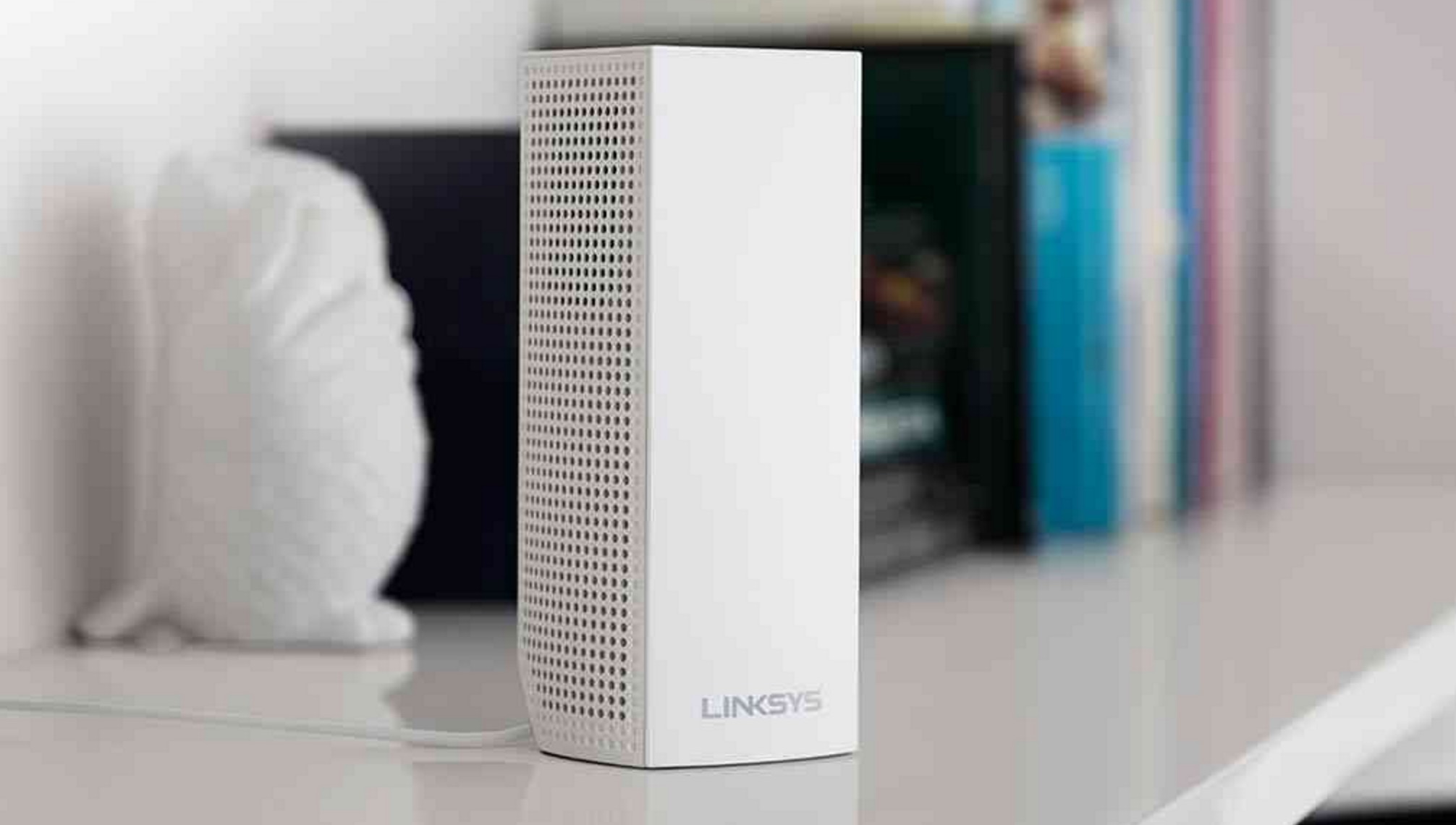

Today, Linksys announced its newest WiFi router, the Velop. What is Velop? It’s the next generation of whole home or mesh WiFi router systems, like Eero or Google WiFi. Velop differs a bit in that While the basics are the same in that Velop allows you to expand your network to all corners of your home, Linksys is trying to be as fully-featured here as possible, calling Velop the “first Tri-Band modular Wi-Fi system.”
Velop is capable of acting as a router, range extender, access point, and bridge, all of which is configured via Android or iOS app. Features within the app include guest access, parental controls, device prioritization, etc. You can even control some aspects of Velop through with Amazon’s Alexa.
Also, Linksys is pushing Velop as one of the first systems to make use of your full internet connection, thanks to its Tri-Band powers. In other words, if you are paying for 100Mbps down, Velop should deliver it everywhere in your house. To clearly explain that and the rest of the features Velop allows, below you’ll find an excerpt on the technology from the press release:
- Velop Hardware – Velop uses a highly integrated System on a Chip from Qualcomm, the first of its kind that incorporates a 716 MHz quad-core ARM Cortex-A7 processor, three Wi-Fi radios (one 2.4 GHz and two 5.0 GHz) and two auto sensing LAN/WAN Gigabit ports. This is complemented by 4GB of flash memory, 512MB DDR3 memory and a Bluetooth 4.0/LE radio. Velop contains six antennas and high power amplifiers.
- Dynamic Tri-Band – Each Velop node is a Tri-Band AC 2×2 802.11ac Wave 2 with MU-MIMO radio configuration with combined speed up to 2200 Mbps*. This technical design provides faster speeds at the edge of the network by using algorithms to achieve optimal path calculations. This eliminates the bottlenecking effort that is present with traditional router and range extender combinations as well as dual-band modular Wi-Fi systems.
- True Modular Mesh Design – Each node is built to connect with each other over Wi-Fi or wired Ethernet if present. They auto configure to connect in multiple different mesh topologies. The nodes have the ability to choose the best path to route data between a client and the Internet. In the event any node loses connection to another node, the remaining nodes will self-heal and re-establish Internet connection through other nodes in the network
- Dynamic Channel Selection – Velop will dynamically scan the available channels and select the best combination of bands and channels to optimize performance at the time of setup or whenever the user chooses. The Linksys app has a channel finder feature with will automatically find the best channels on demand and resolve congestion and interference issues that can created by competing Wi-Fi signals.
- App-Led Setup – The new Linksys app (formally known as the Linksys Smart Wi-Fi app) automatically identifies the nodes to be setup using Bluetooth and creates a secure connection between the mobile device and each node. The app guides users through the installation process using visual animations where needed to clearly explain each step, including the uninstallation of current networking hardware.
- Patented-Pending Spot Finder Technology – The placement of each node is critical to have a reliable connection. During setup, Velop will recommend the best placement to reduce latency, maximize throughput and improve range and signal strength.
- Velop works with Amazon Alexa – Velop launches with custom Amazon Alexa “skills” that can turn guest network on/off and request credentials of both the main and guest networks; these are read back to the user by Alexa.
- Seamless Wi-Fi Experience – Velop supports one network name & password, one admin login, one interface for management and monitoring; and one guest network for the whole home. As a result, mobile devices, such as iPhones and laptops, will roam seamlessly and reliably from node-to-node without interruption.
- Airtime Prioritization – Airtime Prioritization enables faster devices to transmit at faster speeds while the slower device will not impede the speed of Wi-Fi network
- Automatic Updates – Velop is connected to a cloud service that will automatically monitor the status of firmware and update accordingly for security and performance. The combination of firmware and app updates will continue to unlock new features and improve performance over time. Some Whole Home Wi-Fi systems require manual firmware updates making them vulnerable to security infringements. Users have the option to turn automatic update off.
- Futureproofing – Velop hardware being a Tri-Band MU-MIMO router will be relevant technology for years to come and has features that will continue to delight users as it becomes enabled with new applications and services, all without any actions required by the customer.
Velop might be the most powerful mesh system yet, but as you can imagine, that means it comes at a steeper price that some of its competitors. A 1-pack will cost you $199 at a promotional launch price, while a 2-pack runs $349 and a 3-pack will set you back $499.
To learn more about Velop or buy it today, head over to the Linksys site.
[responsive_vid]








How does Orbi compare with Velop. Will be curious to know an decide based on that.
Do these mesh networks give you good bandwidth? How is this different than using an extender? I ask because I bought an extender so I could stream 4K in my garage and it worked for a couple of months. Now the piece of crap keeps dropping the signal from my router or my router sucks. Either way I’d like to improve the wifi in my house and wasn’t sure which way to go.
Mesh networks can improve your bandwidth depending on the hardware. Most of the new systems that are coming out are good for that very purpose. As for the difference between an extender and a mesh network is that a wireless repeater (synonym for an extender), does exactly that. It extends your wireless network (with a bit of signal loss). Mesh networks achieve the same results, with better bandwidth (shorter hops between nodes) and you don’t have to worry about assigning SSIDs or any of the mess that repeaters come with.
Google is paying 97$ per hour! Work for few hours and have longer with friends & family! !mj41d:
On tuesday I got a great new Land Rover Range Rover from having earned $8752 this last four weeks.. Its the most-financialy rewarding I’ve had.. It sounds unbelievable but you wont forgive yourself if you don’t check it
!mj41d:
➽➽
➽➽;➽➽ http://GoogleFinancialJobsCash41TopRealGetPay$97Hour… ★★✫★★✫★★✫★★✫★★✫★★✫★★✫★★✫★★✫★★✫★★✫★★✫★★✫★★✫★★✫★★✫★★✫★★::::::!mj41d:….,…..
I would love to say YEAH! but, Linksys is dead to me. I have been a loyal user of theirs way before the 54g and up until the last 3 routers I purchased from them. Ever since Cisco bought them up they have been nothing but junk.. And it pains me to say this but I took a chance on ASUS and have been a huge fan of the their routers.
That’s because Belkin is the one who bought out Linksys. My last router from Linksys was branded with Cisco. Once Belkin bought them out I stopped buying.
So is your Cisco router actually a Belkin Router?
Oh I knew Cisco purchased them I was unaware that Belkin bought them up. That would make more sense because I have had nothing but trouble with belkin.
3 Linksys Mesh WiFi for $500, or 3 Google WiFi routers for $299…………. Google WiFi Wins.
except you lose 50% of bandwidth per hop on google wifi… If that reduction, per hop, is ok with you, yes – google wifi wins.
losing 50% reduction of bandwidth per hop isn’t advertised on google wifi. so i’m not sure where you’re getting those numbers, and why would the bandwidth reduction be any different on the 3 Linksys Mesh WiFi routers, wouldn’t it be the same if the bandwidth loss is really a thing.
Of course it’s not advertised. The velop and orbi have dedicated backhaul channels, whereas google wifi and others do not. This means that the velop communicates with the base (central) router on a dedicated band (tri-band…). Fundamentally, this allows data to be sent and received by a satellite at the same time. Google Wifi et. all can’t do that. To send back to the base router, they have to stop receiving and then send, and vice versa. Therefore, the basic assertion is a 50% loss of throughput per hop.
Simple numbers can be found here: http://thewirecutter.com/reviews/best-wi-fi-mesh-networking-kits/
More complex information can be found on smallnetbuilder
“Required for set-up: (1) Internet connection with Modem. (2) Mobile device with Android 4.4 or iOS 8 and higher, Bluetooth preferred.”
Does this mean Android is more advanced than iOS when it comes to networking since it took 8 official revisions on iOS to be comparable to Android 4.4?
The short answer is: Yes.
hmmm. says in stock when i add a three pack to the cart. Also, a lightbox window pops up and gives you the 10% off, reducing the total price to $449 (plus shipping)…. i was just about to pull the trigger on the Google 3pack, but this system looks much better?
DAMN YOU NEW TECHNOLOGY
The linksys, as well as the netgear orbi, are inherently better than google wifi/eero/luma because they have dedicated channels to talk to the main hubs. Meaning, when you go 1-2-3 physical devices away from the central router, your speed isn’t reduced by 50% at each hop.
I will get one of these setups in a couple years, when the price becomes reasonable.
This is what I use in my house — https://store.ubnt.com/unifi/unifi-ap.html
Albeit, the configuration is a bit more work and not as elegant, but dam it works great (even through power outages). I bet I haven’t touched it more than 2 or 3 times for a reboot in a year. The best part is power over ethernet (with the power supply sitting in my closet demarc box).
are those UniFi things better than the Mesh WiFi systems from Linksys? or the Mesh WiFi systems google is selling (the Google WiFi Mesh Network) ?
I’m not sure what your definition of “better” is. i live in 1 story house about 2100 sqft and i’ve only had to deploy 1 centrally to cover the whole house plus backyard and driveway (arguably I need 2 more at the rear and front). I use my home computer to install the Unifi software for managing it. my concern was direct line of sight for the living room as that’s where we need best bandwidth.
I heard about them through an IT buddy that deploys them for enterprise use and I was skeptic b/c it wasn’t from aruba or linksys or cisco or some household name you would associate with wireless connectivity.
What you’ll be getting from Linksys or Google (more money) is probably more features, slicker interface, and easier management. I didn’t care about that crap b/c I’m ex-IT admin and just needed bare bones fast wireless AP’s that work together.
FYI, I chatted with tech support and they gave me a 10% off coupon for order of $100 and up. If you are going to buy. Sounds like they will ship soon. They seemed to think that I can use the mesh tech with an existing WRT1900AC as long as the VELOP is hardwired. Interesting, but I’m not desperate enough to spend another $180 on my wifi at this point.
How is it the “first tri-band”? What happened to the netgear orbi, that uses a third band as the backhaul channel? As I recall, the Orbi doesn’t support mutliple hops, but that is something they have said is coming in a firmware update…
I replaced my Nighthawk X4S router with a three-pack of Google Wifi. So far, I’m liking it much better. Its been maintaining 45+ connected devices and about 10-14 hired wired (into a switch board). It’s too bad Linksys didn’t want to say why their system was so much more expensive. https://uploads.disquscdn.com/images/a127f92510529821198396159caa2f852e216666a66ae3abae7b02d93a457e50.png
What cable modem are using?
I’m using a Netgear CM600. It’s been a great modem.
Yep, I had issues around the house with WiFi, I purchased the Onhub on sale, got the update and since then I’ve had no WiFi issues at all and with the priority device is easy to control who gets the most out of the WiFi.
I’m just going to buy another WiFi unit and call it a day, I’m running around 12-15 devices, both Wire and Wireless.
I want to add a fourth to my basement (where our home theatre is) and it was driving me nuts that the Google Wifi has again been sold out. I was able to snag a brand new Asus OnHub router on eBay for a great deal. I think I’ll use it as the parent router and place my current parent “puck” into the basement as another mesh point.
I’ve used Linksys pretty much exclusively for the past 5 years now. In the early years using them, I ended up replacing them about every year, they just didn’t hold up. The last one held on for 2 years, but it’s going down, slowly. I picked up a new Linksys router, spent the extra money for the longer range, and it failed out of the box. Then tech support kept dragging their feet on replacing it, having me repeatedly retry troubleshooting procedures with the same result as the first time. Their CS seems to have suffered since being bought out by Belkin, which is odd because I’ve always had decent luck with their products and CS.
The replacement showed up the same day as the last time Google WiFi was back in stock. Ordered the 3 pack and will end up selling the Linksys. From everything I’ve heard, the Google WiFi are stable as a rock, where my Linksys needed repeated power cycling to keep them operating correctly. Waiting on a switch since the Googles only have one Ethernet output so I can replace my existing router, and am looking forward to larger coverage as well (3 story house with family room above the attached garage).
I’m sure you’ll enjoy Google Wifi. I’m really liking it so far. I picked up a 16 switch Netgear on Amazon for under 70 bucks. It has all been solid so far.
I’ve got a pair of their 8 port switches (one for the house one for the garage) and needed a 5 port to feed those 2 switches, a 3G Network Extender and an LTE NE. The main house was built in 1912, so this mesh solution should help cover it (a real bear to get wires anywhere in there).
hmmm… Looking forward to the massive Mesh WIFI video showdown from you guys in a couple months. I don’t need this yet, but I’ll keep my eyes on the category