

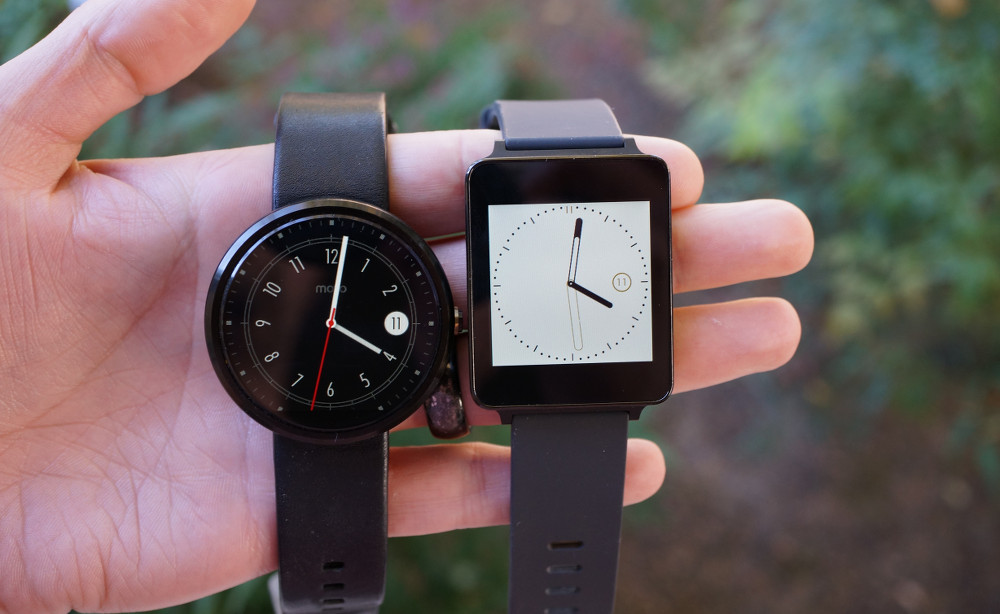

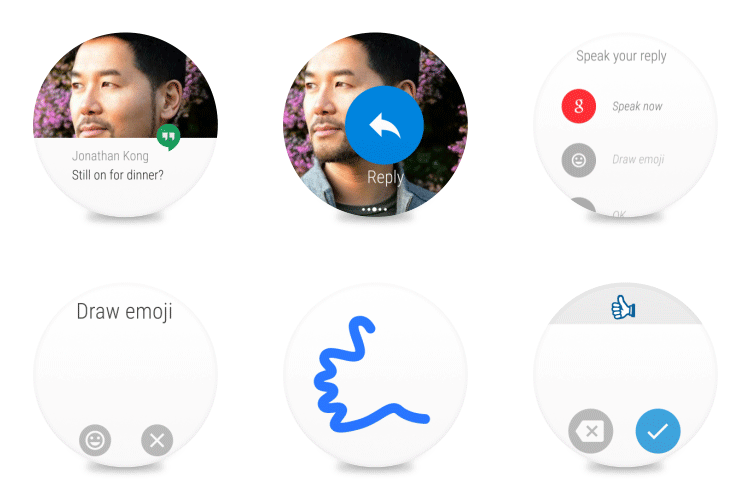
A big Android Wear update was announced this morning by Google. The update will slowly rollout to devices over the coming weeks, but it includes all sorts of new features and tweaks, like WiFi support and the ability to draw emoji in response to messages.
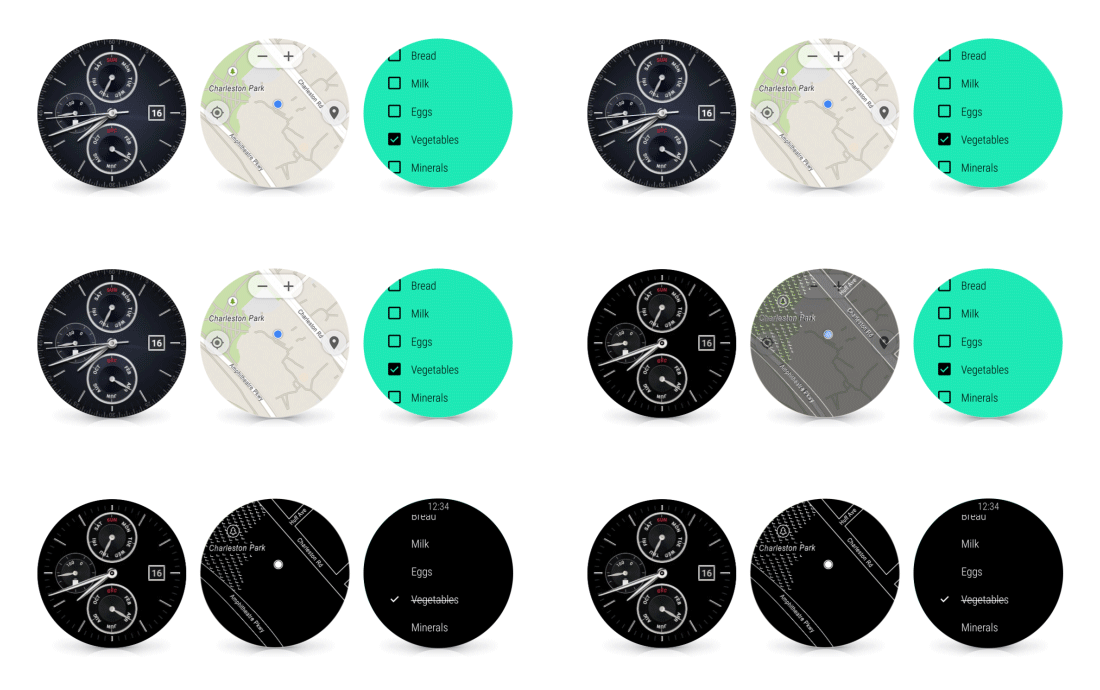
According to Google, the update first introduces an always-on mode for apps, because some times you just need the watch face to stay on until you tell it to turn off. Think of needing directions or if you are checking a list, but don’t feel like flicking your wrist or tapping the screen each time you need your Android Wear device to turn back on. If you are worried about battery drains, Google has tried to alleviate that problem by allowing apps to go black-white when you aren’t looking at your watch, but back to full color as you do point it back at your face.
Here are a couple of examples:
WiFi support is included! What does this mean for you, the Android Wear user? It means you can disconnect your watch from your phone, but still receive notifications, as long as you are on WiFi and your phone has a data connection. Your watch then because somewhat independent in a way.
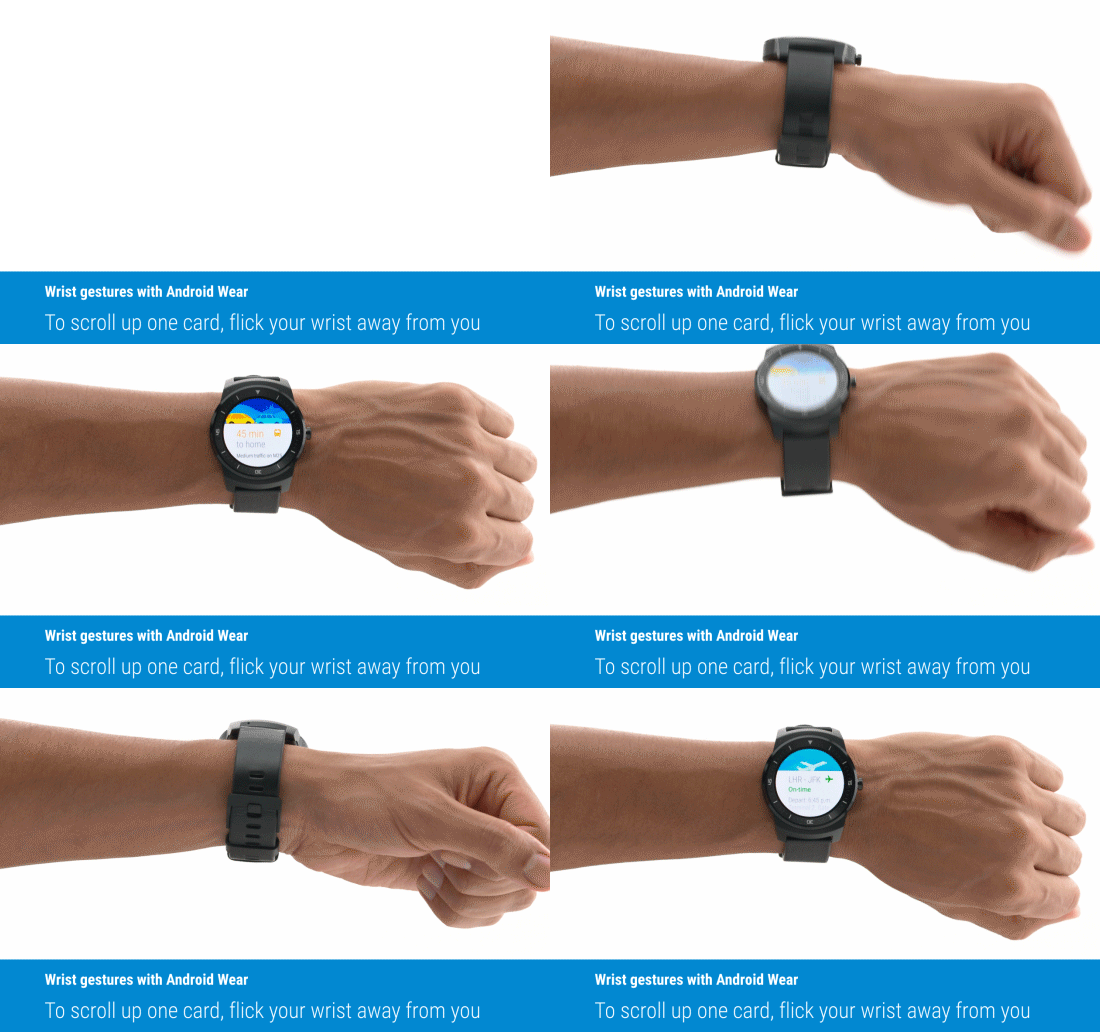
Google added a wrist-flick gesture for when your hands are full and you still want to scroll through your timeline. A quick wrist twist and back will slide your current card up and the next one into view.
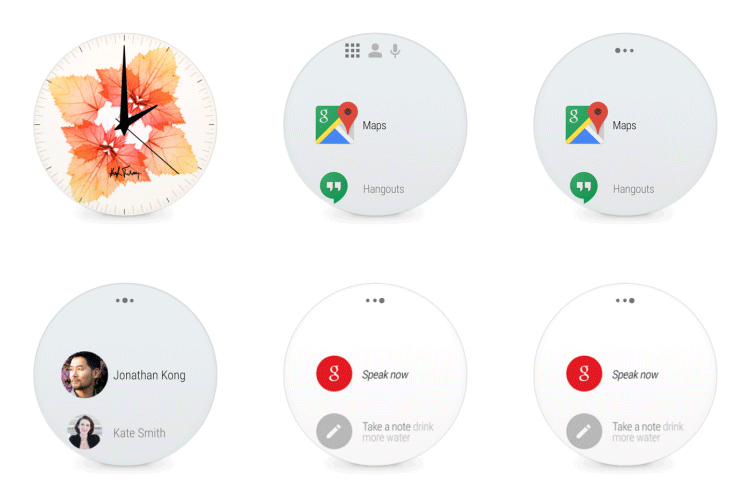
The UI of Android Wear is also changing a bit, meaning as you tap on the screen, you will get three columns to give you quicker access to the items you need. The start screen now gives you a list of apps you may be needing access to, the middle screen is your contacts, and the far right screen is your standard “Speak Now” and settings screen.
And finally, Google is adding a “Draw emoji” option when you want to respond to a message without speaking it.
Again, the update is rolling out over the “next few weeks.” Google did mention that it will first launch with the LG Watch Urbane, which is barely available.


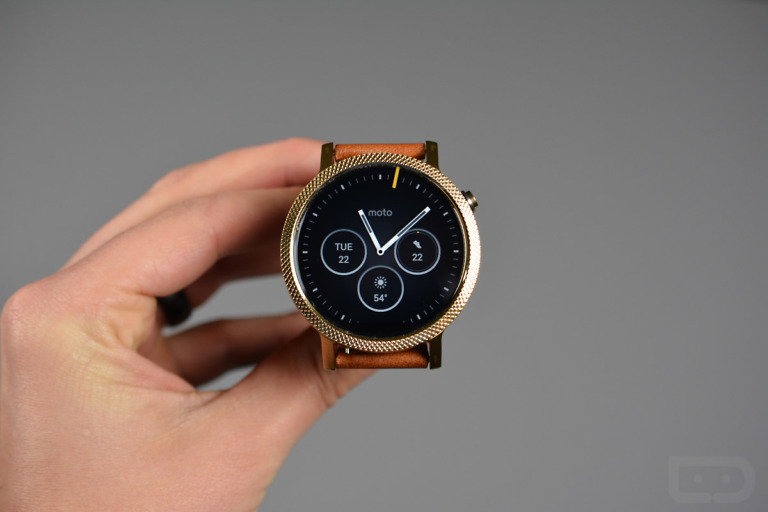
I cannot imagine there are that many moto 360’s out there needing an update. It is not like updating 16 million iphones.
That is correct. We are into the several weeks. No update. Gotta say the one I have is ok. Swiping is touchy. Gets irritating.
Just received an update for Android Wear… It includes Cloud Sync over WiFi…
For lg g watch?
When they fix the hideously awkward syncing between Google Play Music and android wear I’ll become interested in my 360 again. This has been a disaster since the feature was introduced.
Truthfully I kind of dislike the voice actions, so the new columns will make this far easier to use.
Does the G Watch (the square one) have a WiFi chip?
Sadly, no
Darn, should of paid a little more for the gear live
Damn here I was all chipper
The update can not come soon enough!! Finally can wear my watch around the house and not worry about it disconnecting and not receiving notifications. So pumped for this! Hopefully it’s quicker than a roll out over a couple weeks though.
Sooo…will your AW Wi-Fi just connect to whatever networks are on your phone, or will they change the UI on the app on your phone to enter various hotspots?
Does this mean that the AW “Find Your Phone” option (without being connected via BT) is coming????
Is the lack of 5.0 on my Maxx limiting the capabilities of my 360? What is taking so long?
Misread.
im still stuck trying to get 500px to show up on my lg g watch so i can change the watch face… sadlife
All of these features just make me super excited to see what Google IO has in store for Android wear. All of these would have been incredible additions for Android Wear 2.0 (or Android Wear 5.1?) but since they released it now that must mean that even BETTER features are on their way, then, right?
nah
I kinda like the emoji one.
So is it finally time to buy a Moto, or wait until Gen 2 is released?
Wait for Smelt. Retailers are all clearing stock of the 360. Version 2 will probably be announced @ Google I/O and here for summertime.
sometime in the future or not, for the price I paid for Black medal $100 i have no problem skipping. For the price, i highly doubt Version 2 will have $230 dollars worth of updates. people seem to be complaining about battery life. for me so far it has greatly surpassed my Nexus 5 2X most of the time. Battery life just doesn’t seem to be an issue for me.
There are lots of reasons to wait or to get one now, for sure. If you love the 360 as-is, you can get one really cheap right now. However, personally I think it is the smart play to wait for Smelt. No flat-tire, hoping for NFC chip (for sick-awesome tap pay), and hoping for a SoC that isn’t from 2009. I cannot pay money for an OMAP 3 in 2015. Sorry. 🙂
Depends on price. I got one for $80 bucks last week at Bestbuy ($180 with $100 off for buying an android phone). For a low price, I think its well worth it.
I say wait. There were those promotions last week at ~$160 and I was considering buying one but really couldn’t justify. Now it looks like the prices are back ~$250 so you may as well wait for the gen 2 at this same price or wait for gen 1 to get discounted again.
F*** emojis
Today’s “Mr. Tough Guy” has arrived.
Really excited about the one handed use. I don’t know how I feel about drawing emojis. (What emoji comes up if you draw the Apple Logo?)
This one!
I want a fully functional Navigator on my watch Google… Please!
why would you want that? Might as well just use the phone. The one on the watch is just as backup, not meant to replace full fledged navigator.
The watches are definitely powerful enough so why not?
It’s not that their not powerful, it’s that by the time you get to your destination the battery will be dead. Also it’s dangerous to keep looking at your wrist while you drive to see navigation.
You’re assuming that people only use it for driving. Sometimes people use the subway or actually walk around in a city they don’t know so well.
That is actually a good point. I don’t live in a city that relies too much on public transportation but that is a great idea. I just don’t think the battery in the moto 360 is good enough.
Google Keep needed this always on feature so bad. I tried using it for a shopping list one time and it got so frustrating having to relaunch it every time you wanted to check something off. It was nice having it on my wrist, but I eventually got frustrated and went back to my phone.
I’ve been saying the same thing since they announced that sexy thing !
While this is a very nice update, what I really want is the Motorola Monolink Metal Band on my Moto 360!
Looks like Google is teasing native maps on Wear.
What’s that map display in the middle of the dimming gif above? Looks like it has zoom controls and stuff, can you scroll around on maps now!?
Keeps getting better… Moto 360 was an awesome purchase!
I really really really hope this solves the “lack of” voice response to texts and messages on the Sony SW3. That bug is about to drive me nuts!! Like the changes I am seeing so far though!
Does the Moto 360 have a wifi chip?
Nope.
The FCC certified it for Bluetooth and WiFi so I am hoping it is just turned off for now.
https://apps.fcc.gov/oetcf/eas/reports/ViewExhibitReport.cfm?mode=Exhibits&RequestTimeout=500&calledFromFrame=N&application_id=398715&fcc_id=IHDT6QC1
It is. I was responding to another question. 🙂
Ha, I just had to say something since there seems to be a debating war online about if it will happen or not so I am trying to be hopeful.
LOL… That makes 2 of us. I’d love to have the WiFi radio enabled. BT works fine, but at work it’s a pain because we have old, thick walls that like to block BT signals.
Does the wifi mean I can get further away from my watch than the standard bluetooth range?
Yes.
Serious question, does a black and white display make any difference, if you have an LCD like the Moto360? I know it would on the OLED and AMOLED panels.
No. The lower brightness helps though.
Thanks
The moto 360 has an oled display
My Moto 360 is waiting impatiently.
Does the 360 have WiFi? Can’t remember. Have one so would be nice.
There was speculation that it does have the hardware
http://readwrite.com/2014/08/19/moto-360-smartwatch-wi-fi-internet-standalone
Yes it shipped with a disabled WiFi radio.
Cool deal. Was gonna look on the box it came in. But doubt it would say “disabled WiFi”. Lol
my . . .GET MORE INFO HERE====>
-
-
-
-
-
-
-
-
-
-
-
-
-
-
-
-
-
-
-
So which watches support WiFi? 360?
wondering the same
All I believe.
I know the 360 has a WiFi receiver that was deactivated at launch. It should have WiFi support. As far as I know all the recent major Android Wear watches shipped with a disabled WiFi receiver so it should roll out to all of them. I am not sure about the very first Android Wear watches though (the square LG G Watch for instance).
Came all the way here to ask this same question.
Yep, this issue is still unclear.
Already mashing on the check update button on the 360…
lol same here
You are going to run your watch below 70% and then not be able to apply the update when you get it.
(I did the same thing with the last update, but fortunately I have a cheap Qi charger at work.)
I have given up on trying to get the update by checking for an update on all of my devices. I seem to be on the tail end of every update that is rolled out. Doesn’t matter if it is the Moto 360, Nexus 6, Nexus 7, or just app updates. I patiently wait for them to show up because I can never check for an update and there be one.
I’m looking forward to a UI change. However…I’m slightly worried about how you have to swipe over twice to get access to the “speak now” screen..
If you’re planning to speak anyway, just say “OK Google” when you turn your wrist. No need to tap or swipe before speaking.
but then that may activate your phone when you don’t want it to
Your phone won’t respond if your watch is on
Ok Google only works on either your watch or your phone, not both. To see what I mean, have your watch and phone out, both able to hear a “Ok Google”, then say it. You’ll see both react to it but the phone will quickly close Google Now because it sees that the watch it’s connected to is using Google Now.
Besides, in mtaylor924’s scenario, I’m assuming if you’re using your watch, your phone will be in your pocket, and likely wouldn’t hear an “Ok Google” anyway, especially if it’s locked (unless it’s a Nexus 6 or Moto X or etc.)
Assuming I talk slightly louder I could consistently set my moto x off in my jean’s front pocket. I don’t have a moto 360 yet tho so I don’t have this issue(waiting for second gen).
It’s not an issue because the Moto X command is “OK Google NOW” and the watch command is just okay Google. I have a Moto X and I have never accidently set one off when trying to use the other
Well when you do get a smartwatch, try out what I said and see for yourself how Ok Google only works on one device at a time, not both.
“To see what I mean, have your watch and phone out, both able to hear a “Ok Google”, then say it. You’ll see both react to it but the phone will quickly close Google Now because it sees that the watch it’s connected to is using Google Now.”
If you have a moto x it won’t activate the phone.
I’m pretty sure after you tap the watch face to go to that next screen, you can still say “Ok Google” at any time, even if you’re not on that third screen. If anything, saying “OK Google” would automatically switch to that 3rd screen.
Comments are closed.