

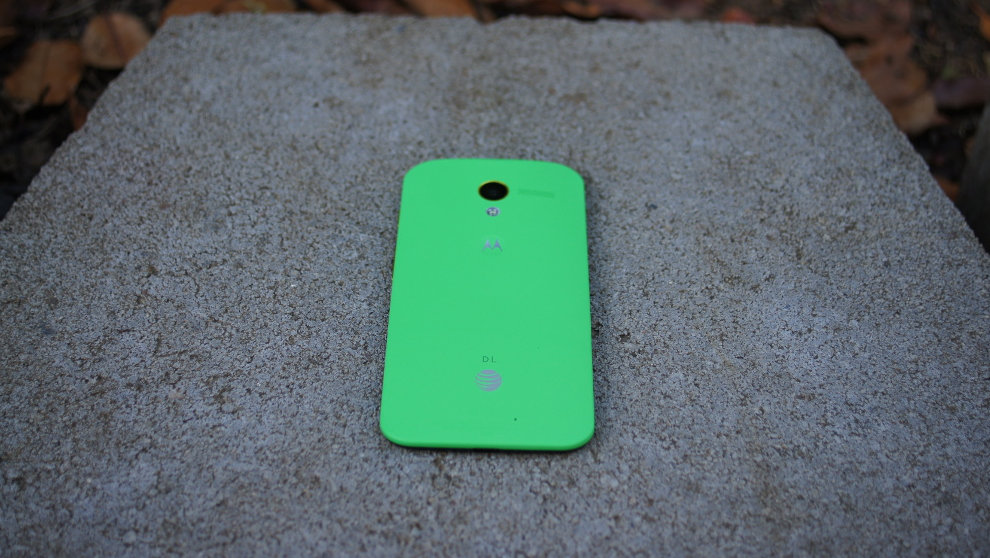

Thanks to a new beta tool created by Justin Case, the Moto X on Verizon and AT&T running the new Android 4.4 update has been rooted. The process isn’t necessarily as simple as it has been in the past, but this method installs a “backdoor” to help regain root and also requires a downgrade in bootloaders to “re-expose a vulnerability.” There are tons adb commands involved along with the use of Cydia Impactor to open a Telnet session. Again, it’s not pretty or anywhere near a 1-click option, but at least you have an option.
You’ll need to be running 100% stock in order to perform this. Proceed with some caution, as you should every time you start messing with bootloaders.
For those who have already gone through this method, be sure to pop into the comments to let interested parties know how it went. Also, feel free to provide help as needed.
if you flash paranoid android rom on the moto x or any of the new droid’s do you still keep the active notifications?
Gah, so torn. I want the Moto X, but I have to have root so I want the Developer Edition, but I hate the white back and want to do MotoMaker. This gives me some hope of a rootable MotoMaker X, but I am not sure if I trust a method this arcane to work through many updates, therefore I should just get an ugly Developer Edition. Argh! Why can’t they just make them all unlockable when you pay full price?
Get the Droid Maxx DE.. although they are out of stock
They are too big for my taste. Went and played with both in a store this weekend and I just couldn’t get over the size of the Maxx. I know, picky picky and/or first world problems.
I understand. I like the Moto X size a little better, but I don’t like the lack of hardware buttons.
Epic FWP….. (First World Problem)
Impressive. But, besides a few minor benefits, I don’t get why people would want to root a Moto X when Motorola has been so solid in sending updates. I speak from experience (tho not everyone will interpret it the same) in that rooting caused problems with the first camera update and others had issues getting 4.4 to work. Just doesn’t seem worth the hassle
i dont think you know what root does
Did Droid-Life invest in a computer mouse company? I am guessing so because having to scroll so much just to view one article, let alone multiples, is definitely going to cause me to have to replace mine quicker if I decide to keep coming to this site.
Who even scrolls with a mouse anymore? Put your big-boy pants on and use the space bar. =P
Nice site redesign. Now it needs some hamburger menus!
I’ve performed the 4.4 root on my Moto X. While there are several steps involved, I ran into no issues. If you’re on the 4.2.2 camera update right now, you should be able to successfully root, OTA to 4.4, and keep all of your data. Seems to work well.
I can confirm that going through this will also allow you to use Wifi Tether (latest beta) on 4.4. You’ll need to tweak a few configuration options, and it may take a minute or two for the hotspot to show up, but it works and works well. Hopefully someone will figure out how to disable the entitlement checks so we can simply use the built-in tethering functionality.
In the long run, we really just need someone to unlock this phone. 🙁
Also, please stop commenting on the new Droid Life site here. It’s annoying when you’re looking for comments relating to the article at hand.
Is there a way to return the phone to stock once you start down the path of these root methods for the Moto X? Were people who had root on 4.2.2 able to just take the 4.4 OTA without bricking their phone (even if they lost root?)
I’ll be replacing my VZ Gnex soon, and definitely want the freedom that comes from rooting. However, while I’ve figured out how to root, unlock, and install ROMs on my Gnex, I’m not as confident about getting myself out of a bind if I make a mistake with a phone that isn’t exactly designed to allow for such shenanigans.
Thanks for any advice/links to XDA that I haven’t seen yet.
Yes, you can return the phone to 4.2.2 at any time. Instructions here: http://forum.xda-developers.com/showthread.php?t=2446515 It’s a fairly “long” guide, but a very quick process all things considered.
Many of the people that helped with the 4.4 root were already on 4.4 stock and had to downgrade to 4.2.2 before proceeding.
If you want as much freedom as you had with the G’Nex, you’d need to buy the Moto X Developer Edition (and even then, it probably doesn’t have quite as much support as the Nexus line). At this point, there’s no sign that we’ll ever be able to unlock the retail Moto X devices, which means you may never be able to install third-party firmware (ROMs). Rooting will gain you the ability to modify the existing system a bit (tethering without a hotspot plan, for instance), and use apps like Titanium.
I’ve found no reason to flash a ROM on my Moto X. Root gets me the apps I need and Xposed Framework gets me all the goodies that I’d normally rely on a ROM for (PIE Controls, Status Bar Tweaking, Icon Replacement, etc) Love this phone!!
Agreed… The only real changes I want to make are those that would not have affected me had I chosen the Dev edition over Motomaker (i.e. that damned reminder about which carrier I’m on – it’s not like I’d forget or anything).
There already is an entitlement fix, check here: http://forum.xda-developers.com/showthread.php?t=2536166
It is labeled Dev Edition because at the time it was posted, only the DE was rooted on 4.4. I am running this now with no issues. Cheers!
Brilliant!
If you don’t mind my asking, what specific settings did you use for Wifi Tether? So far, I’ve tried a couple dozen iterations and I can’t get the hotspot to show up even though the program seems to think it’s starting tethering up just fine.
Watch QBKings video… that worked for me: http://www.youtube.com/watch?v=3Y92JR0jlR0
Rooted my Droid Razr Maxx. The root was fine. The CM Nightly however……………… So I think I’m good on custom ROM’s.
Love the new look. Clean simple and beautiful.
I understand the his need to get paid but I’m getting more adds than site specific articles UG
i love how everyone is talking about the site more than the article, there should be an article set for the new site with a pole
Might want to change the title. From reading that, I thought 4.4 came with root already lol
Title is fine….Kit Kat is now rootable for the X
I know what you mean, I read the title and thought someone had planted it and it was already growing underground.
it’s painless if you follow the steps exactly. if you want a way back to stock without wiping your data, when you modify the FXZ file to take out the getvar line, also remove the line that erases userdata. this way you can get back to 100% stock for the process and keep data.
Note, if you are already on 4.4, you *must* wipe data if you flash everything back to 4.2.2 to apply this root method. It sucks, but the way is the way.
yes, thanks. meant stock corresponding to your current version.
Still loving my N4. Think I will get the X2 when it comes out next summer. Hoping this Kit Kat update keeps pushing out. Will be good to see more devices updated than not.
I can confirm that this method works.
However, if you get to the last step, and after 2-3 minutes the device does not reboot itself automatically, then perform a manual reboot and go back to step 6. The second time through it worked for me, so don’t give up.
i havent really seen anyone say anything about it yet…but do you have to update to 4.4 then downgrade…or can you do it from 4.2…i havent updated yet.
You *must* start with a 100% stock 4.2.2 on the camera OTA. From there, the .jar tool roots, installs a backdoor, and then you apply the 4.4 update (from an OTA download or manually via stock recovery). Then you downgrade the bootloader to exploit it and take advantage of the backdoor. The only reason this method works is because they didn’t fully secure the bootloader this go-around (i.e. we can flash the 4.2.2 signed firmware over 4.4, which they stated during the soak test should not be possible).
So if we buy Droid Maxx (Or Moto X) with 4.4 already on it from Verizon we can still flash 4.2.2? Or this would be the case of the exploit that JCase stated he will not release? Should I buy my Droid Maxx now, while I can still get it without 4.4?
I honestly don’t know the answer. My guess would be that since the software is the same, the Moto X can be downgraded. However, we don’t have any information on the Maxx yet, since they haven’t gotten their update yet. With Verizon’s stance on bootloaders, though, and the fact that this method was released before the update dropped, I would not be surprised if the 2013 Droids were patched to prevent the bootloader from being downgraded.
If you are going to buy a Maxx, and you want root, you should buy a Maxx Developer Edition if at all possible, even if it takes a while to save up the extra money; that way you won’t need to worry about it and can flash whatever you like without any issues. If that is not an option, then you would be best to hold on until the 4.4 update is initially released, and see what happens. Any device that has been manufactured up to this point and is in a box will have one of the 4.2.2 builds. Those devices will have the update ready as soon as they are activated, but it will not be pre-installed until a build is finalized. So, even if you wait, the likelihood that whatever device you get will have 4.4 out of the box is very very slim.
Thanks Justtyn. Even though I knew 4.4 has not been released for Droid Maxx yet, I guess in my root excitement I “forgot” this fact today while I was reading JCase’s 4.4 Root Thread. I was picturing myself getting the Maxx this weekend and attempting 4.4 root. Whoops.
From what I was reading on the forums (I was going to see if I could help exploit, but alas) There were a few people that were successful downgrading it to the 4.2.2 Camera Update.
Which is step 6? There are only 4 steps in the source link.
Originally there were ~9 steps in the linked post. Sometime in the last month, the process was updated and condensed.
Site looks great
I disagree.
I’m on a dev edition (easy to root) but I really appreciate the hard work Jcase has put into this. Off topic: We used “Justin Case”, “Justin Diaz” among others as (additional) troll names during college graduation in 08 lol.
So you had no problem doing the DE? Are you locked or unlocked?
0 problems. Unlocking no longer voids your warranty on the Dev Edition so there’s no reason not to unlock.
I’m on DE moto x now too. What root method did you use? Any info would be helpful. 🙂
http://forum.xda-developers.com/showthread.php?t=2536200
Not that I NEED root, but the missing dialer features and greenify are things i wouldn’t mind rooting for.
What do you use for extra dialing features?
It’s rather surprising how little dev support is behind this phone. All the sites love it, and if you talk to anyone who owns one (myself included), they have nothing but positive things to say. I’m just keeping my fingers crossed that we don’t lose any!
Here’s the thing. The device doesnt need CM support like most, mainly because well the phone is close to stock + a few extra likable features. I just dont think the ROM’s are as needed with this device. Not speaking for everyone but Im sure even the biggest AOSP folks would agree somewhat.
site is WAY TOOOO BIG on pc. wow. guess i’ll have to resort to only viewing on mobile. nice design ,but just total overkill on the bigness. sorry.
I have to agree, the unpadded width without sidebars is perfect for mobile but WTF huge on my PC screen.
Glad they are working on it though!
Sorry I have to disagree. I appreciate having everything just there and not having to strain. Most other sites are going this route. I’d get used to it.
I would expect Ron Swanson to be opposed to change.
And opposed to using technology
He is rooting the phone so he can use as a paperweight
I agree. The site has been made for 80+ year olds, who need gigantic fonts, and even larger pictures. The new site takes too much screen real estate to quickly scan articles now. I can only see part of one article before having to manually scroll. Before, I could see multiple articles and not have to touch a thing before deciding which ones I would want to read.
The site reminds of something like going from Android to iOS. You backwards with the OS look, and features.
Increase the resolution of your monitor above 640×480.
CTRL+Mouse scroll helps to scale the article, but makes the comment section a bit small.
Justin Case is an absolute beast.
If I can get the smart dialer on this bad boy, I might just root it
http://forum.xda-developers.com/showthread.php?p=47817605#post47817605
Here’s the link for the APK. Haven’t tried it yet…
DAMN!!! Dat new website design!!!! This is NICE!
Lol why are people downvoting Samosa King. Just Post a reply voicing your opinion if you want DL to see it…..We GET it…you think the new layout is too big on PC…WE GET IT!
WAY too big for PC, and borderline for my phone. I would still prefer something smaller for my phone too, so I don’t have to scroll so much.
If I would change anything, I think the pics need to be BELOW the story titles, not above.
Not relevant to the topic, but love the new look of the site. Rock on!
The android dev community really rocks. It just does.
except for still no official clockworkmod on moto x….
TWRP is an alternate solution. Download/install from the thread in XDA.
official?
Tested and working but not official. Created by the very devs that are working on the Moto X (hashcode and dhacker).
http://forum.xda-developers.com/showthread.php?t=2534850
i’ll give it a shot, i was being hesitant cause last time i checked all the unofficial builds i saw had broken stuff
I don’t think there is such a thing as “official” in the rooting arena.
official meaning supported by the devs that were the original creators of the recovery
I actually prefer TWRP personally 🙂
Agreed, but if that many steps will be required for root on the Droid Maxx, I’ll just stay stock.
It isn’t as bad as it seems, 20-30 min tops, not including downloads. And this method may or may not work on the Droids, depending on if they can flash back to 4.2.2, which this method relies upon. JCase has already stated that he won’t release an exploit for 4.4 Motorolas.
Thanks for that. Read the thread and got the clarification I needed. Doesn’t take much to confuse me. 🙂