


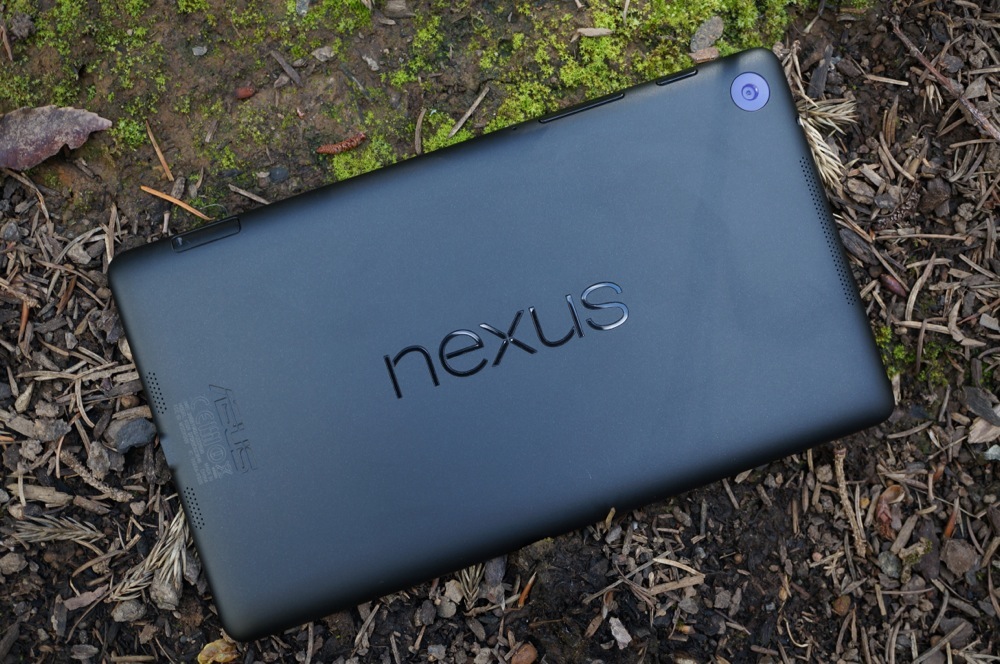
Last night, Google announced that we should start to see Android 4.4 updates for the Nexus 7 (2013) and Nexus 7 (2012) WiFi models, along with one for the Nexus 10. The update as build KRT16O for the 2013 Nexus 7 began pushing last night and is now available for sideloading should it not have popped up on your device yet. Below we have the official link directly from Google for the update file
In order to flash, you can use the “adb sideload” command through adb and the Android SDK (instructions). If you are stock with root and recovery, flashing the .zip file through recovery often times works.
Cheers Joe!

can you flash this in the stock recovery?
So am I outta luck if I have the 8GB OG Nexus 7? I’ve been checking everyday, and so far nada. Model: ME370T, Kernal: 3.1.10, Build: JWR66Y
Ye WIFI se Download karna he
Still no update for my Nexus 7 (2013). I wonder how much longer (if I want the OTA version) I will have to wait.
Allows D Long Ting! If your missing a device driver i.e. device not found in adb download mode with command prompt and USB Debugging mode on
Just try download/install Adb driver installer it worked for me straight found my missing nexus 7 driver and problem solved. Subhanallah!
http://adbdriver.com/downloads/
there is no God but Allah
Anyone gotten the update OTA yet?
Not yet, 730am est in NJ
Is there a way to force the update OTA?
I’ve heard to clear data of Google Services Framework then reboot and check for the update. It’s a hit/miss
Yeah, I tried that about 6 times no luck. Used to work for my Gnex.
What the hell? The UI is seriously the same? I thought all modern Google devices get the update UI. Honestly that pisses me off.
just an fyi to folks – you can install this via twrp or cwm if you have those rather than adb…
The md5sum on the file above matches the md5sum of the OTA – ie this is the official file (even though it’s from google’s servers so there really shouldn’t have been a need to be skeptical).
You need to be on JSS15R to flash the file above, if not, you’ll get error 7.
To get to JSS15R, grab the deltas from here: http://forum.xda-developers.com/wiki/ASUS_Nexus_7/K008 for whatever version you’re on (the filename will say something like JSS15R from ‘your version’ at the end)
I re-ran CF Auto Root and was rooted on first boot
Transparency is available via Nova launcher 4.3b1 now that you’re on 4.4 – it wasn’t on 4.3
btw for the 4.4 upgrade for 2012 Nexus 7 (wifi) from JWR66Y is here: https://android.clients.google.com/packages/ota/google_nakasi/13088e35942c77e4752aa1fdf51d54472509b941.signed-nakasi-KRT16O-from-JWR66Y.13088e35.zip
I keep getting a download error but I’ll try again
Link broken, can we get a mirror?
it’s ridiculously fast and everything, but no transparency and no Google experience launcher… what exactly are the new kit Kat features aside from speed improvements?
I want to know whether this process is exactly the same as getting an OTA update? I mean, when Google pushes new updates in future via OTA, will my tablet still receive it whenever it is rolled out to me or will I have to perform this method every time?
Razorg should be the Deb LTE version
Annnnnnnd no transparent bars. Not that that changes much. But still. Riddle this Nexus user ‘marketed out’.
Probably thank Verizon for the bullsh!t delay on the LTE version N7.
Yep. The new iPad and iPad mini are already on VZW.
How can you tell if you have the 2012 version or earlier? My Nexus 7 info:
Model: ME370T
Android: 4.3
Build: JWR66Y
I can’t remember if I got it in 2011/12
That’s the 2012 model.
I have a front facing camera only. 8GB model. After 7 days, still no update for me. So am I outta luck?
2013 model has the rear camera.
if yours has a front facing camera, then you have the 2013 version.
Both the 2012 and 2013 have a front facing camera. I believe you’re thinking rear camera. Only the 2013 has a rear camera.
Tegra CPU in the 2012
Going to ditch the ROM and go back stock.
Man, I don’t have the SDK at work, gonna have to wait until tonight…in the mean time pushing the “check for update” button non stop.
My Nexus won’t recognize adb commands while in recovery, but it will when it’s booted up normally. Already messed with my drivers and I have no idea what’s wrong. Nexus 7 (2013) stock, not rooted, not unlocked, Windows 7 with most current SDK and drivers. What gives?
What are you trying to do?
Trying to push the update to my Nexus via adb.
Same with me…
This should work:http://blog.dantup.com/2012/10/fixing-adb-device-not-found-with-nexus-7-in-recovery-mode/
But I don’t want to modify any file, I’d be happy if it’d just work as it should.
Already saw that, trying to mess with it unsuccessfully.
From the bootloader, try “fastboot devices.”
Does that return anything?
Nope, when send the adb command reboot recovery it takes me straight to the android on its bank with the panel open and a red triangle with exclamation mark. No option to do anything. I have also edited my driver but that didn’t work either.
You updated to the latest Google USB driver in the SDK?
From here, did you press Vol Up + Pwr?
No, but I just tried it and it didn’t do anything.
I feel like you must be missing something.
Your steps should go something like this:
1) power off your Nexus 7
2) hold volume down + power until you get into the bootloader
3) press volume down twice until you see Recovery mode, then press the power button
4) once you see Andy on his back with the red ! immediately press and hold volume up + power. When you release, a list of options will appear at the top.
5) choose the second option, “apply update from ADB”
6) you should be good from here.
Nope, as soon as I see Andy on his back with the ! I do it and nothing happens. Then the Nexus just turns off.
What? That’s impossible. How long are you holding it? You only need to hold it for about 2-3 seconds, then release. Make sure you’re pressing the buttons at the exact same time.
Just tried holding it 2-3 seconds and nothing happens.
Follow this exactly: http://www.androidpolice.com/2012/11/13/android-4-2-build-jop40c-rolling-out-to-the-nexus-7-now-manual-download-link-available/
Thanks, already saw that link this morning when I was having trouble with this. I have given up man, but I do appreciate your help. That guide didn’t help me at all.
Sorry, OTA should come shortly.
Hey Steve, thought I would update you because you have been so helpful. Last night I tried to give it a go again and it worked. This time when I pressed vol up and power it prompted me to select an option so I was able to finally push the update to my Nexus. I had to add a line of code with my hardware ID in the driver script though for the computer to recognize it when it was in reboot recovery. Thanks again!
Can you share where and what line change did make to get this to work. I am having the same problem.
You gotta have your hardware ID of your Nexus through the device manager. Then go down to where it says Generic Nexus and copy and paste the last line twice. Change the last part to match the hardware ID from the device manager. Depending on if you have 32 or 64 bit Windows, you will need to add the string in under the appropriate one. Look at one of the links above for the tutorial on that.
why dont you install customer recovery (CWM) and flash the zip file through there?
Had the same issue. What I did: fastboot, wait for Andy and !, immediately push power followed by VolUp a split second after, wait 2 seconds, let go of VolUp. That worked for me.
You should just buy a apple..
ok jokes aside, the trick with the button.. push the volume up button first and hold it, then press and hold power key. This will send you into the screen you want to see!
No, we’re good until this point, but when we’re in recovery apply update from ADB, it doesnt see the device.
Well for me now it shows galaxy nexus ADB interface, weird because from wugfresh’s toolkit I chose Nexus 7…
I removed all drivers now, and I tried with wugfresh’s root toolkit (v1.7.5), now finally it works, but I rather didn’t flash it, because device manager shows I have a Galaxy Nexus, but I know this is a Nexus 7 🙂 and I also chose Nexus 7 v2 wifi only in wugfresh’s toolkit. Or is it ok? 🙂
Don’t know if it’s OK, I’m done with this and just going to wait for the OTA.
Also, this is extremely important, make sure ADB is updated to the most recent. The sideload command isn’t supported by earlier versions of ADB.
I downloaded the SDK today so I’m assuming it is the most recent and updated version. I did all this just to push the update and it’s not working. I have completely wasted 90 minutes of my morning at work.
in recovery have you selected “update via ADB” or something along those lines? (i dont remember the specific wording)… it wont listen for the ADB command if you havent done that, i believe.
Did you follow this: http://www.androidpolice.com/2012/11/13/android-4-2-build-jop40c-rolling-out-to-the-nexus-7-now-manual-download-link-available/
Good to know I’m not the only person that hides my Nexus 7 in the dirt.
Maya. I agree that
Marjorie`s st0ry is exceptional… on saturday I got Fiat Multipla after
bringing in $7894 this-past/month and also ten k this past munth. without a
doubt its the best-work I’ve ever done. I began this seven months/ago and
straight away started to make over $79.. per-hour. visite site http://www.bar29.cℴℳ
Waiting for that Video meng!
” If you are stock with root and recovery, flashing the .zip file through recovery often times works.”
Why would this not work? I’m rooted with stock and TWRP, but get this error:
“error executing updater binary in zip”
Do you have any other mods installed, like Xposed Framework?
No, just rooted stock.
pretty sure you have to use the newest ClockworkMod Recovery to flash 4.4 for some reason. I went through this last night with 4.4 and my GNex
That’s weird, thanks though. I’ll try this when I get home.
No luck with CWMR either, same error…
I am also rooted stock and I flashed it, it booted and I am getting “Unfortunately, Setup Wizard has stopped” and there is no way to get around it.
I’m glad I read the comments before I flashed this 🙂
any kernel changes?
Nothing, this is baffling me. I reflashed the stock system files too just to make sure, and I got a Status 7 error this time. Something about the tablet must be making it think the .zip isn’t Kosher, even though it’s straight from Google…
twrp?
That was the first thing I tried when I got the original error. I guess I’ll try stock recovery next, I just don’t get why that should make a difference. A .zip is a .zip, right?
Nexus 10…
Anyone? Anyone?
Bueller?
+10 for the Bueller reference..
Save Ferris.
Bueller – a person who own and is an avid fanboy/girl of the Buell and wishes they would bring the brand back.
OG Nexus 7 please
Has anyone seen the update for grouper yet?
https://android.clients.google.com/packages/ota/google_nakasi/13088e35942c77e4752aa1fdf51d54472509b941.signed-nakasi-KRT16O-from-JWR66Y.13088e35.zip
Thanks. Seen it just a little while ago, but I appreciate you pointing it out for me.
I just threw my hat in the air like Mary Tyler Moore.
I want Mary Tyler Less of that sir!
I’m gonna need you to Mary Tyler Never Do That Again….EVER! lol
Would this work for the 2012 Nexus 7?
the concept will work, but u need the right zip file.
no. this file is specifically for the 2013.
you’re dirtying it!
Does it work like an OTA update?
The file is hosted in an OTA folder so I would assume so.
Oops. Sorry. I downloaded it and read “ota” in the file name. Thanks tho 😛
Does anyone know if TWRP or ClockWorkMod can be used to push SuperSu in the 4.4 Nexus 7?
yes