


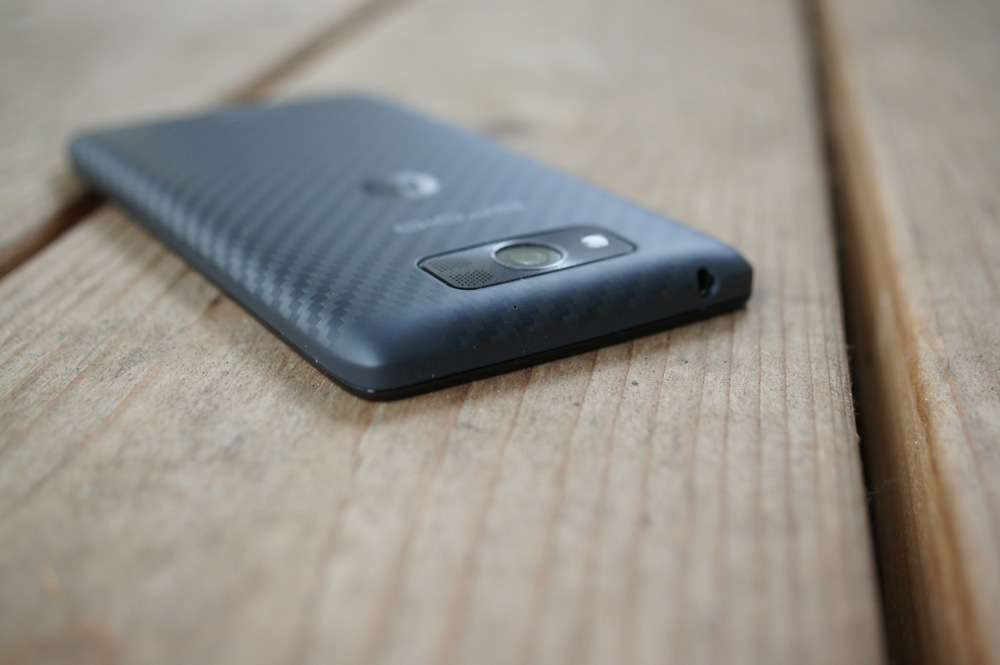
Last week, just before the Nexus festivities kicked off, Motorola began inviting owners of the DROID MAXX, ULTRA, and Mini to a soak test for a new software update. The update is expected to be similar to the camera-improving update that the Moto X on each carrier received over the last month. If you were invited to the soak test and accepted your invitation, you should have received the update this morning.
With the devices being so similar to the Moto X, we’d imagine that there will also be improvements to call quality, network connectivity, and Touchless Control. To see a gallery of how dramatically the Moto X’s camera improved after the update, hit up this post.
Assuming the soak test goes well for these phones, we should see a rollout to the masses within a week. Keep an eye out!
Cheers J, J, J, J, B, M, and D!
Got my ultra last week and have been tethering with Bluetooth since the day I bought it. Nontethering plan, no 3rd party software, like all Motos, BT tethering just worked. Until this update. No more.
Verizon just approved a camera update for the Droid line…Is this a new update?
The update also comes with 50GB of Google Drive Storage for 2 years. Just open up Drive once the update is installed and redeem it 🙂
Wow, every device seems to be getting that, but it’s strange Google can’t give that to use Nexus 4 owners, especially the 8GB variant users. xD
I didn’t get that…
Force Close & Clear Data, then open the app again.
After this update for the Moto X, my on-screen buttons stopped being transparent when using Nova Launcher. I am disappoint.
How does the “new” camera for the Moto X compare to the other flagships ie. S4, HTC One, 5S, and G2?
I can tell you my Moto X camera, indoors, is easily better then the iPhone 5 and my wife’s S4.
Edit: iPhone 5… haven’t compared to 5S
Thanks. I am using a RAZR Maxx and I feel that it is not even worth taking pictures with it.
Just to reiterate:
If you use PwnMyMoto to root and gain permanent system write access, you broke the stock update process. If you accept the OTA install notification, you will bootloop.
Also, if you modified any of the system files (entitlement apk hack), or froze/deleted any apk, the update will fail. You must have a completely stock system (root is OK) to perform an OTA update.
And finally, it is likely that this update breaks the PwnMyMoto root exploits, as the previous updates did. If you already have root through MotoRoot and apply the update, you may be able to keep root (Moto X users did, but this is Verizon, so they may have forced that loophole to be closed on the Droids). Proceed at your own risk.
All of that said, the update itself it a huge improvement in many different areas. Hope you Droid owners enjoy!
Why would I want to make all those modifications to a perfectly good phone?
You new here?
nope. just don’t understand, I guess.
Ah, gotcha. Entitlement hacks are used for free tethering for users who still have unlimited data. Freezing APKs can be useful to speed up your system or protect privacy. There are many other benifits to root as well. Many members of our community enjoy rooting and modifying… I guess i just don’t see how someone who isn’t knew here would need these things explained…
Just a friendly reminder 🙂 I am fine with it, but I certainly understand that some people enjoy tinkering. Even if they are fairly tech saavy, update fever can sometimes override careful thinking, and cause issues that wouldn’t normally be expected.
I am a systems administrator of about 100 Linux servers and have about 6 workstations in 2 different offices, and have written a couple of android apps. I guess I get enough tinkering from all that.
Lol indeed. I used to tinker pretty heavily, but I have just fallen out of it. Hence why I was really picky about my device this time around. I wanted something that was enjoyable to me without much tinkering, and that ended up being the Moto X. However, I do still have root for tethering, though I don’t actually modify any system files or ROM anymore.
I am interested in learning to code, but like many of my interests, it will probably never happen due to time constraints.
I sadly did not know this and i am now stuck in bootloop. Is there any way to get out?
okay so I accepted the ota update while I was rooted and it did bootloop lol is there a fix?
Yes. You will need to (at bare minimum) fastboot flash the stock recovery image. I don’t have a link handy on how to do that, but if I have time after work I’ll look for one.
I could use help with these steps, too. I made the mistake of allowing the update without checking here first.
House of Moto. Unroot, flash back to stock, keep data.
I *think* I got it to stop by installing Root Browser and deleting the file from the /cache directory. It hasn’t powered off on me in a couple minutes, had been every 20 seconds or so.
Hi I am having some issues here. I bought the droid maxx and it was a used phone. Funny thing is that the tethering and mobile hotspot is there by default. Now I have few questions here, is it there by default because (a)The preview user rooted it and used sqlite to tinker the value from 1 to 0 or vice versa to unable the tethering feature and ththen unrooted it. Or (B)The feature is there because I am not using a verizon sim card (I use this phone in Malaysia and have no problem since new verizon phones are internationally unlocked). Please help me with this and give some advice, thanks.
The database hack doesn’t work for the Maxx, as that particular line no longer exists in the database. You have to update the entitlement apk that your particular provider checks to force it to grant access.
The easiest way to check if it was rooted is to boot into recovery. To do so, power off the phone. Hold Volume Down and press the power button for about 3-5 seconds, then let go of both buttons. That takes you to the fastboot screen, black with multi-colored text. Press Volume Down until the “Recovery” option is highlighted, then press Volume Up to select. The device will boot to an android with a triangle. At that screen, press Volume Up and Power at the same time. Under the menu, it will say “qe”, followed by one of three combinations: 0/0 means never rooted; 1/1 means currently rooted; 0/1 means it has been rooted but is not currently. So, if your device is 0/0, then you shouldn’t have any problems. If it is anything else, you may still be okay, but without knowing what was done to it when it is impossible to tell definitively. However, if you can get to the recovery, then the worst that could happen if you try to update is that it simply fails the /system check and doesn’t update.
Thank you for your help. It shows qe0/0. So I guess the device was never rooted and that the tethering feature is there due to the fact that I am not using verizon. Thank you for your help by the way.
The database hack works just fine for my xt1080 Maxx on Verizon, you may want to revisit…
Hmm, maybe it is just for the Droids. I know that my Verizon Moto X does not have the entitlement check in the /data/data/com.motorola.android.providers.settings/databases/settings.db anymore, it is purely handled by vzwentitlement.apk, which can replaced by a modified .apk to bypass the check. I made the assumption that with the software being so alike, they would have done the same for the Droids.
It’s too bad people bash the DROID line, as the DROID MAXX is everything the Moto X is but better (larger screen, larger battery, kevlar backing, etc).
To each his own. I’d argue that the Moto X is better. 720p screen looks better on the slightly smaller screen, battery is just fine on the Moto X, I see no advantage to the kevlar, Moto X customizations, Spotlight Stories on the Moto X, on-screen buttons, etc.
Like I said, to each his own. I’d only bash the Droid line for the capacitive buttons and bezel. But that’s me. Each has its pros and cons, methinks.
I wonder if the Droids will be getting Spotlight Stories? They are certainly capable.
It’s supposedly a Moto X exclusive. I figure they gotta have something to distinguish the Moto X from the Droid lineup. While I don’t find the Spotlight Stories useful in any way, I guess it’s neat to play around with. It’s cool how they can mesh the hardware and software together to do something unique.
Ah yes. But this update brings band 4 LTE for the Maxx. Something that was left out of the X update. Temporary +1 for the 2013 Droids over the X
Touché, Droid users.
Edit: Is it just for the Maxx?
Not sure as I don’t own the other devices. 😉 The build number for the MAXX doesn’t line up with what they have posted on the site.
Has it been confirmed that this update unlocks band 4? I haven’t found anything that definitively says either way. I’m very curious about it.
Yes it does. I’ve tested with my tmo and att SIMs
Why settle for “just fine” when you could have AAAAMAZING
I get that, but my battery already lasts me a full day, so charging it every night isn’t a hassle for me. The battery it drains while on idle, if I forget to charge at night, is so miniscule that if I have at least 10%, I’m ok.
My best
friend’s ex-wife makes $66 every hour on the internet. She has been out of
work for eight months but last month her pay check was $19549 just working on
the internet for a few hours. Read more here and go to home tab for more
detail—>>>bar29.ℂom
If you rooted even if you followed Moto’s pre update steps be wary of this there are a few of us who are in a boot loop.
I quit
engaging at shoprite and currently I build $35h – $80h…how? i am operating
online! My work did not precisely build Pine Tree State happy therefore i
made a decision to require an opportunity on one thing new… when four years
it absolutely was therefore onerous to quit my day job however currently i
could not be happier. Heres what I dowww.bar29.com
Did you perform a full RSD Lite system flash?
debating if i want to restore my root to stock and take it, however i think i lose all my data. Kinda dont wanna do that
JCase has already posted another root method for the Moto X since this update closed the first exploit. The assumption is that since the Moto X and the Droid Maxx/Ultra/Mini are so similar, the root method should work for them as well. Looking forward to the reports! I’ll make a backup first of course.
If you use RSDLite, it performs a data wipe by default. As you state, in this case it autowipes *all* user data, including media/sdcard partition. Even if you do a factory reset from the menu, it wipes all media. Learned that the hard way.
Also, if you are rooted but didn’t permanently modify any system files, you should be fine.
what about xposed or gravity box or anything like that?
If it modifies a system file permanently (i.e. the changes are still there after a reboot), it will cause the update to fail. It looks like xposed installs a framework to and/or modifies the contents of /system/bin, but I can’t determine if it is a permanent write or done on boot. If you haven’t used PwnMyMoto, you can attempt to install the OTA. It performs a full /system check prior to updating anything, so if anything is wrong or it finds something it doesn’t like, it will simply fail out and you will need to flash the stock system partition using RSD Lite to clear any offending files, unless there is an uninstaller of some sort for that mod.
i just used house of moto to restore to stock and keep my data. I think everything should be good now.
I am having trouble understanding the House of Moto method. Can you “dumb it down” for me? Thank you!
make sure you have everything downloaded. its very simple and everything is done in a CMD prompt. check out the steps on doridrzr.com. The thread is on that site.