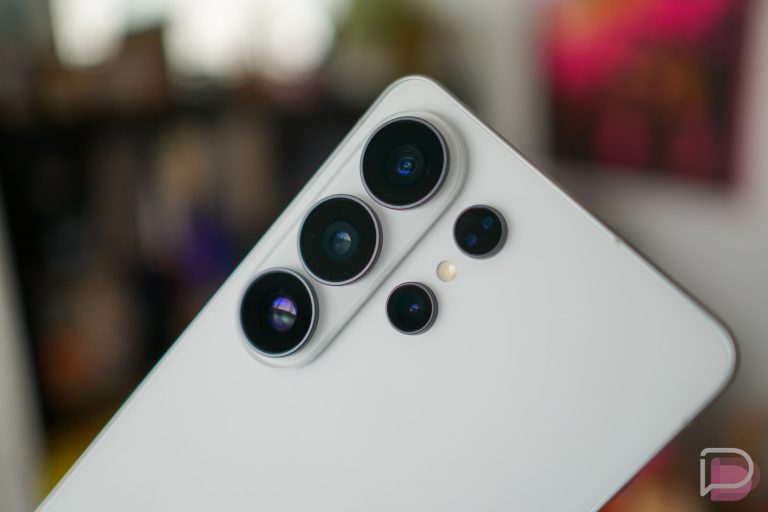
Brace yourselves, because you are about to see something really cool that you are going to want on your phone today, only it’s not coming today and is an iOS exclusive at the moment. Don’t ask me why, just know that Google likes to torture us and this is the latest example.
Say hello, to Gboard for iOS!
What is Gboard? Well, you could watch the video and it’ll tell you. If you don’t have time for videos, let me try to explain. Gboard is a new keyboard for iOS that works like any keyboard when it comes to the typing part, or gesture swiping of words. Where it really shines is in this addition of a Google button in its top left corner. That Google button allows you to perform Google searches from within the keyboard and your current app, so that you can then include those Google searches in conversations, without ever leaving your current app. That make any sense?
Think of it like this. You are in Hangouts or WhatsApp or iMessage or Gmail or any other app, and you are talking to someone about a lunch spot or a new movie trailer or you want to share your upcoming flight or hotel reservation details. You can search for those items within the keyboard by tapping the Google button, and then tapping on those search results to get them to appear in the conversation you are having or email you are typing.
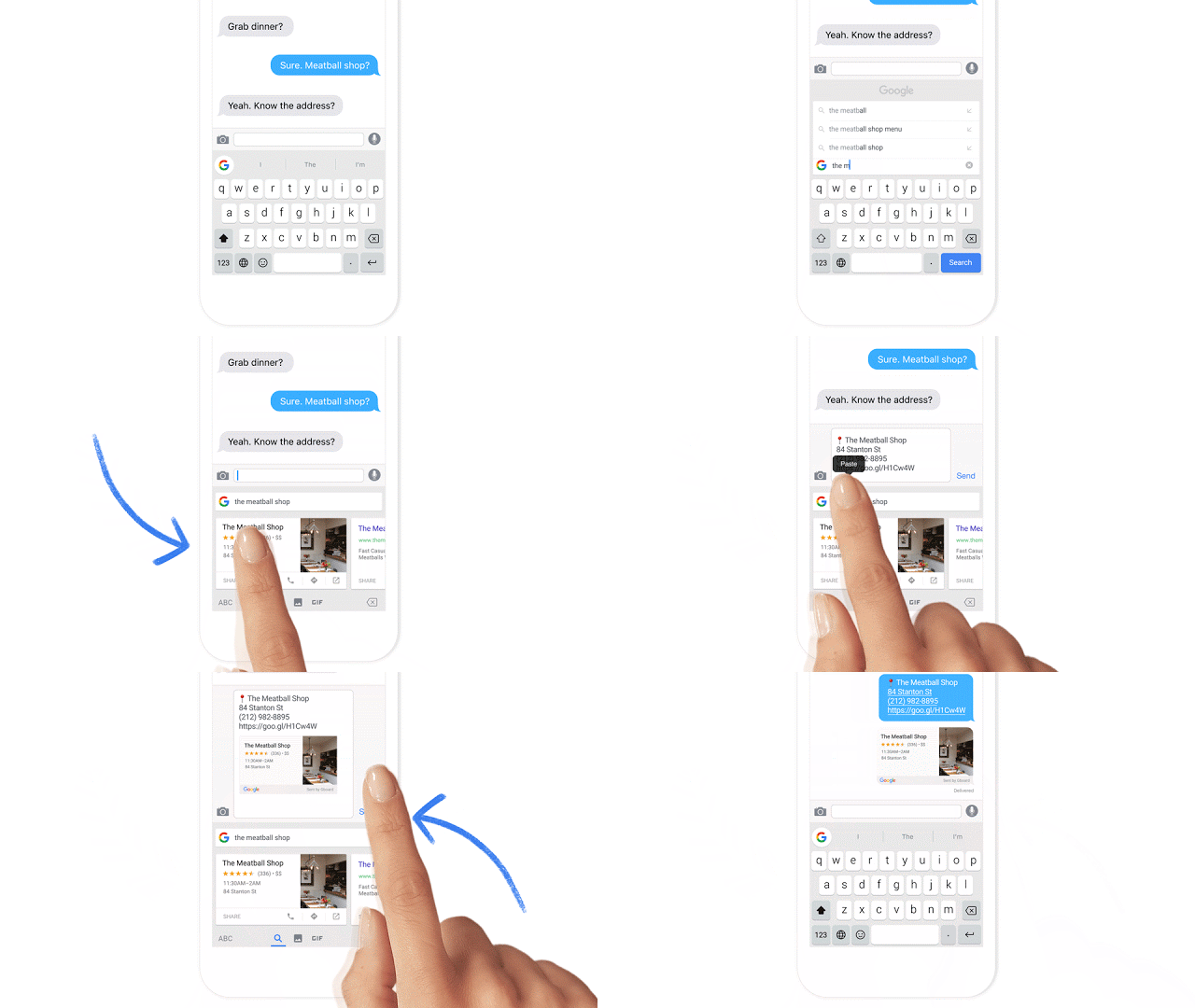
Mind blown? Yeah, mine too.
You can also search for emoji, share GIFs, and almost any other search item that Google can come up with. And then you can include them in your conversations.
About that iOS exclusivity. Over on the Gboard listing at Product Hunt, a number of people asked Google why this wasn’t on Android and Bri Connelly, who works on “product @ Google,” said that they are “Working on the best way to bring the same functionality to Android right now!” So yeah, it may come to Android at some point! In fact, that sounds like it will come to Android, we just don’t know when that will be.
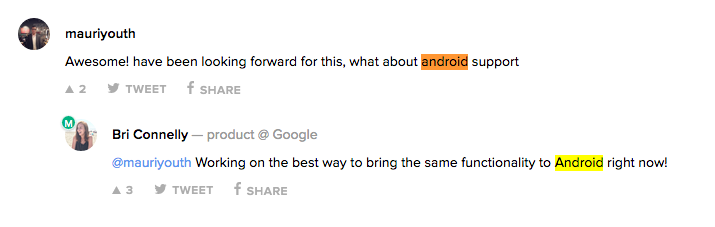
That’s Gboard and we all want it on Android yesterday.
UPDATE: We fired up our iPhone 6 and took Gboard for a spin!
[responsive_vid vid_url=”qy2nqNP14pU”]
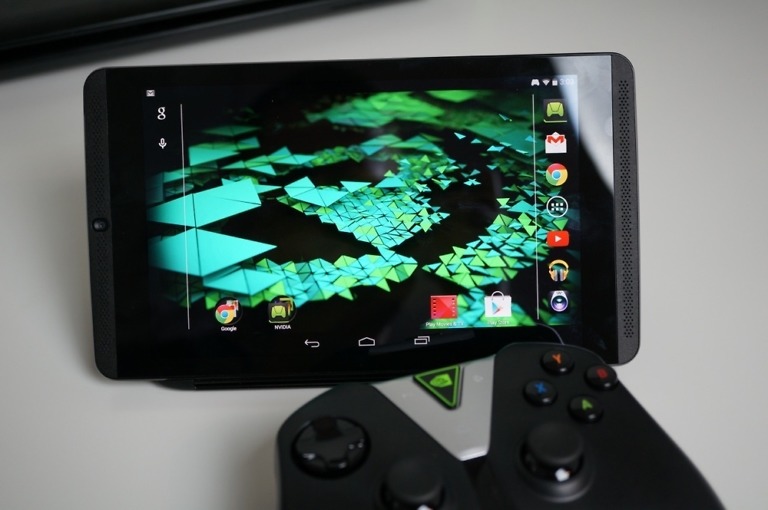

My guess: you’re seeing a preview of the keyboard for Android N. But will it make it to versions of Android that run under the “skin” provided by the cellphone manufacturer is another matter altogether….
Everything about this keyboard is great, EXCEPT the fact that the letters on the keys are almost illegible. They are far too light and skinny. Why can’t the keyboard letters be darker and easier to read???
Awesome application..!!! But what about android???Hopefully this will solve the issue of tiredness when we are needing more than two apps and need to swtich between the to get the work done and the content & information we need to share.
It doesn’t have voice dictation. I use it all the time, like right now.
It is not available on the Canadian AppStore.
I don’t see what’s so great about it. It’s not that difficult to send someone a location from Google Maps on my BlackBerry Priv. BlackBerry has a better keyboard anyways, so why should I care?
If you want what IOS has, go buy an iPhone. That’s what I did. In essence these are two distinct products in my opinion. I got a 5C along side my Pure Edition 2015. The 5C I actually acquired fit some ibeacon and eddystone testing. I like both, however my Moto X 2nd gen is my favorite phone of all time. It’s 5.2 inch screen and shape is perfect.
Mind blowing? Not really, just a good idea in the evolution of the mobile keyboard.
This is Kick Ass!!!!
It’ll be nice when now on tap feeds into that vs a separate app.
The reason you are starting to see Google release apps and updates for iOS first is because Google makes more money on iOS than Android. Google makes 75% of their mobile income on iOS. This is because 67% of all mobile traffic comes from iOS and Google makes most of their money from web traffic. Other developers and companies focus on iOS because iOS makes up 60% of mobile developer income. Remember developers and companies care more about money made than number of users on each platform (Android could make up 99.99% of all mobile users and as long as that 0.01% spends more than that 99.99%, the 0.01% will be the main focus). If Android users want to change this they need to start using their devices as much as iDevice users do and start spending as much on apps/games as iDevice users do.
That is a lot of statistics with no source that I can see. Without a sources for stats, I’m just
http://replygif.net/i/748.gif
“waiting on a way to bring the same functionality to Android right now!”
My guess is that it has already been developed for Android.
so like on tap? you know, that thing no one uses….
I have it installed on my iPhone 6S Plus right now. I’m loving it! I worked rank this above the Google Keyboard for Android.
OK so now I just need this and Chrooma SHUSHED together!!
that would be amazing if chrooma added this, as well as the latest google keyboard additions. maybe its in their beta, or they could test it if its suggested to them. hrmm
Not available for the UK – WHY GOOGLE?!
Just installed it on my 6s Plus and i’m in love!! ?? You rock Google!!
Welp, looks like I’ll have to fire up my 6S Plus to see what this is all about. That things been collecting dust for months now.
Google just changed the game of texting. I can see the gif feature being heavily taken advantage of.
http://24.media.tumblr.com/tumblr_m6pv14osDo1qjxl1no8_r1_250.gif
Glad I have a 6s+ and a Nexus 6p, get the best of both worlds, I just never thought the best of googles world would be on iOS.
It’s a very cool keyboard. I have it on my iPhone. Look forward to when it hits Android so I can check it out on my Note 5.
This keyboard is a beast. Best keyboard I’ve ever used by far.
Can’t this be done in text through Google Now On Tap? Just not as easily.
This. This is why I switched to iOS …I’m a fan of Google, not Android and Google apps are so much better on iOS
I still think we should have a dedicated button for this on the navbar.
Perhaps right next to the multitasking there would be a small button where you could click and instantly do a Google search.
Great idea!
You know there is one already? Just long press the home button. It’s called Now on Tap.
Or disable Now on tap and then long pressing the home button opens up Google Now.
No Gif for me? You’ve been killing it all day.
Sorry, Have a double helping
https://media.giphy.com/media/JEDKIS4qxXl2U/giphy.gif
https://media.giphy.com/media/ZQ6YRgFGqZ9xC/giphy.gif
+1000 for Jennifer Lawrence, and minus 1 billion for subjecting us to that skank Kim Kardashian.
https://media1.giphy.com/media/l9iQJZ3osB6Fy/200w_d.gif
And
https://media1.giphy.com/media/NbB2QnUNP9KsU/giphy.gif
Not quite. Now on tap doesn’t instantly pop up a key board and allow for search on the go. What if I wanted to quickly search something non related to the page I’m looking at? Google search can summon everything, from apps to search results, I want to tap into that (no pun intended) with the press of a button. Not hope that tap brings the info I want or have to press two buttons. I want one button.
You could do like Marcus suggested and disable Now on Tap, so then long pressing brings up Google Now proper with the search bar front and center.
Not quite, no keyboard pop up
Immediately download Gboard for my work phone. Goodness, it’s awesome.
Perhaps I will try it on my 6S Plus, although I really like Swiftkey’s memory for word suggestions. It’s the best I’ve tried yet.
Yet another overlapping google product. I love/hate you Google.
I/O launch hopefully.
http://3.bp.blogspot.com/-Jms-U5i-Xfk/UMjBKhjma5I/AAAAAAAAD3E/S_Xhu2L1sUg/s1600/Im-not-mad.gif
I’m mad I don’t get it on my Android now, but the functionality of it still deserves applause.
http://reactiongifs.me/wp-content/uploads/2013/09/clapping-ken-toy-story-3.gif
LMAO Damn, that face is hilarious
This is what google tap should’ve been!
Judging by the developer’s response, I get the feeling they want to add this feature to Now on Tap rather than make yet another keyboard for Android.
I have to say this is a feature I didn’t know I needed and now can’t go on without.
Why is Google Now on Tap not as useful?
Because 93% of Android owners can’t even use it!
Is this going to be like Messenger, Hangouts, and Voice? I hope they merge this as an option in Google Keyboard instead of making another keyboard (GBoard) app.
Guessing if it comes to Android, it’ll just be built into Google Keyboard.
I really hope so. It only makes sense.
We all know what happens when we assume with Google lol.
Like I said, you’re probably seeing the default keyboard for Android N, which will be shown at Google I/O in about a week or so.
This keyboard is amazing… I can honestly say it’s the best keyboard ive ever used, and ive only used it for 15 minutes.
Same! Swiftkey + swype for ios has so many errors and gboard is doing way better already.
I kinda like it better than Now on Tap. Hope they bring it to Android soon!
Neat. Kinda like Now on Tap.
What. The. Cluck?
Oink.
https://66.media.tumblr.com/tumblr_m3kmw0tMrE1r946klo1_400.gif
The fact that google continually and repeatedly releases new products and updates to existing products on iOS before their own platform is super infuriating.
…
Google does not only support Android, and Google is not just Android. We already have something similar in Now on Tap anyway, it might not do as much but on iOS there was *nothing*
This is a completely different thing from Now on Tap. And makes no sense as to why it’s not on Android either at the same time as iOS or first.
You don’t see this kind of stuff anywhere else.
Google makes more money on iOS than on Android is the reason why iOS has become more of Google’s focus.
There’s a ton of folks who would completely disagree with you there.
In my opinion, I think Google would release it on iOS first because it’s overall harder for them to capture users on that platform than Android. However considering they indicate they have not started developing it on Android, it may be a departmental project spinoff which is pretty common for Google’s main office, or that it is easier to develop for iOS. My money would be on the former of those two, and the department experimenting with the project chose iOS because it has a glaring gap in said functionality (both swype, and google search).
Why Apple can’t be bothered to include such functionality in the first place is beyond me, iOS is so drab it barely cuts it as a corporate device let along a personal one. Let me reiterate, my opinion.
not really, in the chat client… you simply hold the home button for a second and it does this exact thing.
Just because the results are similar doesn’t mean the products are.
you’re right, earl grey is tea, just not black tea. so you can’t call it tea. lol
That’s a bad analogy. Mostly because Earl grey and black tea are results. Not actually products (for the sake of this argument). The right analogy would’ve been comparing the devices that make both. You seem to be confused by the concept.
wow you are no fun at all, i’ll leave you alone and let you keep trolling everyone.
Appreciate the dialogue. Good day bud.
nonono, both are different. now on tap is used to search for information given, this gboard feature is to search information to give. trust me, searching something on google is so much easier.
Now on Tap is only on Android 6.0 and higher, which is a very small % of users.
How is that Google’s problem? It’s deeply integrated into the system, you can’t backport it to the same standard
the reason why google continually and repeatedly releases new products and updates to existing products on iOS before their own platform is super obvious though.
https://media.giphy.com/media/oT7ATDykMidsk/giphy.gif
Best gif response today. Hands down. No one will even come close for the rest of the day. I’m confident in that statement.
http://replygif.net/i/1274.gif
Looks like you brought your ‘A’ game today. Well played, good Sir!
http://i212.photobucket.com/albums/cc96/Shinajutsu/tumblr_inline_mib0fdljVK1qz4rgp_zpsac42f567.gif
http://i.imgur.com/wqrmq.gif
LOL gets thrown around a lot on the internet nowadays, but it really happened this time.
I downloaded it to my iPad mini. And the sh@t doesn’t even work in portrait. The keys are all skinny where you can’t even see the letters. Go figure…
I just put it on my iPad Mini 4. It works in portrait, but like you said, the lettering is very light. I will try it but probably go back to Swiftkey.
Is that what Google does to us? Release something to Android when it doesn’t even work right out the door?
Getting their spyware on iOS is top priority. Android is already fully covered.
Tell that to Tim Cook’s FBI correspondent.
It’s the equivalent of staggered update availability. The iOS user base is smaller, so Google can find and squash bugs before releasing it to the masses.