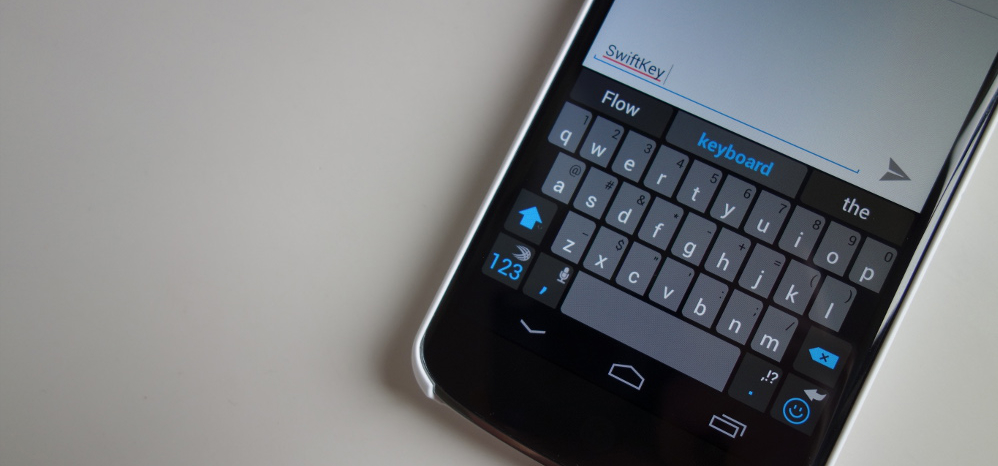
If you use SwiftKey and are as horrible a touch typist as I am, you’ll be extremely pleased to hear that the makers of the venerable third-party keyboard for Android are rolling out features to improve typing predictions and autocorrect.
Updated personalization options within SwiftKey version 4.4.5 allow the app to collect typographical data from Google+ public posts and Evernote archives, much in the same way as Google’s most recent Keyboard release. The app goes one step further for owners of iOS devices; if you have SwiftKey Note connected to Evernote, the app will now also glean typographical information from that.
The SwiftKey update also includes bug fixes, most notably an issue with mentioning people within Google+ posts. A few forced closes and crashes have also been remedied.
The new SwiftKey is available for download from both Google Play and the Amazon Appstore. For those interested in joining the beta, you can download it here.
Play Link | Amazon Appstore Link

Swiftkey is amazing. ITT: Player Hater’s Ball 2014.
http://android.hdblog.it/wp-content/uploads/2013/09/TouchPal-X-Header.jpg
Fleksy FTW!!!!!!!!!
They need to add text expansion already…
Swiftkey is awful, it refused to predict curse words for me after 2 years of use. Went back to regular google keyboard, bam it was predicting and correcting the curse words for me.
Can somebody PLEASE make a keyboard that will actually allow me to swype curse words? For the life of me, I can not get them to work and I always have to type them in. Which makes me curse more.
They only addes Google plus integration because they were afraid of the death threats they would get from the few who is use it
I hear about people using Swiftkey then going back to stock due to the experience. Having used Swiftkey for so long, whenever I try to make the swap back to stock, I go right back to Swiftkey since it’s what I know.
Swift key is amazing. You ha e to be crazy to use boring old stock that’s also very ugly
It’s a simple keyboard. For minimalists, it’s perfect. The fact that it can be completely black and white also makes it color coordinate with anything. I have nothing against SwiftKey, I’m just a Google lover at heart.
….someone’s fanboy….
I recently switched from Swype to Swiftkey because Swype kept getting really laggy on me on my Note 2. Swiftkey doesn’t lag at all for me, but the suggestions suck on it. It needs to give you more than three word options when it’s wrong (like Swype does), so it’s slower and more annoying to correct words. This seems like a pretty bad oversight and I’ve dug through the options to see if there’s a way to give more suggestions, but didn’t see anything. Is there an option I’m missing?
The more you use swift key the better it gets
Now that I think of it, I’ve probably been using it for 4-5 months now. I haven’t noticed any improvement.
Can’t stick with Switkey without a user dictionary.
It uses your phones “Personal dictionary” under “Language & input”.
No. It doesn’t. Swiftkey uses it’s own personal dictionary which is not user editable. That’s why I abandoned it for Touchpal
I love Swiftkey, except that it often takes more than five seconds to open the keyboard when selecting a text field. That’s why I keep going back to the stock keyboard. Word prediction has been great for me, though, on Swiftkey. I have written several texts without typing a single letter.
“glean” not “gleam”. Is there a keyboard out there that can auto-correct that? If so, I’ll switch to that one 🙂
Swiftkey isn’t all that it’s cracked up to be …. they tout stats that are better than Swype (which I use) so I switched …. it is not as smart as they say – it does not adapt to my typing style, it doesn’t automatically save my words to the dictionary, it doesn’t conform to FB, SMS or whatever else it says it does …. Swiftkey imo is a /fail. I have a Galaxy S4 and will choose the built-in Samsung keyboard or Swype over Swiftkey hands-down.
Agreed. I used to love Swiftkey, but lately it hasn’t been saving any of my predictions, never lets me type profanity, and has been extremely sluggish. Plus I don’t know what the hold up is with emoji support…
That’s why when you type it you tap the word on top to save it…
Learn to use it
Haha dude, I’ve used it for 3+ years. Tapping on the word does not save it for me. And yes, I’ve reset SwiftKey many times.
It doesn’t save ….. any other brilliant ideas?
You don’t swear enough. Mine now predicts curse words more often than I want it to. It’s predicted text is amazing.
Learn to use it then
:rollseyes:
Troll maneuver detected!
Wrong.
I try swiftkey probably once a year because of how much people always talk it up…I always end up going back to the stock google keyboard. Swiftkey just always seems to lag, or have long delays popping up, and I’m not a fan of the autocorrect.
Posted from my Nexus 5
I keep switching back and forth. The auto correct in SwiftKey is more accurate for me, but the swiping is way better in the Google Keyboard for me. I wish Google would buy SwiftKey and just use their auto correct algorithm lol.
Now that I think about it, it was the sype feature not the auto-correct that annoyed me. I use it a lot on the Google Keyboard, and it was horribly inaccurate on swiftkey.
People who use stock need a mental evaluation
Yay! Chris is here.
There’s a reason stock isn’t as popluar outside the nerd land
Are you talking about the whole UI in general or just the keyboard?
both
No.