

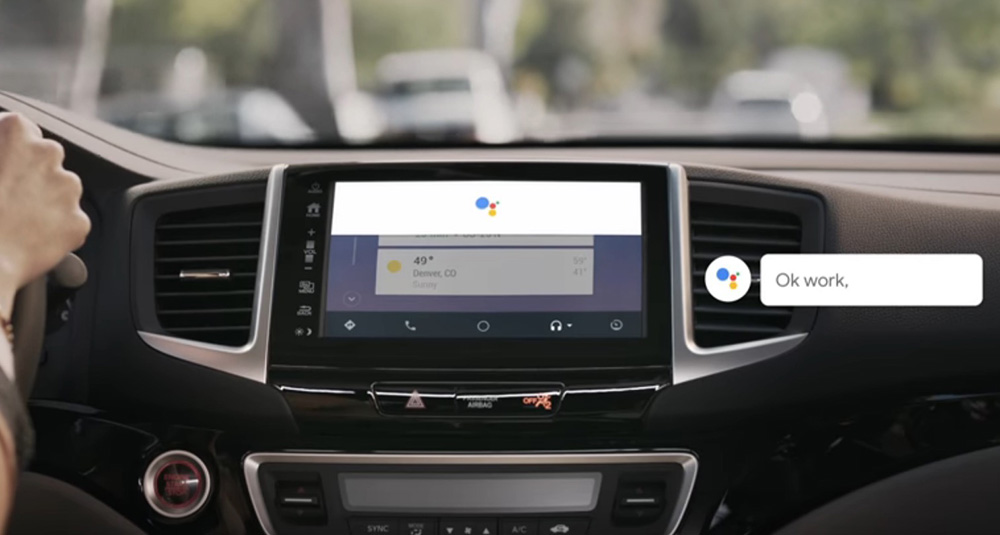

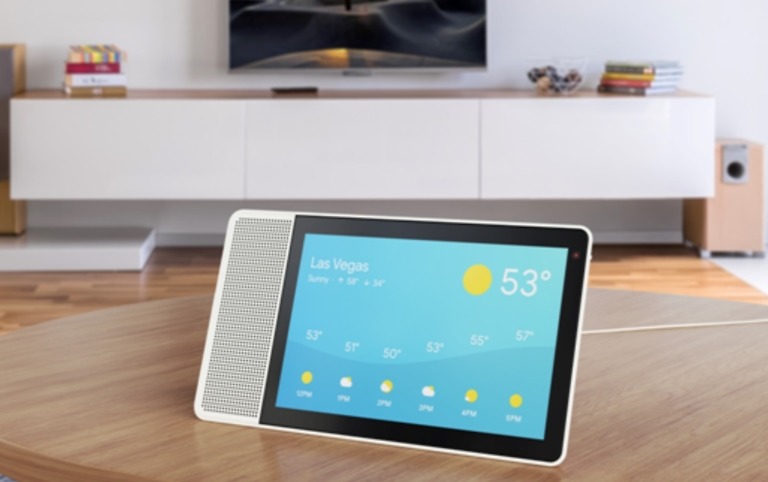
Google Assistant is just coming to smart displays here at CES, Google also announced that the Assistant is ready for Android Auto, starting this week.
To use Google Assistant in your car with Android Auto, you’ll connect your phone to your Android Auto in-car unit or just use your phone’s screen with the Android Auto app open. Google is working with car manufacturers to get it built directly into Auto, though.
With Assistant active, you’ll be able to say “Hey, Google” and fire up your favorite tunes, get directions in Maps or Waze, send and receive messages, and all of the other stuff you like to do. You’ll be able to order up Starbucks or reserve parking spaces pretty soon too.
Again, the update to allow Assistant to play with Android Auto is rolling out this week.


This is great. I must say…
Any information on wireless Android Auto coming?
I just wish AA worked more reliably. At least a third of the times I try to establish a link by plugging my Pixel 2XL into my car that is supposed to support it (2017 Honda CR-V), it fails to connect — just keeps spinning with a “trying to connect” message on the car display. Sometimes when that happens it will let me connect over bluetooth so I can at least listen to music or podcasts from phone, but often that doesn’t work either and I have to completely delete the phone from the car’s memory and re-pair it.
Can they fix the parts where it doesn’t pause the music or it hears itself say “The Message” and puts that into my Texts?
This has already worked with “Okay Google” in my car since the day I got it. How is this different?
I know it can’t do a lot of the most basic stuff yet, like see what’s on my cal, or when my next apt is.
Man I wish I had AA in my car…
You can for very little money. I just installed a cheap Pioneer AVH -2300NEX. Paid $315 for the double din unit (if your car can use that one).
I have an Infiniti luxury sedan (M56x) which is a system you can’t upgrade the headunit on. Otherwise I’d have gotten a nice Pioneer or Kenwood in-dash like I had on my old ’99 Maxima (Pioneer AVIC Z1 converted to Z3 and then a Kenwood DNX8120 which was AMAZING).
Wow. No upgrading the head unit? That sux.
Yeah, I just put a sony – xavax100 in my subaru forester this weekend. Impressed so far.
I thought I would love Android Auto, but the fact that it uses more battery power than the USB charging can supply results in my battery draining when plugged into AA!!
No point to AA when your phone is dead… :/
What phone? Doesn’t happen to me when using a quickcharge 2.0 charger
How can you use a quickcharge when your phone needs to be plugged directly into the deck?
Unless you are saying your stock car port is quickcharge, in that case I am jelly.
hmmm I actually use android auto on my phone as my screen in car doesn’t support it. It makes more sense to me now how your phones could be dying. Usually screen using most battery so I assumed you guys were using phone like me.
Your car has a lame 0.5 amp charging USB standard. My Kia has the same issue. I tried a splitter once that didn’t help.
Can’t wait for Wireless AA so you can use a fast charger.
Yeah I found an article from 2015 about how Google was going to make AA wireless, but it’s been two years with no update!
I’m back to using a phone mount, and normal quick charger. All this tech, and I can’t even use it!
I’ve seen that too, I think I even chimed in on it trying to get it to come back.
For me 95% of my trips are short trips so I don’t care if i drop 2% vs the 4% it would drop Bluetooth streaming without being plugged in. For the long trips I just plug into the better outlet or try and turn the phone screen off or don’t use AA when on the highway for a while.
That sucks…
I just leased a 2018 Elantra, and it charges my Pixel 2 XL while in AA mode.
Yeah, it’s a crappy .5 amp port. I wish there was a splitter that allowed for quick charging from one port and data transfer for android auto through the other port…
Is this different than what it could already do? Just got a Sync3 vehicle 2 weeks ago and was able to use “Okay Google” & “Hey Google.”
Google branding is always confusing.
Okay I’ll try to explain what this new update is to my best ability since y’all don’t get it and it clearly isn’t explained in this article. You could talk handsfree as long as you enabled “ok Google” detection on the Android auto app on your phone. If you didn’t do that you had to press your voice control button in car or hit the assistant button in the Android auto unit to call up the assistant. This update would make it handsfree without doing anything of that. It would be built into Android auto in cars. NO Phone Required
Curse you, Toyota.
But it already did this? I’ve been using Android Auto through my car’s dash for about a year now and it’s always allowed me to talk to it hands-free.
The difference appears to be a broadening of things the voice command on AA (now assistant) can now do. I noticed before there were things you would ask that it would say “I can’t help you with that right now.” Those restrictions appear to have been removed.
That’s what I was hoping for. It can get pretty confusing when Google Assistant functions differently across different devices.
Agree, especially differences between what Google Home can do and what Google Assistant on phone can do.
Why can’t android auto work with any car with a screen? If you phone is the “brains” of it all and you run the app on your phone, why isn’t as simple as mirroring your screen to your car via usb?
There is a piece that the radio needs to be able to process what the phone is sending.
Is this just adding the google assistant brand and logo? Doesn’t look any more functional than before.
Wait, didn’t Android Auto already have Google Assistant? I’ve been using it in my Ford Fusion for over 1.5 years and have been able to ask it mostly everything that I can my phone or google home- just like that video shows. I guess this means it’ll be more consistent now? Sometimes it can’t answer a question my other devices can, or it will behave differently. For example asking it “how tall is the empire state building” has it get me directions to the empire state building.
This is supposed to be handsfree like talking to Google home ????
Android Auto was already able to do that though….
You sure about that? Cause it was your phone responding if you said hey Google or you had to click the assistant button on the Android auto unit before you could speak to it.
I have a 2017 Ford Fusion Energi. There is a button on the wheel that activates the car’s voice activation control. When Android Auto is running, that same button activates Google Assistant through Android Auto. I guess this update removes the need to press the button going forward.
Exactly! That’s what handsfree like talking to Google home means ????
I have a 2015 Hyundai Sonata and have been able to call Google hands free for awhile now. The update happened late 2016.
https://9to5google.com/2016/12/15/ok-google-hotword-android-auto/
This is a quote from Google “And we’re working with auto makers to integrate the Assistant directly into their cars—no phone required.” That update you got still required your phone connected with the Android auto screen opened.
I mean you can’t just pick and choose quotes like that. Here is the rest of the information from that same section:
“The Assistant can also help you in the car, so that you can keep your hands on the wheel and eyes on the road. Starting this week in the U.S., the Assistant is coming to Android Auto.
Android Auto is available in tens of millions of cars on more than 400 models from 40+ brands, including Ford, General Motors, Nissan, Volkswagen and Volvo. With the Assistant in Android Auto, you can listen to your playlists from apps like Spotify or Google Play Music, get quick directions from Google Maps or Waze, and send or receive messages from services like WhatsApp. And soon, you’ll be able to reserve a parking space with SpotHero or order your favorite handcrafted drink or food from Starbucks—all from the road.
You can use the Assistant in Android Auto on your car display by connecting your Android phone to a supported car—or you can use it on your phone screen in any car. And we’re working with auto makers to integrate the Assistant directly into their cars—no phone required.”
They are talking like it never existed before which is confusing, which is the point we are getting at. They are not talking about it like they are implementing it into cars directly, just that it’s coming to cars, which it already was added. Same with the hotword.
The post never said it didn’t exist before they clearly said it existed but this new update is to implement it directly into the cars that’s why I picked that quote.
I have a 2017 Fusion Energi as well- you can hit the button and I usually prefer to do so, but you can currently use “ok google” to trigger Android Auto as well. Great for passengers to be able to use.
Yes I am. I can hit the button on my steering wheel or say “ok google” and Android Auto responds. I use it daily.
How about they fix Android Auto on the Pixel 2 first? It’s buggy as all get out with my Kenwood deck where my 6P worked very well. Constantly get a USB connection error and display issues.
My Pixel 2 XL works fine with my GMC Sierra Android Auto Unit. I had a 6P before that, it worked great too. I only occasionally have to unplug and replug it in. Like 1 in 50.
AA is strangely and extremely picky about the USB cable you use. I have a ’17 Honda Civic Si coupe and it took me a few tries to find a cable that AA likes. I also sit the phone on the lower console and take great care NOT to move it. It still disconnects every once in a while but not as bad as it used to. Oh yeah, Pixel 2 XL here also.
They need to fix the Google Assistant/music bug first. Perhaps this update will fix that as well?
I’ve tried several cables . . . some work better than other but they all seem to have issues. I’d be interested in knowing which cable worked for you.
Here you go, this is the one I’m currently using –
https://www.amazon.com/gp/product/B01N4OKUB8/ref=oh_aui_detailpage_o03_s00?ie=UTF8&psc=1
Thanks!
I have the Pixel XL and have had no issues with AA and I use the USB B/C cable from Google. Just additional info for people.
This one works for me. https://www.amazon.com/gp/product/B073WV3KCD/ref=oh_aui_detailpage_o07_s00?ie=UTF8&psc=1
I have the same car, but the small Pixel 2. This phone works soo much better than my old one, and the USB-C connector is much more sturdy, I have only had this cable disconnect one time in about a month, and also 1 time where it did not recognize the phone and wouldn’t show until I rebooted the car 😉
I had all kinds of connection issues with the 4th Gen Uconnect (1st one that support AA) on my ’18 Jeep GC and my Pixel 2 XL. Sometimes it just wouldn’t conect at all unless I rebooted the phone. After doing a lot of online digging, I found that if I kept USB Debugging enabled on my Pixel 2, the issues completely went away. I’ve had no issues at all for the last 2 weeks since I did this. You shouldn’t have to do this to have it work properly, but it does seem to correct the issues I was having.
I also have some issues with Android Auto in my 2016 Honda Accord using my Pixel 2 XL. Occasionally when I plug in the USB it will act like it’s connecting, but then just fail and display “No device connected”. I’m not sure why, but it seems that if I unlock my phone then turn the screen back off before connecting the USB it starts up every time with no problems. However, even when it does work, it always displays a notification on the car’s screen for a few seconds after plugging in the USB that says “Unknown devices”. That didn’t ever happen with my Nexus 6.