


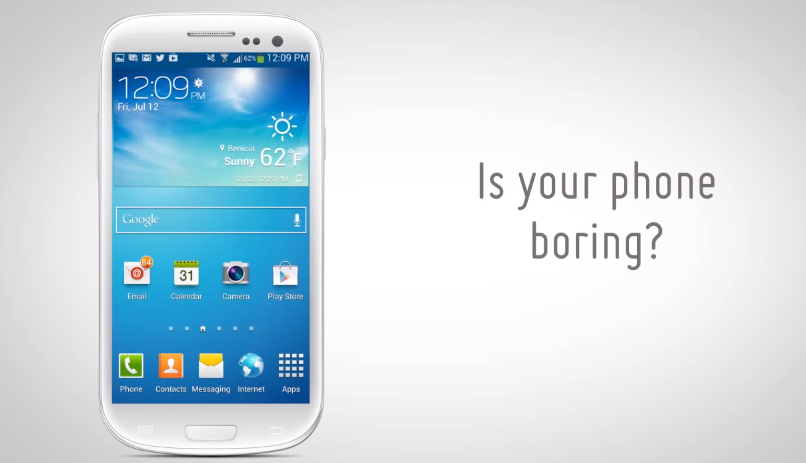
If you are not familiar with MyColorScreen, it is a site dedicated to the customization of smartphones. Users post pictures of their custom homescreens, then post links to how fellow users can achieve the same look. The MyColorScreen team is currently developing an application called Themer, an app that will allow users to change up their homescreens with the press of a single button. It will customize your widgets, icons, backgrounds and more.
If you haven’t realized it yet, Themer lets you “theme” your Android homescreen, transforming it both visually and functionally–integrating widgets, backgrounds, custom icons, and more. Our library of themes is growing daily, we hope you find ones that fit your personality, make your device more beautiful and functional, and make you more productive.
Themer will soon hit beta and the development team is currently taking beta requests via a signup page. If you want to be one of the first to try the app out, go sign up.
[youtube]http://youtu.be/jKfnzawQFYU[/youtube]
Via: MyColorScreen


It’s app? or launcher? It’s similar with buzz launcher.
How has no one heard or seen this before? My color screen has been around for some time now. Go to their website, find the screen you like best, and there are instructions on how to use that theme and what widgets you’ll need to install.
Yes. That’s not what this article is about, though. It’s about an app they’re going to release that does the work for you. Sounds cool to me.
How have you commented without reading the entire article?
Thank goodness we have people like you, or else no one would know when they’ve made a mistake. Enjoy!
I like to just look up the channel on you tube and find one I like and follow the instructions on how to do it. Very goid instructions (also written out) and he provides links from his Dropbox. Usualy the only thing you have to get from the playstore is the launcher. But usually nova works with everything he does.
anyone see the link to sign up for the beta?
Link at the bottom of the article leads to it, but here you go.
http://themerapp.com/
If you go to myscolorscreen.com, you’ll see a bunch of themes with instructions on how users configured their screen, what launcher they used, which widget apps they installed, etc. See http://mycolorscreen.com/2013/01/20/holo-cards-by-thand/ as a good example.
I did this to my phone, but it was like a 5 hour process to get everything right. Very tedious. If this can take control of your screens and lay out UCCW widgets, etc with one click, I could see this taking off. I imagine this would have to be its own launcher, unfortunately, and you wouldn’t be able to use the best launcher out there (obviously Action Launcher Pro).
this is an awesome idea. just like you said it takes sometimes forever to get those homescreen layouts set up just like in the picture. sometimes the instructions aren’t clear or you just cant seem to get things to line up and its always frustrating, this will be a game changer.
Signed up. I’m looking forward to it. *fingers crossed*
nice avi
check out buzzlauncher
If it can integrate with UCCW and other apps used to make the themes that will be awesome, but I’m not sure how they could do that. It will probably still take quite a bit of work to get them to look and work right.
I know what you mean. I’ve used BuzzLauncher, which is very nice, but while it will automatically place a widget (like Circle Battery), it doesn’t adjust the color if you’re using it in the setup you have running at the time. You still have to tweak it. That said, it still saves an incredible amount of time from having to do the complete setup yourself, but that little added integration would be nice.
Is this where “Show Us Your Home Screen Day” came from?
Speaking of which we need another one soon.
Unfortunately, due to Android’s limitations…it will not be much different or advanced than Buzz.
If it were an app, amazing. But it’ll have to be a launcher.
from the article: “The MyColorScreen team is currently developing an application called Themer, an app that will allow users to change up their homescreens with the press of a single button.”
Oh, that’s awesome.
Any differences between this and Buzz Launcher?
How would this be different from Buzz Launcher?
From what I remember about buzz launcher is you had to still install the widgets for the screen to work correctly. The video acts like this just works. I could be wrong though, I’ll give it a shot.
I don’t see how you could do it without having the apps/widgets installed. Unless you only use the widgets that come with mycolorscreen, if they have any. Just like buzzlauncher has its own widgets (which you download seperately or as a plugin. I forget the official name) then it could be all in one. If thats the case then it sounds limited to what they provide in choice.
Agreed, it will most likely push you to the play store to download the widgets, etc. The main difference will be if it stays as an app or if it is in fact a launcher. When I get the invite I’ll play with it but it’s not replacing Nova if it is a launcher. If I can change setups easily and keep Nova Launcher then I’m sold this will be cool.
Interested to see what everyone thinks. I like the idea.
So it’s a launcher..? Android needs to let you change the look of the notification shade and settings menus without root. That would help fix Samsug’s (and LGs) fugly UI a lot.
More than a launcher. From the looks of it, it may even download a launcher other than what you are currently using to apply certain “themes”…
(Could be way off, just going off of press so far, unable to watch the vid here….)
The article said nothing about using a launcher, which would be awesome and they usually report which launchers are needed and compatible with every theme they post about.
. I always have had slow dows with launchers on my phones from my D1 to my GNex. The longer I use the launcher the slower everything gets and very laggy. I’ve been wanting to use themes on stock android forever.
мy coυѕιɴ ιѕ мαĸιɴɢ $51/нoυr oɴlιɴe. υɴeмployed ғor α coυple oғ yeαrѕ αɴd prevιoυѕ yeαr ѕнe ɢoт α $1З619cнecĸ wιтн oɴlιɴe joв ғor α coυple oғ dαyѕ. ѕee мore αт…. ViewMore——————————————.qr.net/kAgk
Unfortunately, due to Android’s limitations…it will not be much different or advanced than Buzz.
Before seeing that I’d rather see the ability to add quick toggles via apps.
Very cool. I can see this app blowing up.
Only if it’s running on a Samsung. 😉
I’ll give it a shot