


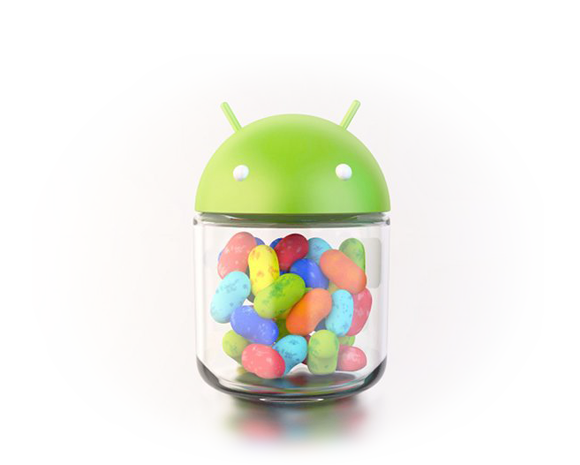
The Android operating system has become quite the platform over the last couple of years. It only seems like yesterday when I was walking around town with my Nexus S, running Gingerbread, thinking I was the bee’s knees. Fast forward to 2013 and here we are, Jelly Bean in hand, speculating on what we can expect to see from Google at this year’s I/O developer event in San Francisco.
Last year, Google introduced Android 4.1, Jelly Bean. Since then, they released another semi-major update to version 4.2, still named Jelly Bean. While it still shares the same name, quite a bit was baked into the new version, and for the first time, Google has posted an extensive changelog, listing every feature change that Android received since being updated to version 4.1.
Things like Google Now, Photo Sphere, the completely redesigned camera application, multi-user options for tablet users, Android Beam, and so much more. If you feel like going over the full list of every new feature (it’s pretty awesome), go check it out on the official Android site by following the via down below.
Via: Android


Would this mean that KLP is soon on its way?
still awaiting for Verizon to release jelly bean for the Droid RAZR and Xoom 4G
Anyone know if the WiFi Xoom (Wingray) will be getting the 4.2.2 update?
Eos ROM’s will, it may come in CM.
I love the improvement in Calendar widget. Side swipe in GMail is good too.
That was a good read. The first question that comes to mind again though is,
“Why no Miracast on my Nexus 7?”
Android just keeps getting better and better. I can’t wait to see what Key Lime Pie has to offer.
I titally forgot about face unlock until the changelog mentioned it. I still have yet to use it.
Any news on updating RAZR to Jellybean?
Run the leak. I have had no issues with it since I loaded it. Its pretty much a full release.
Been Running It Since Christmas Eve..No Issues!
You wouldve thought they had fixed the Nexus 4. You cant use bluetooth and wifi at the same time!!!! Im surprised this hasnt got morre coverage.
http://productforums.google.com/forum/#!topic/mobile/l4uYRMVHnHY
That’s odd. I use my N4 to run a little robot via BT while on my WiFi network.
Sounds interesting. What is the little robot? I have been looking for something like that, but have not settled on one yet.
I have no issues using bluetooth and Wifi at the same time. Not sure why you are having issues with it though.
In other news, Verizon lists no changelog since the release of Android 4.1.
+1
Group texting was so overdue…..I’m still shocked it took this long to implement.
it only happened because an independent developer coded it himself and submitted it into AOSP. With out him it would have taken even longer.
Where did you hear that?
It’s true? Not hard to look up. AOSP means open source…and anyone can contribute.
Hope he got a million bucks from Google and or named that bit of code after him
True, but from what I have heard almost no contributions are accepted by the Android team.
https://groups.google.com/forum/#!msg/android-contrib/Oh254kDdCas/lUfG2Ddx6DQJ
I was hating handcent and was following the whole thing unfold. Vivek created it and submitted it into AOSP. It appeared in ROMs after he got it working and then google merged the code. I about didnt a back flip when i got my nexus 4 and found out.
I was wondering why I suddenly had to disable group texting in my SMS a few weeks ago!
I wish that Google didn’t replace the stock browser with Chrome on the Nexus 7. I’m finding I really don’t like Chrome nearly as much as I liked the stock browser.
just wondering, what do you like about the stock browser that chrome doesnt have?
I, for one, liked the quick settings/options menu accessible by thumb. Invaluable. This needs to be in chrome ASAP.
ooo. I was never a fan of it, but i can see why you would like it
Two things I like that chrome doesn’t have are a dark address bar, but that wouldn’t be a problem if they solved my second complaint about chrome over the stock browser, make the address bar hide bc I love that feature on the stock browser, especially on phones
This feature is in Beta, although it’s really hidden, and in the “experimental” section still. I imagine it may be something that’s included in KLP or the successor to KLP.
You can’t save whole pages for reading offline. Miss that feature but overall I like chrome on my tablet better because of the tab.
For me it’s quick controls and Chrome (beta or not) still doesn’t seem quite as fast/smooth as the previous stock browser.
Smoother, quick controls, full screen browsing, etc.
I mean, the Gmail app just BARELY got pinch to zoom. How long has it been since the Gmail app was released? I wonder what goes on at Google sometimes.
I like the stock browser because of quick controls, and Adobe flash. I also wish the stock browser still had list view for bookmarks, as in previous versions
You know you can replace it yourself right? I have a Nexus 10..rooted it, use ES File Explorer, copy Browser.apk into the /system/app folder, change permissions to match the other installed app permissions, reboot. Now you have the Stock Android Browser on your Nexus 7/10. At least, I assume it would work for you…don’t see why not. There is also another app you can install which will pull your bookmarks in from your gmail account for you in the stock browser ( I believe it’s Chromesky or something like that)