


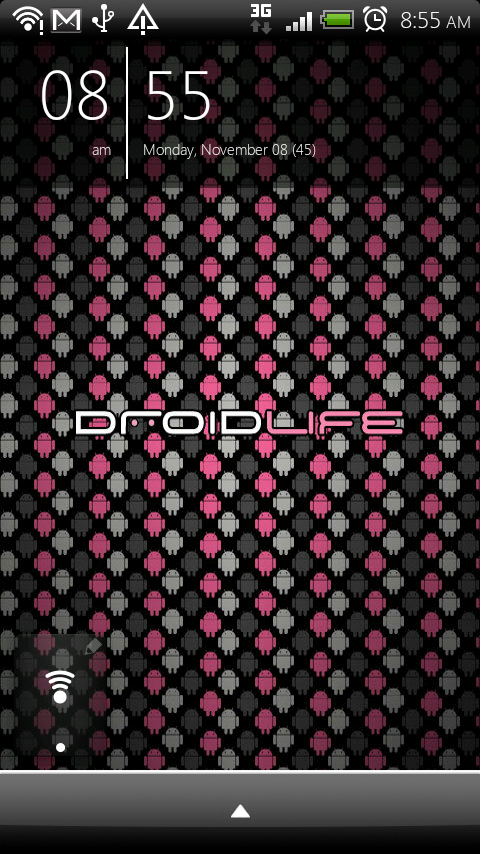
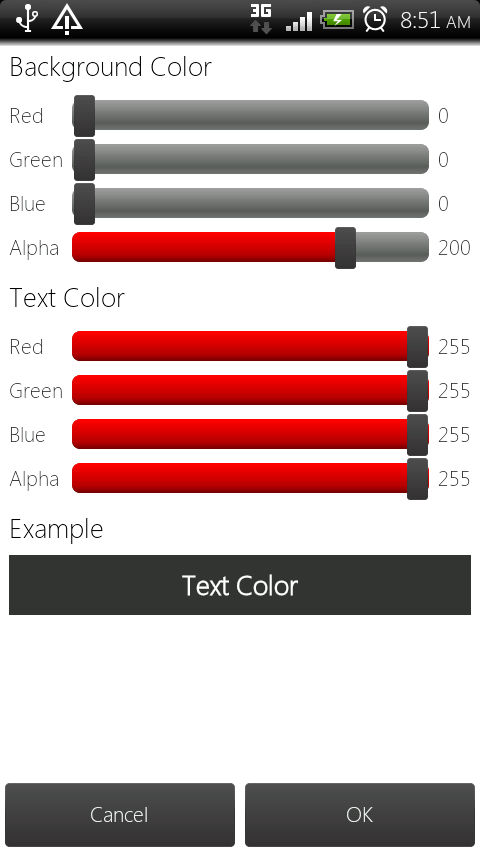
If you are getting sick of our “minimalist” talk, please try to hang out for just one more minute. SiMi Clock Widget is the newest simple-styled clock to hit the Android scene and has something that helps it stand out from the rest, Samsung Galaxy Tab support. SiMi allows color and text customizations to match the style of your current setup plus some transparency sliders. It’s simple, pretty, customizable and fits right into our DL style.
Cheers Levi!

How did yoy get your app drawer and the notification bar like that? Sorry guys im new to this blog and my droid x
download launcher pro plus, then replace the dock with any dock you want.
found out about the clock yesterday
http://img828.imageshack.us/img828/4288/homescreenz.png
The (45) stands for the week 45th week of the year.
John, how did you get the weather and switches on your simiclock widget?
You just have to have the weather and switchpro widget set to how you want it. Then take simiclock and drag it over said widgets. Bam, that's all.
Oh, you need LPP of course.
what weather forecast widget is this ?
Very cool. I got it, thanks. I didn't realize you could overlap widgets like that.
Yes, how did you get the weather and power control switches tied to the simi clock widget?
How did you get the switchpro widget so close to the weather widget? it looks like beautiful weather 4×1, with the current weather not shown and flat white skin. I have it looking identical and I love it but there is a big gap between the bottom of the weather and top of switchpro for me…….
nevermind, got it. enable 5 icons on LPP homescreen.
so it's not beautiful widgets, or at least not that skin, but something REAL similar. Whatever you are using just has larger icons, bringing them a bit closer to the top of the switchpro widget. mine is close, but there is still a slightly larger gap between the two. what are you using?! 🙂
Download link for me isn't working. I also tried scanning the code from my DX. It wont read. Anyone else having this prob?
I'm enjoying my typo and battstat setup. So simple and clean.
http://dl.dropbox.com/u/7191809/CAP201011080914.jpg
what launcher are you using?
ADW, allows you to hide the top bar and has the launcher tray at the bottom.
You can hide it with LP to. I also like the simple clean look, to much stuff and your home screen looks like a Where's Waldo picture lol
I figured it could but the main reason I never went to launcehrpro is because of the drawer at the bottom. I really like that. I wish ADW could hide unused applications in the drawer.
does it let you have just 4 icons at the bottom? i noticed you have more than 5. so i thought it let you have a preferable number of icons on the dock.
you can have as little as 1, if you put more than 5 it has a side to side scrolling to access the other icons.
question for you Timoh… what's the html number or code for a clear background for the weather widget?
thank you
Where it says #55000000 replace the 55 with 00.
thank you.
What clock is this?
TypoClock
what launcher are you using. I like how there is 6 icons on the dock?
How do u get 6 icons on the bottom. And no drawer button? I also have adw but can't find those options
Put an icon on your desktop, Slide the app drawer button up, drag the icon down to the empty space. To get the app drawer button back slide the icons down.
How do you get 6 icons on the dock?????
Just drag 6 down there. You can do even more, I don't know the limit though. It's not the dock with 2 icons and the app drawer button in the middle. Swipe up on the app drawer button and that dock appears.
Anyone know what this clock is?
http://an.droid-life.com/wp-content/uploads/2010/11/pwp.jpg
I want it.
Call me an idiot…but what does the “45” represent?
the year kellex was born! lol jk kellex!
yeah wtf does it mean?
I belive it's the week of the year. Oh… since you asked: You're an idiot. JK 🙂
Word, thanks!
45 days left in the year?
The temperature, perhaps?
1st 😉
Nice ish, K!
I'm the biggest Minimalist dork out there alongside you! hah
CONGRATS!!! You win a minimalist clock in your room!!!
Tim we are clock addicts like capt hook
first!
i'd be a whole lot more inclined to use this and clockr and stuff like it if any of them were able to act as a shortcut to the alarm like digital clock widget can
And here is mine (with Widget locker & poweramp widget.)
http://i56.tinypic.com/10fs8lu.jpg
the download isnt working for me right now :S
45 represents week in the year. 45th week currently and I agree with simi being awesome http://bit.ly/a7F8SL
How are you stitching simi and the weather forecast widget together?
ya whats the “45” supposed to mean?
In the screenshot there is a wifi widget, it looks better than the standard one, where did you get that?
Gary
Is it able to be thrown onto the lockscreen wo/ the need for another app?