


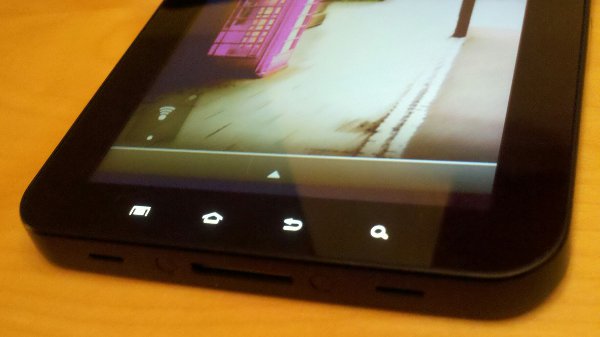
Galaxy Tab owners, prepare to wireless tether! If you own and GTab and have rooted it using z4root, you can replace a small file on your SD card that will allow you to connect it to an ad hoc network, thus giving you on-the-go tethering through your Droid. A group of XDA members got together, used a file that was created to fix wireless tethering on the Desire and forced it to work on the new Galaxy Tab.
File and video instructions after the break!
Download: wpa_supplicant.7z
*Reminder: Both your phone and Tab have to be rooted.
Video instructions:
Download the file from above to your SD card and simply follow the instructions presented in the video. I do recommend that you make a copy of your current “wpa_supplicant” file and save it somewhere safe rather than just replacing it.
[youtube]http://www.youtube.com/watch?v=k5o5WlyA7WI[/youtube]
File and Instruction Source: XDA Forums 1, 2
Cheers Kris!
is der any hack on samsung galaxy tathering service???????????????????
What file did you download???? The rest of your vid made sense except for that. Please help.
Hello,
When I try to download the wpa_supplicant.7z file on my Galaxy Tab it says download unsuccessful. I did download it from my macbook and then copied over to downloads folder on the GT but it causes the problem others have mentioned about either erroring or it scans and says cannot find networks. Now I did notice that the original wpa supplicant file is 3284.48 KB and the one I downloaded with my macbook is 148 KB in size. I am trying to do this tethering with my GT through a rooted Samsung Prevail on Boost mobile which has unlimited everything. I am using the Wireless Tether app from the market. The Wireless Tether app let’s my macbook connect just fine, so I know this is the ad hoc issue going on with the GT. I suppose I am missing the file that needs to be downloaded from DaveBA’s post, but like I mentioned it fails to download on the GT tab. Any help would be appreciated as it seems I am only one step away from making this happen! Oh, and thank you to all those involved in developing to make this happen and those sharing the steps & videos. I see that it is possible for quite a few, but I am just at a loss at the moment.
File size for original wap supplicant file corrected
original 324.48 KB not 3284.48
Also, I rooted the GT with SuperoneClick and not z4root. I tried z4root but it wasn’t doing what it was supposed to which was restart the GT after installing. BTW I have the Verizon GT tab with no 3G service enacted.
I’m having some issues. I have a Droid 1 and Galaxy Tab. Both rooted and followed your instructions. My G-Tab sees the wi-fi and connects. The Droid sees it’s connected. But I’m not getting any good internet access.
Any thoughts?
Thanks for the information.
xrl.us/bh8tjk
Dear customers, thank you for your support of our company.
Here, there’s good news to tell you: The company recently
launched a number of new fashion items! ! Fashionable
and welcome everyone to come buy. If necessary,
welcome to :===== www. gotootoo.com========
T-shirts (Polo ,ed hardy,lacoste) $14
New era cap $10
Air jordan(1-24)shoes $30
Handbags(Coach,ed hardy,lv,d&g) $35
Jean(True Religion,ed hardy,coogi) $35
Sunglasses(Oakey,coach,gucci,Armaini)$14
Bikini (Ed hardy,polo) $18
xrl.us/bh8tjk
http://www.shoeboxs.us
Got it working. Awesome!!! Thanks.
My tab finds my samsung vibrant but and connects but when I go to browse the internet it acts as if there is no connection…Any ideas?
http://www.shoeboxs.us
I cant seem to get this to work, help please!??
Verizon allows you to use mobile hot spot for free on their version of the Galaxy tab. So I wouldn't bother with this fix if you have that one.
Works beautiful for me! Thanks!
I can't get this to work on my Galaxy tab from T-Mobile, should it work the same way as the
Verizon tab?
I can't seem to get it to work on my T-Mobile Tab either.
Isn't this general Android news?..
You run a forum then you can decide what is what. Good Lord
If you're using a VZW Galaxy Tab you can just use mobile hotspot. It doesn't cost anything extra and just uses your data plan.
if you can push a file to the galaxy tab to enable ad-hoc, why in the hell hasent anyone figured out how to change the file on the ps3 to allow for this????? just sayin. just sayin.
agreed been waiting to hack for someone to do exactly this. Also i thought of that sentence exactly when i saw this +1 to you.
It works great…Thanks for the fix…Now NFL Mobile and Skype need to be fixed…
If you're looking for Skype that works on wifi and 3G on the Tab, try this: http://www.droid-life.com/2010/10/06/download-unlocked-skype-that-makes-calls-over-3g/ Make sure to not let it update once you've installed it.
I agree with you about NFL Mobile, the lack of support really tightens my jaw. However, this tethering hack more than makes up for it! 🙂
I was really referring to video chat with Skype or whatever. Need to utilize the front facing camera other than taking a pic of myself 🙁
Thanks for the info, however.
Get on the stick NFL!
That takes care of my second obstacle to buying a Galaxy Tab. Now they need to address my first obstacle: the price.
I knew it could be done, I posted a comment yesterday about using this approach, the trick is just to unable the ad-hoc connection. Did this to connect my OG Droid to my Droid2 using wireless tether on the D2. Nice!
Your video…my hack,give credit jmed! Thaaaannkksss! Thanks for posting this kellex…was about to send you another email….
Yeah….I do not take any credit for the hack at all. This was the xda developers hack. One of the first ones to try this was Mosone who used his D1 to download the file. Then I made the video to simply pass on this new trick. The only difference is I solely used the Samsung Tab. I can only take credit for the video not the hack. 🙂
Don't download the .7z file….download the .zip file instead then follow the video!
Is anyone using this as a phone? I dont really like headsets but im interested, especially in how it is to carry around.
This is my video….do y'all like? Sorry for the bad quality! Follow me at jmed999 on twitter!
confused….do i need to root my droid incredible also to tether to my tab once the tab is rooted?
Please tell me what needs to be done to my incredible..Thanks
followed video, adhoc network showed up. stuck in loop, scanning, Obtaining IP address from tether, disconnected, scanning, Obtaining IP address from tether, disconnected, scanning, Obtaining IP address from tether, disconnected, and so on and so on. any ideas of what I did wrong
I think I figured it out. I had to disable the WEP security for it to connect.
I tried the disabling of WEP, still no love, any ideas?
Im having serious issues like Blinker was…”followed video, adhoc network showed up. stuck in loop, scanning, Obtaining IP address from tether, disconnected, scanning, Obtaining IP address from tether, disconnected, scanning, Obtaining IP address from tether, disconnected, and so on and so on”
I disables WEP but I am still having hte same issues, any idea on how to fix this?
Why wouldn't the simple WiFi tether option work from your rooted Droid running 'Wireles Tether'?
Because that creates an ad-hoc network, which a lot of Android devices can't [natively] connect to.
My Dinc creates a WPA2 network. Dinc FTW.
no contract needed , nice
you dont need a contract with the Verizon version anyway.. just purchase it and dont buy and prepaid data and your good.. your welcome.. 😛
Verizon will NOT sell without at least 1 month data. There is a contract. There supposedly isn't an early cancel fee, supposedly. I bet they won't even let you cancel the same day.
B-|
Buy the data plan when you buy your tab then once you get home call Verizon and cancel your data plan….they refund on a pro rata basis so if you call the same day you will get a 100% refund of your first months data plan price!
FIRST
and impressed as usual by those XDA folks
ing
U beat me. The force is strong with this one. you win a……..broken lightsaber.
Best forum on the planet. Provides so much great stuff to the community without all the drama.
Can you make google voice calls with this tab?
Some people on XDA have installed Skype and Google voice. Then they have Google voice forward calls to their Skype number. The Tab doesn’t have a dialer nor a phone number as I understand it, but people have used this as a work around, but keep in mind they are also paying 2.99 a month or so I believe for Skype.
On the other hand I think others have had success with the T-Mobile variant by flashing the European T-Mobile firmware to it and unlocking the sim, but don’t quote me on that I saw that in passing I didn’t really read it thoroughly since I have a Verizon version so it wouldn’t help me.
I think all the Galaxy Tab have the hardware necessary to call out. It’s just crippled by software.
The dialer is available via firmware flash from other sources.
Someone used launcher pro to dial out emergency calls on their Sprint version of the Galaxy Tab.
A quote from that person:
”
The sprint tab is definitely able to make calls out. I figured out how to make it dial out emergency numbers. A dial pad comes up and everything 😛 And that’s on bone stock. This has to be possible.
download launcher pro.. long press on homescreen to add shortcut, then goto launcherpro activities, goto network manager, and then pick emergencycall, its like the first option. it will make a shortcut on your homescreen that lets you make emergency calls. ive gone through the whole list trying to see if i can get it to make real phone calls but no dice. maybe if i transferred a new phone .apk in and then tried, it might work!”
Oh it defiantly is a software issue they all have the hardware I was just pointing out current work arounds.
No, you can't. Google Voice dials a number like your phone normally would, but instead dials Google's servers. The call is then placed from there to the number you intend to dial, but it is routed through Google voice. Without the ability to make phone calls, Google Voice can't call Google's servers, and therefore Google Voice won't work. Anyone else think I did a good job of explaining how Google Voice works?
I can make a call from my comp from my gmail.. so will this same theory play on a tablet? cuz thats just using a VOIP call for free..
“Anyone else think I did a good job of explaining how Google Voice works?”
I was thinking that before I even finished reading it. Awesome.
Totally agree with you on that. After I found that file on the forum I noticed some people where looking to get the same thing done with their tab so I helped em find the info already there. I find it funny that my first post on XDA ends up begin a topic on Droid-Life my favorite blog. Cheers Kell.P.S. Love that your using the tab and OG Droid(same here) in the video Jmed999. As far as the Tab is concerned I like it a lot so far but I’m still deciding if I want to return it or not, seems a lot of people have strong opinions against it and I haven’t met one other person who would get one, but nobody who I’ve shown mine has not liked it.