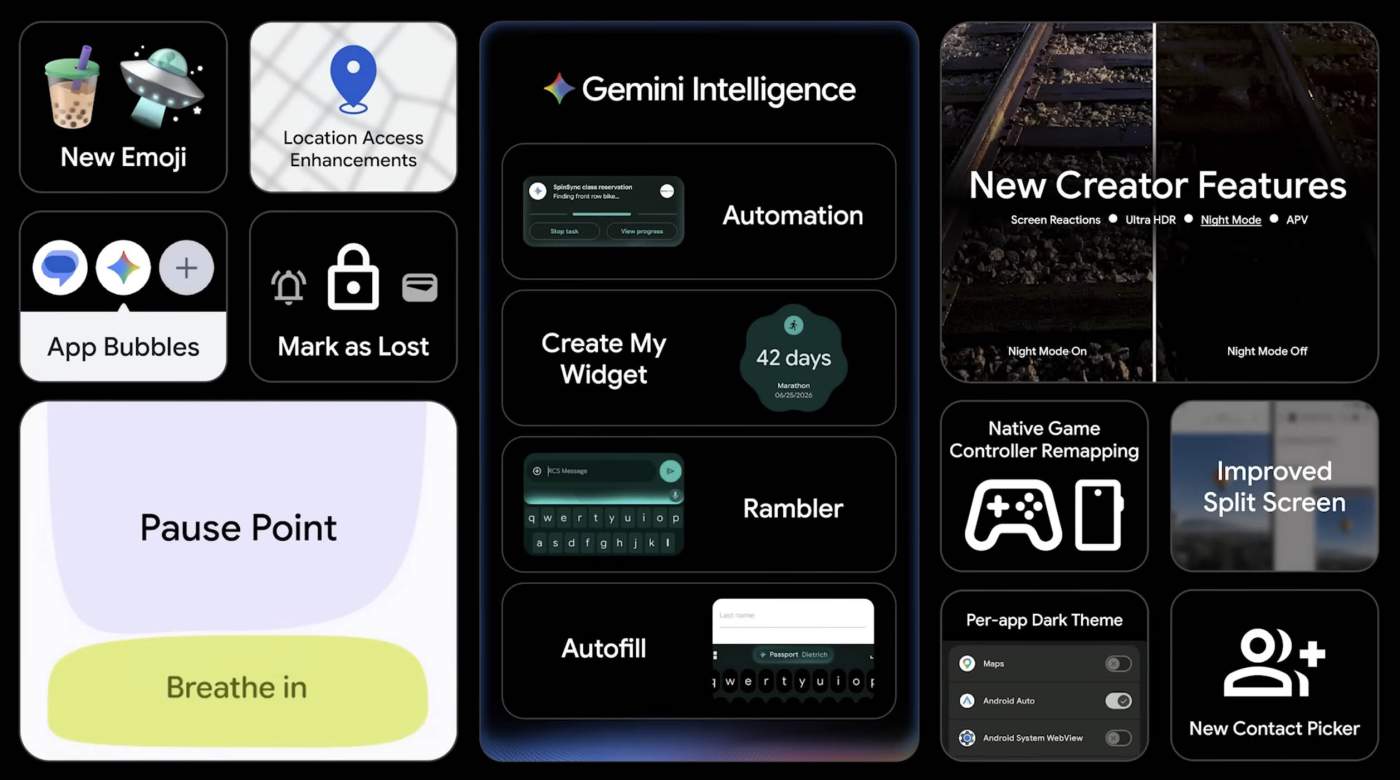

Google may have revealed a bunch of major feature changes for Android 17 earlier this week through the latest edition of “The Android Show,” but they weren’t done. Today, the Android team dropped a new video that dives into other Android 17 changes you might love even more.
As a bit of a spoiler, most of this is stuff we talked about after the Android 17 Beta 3 dropped a few weeks ago, but Google is really confirming that it all plans to be here when Android 17 goes stable in the coming weeks.
What else is new in Android 17?
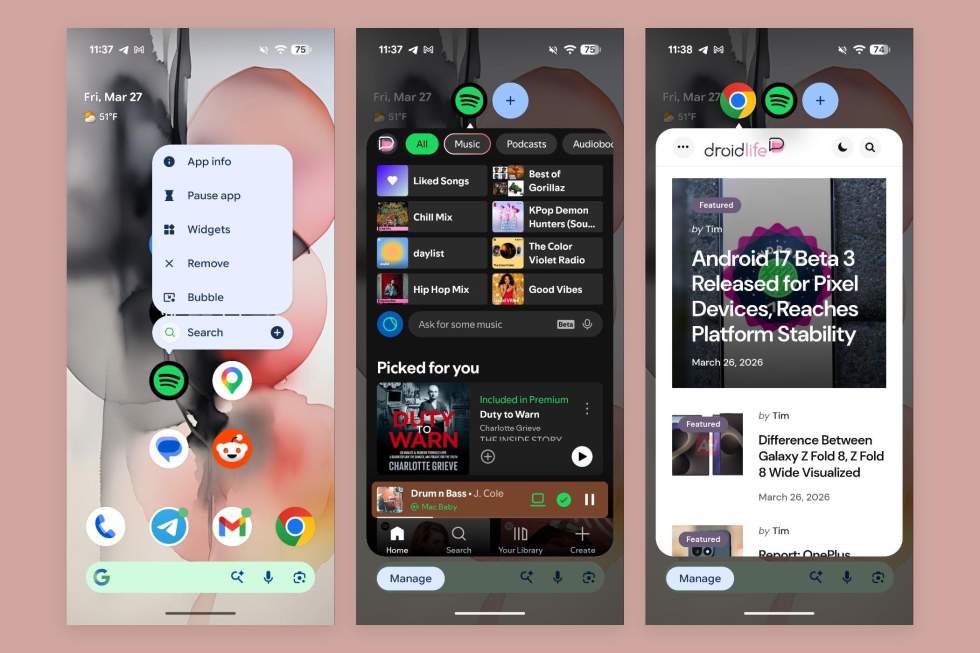
- Bubbles for any app: Again, we talked about this a few weeks ago, but yes, you can now put any app on your phone into a Bubble. This used to be reserved for messaging apps, but Google is letting you go super-multitask-mode and stacking all of your most used apps in floating bubbles.
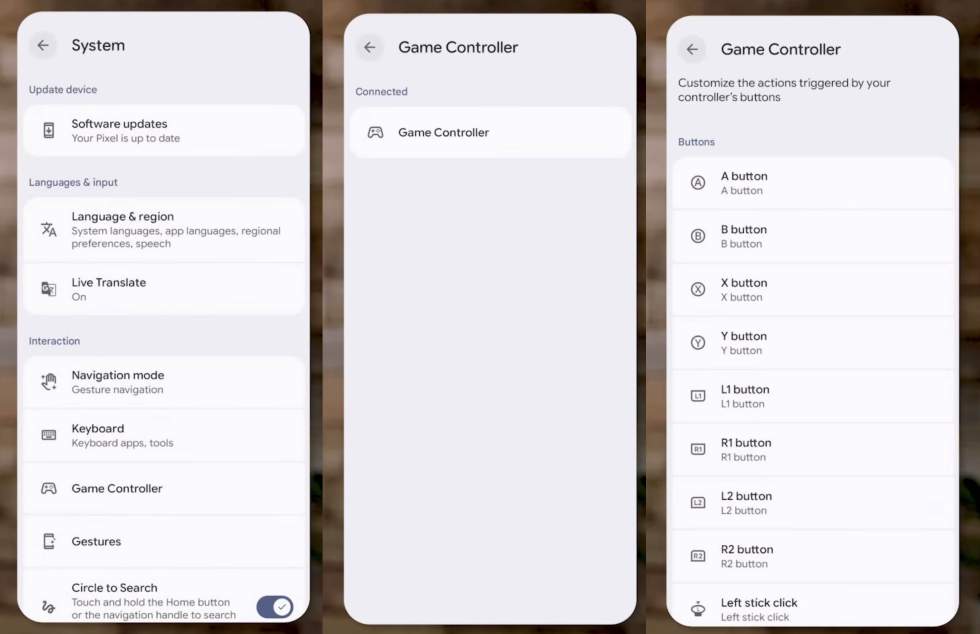
- Game controller button mapping: If you happen to play games on your phone with a mobile-supported controller, Google has finally built-in button remapping into Android.
- One-time location and precise location access: Google is doing a couple of new things with location access in Android 17. The first is a one-time access for apps, in case it happens to be an app you don’t trust or don’t plan to use often. The other is a precise location privacy change that can widen or shrink the precision depending on the crowd around you. If you are in a sparsely populated area, Android 17 will recognize and widen the zone it thinks you are in.
- Per-app dark theme: This one speaks for itself, but yes, you can set per-app dark themes in Android 17.
- Improved split screen: A new interface for split-screen is here, making it more intuitive for those of you who split screen a lot. this is likely a big improvement for foldables and bigger screens.
- Separate volume for voice assistant: We talked about this recently too, but Google is separating the voice assistant volume to allow you to control it talking back to you in whatever volume you prefer.
- WiFi and mobile data toggles separated: Finally, the separation of WiFi and mobile data toggles in Quick Settings really was something people were asking for and it is here to stay for Android 17. Good work on requesting that, everyone.
You can watch the video below to get a few extra bits of info, but that that screenshot at the top of the post really tells all.