
If you didn’t end up watching “The Android Show: I/O Edition” this morning, we have the full recap for you spread across numerous posts, because this was indeed a big show with more announcements than most of us will ever be able to keep track of. Google teased this upcoming Google I/O as being one of the biggest ever for Android and they’ve backed that up by announcing bunches of new features today.
So what’s new in Android 17 for Google I/O? Gemini Intelligence, for one.
Gemini Intelligence comes to Android
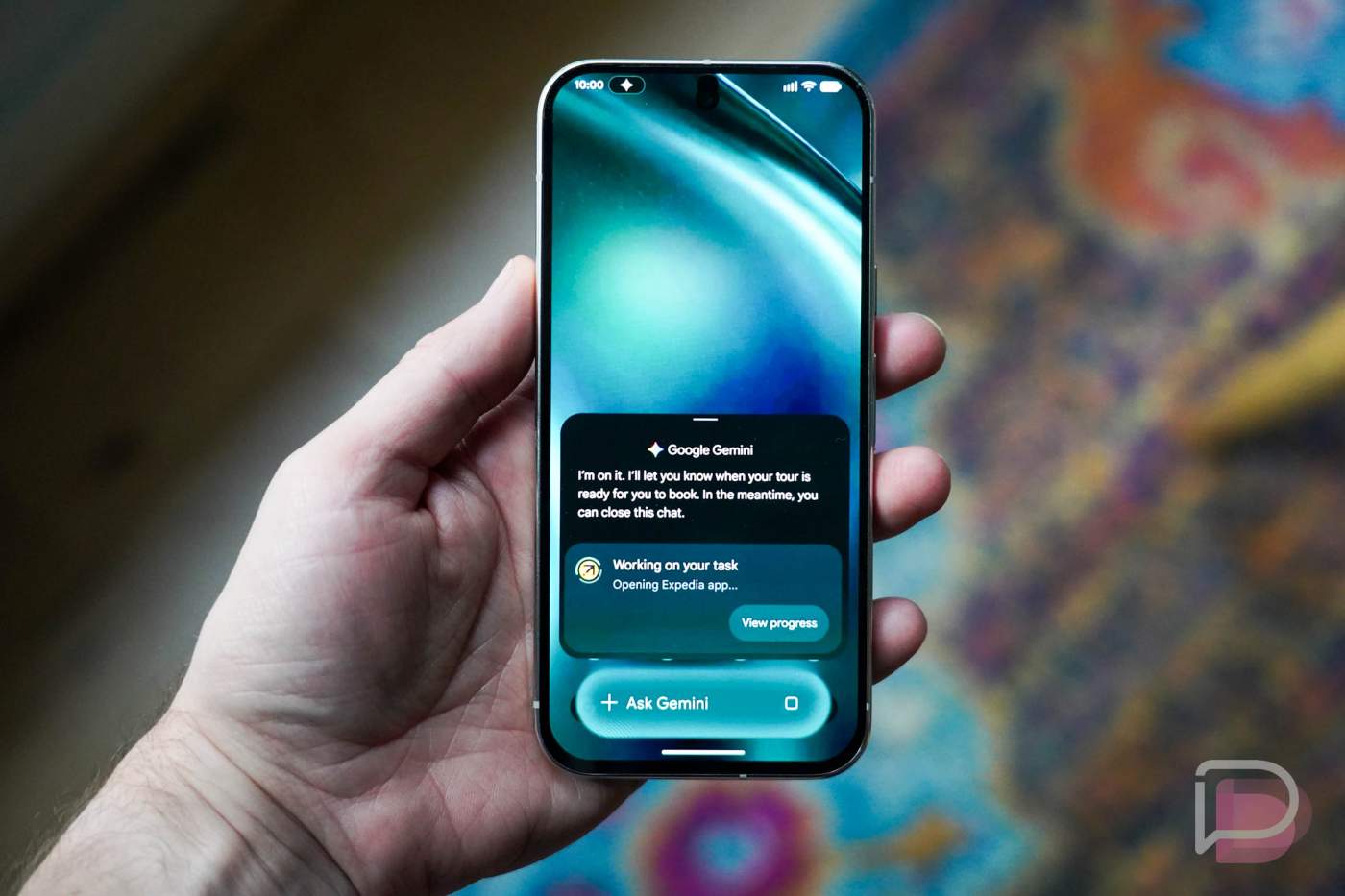
You are about to hear “Gemini Intelligence” mentioned a lot from Google going forward. This is the next big step for Gemini on Android, as it brings more integration with hardware and software while trying to proactively get things done throughout your day.
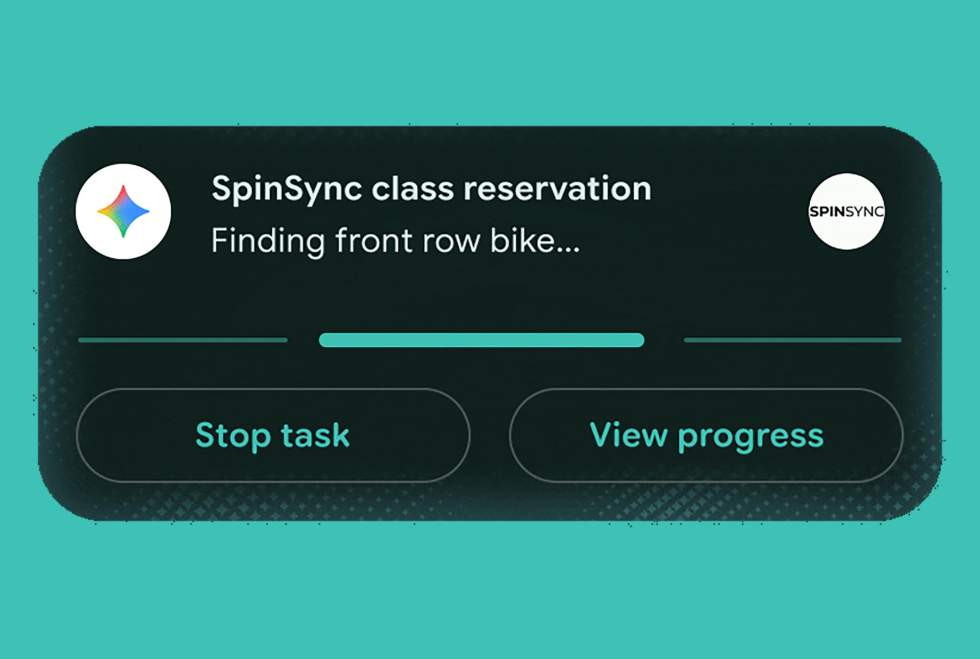
For one, Gemini Intelligence will start to automate tedious tasks. That could mean booking your seat in a spin class, looking through a syllabus in Gmail and then finding all of the books you need for it, reading a grocery list in Keep and then adding everything to a shopping cart, or looking at a photo of a brochure and then booking that activity for you.
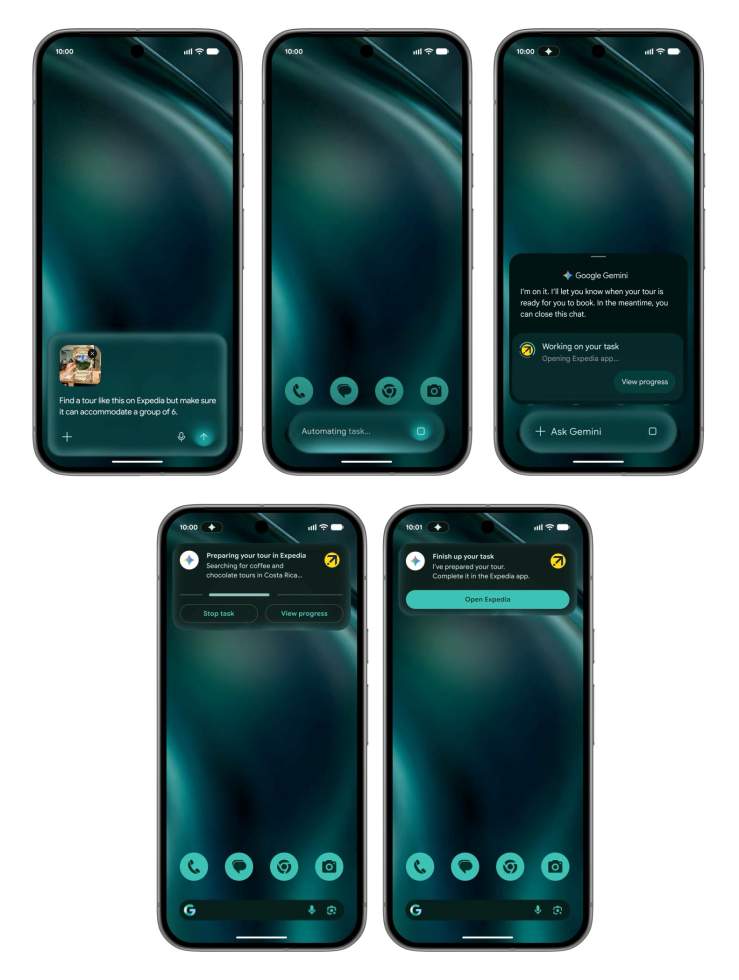
Again, the idea here is that Gemini Intelligence can get actual things done for you. And while it’s attempting to complete these more intense tasks, you’ll always have live notifications to refer to to check on progress.
Gemini Intelligence will roll out in waves on Google Pixel and Samsung Galaxy Phones “this summer.”
Build your own custom widgets
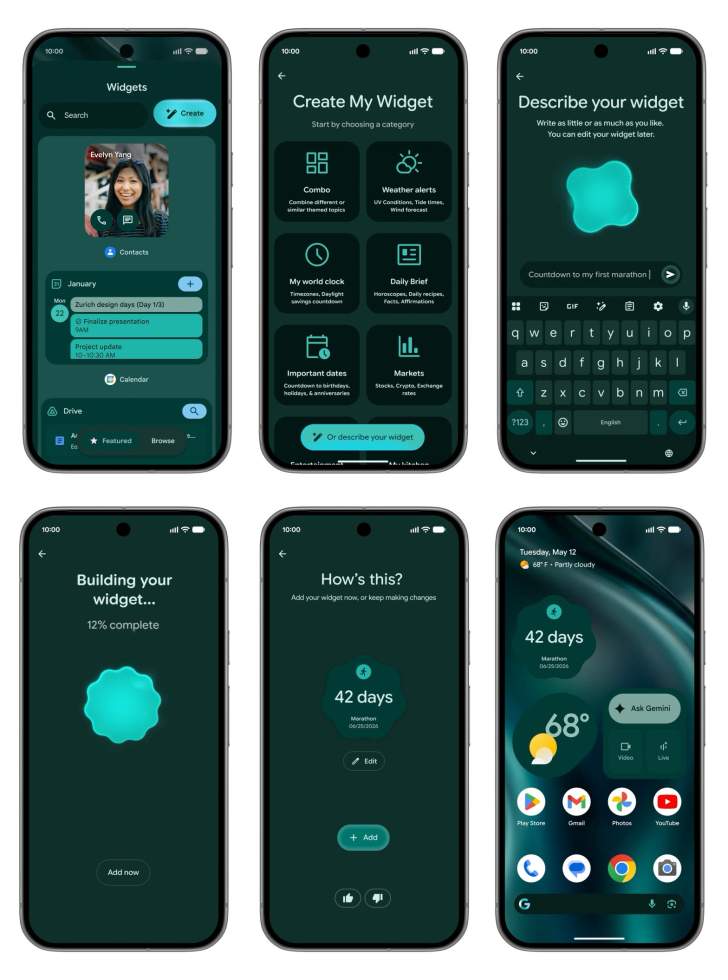
Google is about to let you build custom widgets. This sure sounds a lot like Nothing’s custom widget builder in that you can describe to your phone what you need a widget to do and it’ll then try and make it.
Google offers examples of widgets for helping you meal prep by showing three meals each week that you could make or a custom weather widget that highlights wind speed and rain. Maybe you need specific sports scores or stock tips or whatever else your mind can come up with. This will be one that we can’t wait to try out.
It sounds like this will come to Pixel and Wear OS watches.
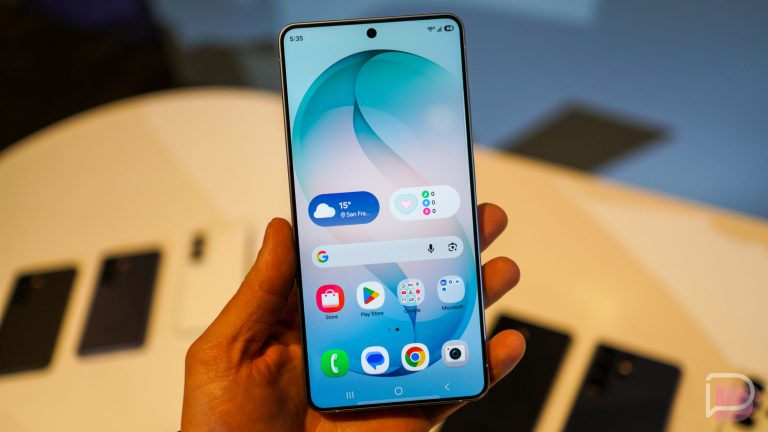
Refreshed Material 3 Expressive UI
It was only last year that Google introduced us to Material 3 Expressive, with its dynamic colors, smooth yet springy animations and actions, lightweight feel, emphasis on typography, and more flexibility on screen sizes.
With this upcoming refresh, Google suggests this new look is “functional, animating with purpose to reduce distractions and [will] allow you to focus on the task at hand.” That doesn’t say much, so I’ll just suggest looking through a number of screenshots we’ve included throughout this post. You can see the glow around buttons and actionable items that makes them look very bubbly. We’re also very much waiting for a deeper dive into this from Google. Hopefully, that comes today.
Rambler turns up the voice-to-text on Gboard
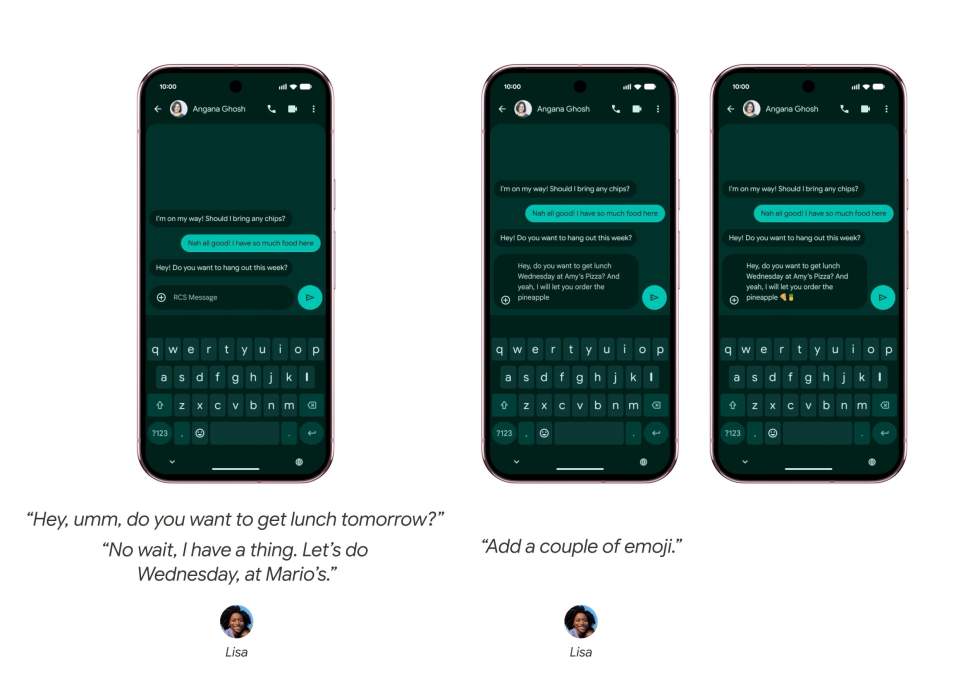
Google is introducing a new feature called “Rambler” to Gboard that they say is designed for the way people actually speak. Rambler can listen to you as you speak naturally, include only the important parts of what you say as text, and attempt to ignore pauses or filler words like “umm” and “ahh” and “like.” And this all happens in real-time, so it’s not stored on your device.
Google is also making Rambler able to switch between multiple languages in a single message, understand nuance, and attempt to make your messages sound just like you.
Smarter Gemini in Chrome or Android
In late June, Chrome on Android will be able to use more Gemini, with a shortcut in the top right corner of the toolbar. It’ll soon summarize information on pages or give you explanations from complex topics.
Chrome Auto Browse will arrive on Android too, allowing Chrome to take care of tasks like appointment booking or reserving a parking spot or re-ordering your pet’s food.
Since Nano Banana is a part of this too, you could ask Gemini in Chrome on Android to create an infographic from information on a page or show you how a room might look with custom furniture.
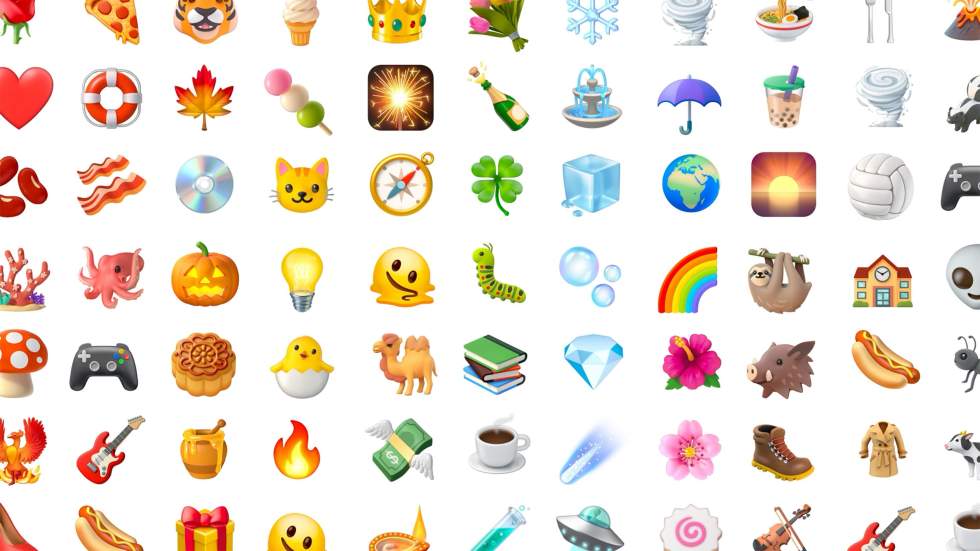
New 3D Emoji
Google is updating emoji on Android to be 3D. They suggest these new emoji bring a “touch of physicality” and will arrive on Pixel phones starting “later this year.” You can see a preview of them below.
Screen reactions built-in
In Android 17, Google has built-in a screen reactions tool that lets you record yourself and your screen at the same time. This means you can film reaction videos, all from your Pixel phone later this summer.
Instagram gets a bunch of advanced integration
Instagram now does a whole bunch of advanced stuff on Android, thanks to Google and Meta working closely together. We’re talking about Ultra HDR capture and playback, built-in video stabilization, night sight integrations, and a completely optimized catpure-to-upload process.
Adobe Premiere finally comes to Android
That’s the news – Adobe Premiere will finally arrive on Android “this summer.” This mobile version will bring exclusive templates and effects, as well as the option to post YouTube Shorts from the app.
Switching from iPhone to Android is easier
Switching from an iPhone to an Android phone has never been the easiest process. While it has improved over the years, a lot of the information from an iPhone never makes it to Android and you end up doing a bunch of manual work to get your new phone right.
Google says that’ll soon change, as they’ve worked with Apple to “overhaul” the iOS-to-Android process. Now, an eSIM, passwords, photos, messages, favorite apps, contacts, and your home screen layout can all migrate wirelessly from an iPhone to a new Android device.
This new process should launch on Google Pixel and Samsung Galaxy phones “this year.”
Quick Share and AirDrop expand
AirDrop might already be on most Pixel and Samsung phones, but Google says they plan to expand to OPPO, OnePlus, Vivo, Xiaomi, and Honor phones “this year.”
In the Quick Share space, users of WhatsApp will soon be able to to use Quick Share within the app. It sounds like this will come to other “favorite” apps too.
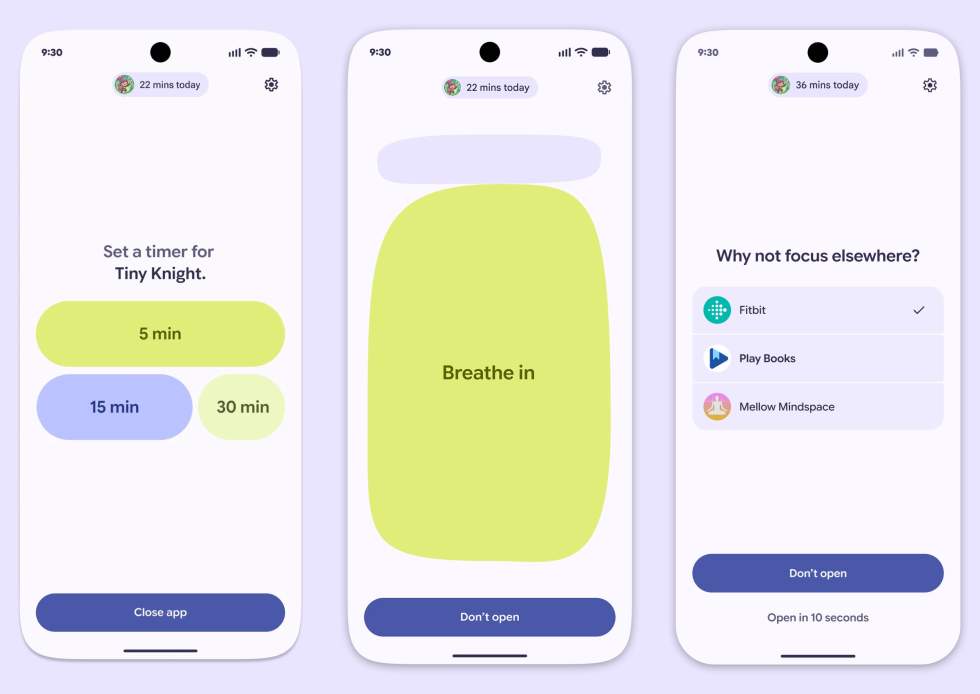
Pause Point helps you take breaks
Google has created a new feature for taking breaks when you open distracting apps. It’s called “Pause Point” and it can show up to give you a break or pause while asking if you’d like to set a timer for that app, run through a quick breathing session, or to tryout another app, like Fitbit or Play Books.
Fill forms in a single tap
Finally, Autofill is about to fill out even more text across apps and Chrome. Autofill will soon fill complex forms (like a passport form) because your device can connect the dots between apps and other information. You’ll have to connect Gemini to Autofill to get this, but that’s an opt-in option.
Almost all of this stuff is rolling out later this year, with some parts as early as June. We’ll do our best to let you know as each new feature hits your Android device.
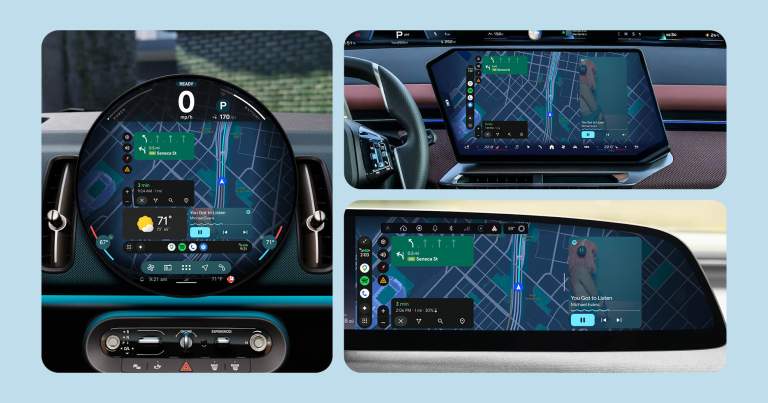
RELATED: Android Auto and Cars with Google built-in are getting massive improvements. We’ve got the full write-up on those too.