
The newest Android 17 beta dropped on us yesterday and it appears to be the biggest one yet. After the first two rolled out and left us wondering when Google would bring the goods, this new Beta 3 has at least some fun stuff to look at and play with.
There are Bubbles for more apps, adjustments to the Quick Settings area, and probably the greatest change in history – the ability to hide labels for apps on home screens in the Pixel Launcher.
Let’s dive into what’s new in Android 17 Beta 3.
Hide app names on home screens!
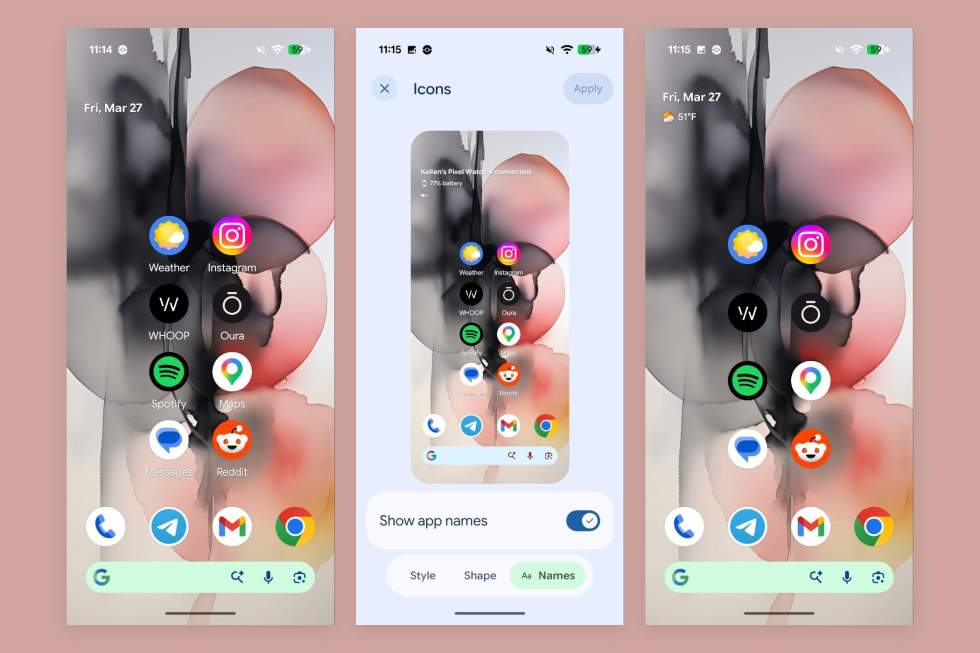
I know it probably seems weird that I am so excited about this change, but this is one of those, “You finally did this, Google?” types of changes. Launchers have for so many years allowed you to hide the names of apps on your home screens, because we all know what these apps are by looking at them. That name removal also means a cleaner setup for those of us who still care what our home screens look like.
The Pixel Launcher can now do this as well. To change this setting, you’ll head into Settings>Wallpaper & style>Icons>Names.
Bubbles for any app
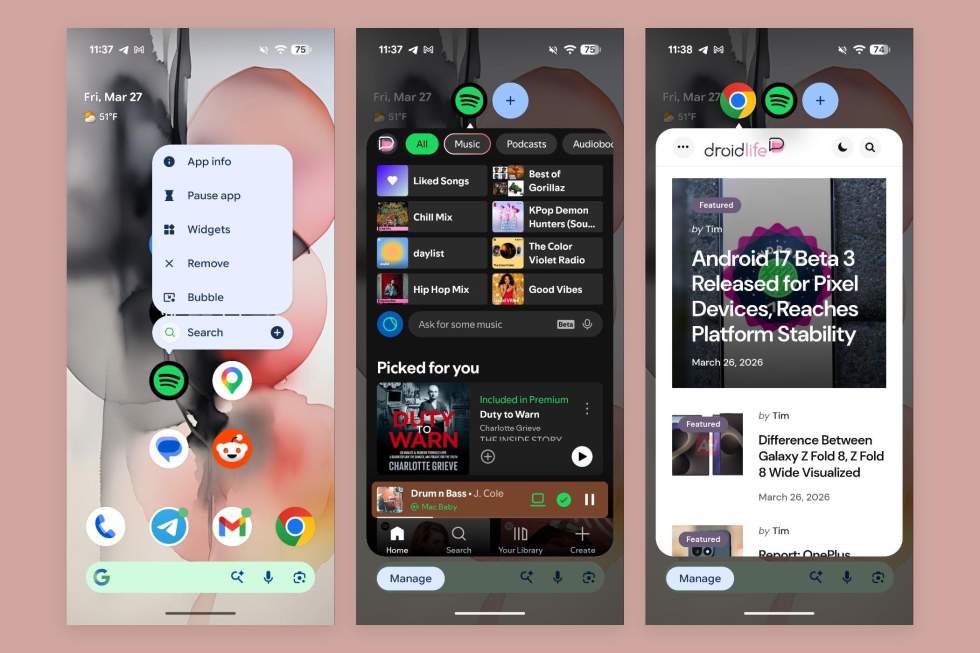
Bubbles are a feature that Google gave us back in Android 11 as a way for your messaging apps to continue on as a floating circle, giving you access at any time. In Android 17, Google has decided to make this a feature that’ll work for any app.
To use it, you’ll just long-press on an app shortcut and the pop-up menu has a new Bubble option. Sometimes it’ll say “Bubble” and other times you’ll just have to look for the icon, which looks like a rectangle with an arrow pointing to a bubble in the corner.
Since this works for any app, you can have multiple apps at a time in bubbles, move them around on the screen, hit a “+” button to find recently bubbled apps, and swipe them down to the big X to get rid of them.
If you were previously a bubble user, enjoy!
WiFi and Mobile data separated in Quick Settings
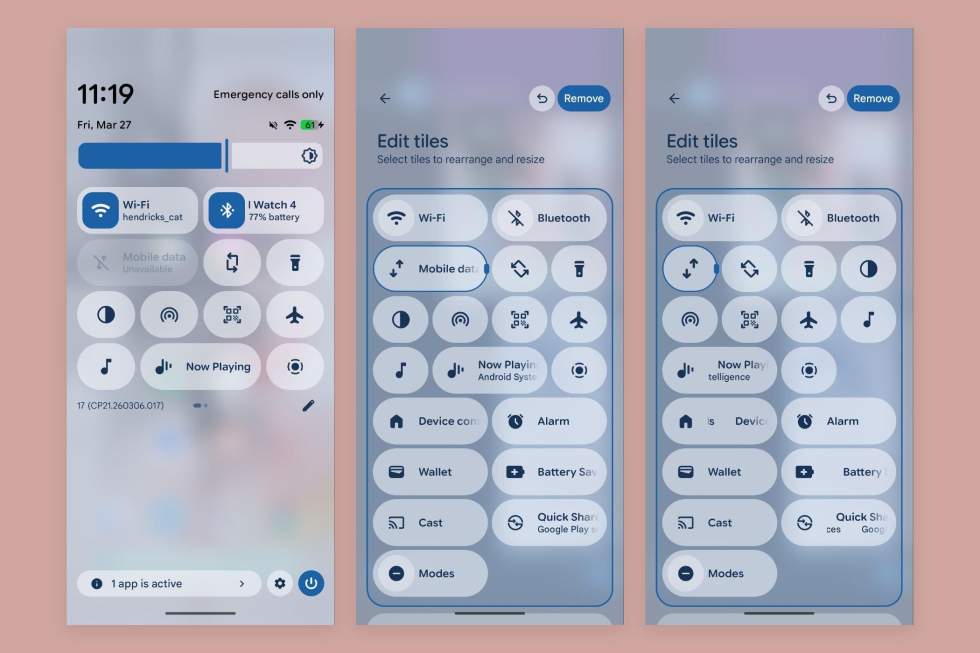
If you were sick of dealing with your mobile connection in Quick Settings by having to tap on the WiFi tile, things are changing. Google is offering a new “Mobile data” tile that is a separate control. You can now have a WiFi tile next to your mobile data tile, make each one bigger, etc.
Nice.
Expanded dark theme can be set per app
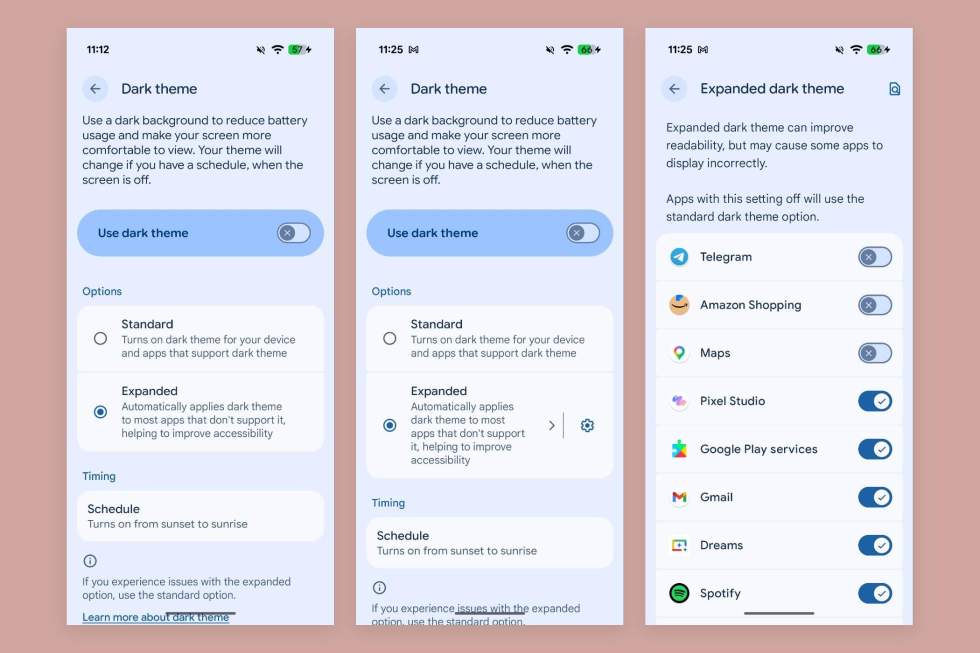
The “Expanded” dark theme option that Google gave us to help force a dark theme on apps that don’t truly support one, has a new option that lets you specify which apps you want to use “Expanded.” Previously, if you enabled this setting, it would take over all apps not setup for a dark theme. Now, you can toggle this setting on and then choose which apps actually utilize it.
You’ll find this is Settings>Display & touch>Dark theme.
Assistant gets its own volume slider
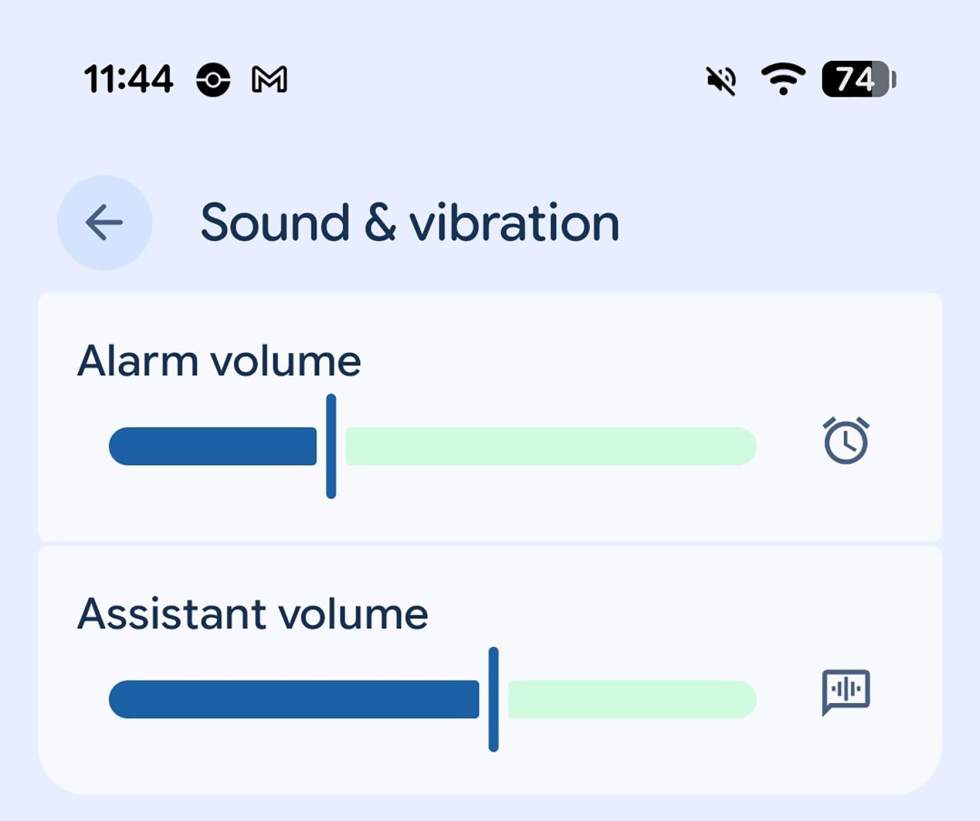
Does your Gemini or other Assistant need its own volume slider? Google thinks so. You can now adjust the “Assistant” volume as a stand-alone volume setting in Android 17 Beta 3.
Screen recording has been redesigned
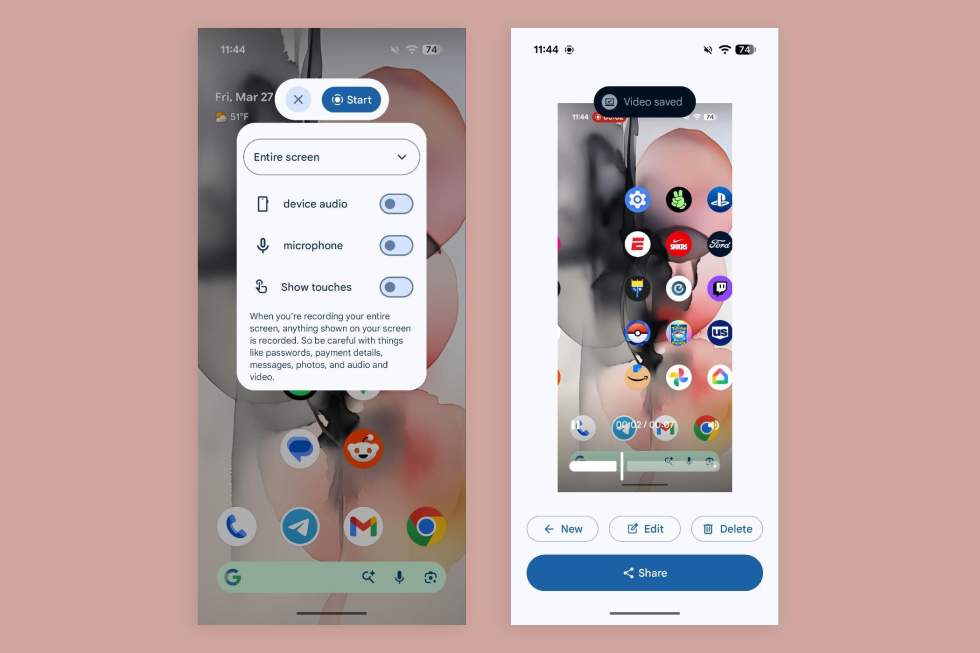
The screen recording toolbar has been redesigned with new capabilities and an improved UI. I feel like this area has come so far from when it was first introduced. Android 17’s screen recording feature looks like an actual, polished thing and not just a half-baked tool.
We’ll keep looking through this latest beta and let you know what else is cool.