



Google is all about service integration. First, we saw Google+ being integrated into everything that they owned. Next up was Google Now, something that Google is still working on integrating into not only phones, but desktops and Chromebooks. In an unsurprising move, it seems now that Google is giving Chromecast the same love, and trying to work Cast into every device that they can touch. The latest Chrome Beta build for Android is the latest to have been visited by the streaming media fairy.
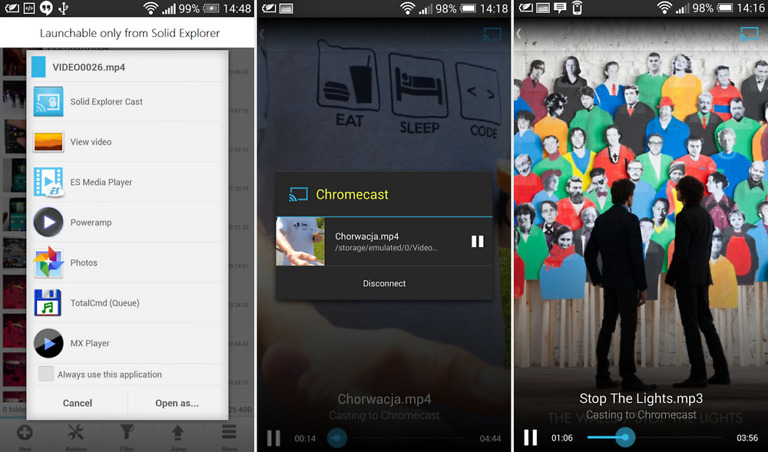
After a bit of digging through Chrome Beta 34 flags by reddit user WhyYouPaul, he found that embedded videos on mobile are now being supported by Chromecast. Once the experimental feature is turned on, HTML5 videos show the Chromecast toggle that allows you to throw it to your big screen – YouTube, Vimeo, TED, and a few other video sites work with a couple of bugs that need working out, but it is a brand new feature.
We expect to see Google get this running smoothly before letting the masses get their hands on it, but its good to see Google continuing to find new ways to use Chromecast.
To toggle on Chromecast support, head into chrome://flags in the latest build of Chrome Beta. Scroll down to the option for “Enable experimental Chromecast support,” tap “Enable,” re-launch Chrome, and then find a video to test on.

Anybody else having battery drain with this enabled?
How about chrome with immersive mode?
Most videos don’t open up in the video player, so this is pretty much useless. Dreams crushed!
Enabled the feature but I don’t see where I can cast anywhere in the beta browser
Only when videos open up in the video player allow it. The cast button is in the top left corner. That means most videos won’t play.
Chrome for Android has flags? Cool
It seemees like they are alreadyd halfway there. They either need to add Miracast support to the Chromecast, or addd Chrommecast sending support to the “Cast screen” optiton already located under Display on many devicees. http://num.to/4080*4972*7321
“First, we saw Google+ being integrated into everything that they owned”……… I am still waiting on Google+ photos/vidz chromecast functionality being integrated directly from the google+ app on android…
Thank you.
Yes please
Is there a way to get download straight to drive? And if there’s not, I should make it.
make Chrome full of useless features so ppl can surely just stop using it. the more the features the more the bugs
This is far from useless 😉
As of now, it is useless. The cast button only appears in the video player. So, most videos cannot be casted.
Did you miss the part about it being in beta?
It works fine. Beta isn’t the issue. The issue is that embedded videos won’t have the capability, unless they open up in the video player.
there were 20 people in my living room for a hangout last week…. I wanted to show them something on my phone’s web browser…. I wish this would have been implemented last week….
Oh this is awesome.
Streaming Media Fairy is now mandatory instead of Chromecast
chrome://flags/#enable-cast, easier to get to that way. 🙂
I’d love to see chromecast mirroring for devices some day.
It seems like they are already halfway there. They either need to add Miracast support to the Chromecast, or add Chromecast sending support to the “Cast screen” option already located under Display on many devices.
I don’t think we will see anything worth using on this Chromecast hardware generation. The WiFi is just kinda cruddy in it, and that’s a lot of hops for wifi streaming anyway.