

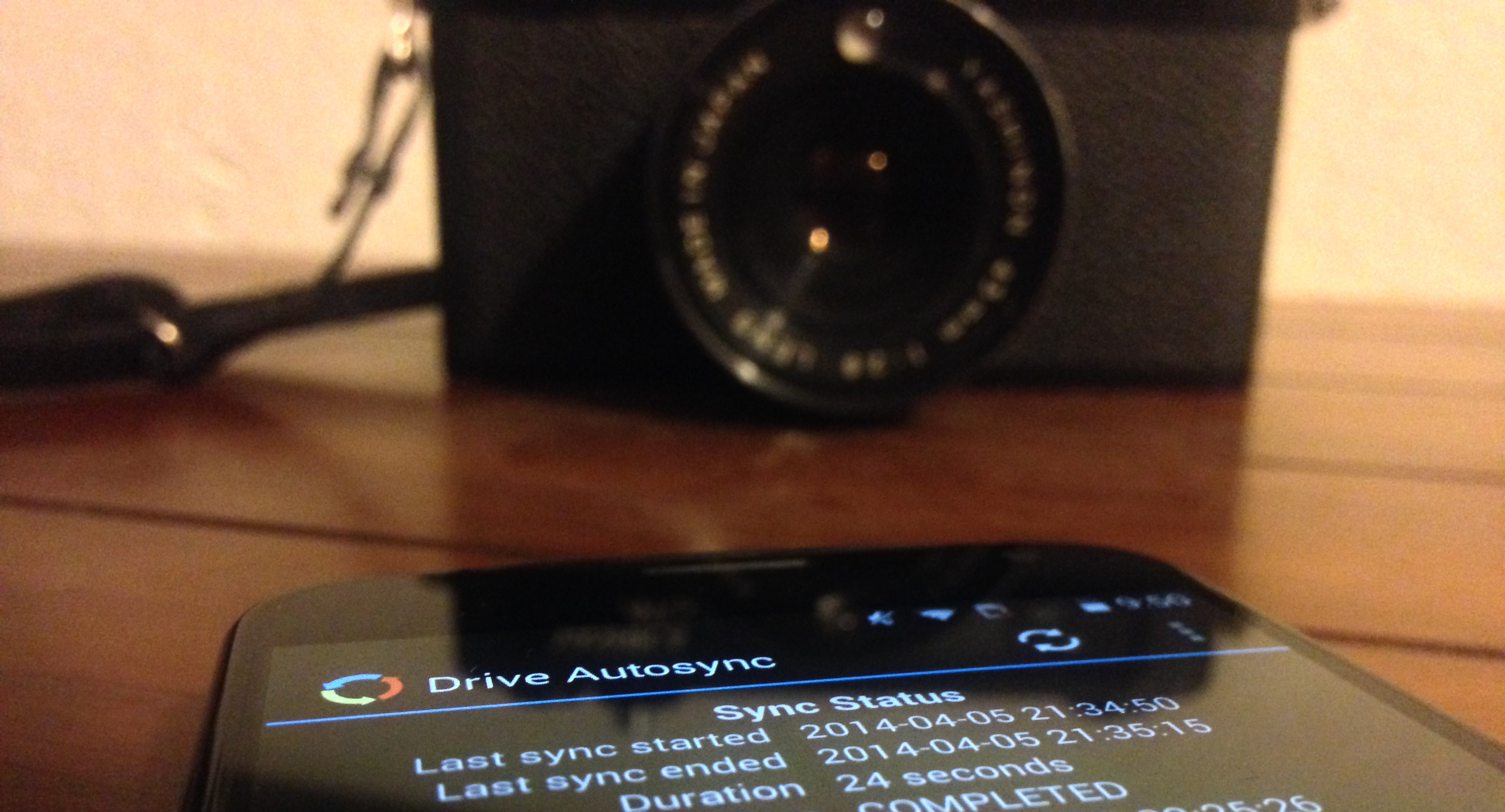

I have been a big fan of Dropbox for a long time. It’s a great service to back up and sync documents, photos, videos, and whatever else, but when Google announced the massive price cuts to Google Drive storage plans, I made the switch. After a few days of uploading, I had all of my Dropbox data imported into Google Drive, but I still needed to find an easy way for my wife and I to upload our pictures and videos from our phones to Drive.
The Drive app works well enough (although it’s definitely slower than Dropbox for displaying images), but it doesn’t have an automatic upload feature for new photos and videos. Google offers automatic upload functionality with Google+ (which uses the same storage plan as Drive if you want to upload full sized photos and videos), but photos uploaded on Google+ are not visible in Google Drive (though you can make photos in Drive appear in Plus).
The problem with relying on Google+ to back up your photos is two fold: first, you are relying on a service that is designed to share photos, not preserve them; second, having your photos only on Google+ means you are completely reliant on Google to keep your photos safe. It’s always good to have more than one backup, which is why I wanted to use Google Drive to sync my photos on Google’s servers (off-site backup) and on my computers (local backup).
Drive Autosync by ttxapps is the perfect app for uploading photos and videos to Google Drive automatically. The app is free in the Play Store for uploading photos and videos under 8 MB, but a $4.99 upgrade to Drive Autosync Pro enables uploading files of any size. When you open the app, it will ask you to connect to your Google account, then you will select the folder you want it to sync. After that, you select the folder on Google Drive that you want to sync to, and then you select from seven sync methods for the two folders (two-way sync, upload only, upload then delete, upload mirror, download only, download then delete, and download mirror). The app then works in the background to automatically upload photos and videos as you take them.
Drive Autosync also comes with a ton of options to control how and when you want to upload your photos and videos to Drive. The app defaults to warning the user if they try to initiate a sync on mobile (which is helpful if you have a data cap), allows you to set a battery percentage at which it will stop automatically uploading to conserve battery, lets you select which WiFi networks you want to use, and whether or not to allow uploading on battery or just if the phone is charging.
Upgrading to Pro ($4.99) not only allows you to upload files larger than 8 MB, but also gets rid of ads, allows you to sync multiple folders, sync your entire Google Drive with a local folder on your phone, and allows you to set a passcode to access the app’s settings.
If you’re looking for a great app to automatically upload your photos to Google Drive, look no further than Drive Autosync. Seriously, don’t look any further. For some reason this is a problem that very few are attempting to solve on Android, while there are multiple options on iOS (PhotoSync is best, by the way). Please note, PhotoSync is now available on Android as of today, however, it is quite limited so far in its functionality.
Download Drive AutoSync directly from Google Play by following the link below.


Dropbox and Drive seem to get all of the press, but I got in on the 50GB free from box.com so I tend to sue that the most.
Anyone recommend any good apps for syncing folders between 2 devices via box? You can upload and download via there app, but I have yet to get automatic syncing to work the way that I want it to.
Cloud Vault does the same thing with no size cap.
https://play.google.com/store/apps/details?id=com.nekjo.photouploader
If you set G+ photos to upload at full size (one dimension larger than 2048px), it will upload them to your Drive storage instead of the unlimited autobackup storage
Yes, and no; from the meat of the article itself: “Google offers automatic upload functionality with Google+ (which uses the same storage plan as Drive if you want to upload full sized photos and videos), but photos uploaded on Google+ are not visible in Google Drive (though you can make photos in Drive appear in Plus).”
Just checked and verified this locally. So it’s not really a complete solution to the problem.
Thanks for the tip. Purchased the app without hesitation based upon this review. Works as claimed. Never did feel safe relying on Google+. Always worried about how I would move my photos to another cloud service one day. And didn’t like worrying about privacy settings all the time
inb4 Google kills it
Google just needs to make G+ photos show in Drive…
THIS. WTF is with *two* places for photos? It’s very confusing.
AGREED!
Seriously. This makes no sense for them to have not fixed this.
If you delete pics/videos from your phone, will this app also delete them from Drive? That is a huge feature that the built-in G+ cloud sync is missing.
It lets you decide how that’s handled
CloudVault is free and does the same…
I use FolderSync https://play.google.com/store/apps/details?id=dk.tacit.android.foldersync.full
The logic in this article is baffling.
In what way?
Well the author is conjecturing that there is a difference in reliability between the two Google services, Google + photos & Drive, but they are both Google and it just seems silly to have more trust in Drive than Google + in terms of long term reliability.
They are both using the same back end of storage I’m sure.
He definitely addressed this issue… I have the same issue (though it doesn’t bother me too much). Google plus backup is all online while drive is both backed up on your local desktop and the cloud.
I am the author. I wasn’t trying to say that Google+ is less reliable, but rather that it was designed to share things, not store them. It can do it, but I don’t trust it for that purpose for that and other reasons.
I don’t get it. Google+ photos is Google Drive at the storage level. Is the big benefit that you see filenames in drive and not a gallery like google+? Otherwise I don’t get the point of paying $5 for this.
The big benefit is that you have control of where your photos are and how to organize them. Using Google+ puts them in Google+ only, but using Drive lets you sync your photos to any computer as a local backup and lets you organize your photos in folders, etc. Another added benefit of using Drive is that you don’t have to worry about privacy settings; G+ is designed to share photos, Drive is designed to store them (and other things). Like you said, Drive and G+ technically share the same storage plan, but files uploaded to G+ don’t show up in Drive, meaning you can’t sync them off of Google’s servers and onto your computer easily. If you don’t care about privacy and you don’t care that Google+ is the only place with all of your photos, save your money. If you want to have multiple backups of your photos and have control over where they are, spend the $5 and store them on Drive instead of on G+.
Well said. I can’t stand the fact that G+ doesn’t allow me to organize my photos the way I want. You can’t even sort albums for crying out loud! Drive has been an absolute godsend for photo organization, findability, and backup.
I agree with the initial nervousness about how the Google+ auto-backup folder looks like a normal album. But the auto-backup gallery is private, and you can’t change the privacy permissions for it, nor any photos in it.
If you want to share a photo it will be copied to a shared album. If you share from auto-backup and don’t specify where, it gets copied to the “photos from posts” album which is kind of the catch-all and you’ll see a “post” on your Google+ stream. You have to look at the post to figure out who it’s shared with, and I don’t see any way to see who a photo is shared with from the photo itself.
The problem is that Google+ does not make any of this terribly obvious, and I hope it’s still a work in progress.
If I were google, I’d put a “private” border color around any private photos, just to be very clear, and re-work the Photos from Posts album to make it easy to see who every photo is shared with from within the album.
Some people just hate Google+. I don’t get it, either.
The big difference for me is that Google Drive is installed on my PC, Google+ is not. Something I upload to Drive from my phone will automatically be copied to my PC. Thus I have a cloud copy, and a local copy. Google+ does not work that way.
Drive is good for the unlimited auto backup pics but it sucks balls when trying to share content. People shouldn’t need to login to view a pic and all that jazz
They don’t if you change the permissions, I believe.
Installed and trying now
Also, I would switch to Google Drive except we use it at work and the startling array of bugs, sync failures, and the inability to share a link with anyone who doesn’t have a Google account makes it an awful experience. (You can share the link, but they need to login with a Google account to download. Unacceptable.)
Dropbox > SkyDrive > Box >>>>Drive
I haven’t had any sync issues or bugs so far (knock on wood), but I’ve certainly seen a lot of people complain about them. I’m most curious to see if and how Dropbox will respond to the price drop.
You can share with people who don’t have Google accounts but since you are using it at work they may have this disabled.
Or you can use Dropbox to autosync and then when you start to run out of space on dropbox transfer them to Google Drive.. Thats what i do 🙂
Just make your Dropbox folder inside Google Sync folder. Done.
Hahah awesome idea