
Google Maps EV trip planning is finally here.
For many EV owners, Google Maps has always been a great around-town navigation service, but for road tripping, it’s almost never the choice. Why? Because EV trip planning, where your car knows your battery state, when it’ll need to charge and how long those stops will take, and what battery level you’ll have at arrival, isn’t something Google Maps could previously handle very accurately. That changes today.
Google says that they are rolling out EV trip planning in Google Maps to 350+ car models with Android Auto and that you can get the experience that your in-car system has given you from day 1.
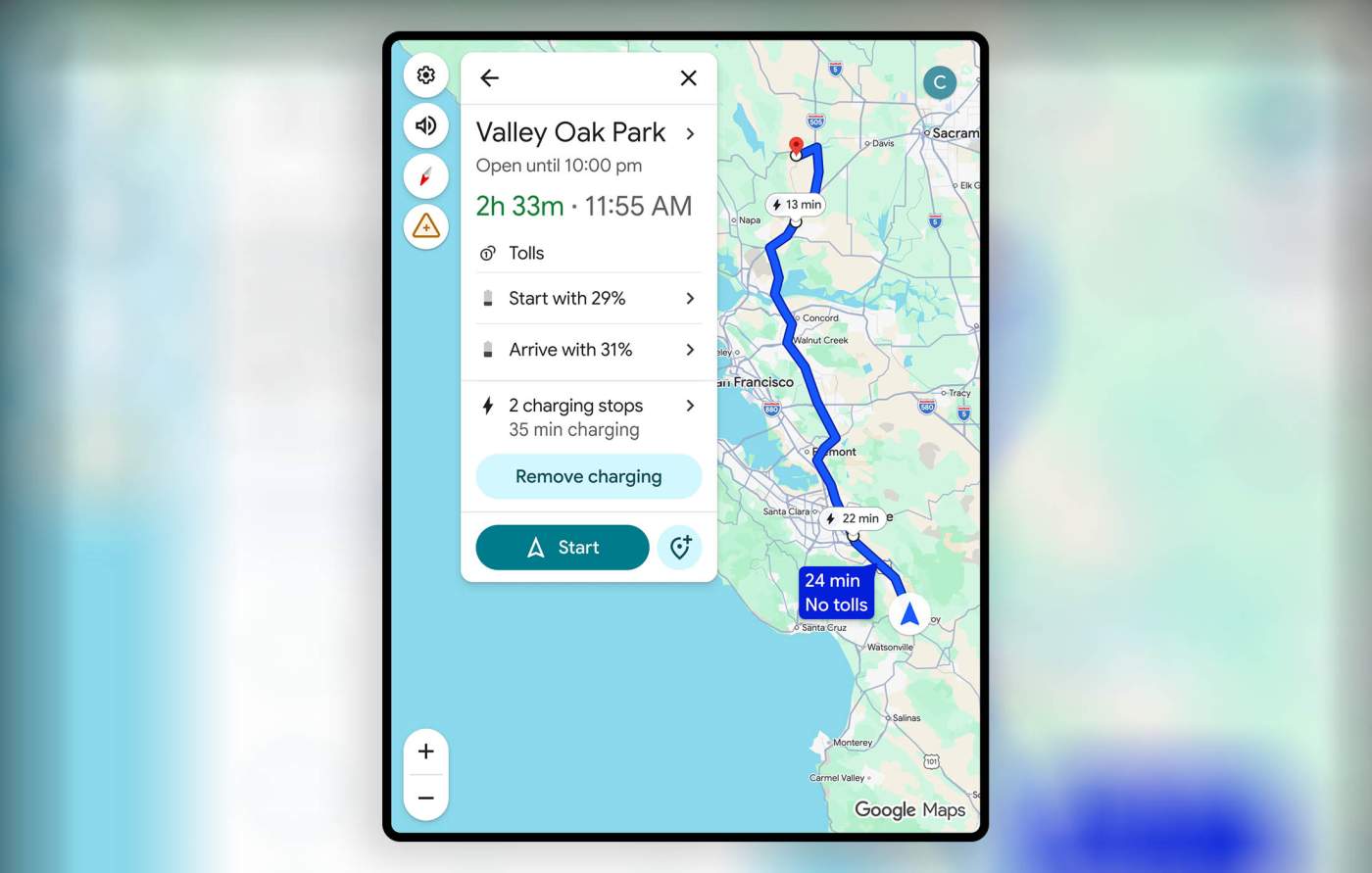
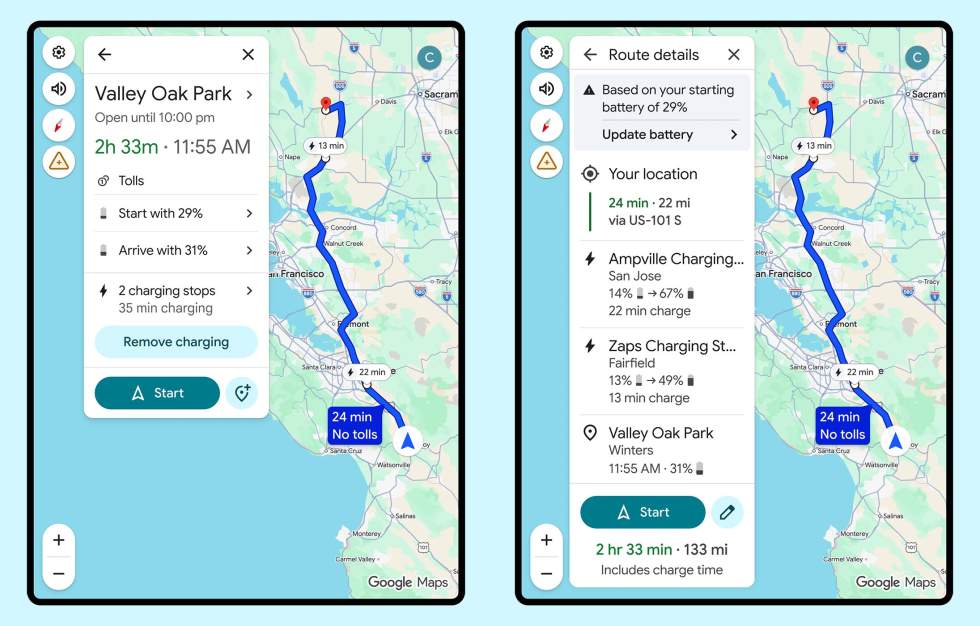
What does Google Maps EV trip planning look like? To start, you’ll connect to Android Auto and put in a destination. You’ll then see a button to “Add charging,” where Google Maps will let you add your starting battery percentage. From there, it’ll calculate (with the help of AI) when you’ll need to stop, your battery percentage on arrival, how long you’ll need to charge for, and more. You can even tell it what you’d like your battery percentage to be at upon arrival, so hopefully you don’t need to run right out and charge again at your destination.
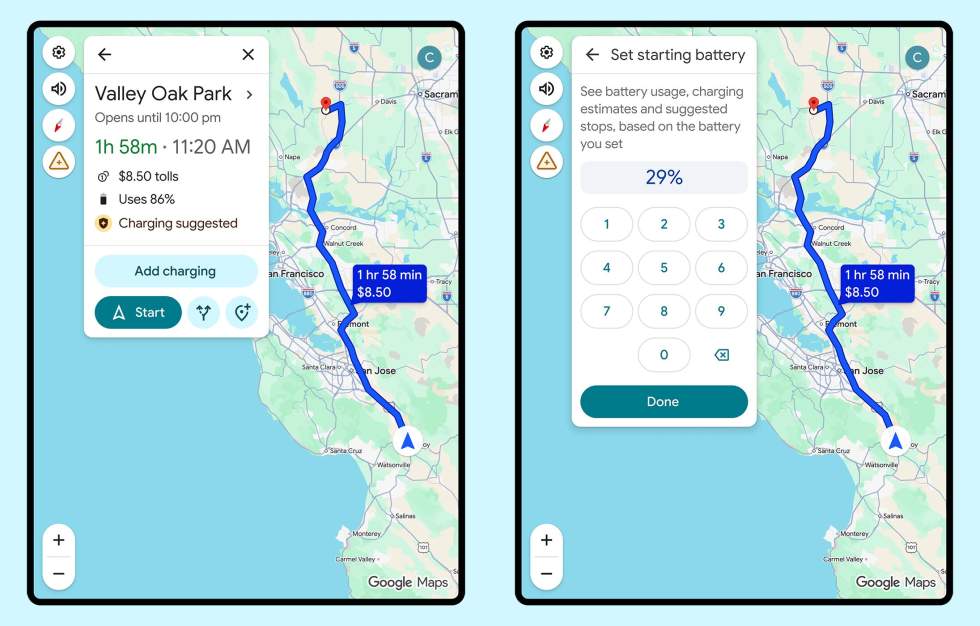
Google’s advanced energy models will use info about your vehicle (like weight and battery size), as well as Google Maps’ real time traffic info, elevation, and weather to predict all of this range and charging info. As far as I can tell, this is all AI-powered and won’t take into account your actually driving habits to get even more accurate, which is something your car’s built-in systems can often do.
Before all of this will work as described, you will need to tell Google Maps about your car. You can do that with these instructions.
As for which vehicles are supported, the list is below:
- Audi
- BMW
- Chevrolet
- FIAT
- Genesis
- Hyundai
- Jaguar
- Kia
- Lexus
- Lucid
- Mercedes-Benz
- Nissan
- Porsche
- Subaru
- Toyota
- Volkswagen
Again, this all starts rolling out as soon as today for Google Maps on Android Auto. Let us know if you see it!
Google Play Link: Google Maps