


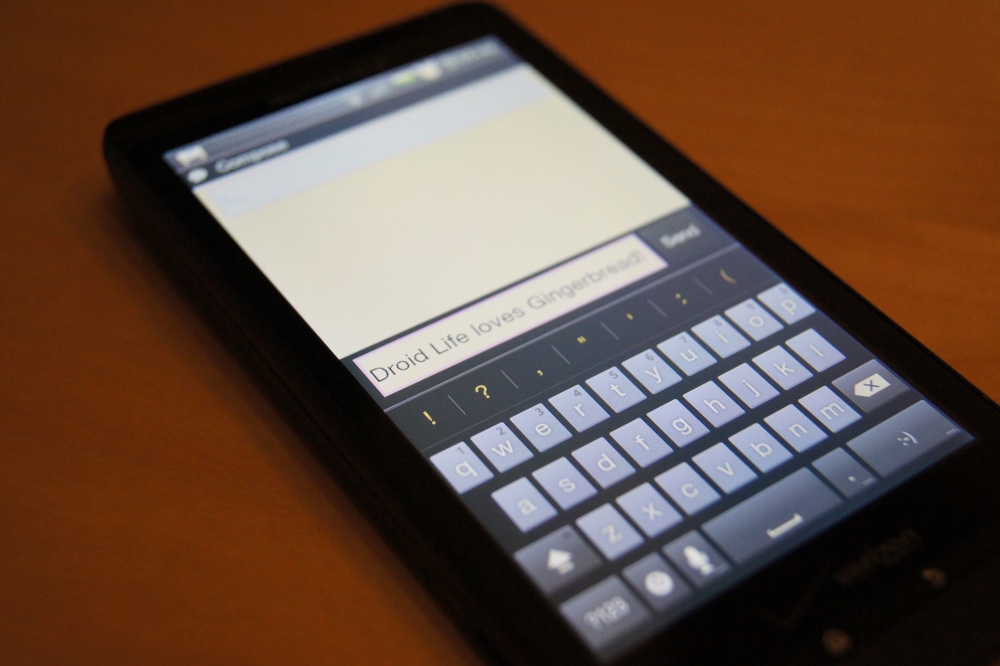
We just posted up a version of the Android 2.3 keyboard for those of you running Froyo courtesy of our friend Peter Alfonso and wanted to give you a quick hands-on in case you were holding off on installing this. There have been a few issues reported, so you’ll want to check out the instruction post and comment section before going forward with this.
[youtube]http://www.youtube.com/watch?v=uU1Zc6SNlyQ[/youtube]
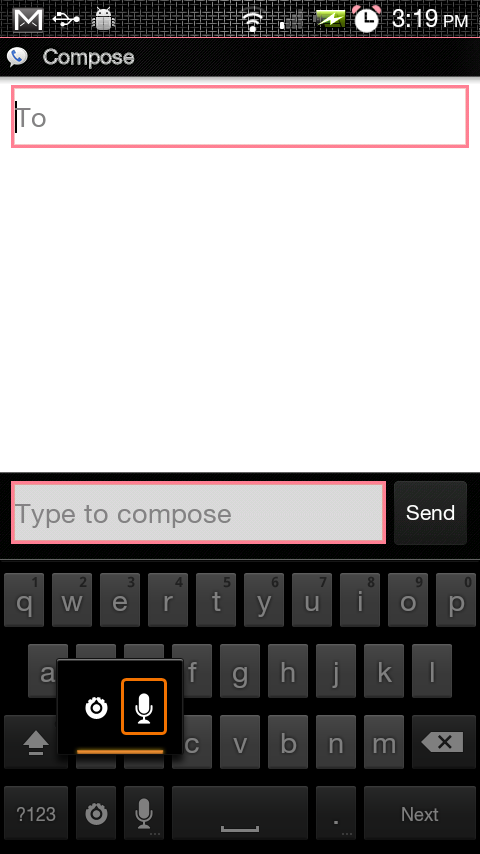
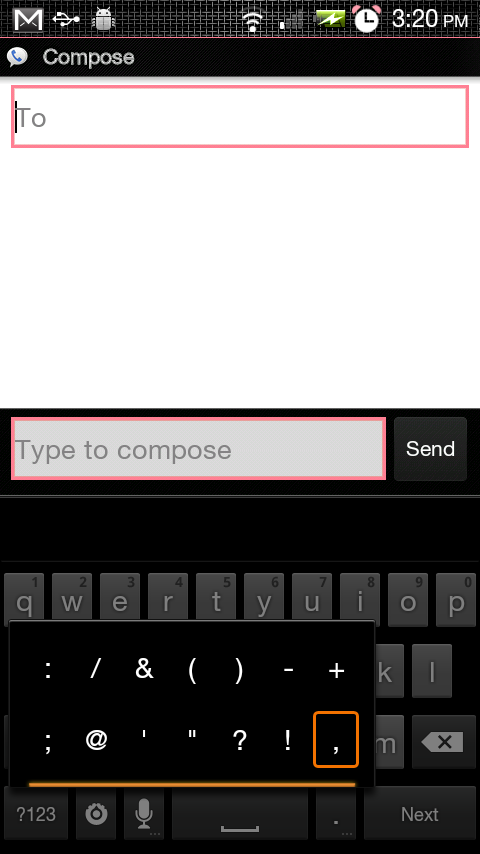
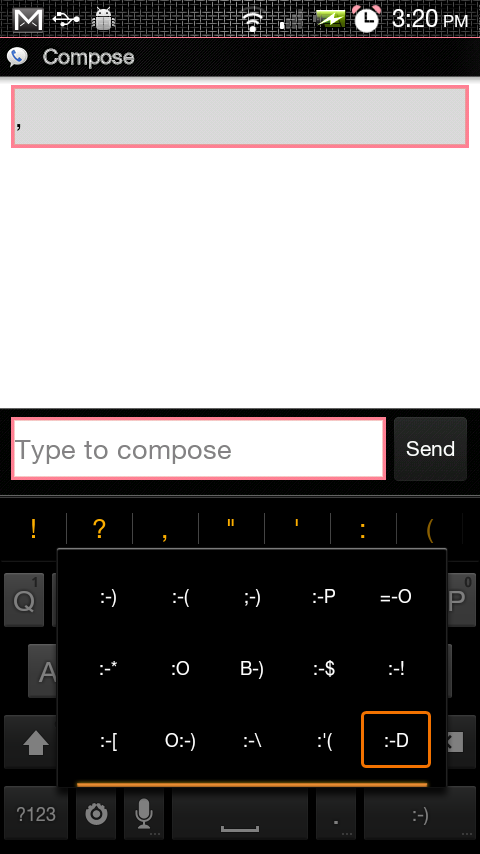
And a couple of screenshots of options I missed in the video:
We love ya Pete!
where do i download the rom???
dude..Not a rom. Its a keyboard
Did you guys mess with the font on your phone, or am I dumb and the Droid X has a different default font than the Droid does? I like that font. 🙁
i tried in stalling it but i dont see it clockwork recovery do i have to rename the file?
anybody get the dictionary for this yet?
Yeah, the version with the dictionary can be downloaded here – http://www.droidforums.net/for… –
Does this work on MIUI?
Running this – so far so good. Looks nice. I like new stuff 🙂
They way the voice input replaces the keys is the same way it worked in FroYo.
Not only did they not get rid of the god-forsaken smiley face button, they made it larger. Seriously, I have no problem with it being there, but why does it need to be three times wider than the period button right next to it, which I use a hundred times more? That button alone is the reason I despise the stock android touchscreen keyboard so much.
no kidding. they also buried the @ way in left field. it will be interesting to see how well that works when imputing email addresses or for those of us who like to substitute @ for at. and dedicated real-estate for settings? seriously? the file button has always been the default settings button for all apps and works well, why do that?
In the settings menu you can get rid of the settings button. (unfortunately you cant do the same with that stupid smiley button)
I have a droid 2 and when I flash the keyboard onto my phone it looks really small on it is there a way I can fix that?
so really the biggest thing is that this keyboard is a MULTITOUCH keyboard. Does the freaking video even go into that? sigh. People miss the point of reviews sometimes.
the droid x keyboard was already multitouch. just saying…
anybody know how i can install this? im rooted with latest BB and i downloaded the file i just dont know where to go from there.
Well looks like I'll be trying out Bugless Beast again. It's been awhile. Pete always seems to get the latest updates out into a fully fledged ROM first.
As long as I can keep updating my Droid, my eyes are really turning to buying a Nook and rooting it.
I don't see an update to BB anywhere… It's just a keyboard .zip. Can be used on any rom.
Kellex, I'm sure this has been asked, but what camera do you use to record your videos?
what does the multitouch for the keyboard do?
You can use two fimgers to type simultaneously
wait so is this real? or did someone just change the colors in the orignal one?
i have a fix for the small keyboard.
-download the free lcd density app from the market for root users.
-set the density to 300 apply/restart
-set the density to 260 apply/restart
-set the density to 240 apply/restart
and it should be back to normal
this does work.thanks
if you reboot your phone it will go back to the small keyboard, so youll just have to repeat those steps until there is a permanent fix. I think the permanent fix will be fixed with the .340 update
Wow Google works fast. Video removed already!
Video works just fine. 😛
will this keyboard be available on the htc incredible? Or will gingerbread only come with the htc ime on Sense?
that is given you get gingerbread lol dont count your chickens before they hatch
And here is a version with working text prediction
http://twitter.com/#!/bigxie/s…
Thanks man. I don't think its blind type but its still a great kb
Thanks for this it works great. I got one question though, how do you get the “enter” tab to show rather than the “smiley”?
no likey…
no punctuation on keys, no thanks.. I see no value in that pop-up punctuation row, and scrolling left to right to get all punctuation options is slower IMHO.
and really, the full coverage voice activation overlay screen??? yeah, so what? that's an 'improvement'?
and the settings button as an actual wasted key??
Huh. a lot of the features you're touting in the vid were there in froyo. or at least, they're there in cm6.1 those punctuation marks in the suggestions box and the speech box taking over the keyboard are DEFINITELY not new, at the very least.
Seems like an improvement over the froyo keyboard, I like the punctuation/symbols up on their own row. I'm still partial toward swype.
Where is blindtype?
You never know if they incorporated blind-type technology in allowing the keyboard to work more accurately without explicitly letting us know it's in there.
video works fine in chrome ,it crapped out in firefail !
where is blindtype?
will this keyboard be available on the htc incredible? Or will gingerbread only come with the htc ime on Sense?
It is a pretty cool leak, but I'll be upset if that's all they've added. I know there's a easy word selection and copy/paste feature, (noted here http://www.google.com/nexus/#!… ), along with possibly some Blindtype action (they did buy em out…maybe in a 2.3.1? Purely speculative….) Either or, it just makes me that much more excited for Gingerbread! Even though a Swyper 😛
If the video doesn't work above, check it out here:
http://www.youtube.com/user/mo…
I know thats the droid and I was wondering what ROM youre using to make the keyboard function properly thanks.
Droid X I meant sorry
Force closes constantly. Look forward to an update.
and…what the heck do you a different version? Mine that I just downloaded from here is a different color, and there is no settings button on it.
video worked for me.
Looks nice…
I am more excited about BLINDTYPE.
WTF BLINDTYPE!>?!?!
*insert Price is Right loser music here*
I'm having a problem with it not predicting my words on a Motorola Droid OG…it does get my friends last names etc and a few words I have double tapped…but it didn't have, “they, live, awesome, there, anything” what should I do or check…have already restored to before this keyboard and reinstalled a fresh keyboard….
The spelling or word recognition does not work, there is no dictionary available yet.
video unavailable?
Shouldn't the title here be “First Fingers-on…” 😛