

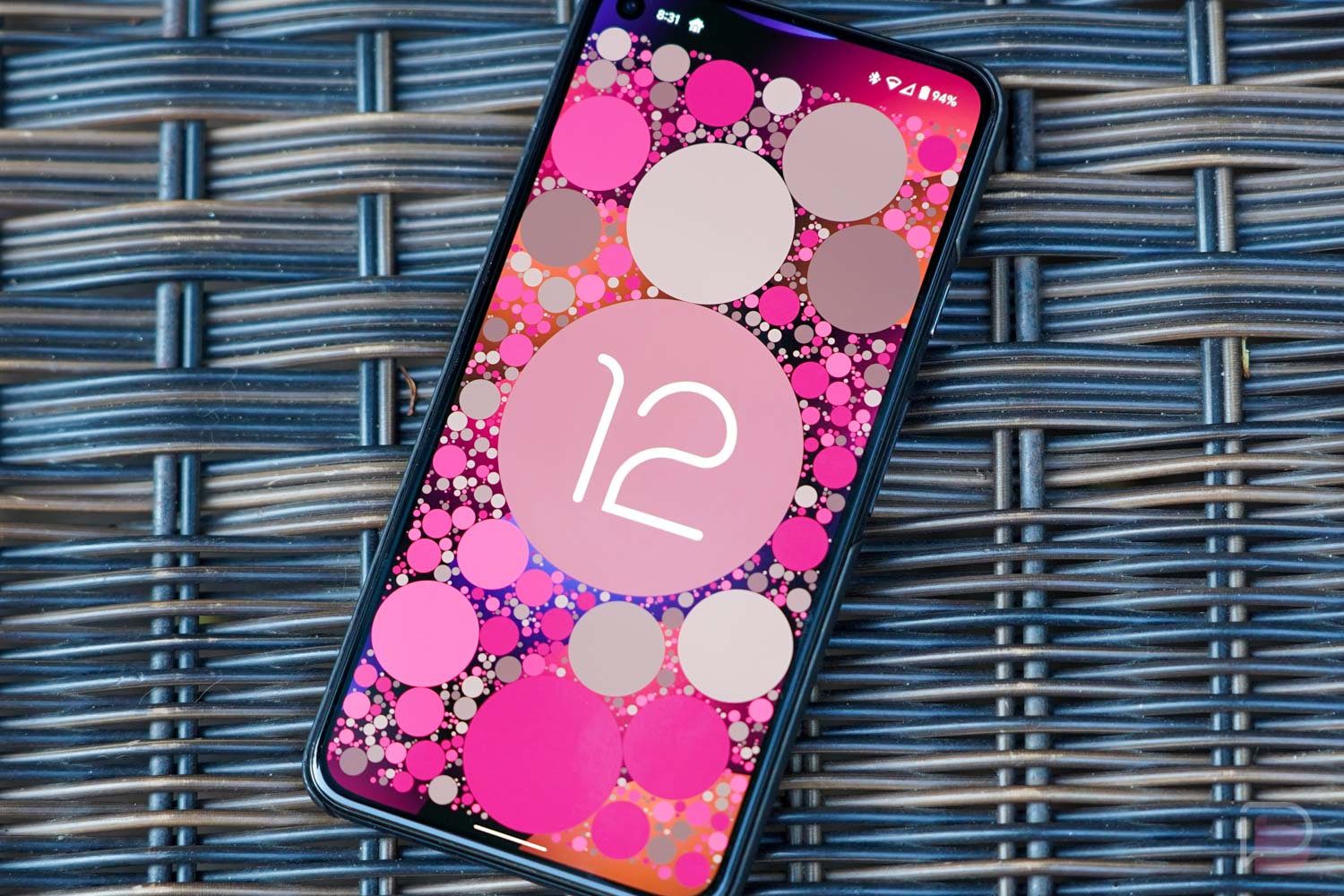

Looking for what’s new in the latest Android 12 Beta 5 that Google just released for your Pixel phone? We are digging in right here as we always do to give you the goods.
We don’t necessarily expect to find a bunch of new stuff, but there are already at least a couple of noteworthy changes to point out. As we find more, we’ll surely update this post too.
Home / Device Controls shortcut on lock screen
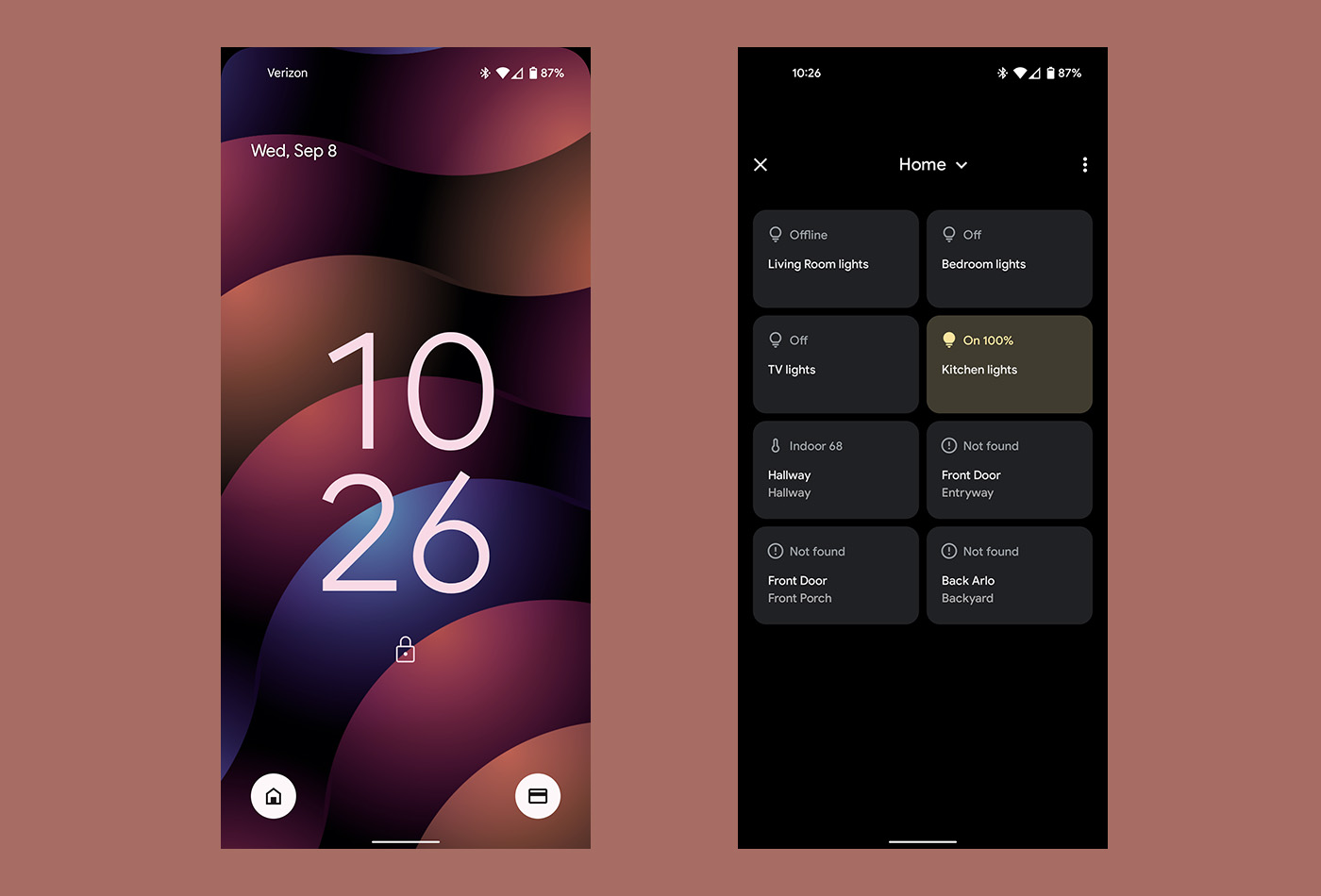
In addition to the shortcut for Google Pay that Google added a few releases ago, we are now seeing a Home or Device Controls shortcut in the bottom left corner. Tapping on this opens up your device controls, which also live as a quick settings tile. I guess that’s cool.
On-device search is here!
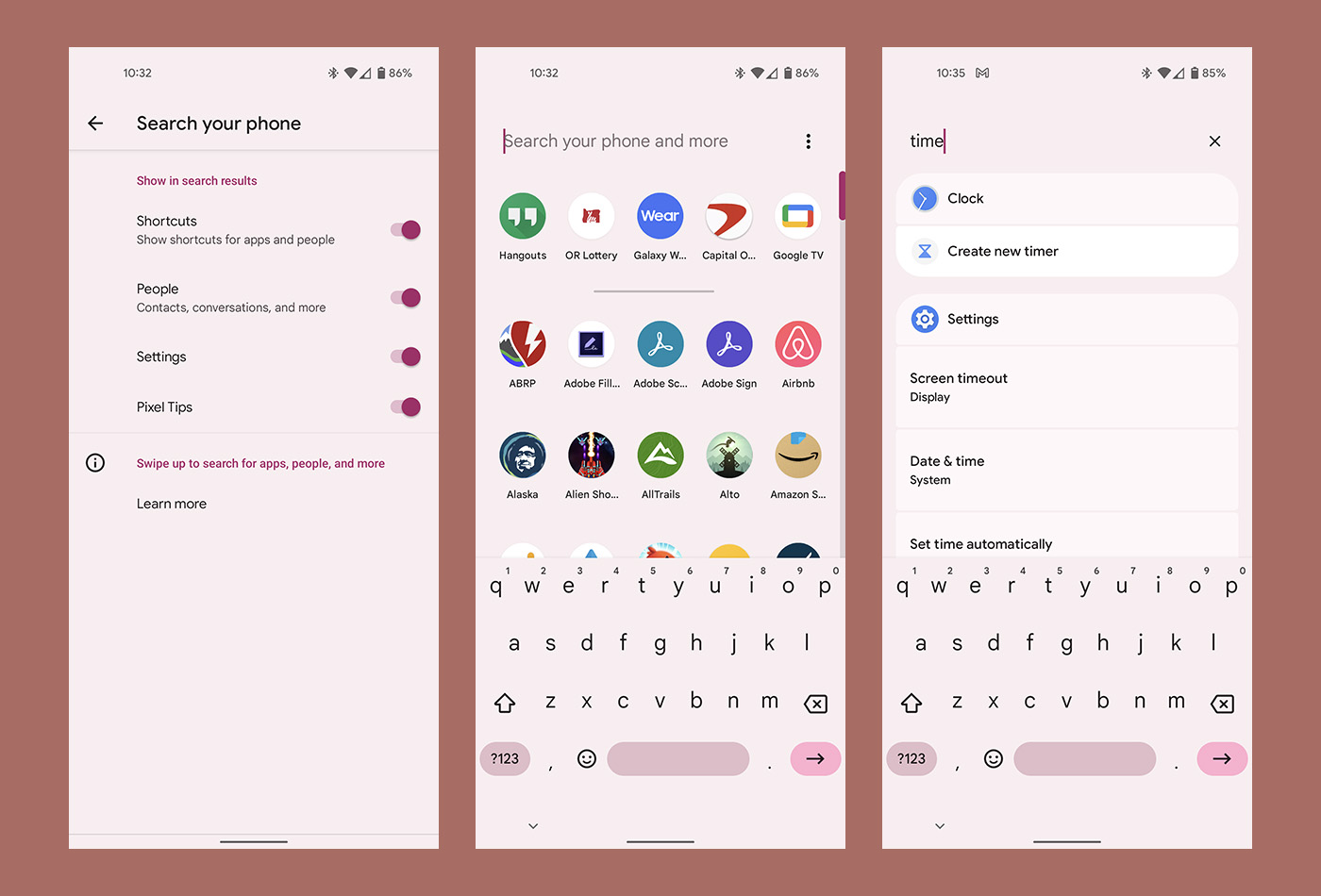
The app drawer now lets you fully search your phone in Android 12 Beta 5. If you swipe into your app drawer, the search bar at the top of it now says to “Search your phone and more.” Tapping the 3-dot menu to the right of it brings up options for customizing that experience and also lets you tell it to bring up the keyboard by default for quicker searches.
Searching by keyword can bring up a lot of stuff, from apps and shortcuts to settings options and people. Tapping on anything takes you directly into those areas. This is awesome.
New clock widgets are live!
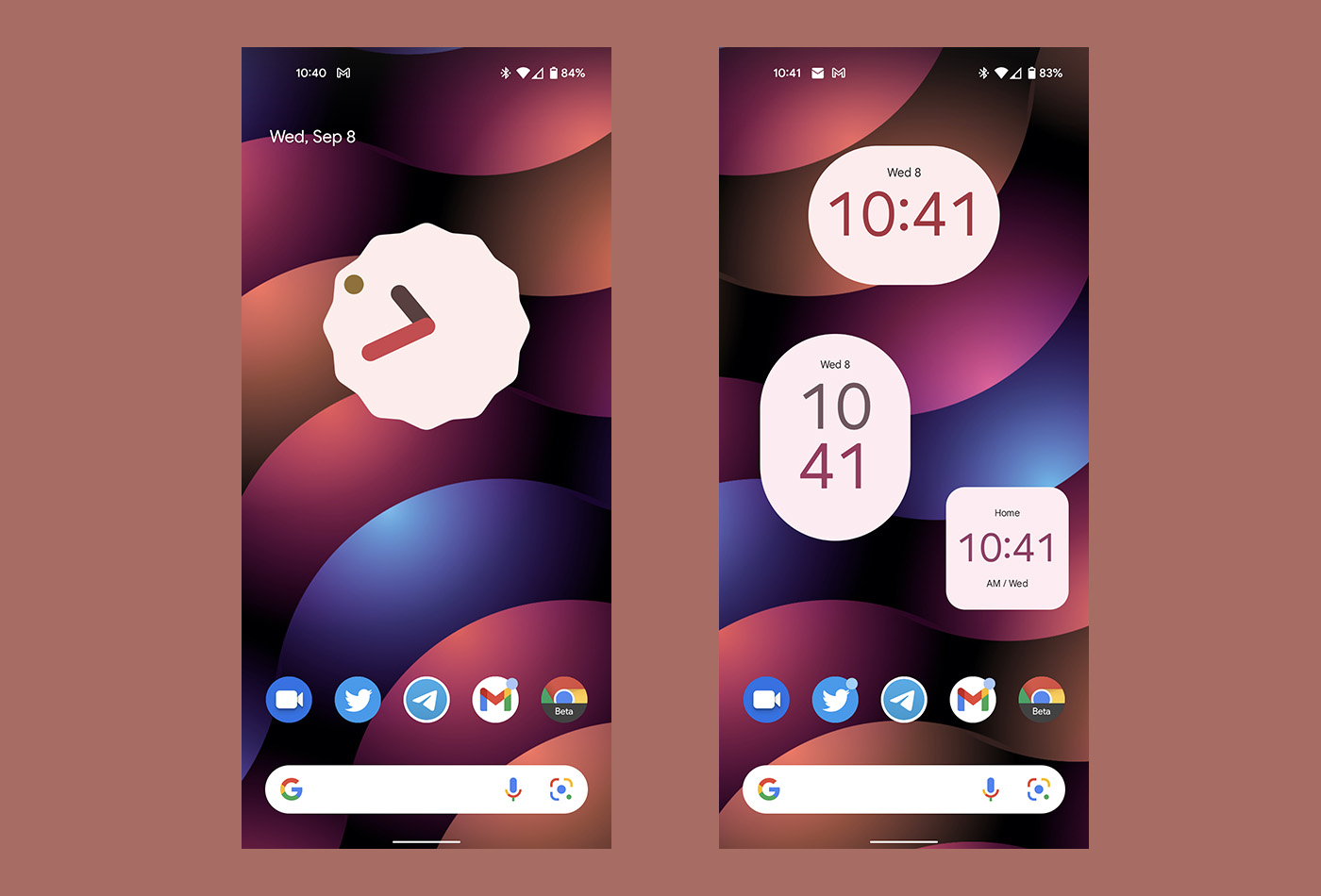
There are several new Clock widgets to choose from, all of which offer Material You color theming and the fun design that Google has teased us with for a while now.
At a Glance changes, but broken…
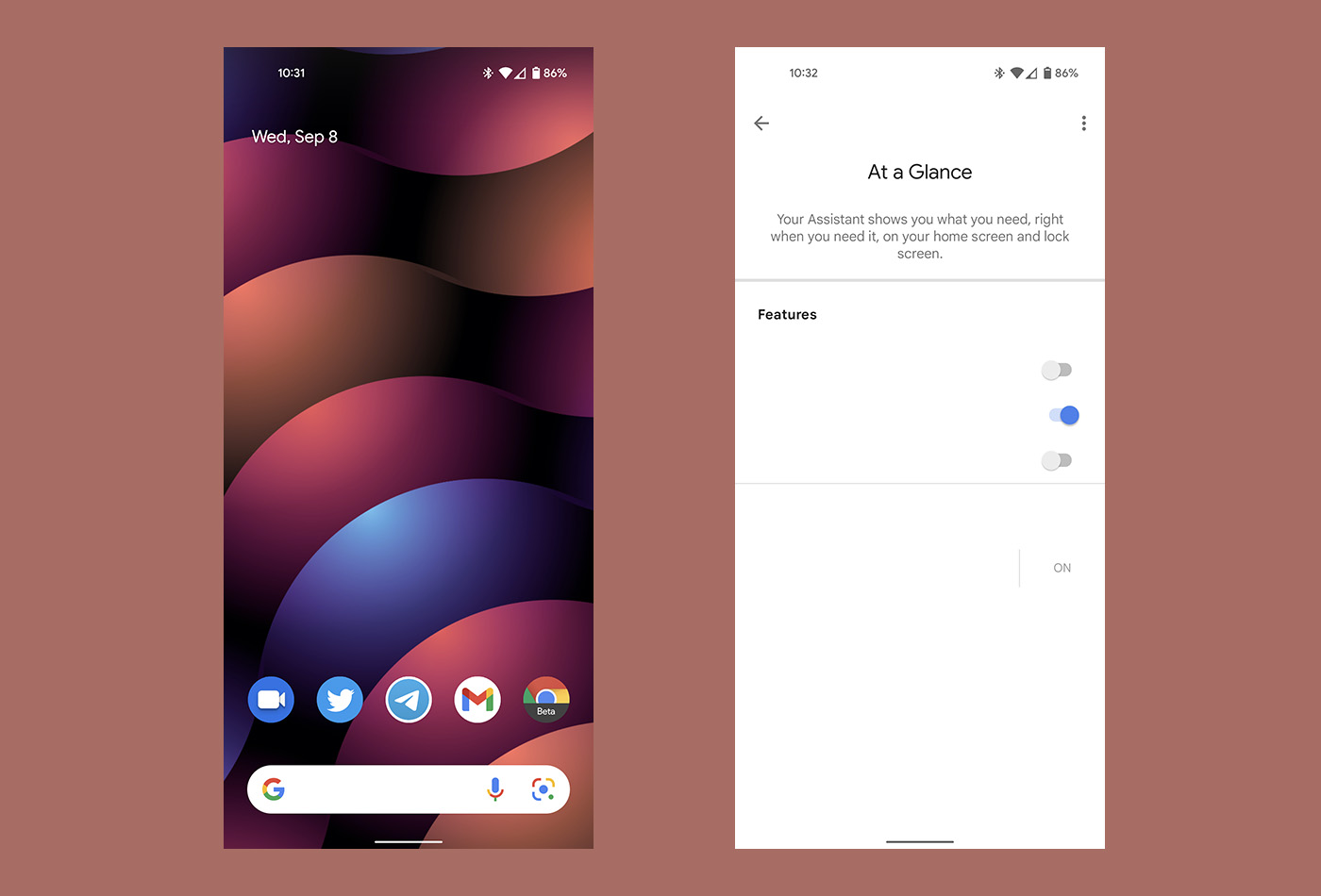
Google is preparing big changes to the At a Glance widget on the Android 12 home screen, with toggles to turn off most options. It also looks like they’ll let you turn the entire thing off (finally!). However, it’s pretty broken at the moment and likely needs a Google App update to work properly. If we get it working, we’ll update.
Calculator gets a Material You makeover
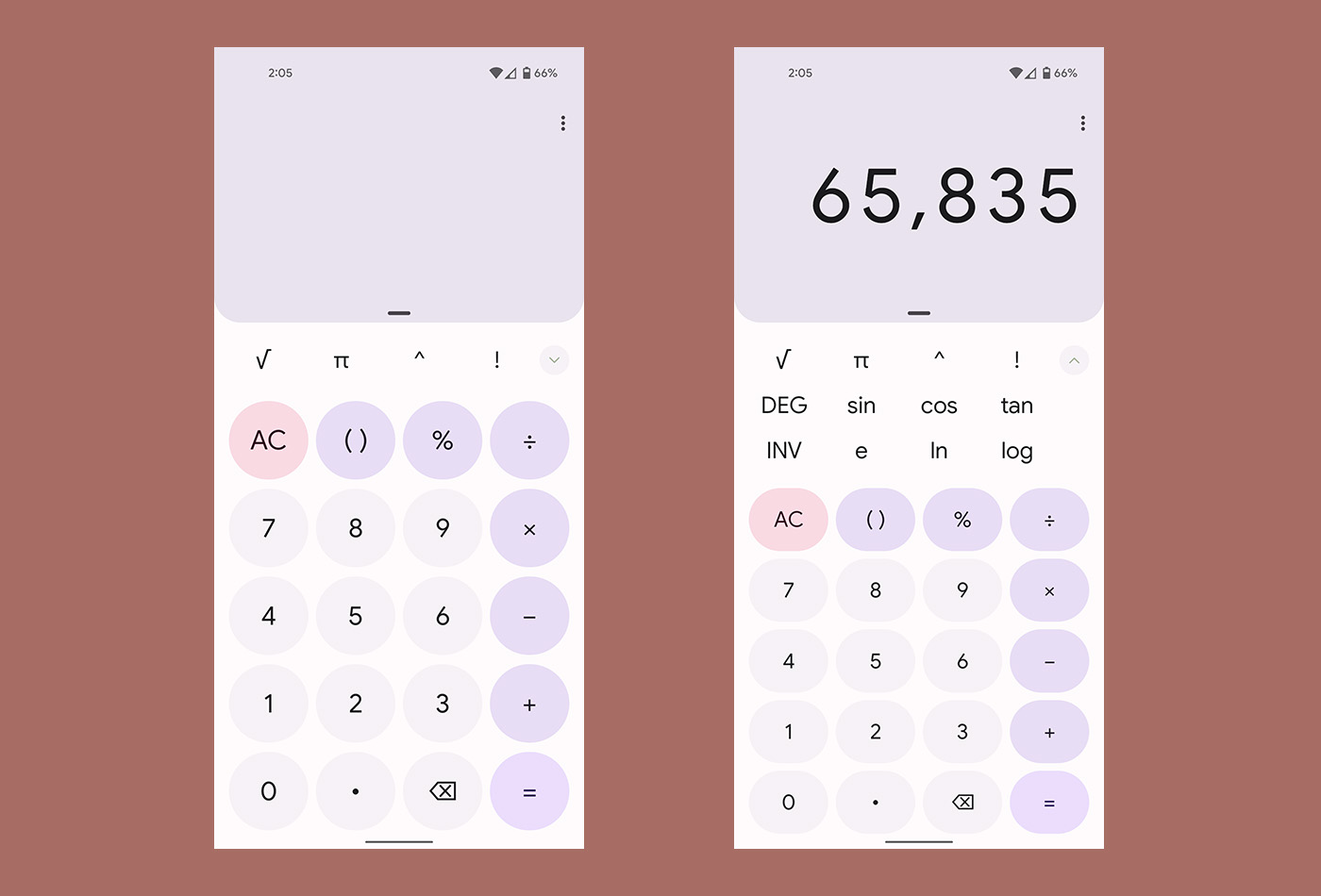
The Calculator app, as a part of this Beta 5 update, is now prettier than ever, if Material You theming is your thing. Look at those beautiful purples.
We’re updating…

Just noticed that if you’re watching YouTube and you go to the comment section, and you turn your phone to landscape to view full screen, you can still browse the comments and you’re able to comment while the video is playing. Not a big deal. But it looks good and makes YouTube and Android more mature.
what happened to scrolling screenshot, not seeing that option in beta 5. J
Them clock widget…they really uuuuuuugly. Not a fan of the “material you” or the P6 design…just completely ugly to me. I haven’t bought a pixel since the OG. Guess I’ll continue on with 1-2 gen behind Sammy devices because I refuse to pay more for my phone than my health insurance.
Anyone else have a new widget called Android s Easter egg? https://uploads.disquscdn.com/images/271e106d5c86396371412fa20773c3e01a9c44962b057305c7d90a37ab38189b.png https://uploads.disquscdn.com/images/d1b64b064c64849abaa929b05a0ac95901bf8adfb0466e10edf53600f75f1617.png
It’s on my pixel 4 but not 5?
Kellen, did you forget about the NFL Eliminator challenge this year? I look forward to that every year!!
I like the look of the new alarm clock this AM. I could actually figure out which way to slide the bar. Yes, it has been the same forever, but I’m sleepy.
Just woke up to a updated alarm clock..I like it.
Some things I’m not a fan of.
The quick toggles area doesn’t acknowledge dark mode.
The navigation panel shows even when there are no notifications instead of showing the wallpaper.
The calculator merged the open and closed parentheses. What if you want a set of parentheses inside another set?
The space wasting title areas of settings. Why is it pushed so far down? It’s a copy of Samsung.
No time displayed when quick toggles shown.
No more bubble for an ongoing call. Hopefully bubbles aren’t gone for the Messages app.
No more weather info on “At A Glance” or the lock screen. Hopefully that’s just a bug.
If you have a timer or stopwatch going the normal “At A Glance” data it’s shown and instead has the timer and/or stopwatch. It’s already under notifications.
Home control now has a spot at the bottom left on the lock screen.
Still having issues with not being able to use or touch the top of my screen on pixel 4a. This was a problem on the 5 that went away in beta 3.
(Address bars on internet apps (chrome beta & DDGo), search bar on YouTube music, notifications on Instagram (the heart, search on play store. And swiping from the top doesn’t bring down the notification shade because they swipe or touch isn’t recognized in that area of the screen. The only way it works is by using the finger print sensor to swipe down. Which is why Eye feel it’s a bad decision to get rid of the sensor in the 6 and 6 pro)
It only works if you continue to tap the area (Or if you rotate the phone and use it in landscape). It works 1 out of 15 tries.. Although the chances are higher on the play store
Am I missing something, or is the weather missing on the main home screen now? Edit… sorry missed it that At A Glance is hot garbage, thanks!
It’s in the widget section now. But they’re probably gonna update this so it’s not in two places.. but you still have access to it in widgets under Google
https://uploads.disquscdn.com/images/b2f55acaaa3630e9f3ad8e59cdc0a705bfe397c23bb096b5f4f482ff7b6a5b28.png
Timer looks updated and great!
Interesting, my 4xl on device search isn’t pulling up settings, just apps and contacts. I did double check and it is selected in the options.
The calculator colors are so ugly. I really hope I can set it up with colors that don’t make me want to puke.
Enough with the awful pastel colors. ????
At a Glance is definitely broken. I found the button that turns it off. Turned off everything except the date and now it won’t turn anything back on. I have the date showing on the left side but nothing else. I have tried everything to reset it, cleared the cache, even wiped my phone and did a factory reset. Still no joy! Any suggestions?
Here is a screenshot-
https://uploads.disquscdn.com/images/b29809841970eaeba095a12877a34bc73173645560d7beef8399f078922d96e8.png
Same for me. Even turning it off doesn’t remove it from the homescreen. I just replaced one of my appa with the Google Weather App on mine until they fix it, so I kind of have a make shift of the real thing. Like the post says, it seems to be the Google App needing to be updated. Hopefully in the next day or so. Funny thing is if I switch to Nova Launcher, the At a Glance widget is working like it should. It’s only the Pixel Launcher version that is messed up.
I feel like the stock calculator is updated, but I haven’t used it in a few……
It is! Updated the post.
Best app drawer ever! Especially with this new auto keyboard and search functionality. It’s even easier than looking through a folder on your home screen. They keyboard is exactly where your want it as soon as you swipe up!
Agreed! I’m pretty excited about being able to quickly search.
Those clock widgets are fugly. Looks like a 1st grader designed them in MS Paint. Most of them are literally just text on top of a oversized white shape (circle or rectangle).
Yup. Total amateur hour with those.
But it is cool that it takes the color of whatever part of the wallpaper you put it on. Those adjustments may get better over time
Hope they fix the Google Assistant Driving Mode. Works just fine until it connects to the cars Bluetooth. Then the audio searches doesn’t work when pressed. Tried it in 3 different vehicles w/ 2 different phones.
Funny enough if you go into widgets and scroll to Google apps I believe it was you can choose the at a glance widget from there and it shows everything don’t know how they broke the one on home screen already but you can get it that way but still don’t know what anything says in settings ????
is that search bar fixed when app drawer is open?
Yes it’s rounded now.
That’s a sick wallpaper in the example screenshots. Able to share? ????
Here you go: https://unsplash.com/photos/J4giiOPcT-w
Thanks Kellen!