

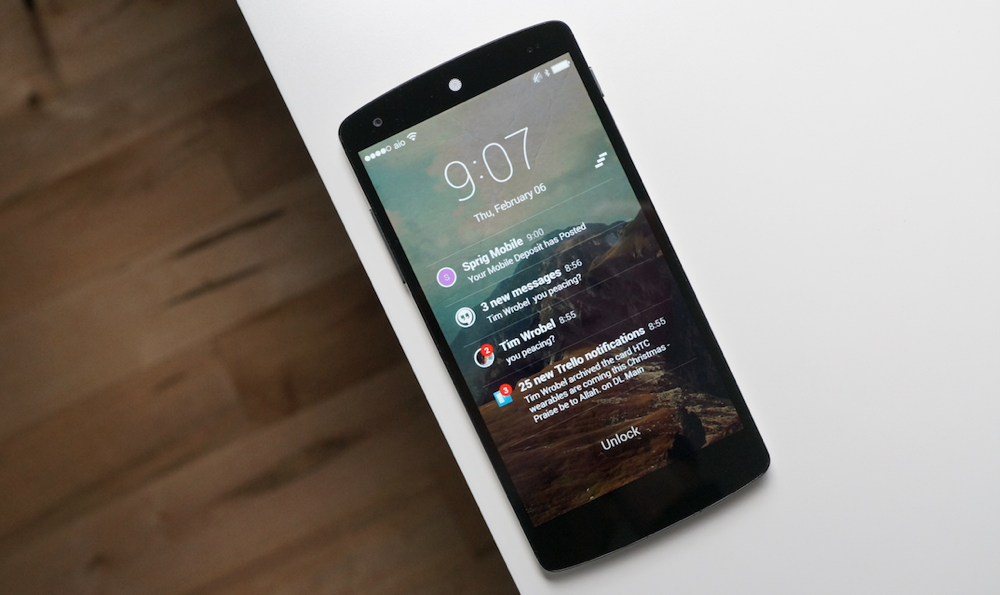

On last night’s episode of the DL Show, I talked about an app called SlideLock that I had been testing for a day or so as a potential new lock screen replacement. After spending the rest of the evening with it, I can tell you this – it will be the lock screen replacement on my Nexus 5 for now. I’m really enjoying its simplicity, feature set, and notification actions that no longer require a swipe-down of the notification bar.
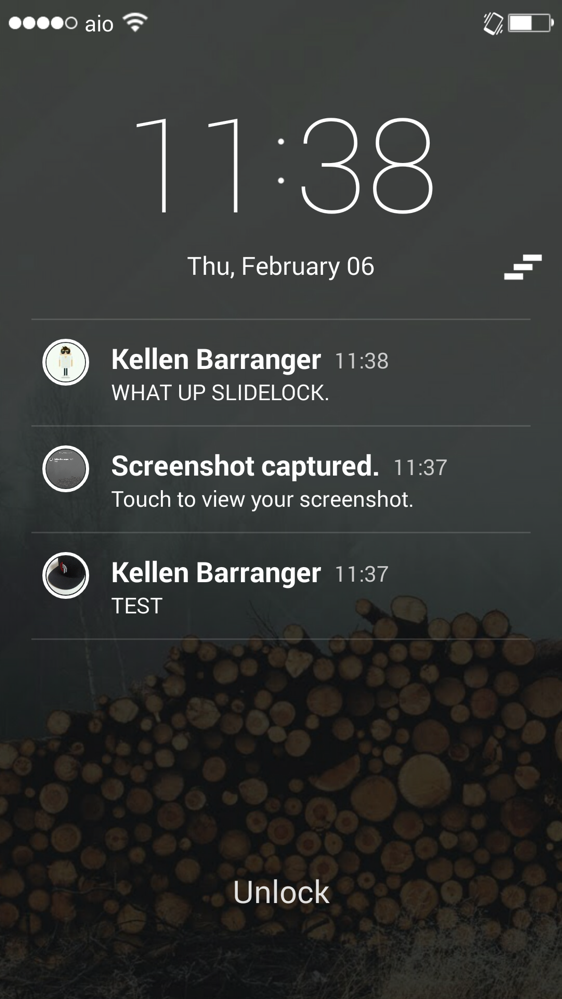
With SlideLock, you get a very minimal design for a lock-screen, that in a way, comes off a little iPhone-ish. But, the beauty lies in how it handles notifications. As each shows up, your device will light up for a set number of seconds, show you the notification, and then let you act on it in a couple of ways (great feature for those without a Moto X). With a swipe to the right, you can view the notification in its corresponding app; with a swipe to the left, you can dismiss it.
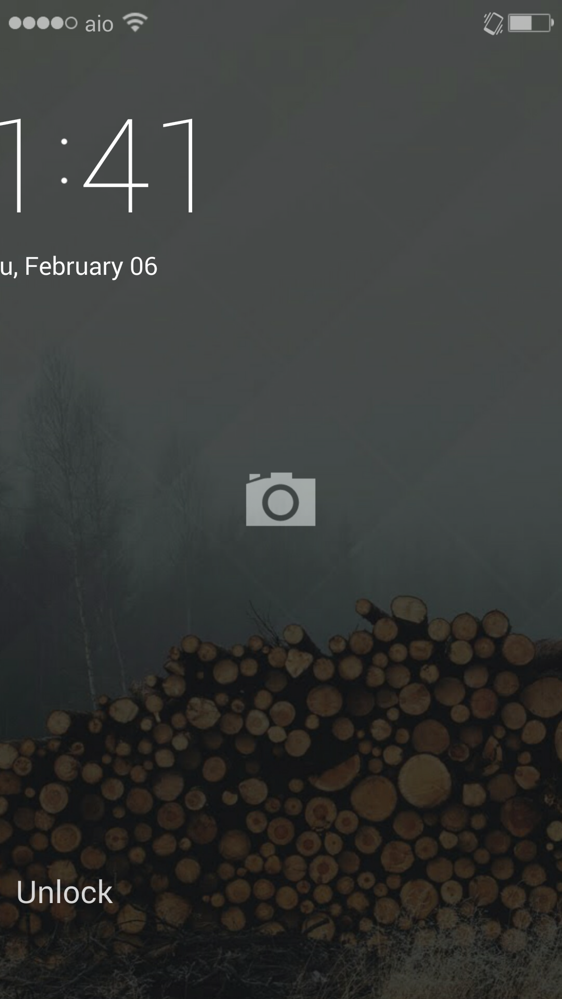
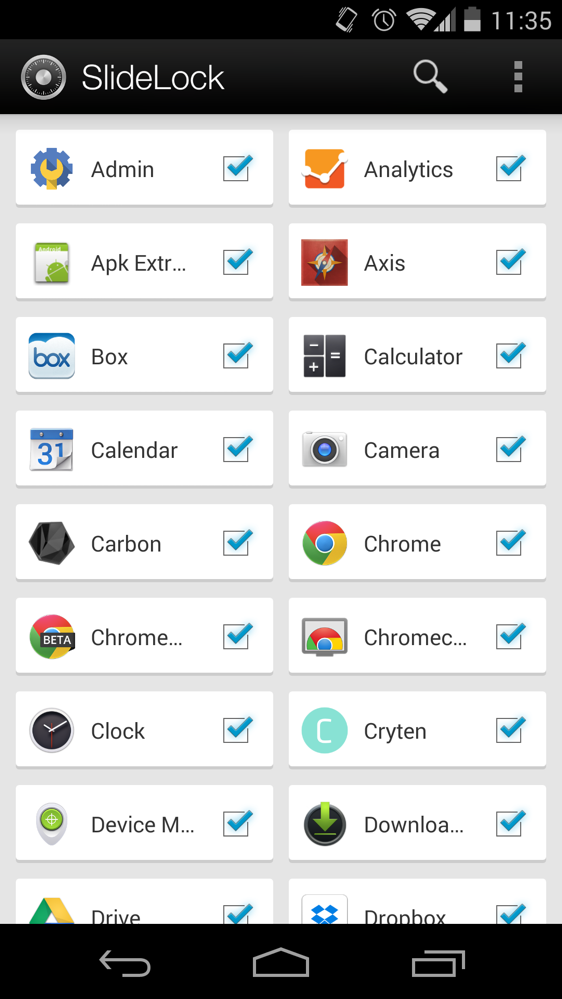
SlideLock pulls in pictures depending on the app, runs in Immersive Mode, lets you jump straight into the camera as you would with a stock Android device, allows you to hand pick which apps can show notifications, and can even show you banner notifications throughout your phone when away from the lock screen.
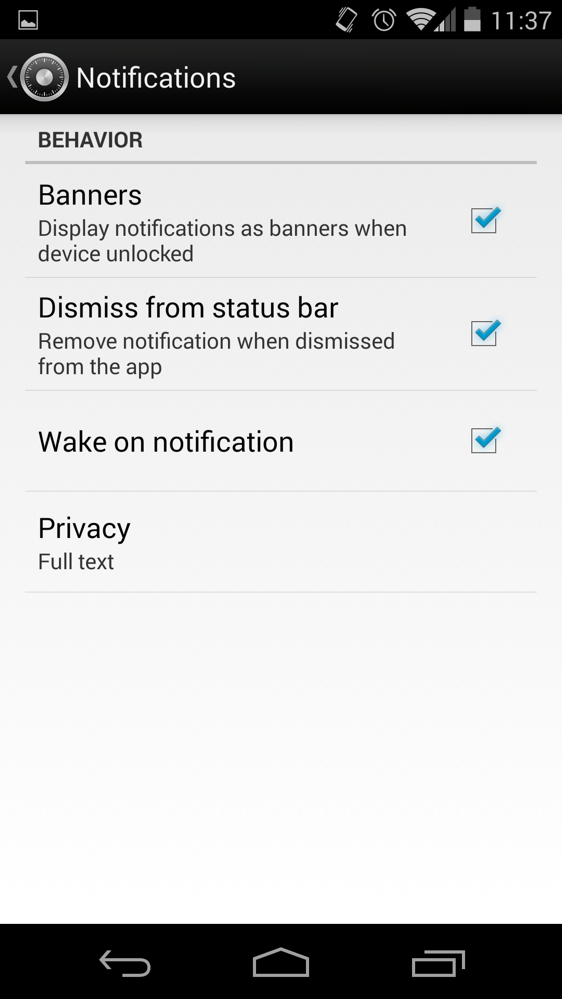
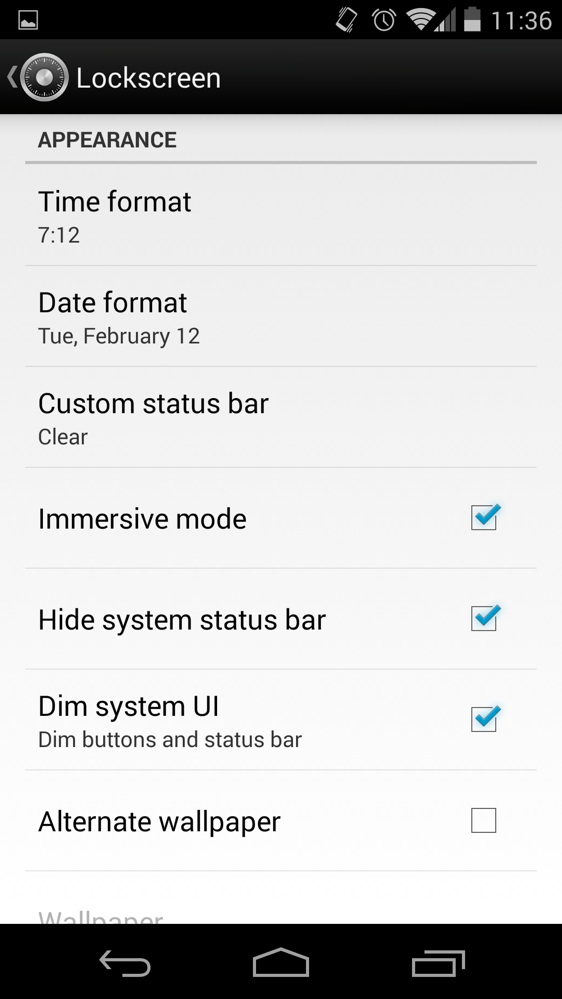
The app is free to use, but if you want to unlock the full set of features, there is an in-app purchase of $2.73.
Play Link
[responsive_vid]

Unfortunately I purchased the app for Galaxy S3…mistake! received 7 copies of the same text msg; received no gmail notifications ( 9 emails in my in-box); sent in support email, and response was “we’ll try to look at it”
Been using it for a few days now – so far so good. I really like the look in the OP of the dividers between each notification, is that a paid version feature as well? Can’t seem to get it with free version or find the setting? The unlock section needs some TLC. Arrows or some type of animation…
How did you get rid of the black alpha gradient on the top and bottom of your lock/homescreen? I’ve been trying forever and I can’t find anything. :/
Not sure what it is but it looks terrible on my 4.4 htc one, doesnt show up like advertised at all and it goes to the stock lock screen for a second before switching.
any advantage over dynamic notifications? thanks
i really liked the app but i couldnt get it to work everytime :/ either the lockscreen wouldnt appear or i wouldnt get notifications on it
thanks for this! loving it so far on my n5
Love your wallpaper… can you share?
Poly – Wallpaper pack, lot’s of gorgeous wallpapers. https://play.google.com/store/apps/details?id=com.ryanmkelly.me.poly&hl=en
Here is a more direct link: http://ryanmkelly.me/android/wallpaper/index.html
1
You can use this in conjunction with a pattern or pin too, as far as I can tell. It opens up the SlideLock lockscreen with notifications and such and if you try to get past it then it takes you to the password screen of your choice. Not sure if it is totally secure, but it could be worth investigating if you want the notification feature but also want a protected phone.
How does this compare to Dynamic Notifications?
Lockscreen replacements are a bad idea, they eat up battery and also they work 80% of the time. Downloaded Slidelock and it didn’t kick on the third time around.
This is a great lockscreen replacement. But I have been using Cover beta for a few months and it has been my default until today. I am trying out Slidelock to see if it is worthy lol. Well for starters, there is no way of telling if I am wirelessly charging or not with the SL screen battery. I have to swipe down to double check. Also no music player ability yet. And a way to sweep in the camera icon if you have the phone held in landscape mode.
For those of you not receiving any notifications, after turning off the “Notification Mirroring Service” under Accessibility settings for pushbullet, it started to work for me. I’m on a VZW LG G2. Might want to give that a shot before bashing it.
It keeps Flickering on the lock screen for me….s4 4.2,2?
Same exact problem for me, just the “unlock” word is flickering like mad.
I have a Moto X, so won’t be needing this, but it does look like a great tool for others. The only question is how it affects the battery since it turns on the entire screen whenever you receive a notification.
I doubt it would be too bad unless you get a ton of notifications, but there is also an option in the setting to turn this feature off.
i just turned off the “wake” feature and it hasen’t been too detrimental to the battery life
doesn’t wake at all on notifications for me. did a couple of test emails and pushed something with pushbullet. it didn’t wake the screen. nor did any banners appear on the lockscreen. i’m on an LG G2.
I had the same problem till I figured out how to activate the notification service. If you open the app settings (from your app drawer) and all the program check marks are grey then it isn’t accessing your notifications. If you click on any one and then select “enable” you can check the box that will allow the app to access your notifications. Alternatively go into the settings and click the option below “accessibility service”.
Very nice, I’ll try it. TW on the Notes allows for direct camera launch from lock screen too.
I LOVE IT .. soo glad some one made this.. been waiting for a good one that i can pay for and worked well
I’d like to try this out on my Moto X but I guess there’s no real point since I rarely even use the lock screen in the traditional sense lol
I installed it for a couple minutes while at work and uninstalled shortly after. I can appreciate a paid app, but instead of an in-app purchase that’s not refundable, I’d rather a paid app in the Play Store that I can try for 15 minutes and decide if I like it. Also, this gets rid of the stock lockscreen’s music controls, which I use frequently.
The only problem i have with lockscreen replacements is that i rarely see my lockscreen thanks to Active Display.
Owning a Droid Maxx, I understand where you are coming from, But, what if Lenovo totally screws up the next Moto phones and you decide to buy a different brand of phone (one without Active Display)? I am glad that there are alternatives like this, and Dynamic Notification, so that if my next phone doesn’t come with native Active notifications, then I still have the ability to enjoy a similar experience. Choice is a great thing.
That’s a scary thought. Crossing my fingers that lenovo only effects the global market and leaves Motorola to do their own thing here in the states.
Wait so what is actually available in the free version? None of my notifications are actually showing on the lockscreen, and when i look at options for any of the apps they all claim to require the paid version.
does anyone know of a daydream style clock that will only light the part of the screen the clock is on kind of like the Motorola active display?
Or something that will not keep soft keys on while its running?
I have an lg g2 running x2 xposed and day dream leaves key bar lit.
I would be really excited to use this if Active Display didn’t already do much the same on my Moto X.
“and then let you act on it in a couple of ways (great feature for those without a Moto X)”
I don’t even understand how to enable this app.
Kellen – This or Cover as a better replacement?
are 4.3 touchwhiz users using lockscreen widgets? i’d love to try this, but haven’t found a way to do it and still use PIN….or any lock screen security for that matter….or am i the only person using 4.3 touchwhiz…..? Probably, nevermind, thanks.
Your the only person. LOL. I hear the Dev is going to be adding Pin security.
Nice but when I lock my N5 it locks with stock lockscreen and then take 2-3 seconds for slidelock to appear.
I hate that so much.
I don’t know about N5. But on my S4 I had to disable the stock lockscreen and then lockscreen apps take over much more quickly and fluidly. Still not perfect from my experience though.
In ‘Apps’ what is stock lock screen named as? As I can’t find it?
On my S4:
Settings -> My Device -> Lock Screen -> Screen Lock -> None
Under “Security” choose “None” instead of “Slide”
disable lock screen in settings > security > screen lock
looks like iOS 7…
I think the notification on the lockscreen is iOS7’s best feature
It’s not an iOS7 feature. It was around in iOS before that.
Doesn’t mean the UI of iOS 7’s isn’t better or at least nice.
This is awesome, just one minor thing is irking me. Whenever I have the volume up and lock the screen, I get the lock screen sound twice 🙁 lol.
Same!
prefer this over Dash Clock?
I stopped using dash clock months ago.
This and DashClock are two different things. DashClock is just a widget. This is an actual lock screen replacement.
dash clock is more customizeable IMO.
Looks nice. I still want to be able to launch certain apps or perform actions on my lock screen, like I do in Widget Locker. Same people that make Nova Launcher.
I right now have slide right to unlock, slide up for camera, slide left to toggle flashlight, and slide down to launch a particular music app.
I would like to try something new. It constantly lets the stock lock screen on my S4 pop up for a few seconds, which gets annoying.
Are there any other good ones?
This is why I love DL. I learn something new about Android every day.
Does it have music controls? I use Google Play Music a lot and I’d love to be able to use both/
I believe it does not at this time.
yeah the fullscreen cover art and controls are the only thing stopping me from switching. love everything about it otherwise.
GPM +1
This is so funny. I have been rocking this since day one it came out. There is some bugs with this. Gmail notification don’t remove when checked from say a computer. There is a Unlock lag delay. I think Dev is working on it though. Other then that im running it daily.
Pretty sweet app, that’s for sure. Love the immersive mode too, really highlights wallpapers on big screens.
I think this will turn out to be a good lock screen replacement. Dev seems to be very good with ideas on how to make it better.