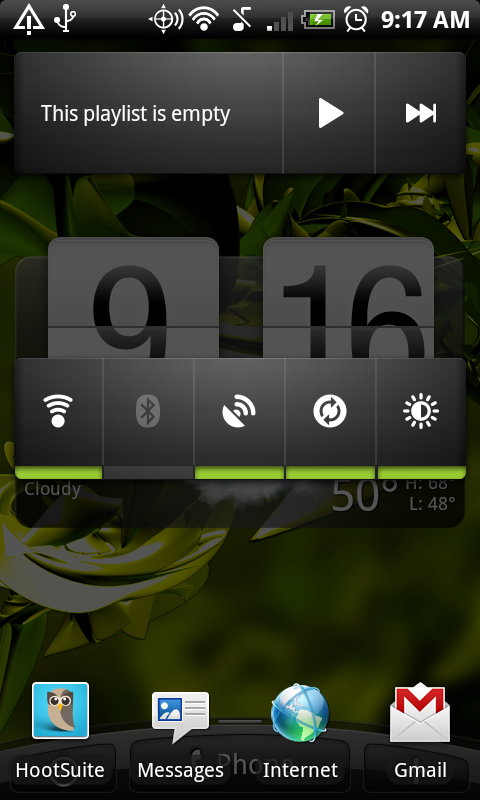
QuickDesk might be one of the simplest yet most functional apps you’ll ever use. In fact, I’d call it groundbreaking. From the developer behind the HelixLaunchers, this app allows you to set up sort of a virtual or secret homescreen which can be accessed with a simple double tap of the “Home” key while in another app. And what’s so “groundbreaking” about that? Well how often have you been in app and either forgot to turn on your wi-fi, wanted to stop your music player, or even quickly switch to another favorite app without actually going back to your default home screen? QuickDesk allows you to do all of that.
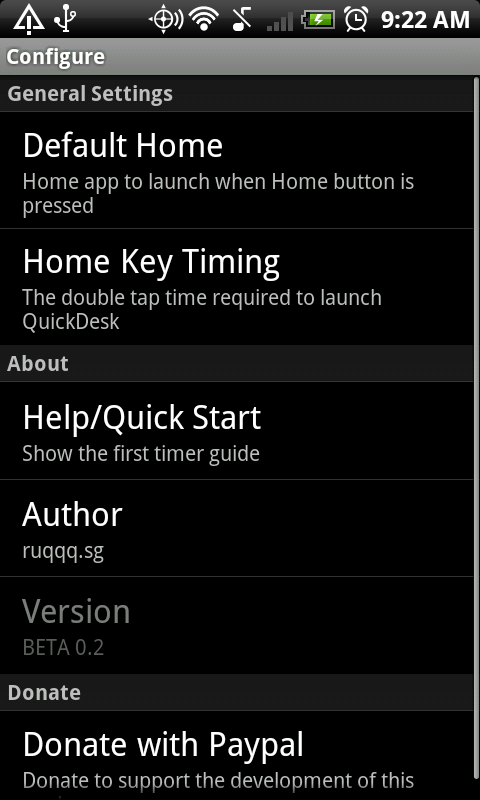
*Quick Tip* – After you install this, set QuickDesk as your default home app. Then open QuickDesk, go to Menu>Configure and change your “Default Home” back to whichever launcher is your favorite.
And yes, it’s free.
Awesome work again Faruq.
Download: