
There is a good chance that Android 12 will arrive at any moment as a developer preview for developers (and early adopters) to begin testing. When it does drop, we’ll dive in and show you as many changes as we can find, knowing that the story of Android 12 will likely change over several releases.
Before we get to that first Android 12 Developer Preview, a bunch of the changes have been outed and are starting to tell that story. We think we know about major UI tweaks to Android’s Material theme, the introduction of gaming and one-handed modes, picture-in-picture improvements, a smarter auto-rotate system, and app pairing for multi-tasking. Oh, the internal dessert name may also be “Snow Cone.”
There is a lot to talk about after a barrage of Android 12 stories from yesterday, so let’s dive in.
Material “NEXT” Design Changes
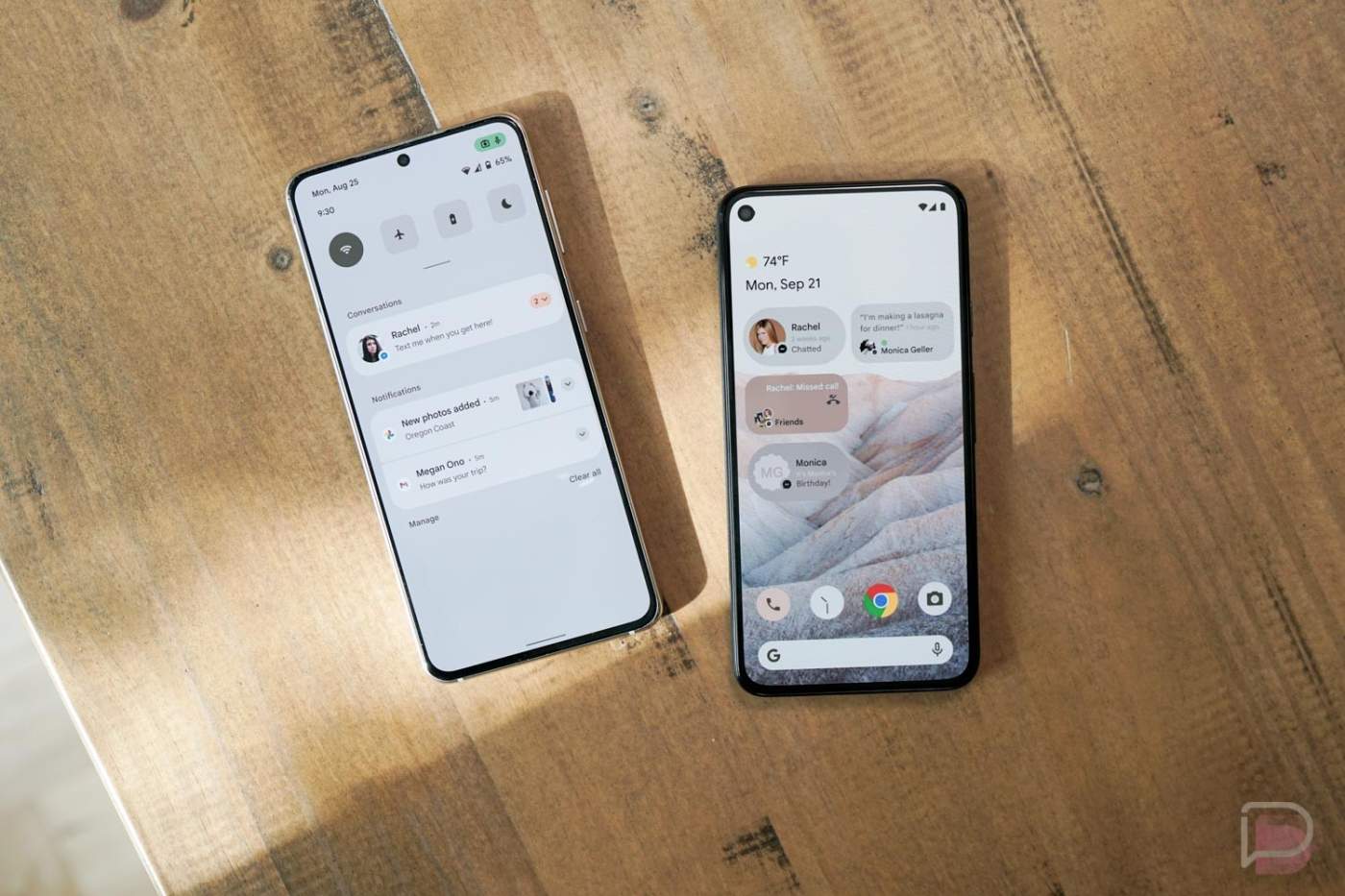
Through last week’s big (supposed) Android 12 leak, we saw what might be just the start of a new UI or design language from Google for Android. According to XDA, Google is working on big UI changes under their Material Design guidelines that they are referring to as “Material NEXT” and Android 12 could be the jump off.
Not only will we get the major system-level theme setup we saw in last week’s screenshots, there could be more. Google could update the lock screen area by moving the location of clocks, notifications icons, and other info in the always-on display experience. They may be updating the pattern lock UI and adding lock screen clock customizations as well.
As a part of their wallpaper-based theming system, Google may showcase its capabilities with the wallpaper we saw last week. That has apparently been named “Silk,” plus the theme is a part of a “SilkFX” app. The idea here, for those not following, is that Android 12 will take your wallpaper and then theme parts of the system UI based off that. It could be incredibly hot.
Further into the UI, Google is apparently planning to add some thickness to the brightness slider and is testing changes to the quick settings area that may annoy the world. They have an idea of a two-column quick settings page setup that is being tested, which sounds like the worst of moves. Hopefully, the full story isn’t understood here, as last week’s leak already showed additional changes (like a drop from 6 to 4 shortcuts) we weren’t fans of.
The big takeaway here is that Android 12 may bring major UI changes that could just be the start to a further beautification from Google for its mobile OS.
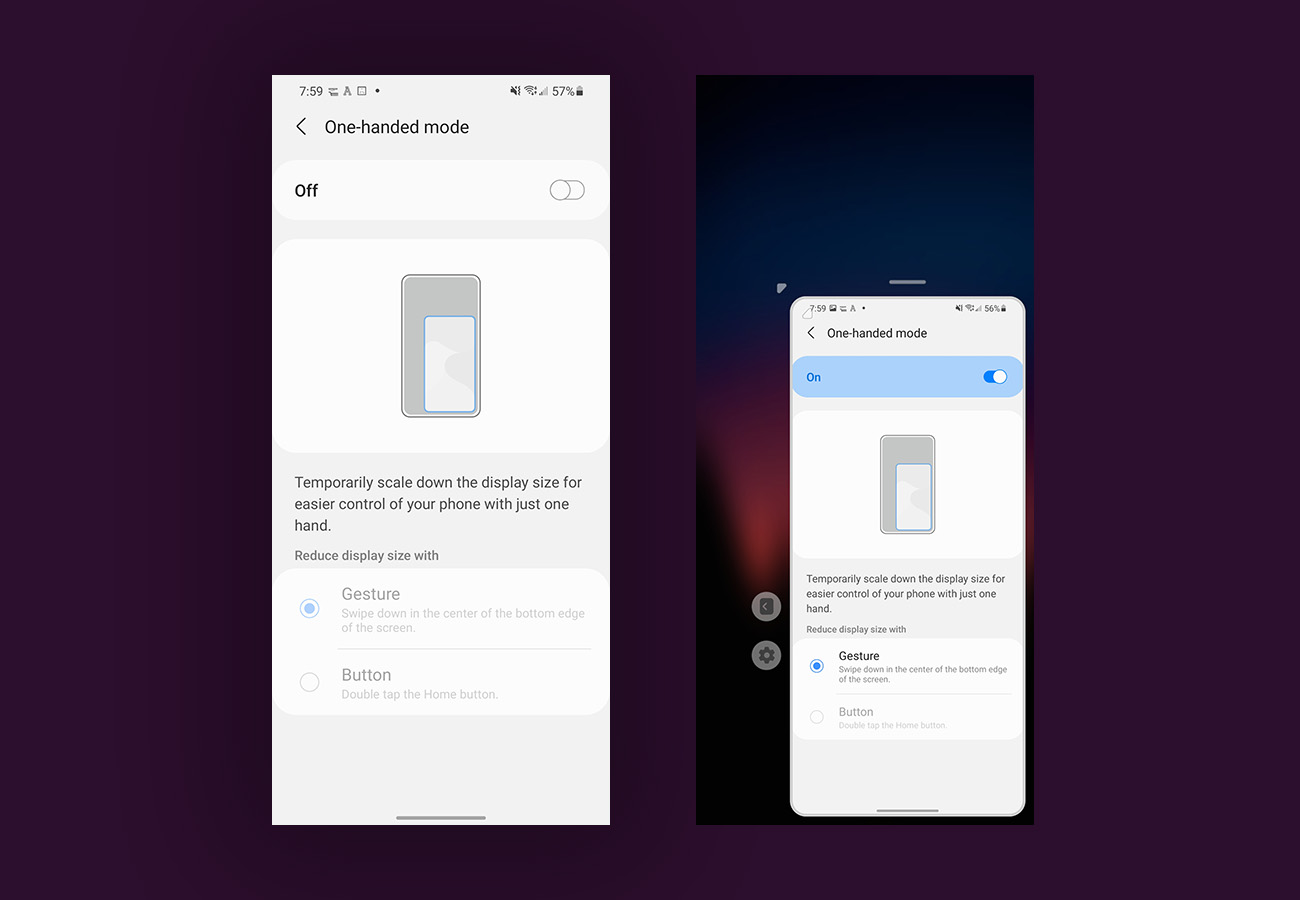
One-Handed Mode
Google is extremely late to the party here, but it looks like they will build a one-handed mode (via XDA) into Android for the first time with Android 12. Yes, we’re talking about some sort of gesture that would swipe or pop-over the screen into the corner of whichever hand you are holding your phone to make it easier to use with one hand.
Several OEMs have had this feature built into their own Android skins for years now. With phone sizes not showing any signs of shrinking, one-handed modes do come in handy from time-to-time, so being later is certainly better than never.
Google will apparently bury the setting for Android 12’s one-handed mode in Settings>System>Gestures, where we already find other gestures like the system navigation, camera opening shortcut, lift or tap to check phone, etc.
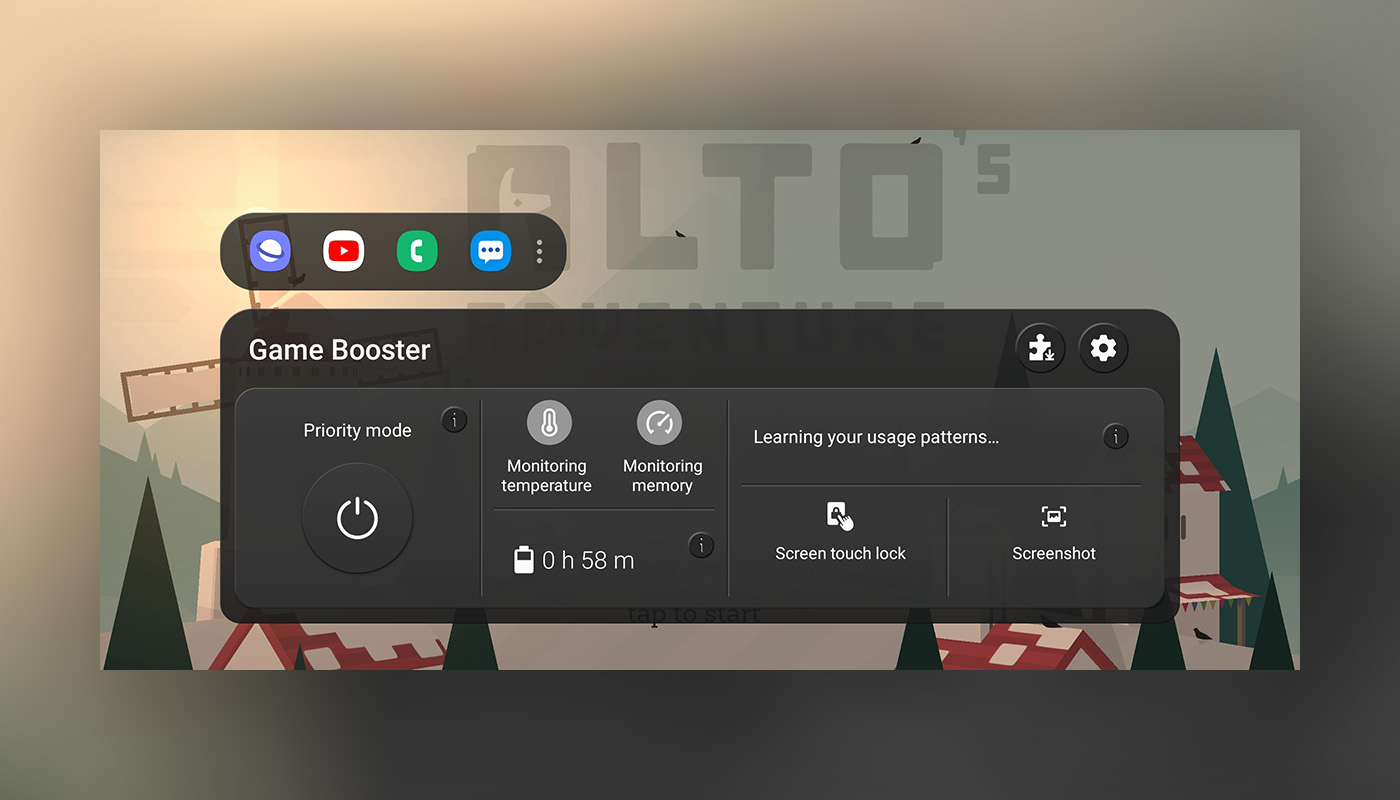
Game Mode
Phones from Samsung and OnePlus phones often include a special mode (above) that fires up when you open a game. These modes lock in settings to give you better performance while gaming, but they also give you shortcuts to frequently used apps, screenshot tools, show your battery life, do not disturb settings, and more. Google will apparently launch something similar with Android 12 (via XDA), though we have no idea how many features they’ll build in or if it’ll be the absolute bare bones experience.
In a related area, Google could update Android’s Bluetooth API to show battery level of connected controllers.
“Reduce Brightness” Button
Android 12 could get a new quick settings tile that will either reduce brightness or “reduce bright colors.” The option is thought to be an accessibility feature for those with visual impairments.
We don’t know exactly how it’ll adjust both brightness and colors, but if Google is building a quick settings tile for it, it should offer quite the benefit.
Smarter Auto-Rotate
There’s a chance that Google will use your face to improve auto-rotate in Android 12. Since we all know how bad Android’s auto-rotate has been during the entirety of its life, we’ll always accept adjustments.
According to information related to Android 12 (via 9to5Google), Google could use the orientation of your face to decide if your phone should rotate or not. Think about a scenario where you are lying sideways in bed and you’d rather your phone’s auto-rotate not flip to landscape, but instead stay in portrait mode because that’s how your head lines up with it.
Now, this seems like a limited situation feature, so I’m curious to see how Google fully implements it. I say that because if you are sitting upright and want to turn landscape, simply rotating your phone wouldn’t work if it’s following your face. At that point, if face auto-rotate is on, you’d have to manually force landscape. I guess there could be multiple auto-rotate profiles that a user could choose from.
This particularly feature may be a Pixel exclusive to start.
Picture-in-Picture Improvements
We saw subtle picture-in-picture improvements with Android 11, like a resizing trick that isn’t that easy to use. In Android 12, we could get a bunch of changes that will actually put Android’s PiP on-par with iOS.
The list of changes (via XDA) includes being able to pinch-to-zoom in a PiP window to resize, double-tapping to hit max size, and “stashing” PiP windows temporarily off to the side of a screen. Again, this is all very much like PiP in iOS 14, which is miles ahead of Google’s.
App Pairs
And finally, Google might adopt an app pair feature into its multi-tasking or multi-window feature. The idea here is to put together pairs of apps that would launch simultaneously in split screen mode on Android 12. This isn’t a new idea, as Samsung has done this with One UI for some time, but we’d love to see it built into Android.
Tell us what you like so far about Android 12’s reported feature list.