
The new Photo Picker that was first introduced with Android 13 as a more-secure and (hopefully) more consistent way to choose media you share within apps, is rolling out more widely this week. A change on the back-end from Google has apparently made the new picker available to a bunch of apps without the need for an update.
Spotted by Mishaal Rahman, Google has updated the Photo Picker to respond to a different intent, which they can do in the background. So now, some apps will show the new Picker just because Android now likes to look for it. And while this was originally an Android 13 thing, Google has definitely backported it to Android 11, but has supposedly backported this to even older versions of Android too.
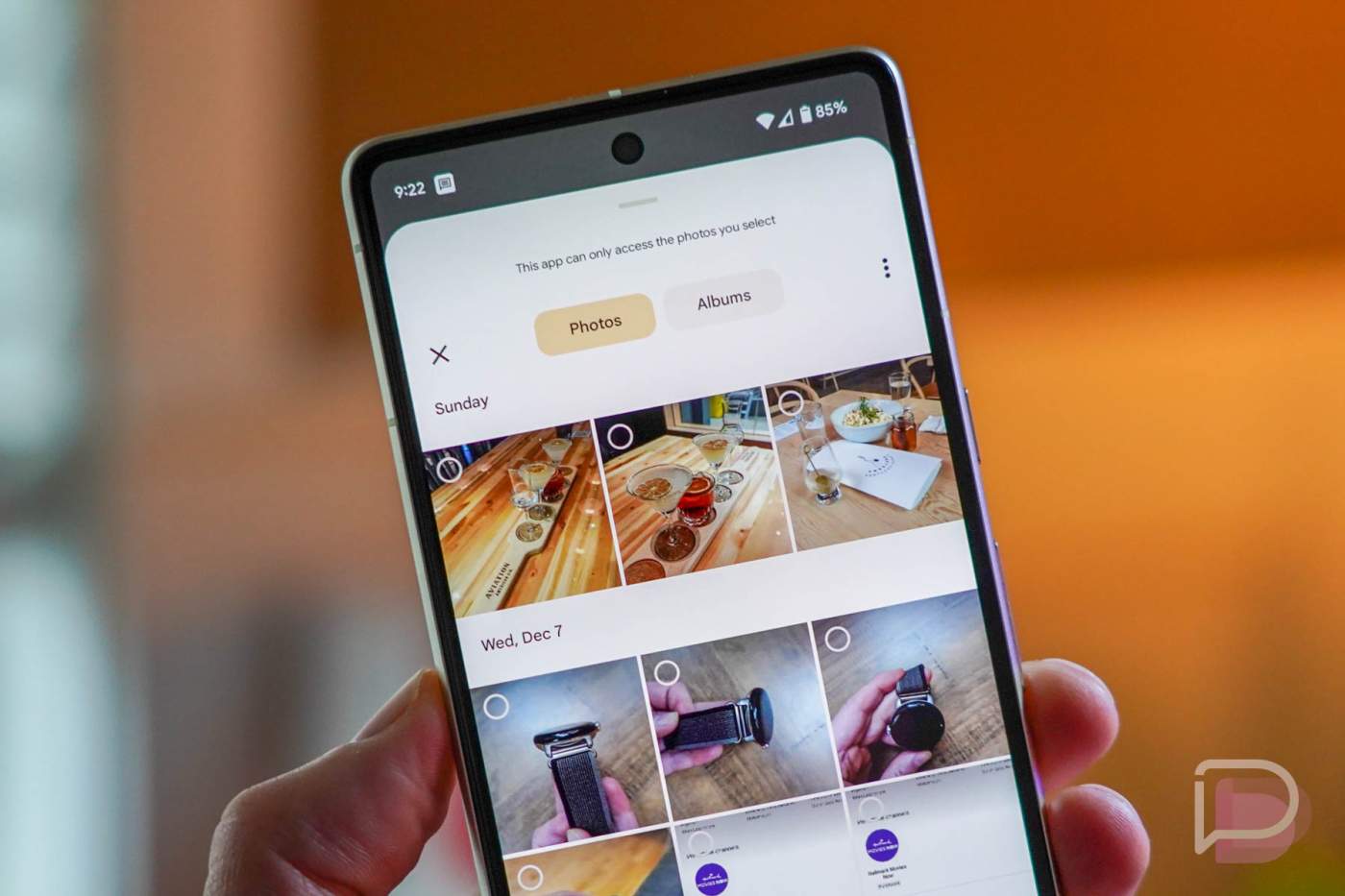
If you’d like to look for it, you might find it in Twitter, Google Keep, Messages, and Chat, as well as Slack, Instagram, and a couple of reddit apps like Sync for Reddit and Reddit is Fun. I’ve pulled it up in Google Keep in the image above for reference.
While this isn’t the wildest change, and many of you might not even notice it, this is new. Android 13 brought it as a way for your apps to grab media files without needing much access to your phone. It’s sort of like read-only access, where an app doesn’t get your entire media library and instead only gets what you give it, if that makes sense. We also love that the picker takes on Material You design and colors.
Oh, and if for some reason you aren’t seeing recently taken or downloaded photos, you can tap that 3-dot menu within the Picker to browse your full documents area. There’s also a handy albums tab for those with a massive amount of media.
Give it a look!