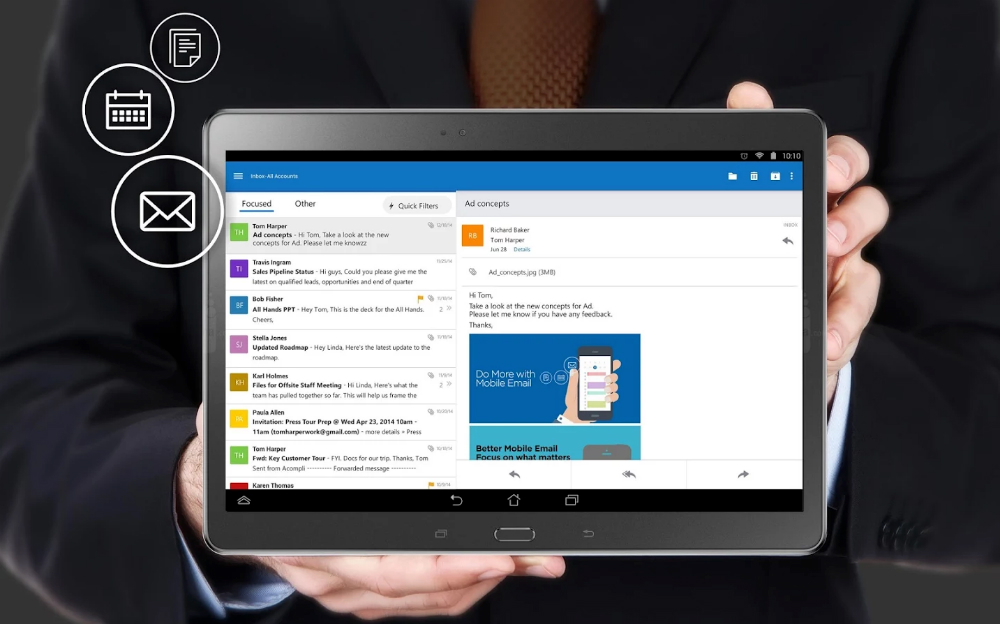
Microsoft is shipping out an update to Outlook this morning, its service which handles email, calendar events, and contacts. In the update, the People feature has been given improvements, including a sync feature for address books located on your smartphone. On top of that, details have been improved for contacts, allowing for more info to be displayed.Â
In addition, improvements are also present for the Calendar feature, with a new 3-day view available for when you flip your phone into landscape mode. Also included is improved performance.
To get the update, head on over to Google Play.
What’s New
Major improvements to the “People” feature!
- We now sync your address books, as well as show the contacts that are on your phone.
- View improved details for your contacts.
- Call or email your contacts with a single tap.
Major improvements to the Calendar!
- You can now view a 3-day view by turning your phone to landscape.
- Improved performance.
Performance and stability improvements.

Can’t tolerate the encryption policy of my company. Nine mail let’s me only encrypt the app, plus it works with Sunrise and has useful actions from Android wear like “mark read”. Step it up MS
Is there an option to turn push sync off and change it to manual and/or a time frequency?
This is what outlook looks like on my Nexus 5, I reported this when outlook first launched to MS support, they claimed they are working hard on implementing a patch. Some people have already told me that this update does not fix the issue.
That’s about right. What’s the problem? 😀
Seems legit.
Why is their on screen buttons and a home button….u wot m8
Asus soft keys on a Samsung xD
Nice soft keys.
i just want my outlook calendar to sync easily to my gmail calendar.
That’s a bridge that won’t be crossed anytime soon.
Not saying you’re wrong, but what makes you say that, specifically? It seems a pretty obvious point for improvement in the current product offering.
Confidentiality. The Exchange protocol has something to say about sandboxing data on the client device. If the client device is replicating confidential data as governed by the Exchange protocol in to some third-party data service (read: google calendar), you (well, probably your employer) has a problem.
But, exchange as an account on your phone already allows the same synchronization Walter is asking for. So, it wouldn’t be at all unprecedented.
Good to know; thanks for the info!
https://play.google.com/store/apps/details?id=it.mp.calendar.sync
Ur welcome 🙂
All I want is the ability to sort my inbox by more than just date. When sorted by “from” instead of date, it’s so much easier to catch up on deleting junk mail and sorting important emails into folders.
My biggest complaint for this app is the lack sync for push notifications. If I’m at work and check an email on my computer, the notification on my phone should go away. Or if I dismiss a notification and later read the email on my computer, when I get a new notification it shouldn’t still say the first email is unread or ‘new’. It works this way with gmail, I was impressed about this 4 years ago, i am baffled as to why this is even an issue for outlook trying to be competitive.
We all need to be hammering them on the reviews and in the “Help>contact support” feature in the app. This is a very annoying issue…
The support is useless on this app. I keep getting the response thank you for the information that feature is not supported at this time. They can’t even figure out how to fix the graphical issues see my other post. I have given up on this app and moved back to Blu/Type Mail
Google’s fault.
Same problem exists on the iOS mail app with Gmail. Google only supports fetch not push
This issue has nothing to do with Gmail. This has to do with the Outlook app not properly implementing Google Cloud Messaging for notifications… https://support.google.com/googleplay/android-developer/answer/2663268?hl=en
“Google decided to stop supporting Microsoft’s proprietary ActiveSync for mobile devices in favor of their extension to IMAP to enable automatic push. Unfortunately, their extension is not based on any actual standard, and Apple, Microsoft has not implemented it.”
Again, this has nothing to do with Gmail natively supporting exchange or IMAP, users are having the same issue with all email accounts, whether Yahoo, Outlook/Hotmail, Aol, or Exchange. This is an issue with the notification implementation that the Outlook app is using. The Outlook app is not properly implementing Google Cloud Notifications. FYI, google’s own Android Gmail app supports Exchange accounts and notifications disappear when emails are opened on another device.
Lakerfan is exactly right. And iOS is the issue on gmail for iOS not gmail as Skype, Gmail, Hangouts, Outlook, etc. all do not clear notifications on iOS devices when read/dismissed on another device. I have iOS devices and it’s the most annoying thing and on my Android devices it dismisses when read or dismissed on another device (other then iOS).
This is the reason I had to stop using the app. Liked it besides that, but wound up just going back to Gmail for my Exchange account until they get that sorted out.