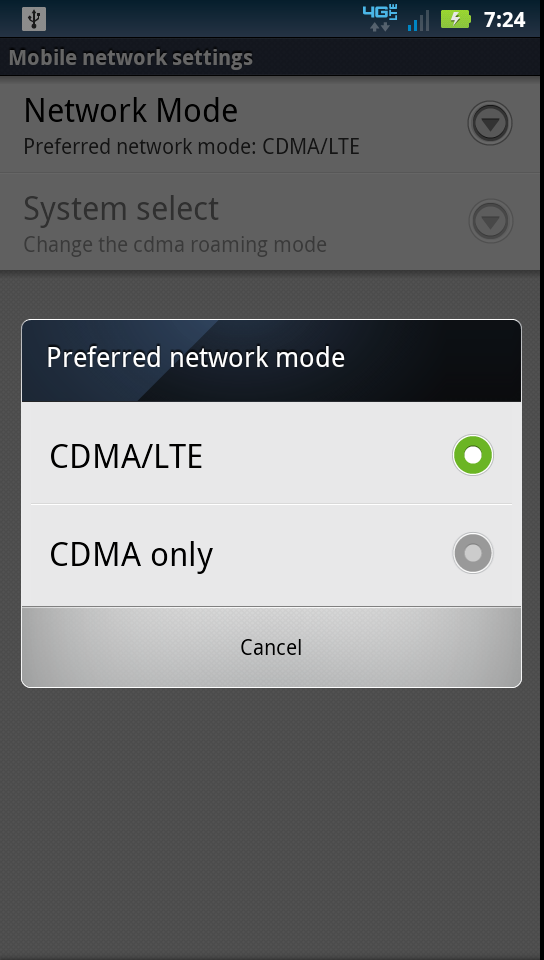
If you plan to pick up a DROID Bionic today, then here is a little tip for those of you not in 4G LTE areas yet and those of you that wish to save a little battery from time to time. Unlike the Thunderbolt at launch (although it does now), the Bionic has a built-in network mode that allows you to toggle between having 4G LTE on or using CDMA (3G) only.
To turn off 4G LTE, do the following from your home screen:
Menu>Settings>Wireless & networks>Mobile networks>Network Mode
Once you tap on Network Mode, tell it to use either both 3G and LTE or just 3G.
Let us know if you run into any other tips!