
Google has essentially launched its new vision for Chrome today with an announcement for several new Gemini-powered features coming soon or arriving today. If you are into Gemini or think it might help you as you browse the internet, you’ll probably be excited to learn all that was just shared. From Nano Banana integration to Personal Intelligence and a new auto browse feature, Gemini is capable of doing some pretty wild things in Chrome now.
1. Sidepanel UX in Chrome: The first big feature (available to all Chrome users) doesn’t have a name, but is a sidepanel for Gemini that can be launched at any time by clicking the Gemini button in the top corner. This is the same button that has been there for a while, but used to only pop-up a floating Gemini experience that was a bit clunky to use. Now, this button opens a side panel in Chrome to let you work more clearly and with a dedicated space.
RIP, to all the AI Chrome extensions.
The sidepanel UX in Chrome can do quite a bit. It knows what you are doing across tabs, so you can have it compare items from multiple tabs or summarize them, plus it knows your calendar and can plan events using info from a whole browsing experience. That’s just a sample of ideas, but we’ll get into more here in a minute.
The new sidepanel is rolling out starting today, January 28.
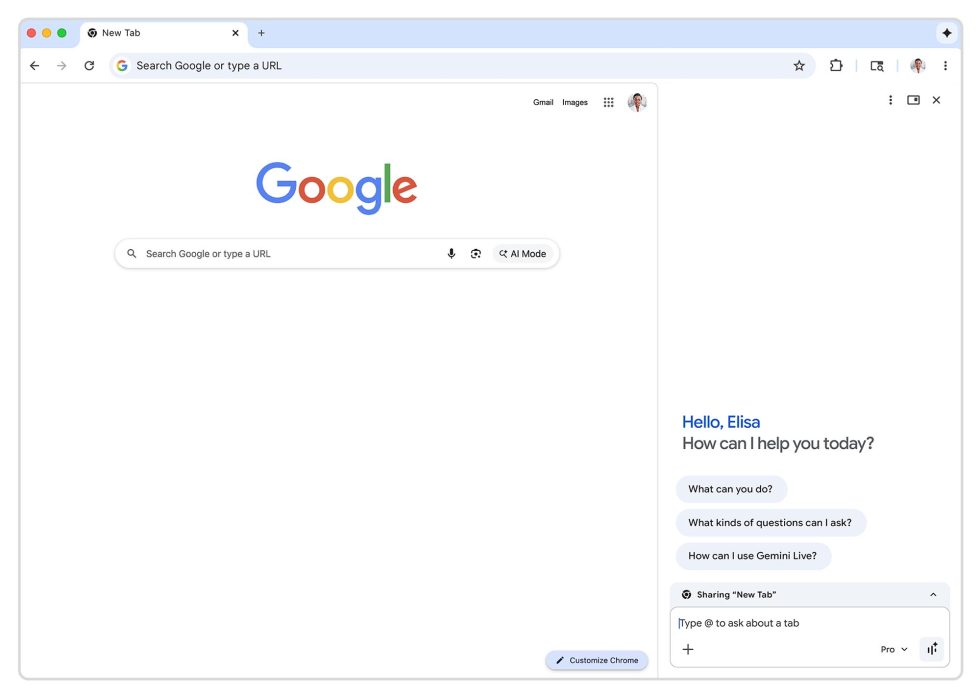
2. Connect apps in Chrome: Part of the way that Chrome and so many other Google apps become more powerful is by you allowing them to all connect. Google actually began rolling this out a week ago, but by turning on integrations with Gmail, Calendar, YouTube, Maps, Shopping, and Flights, Gemini within Chrome can reference old emails or event details, all while helping you do things like properly plan a flight around your life.
This started rolling out on January 12.
3. Personal Intelligence in Chrome: Personal Intelligence is all the rage from Google these days, recently launching in Gemini and then AI Mode. This is a supercharged version of connecting apps, where Gemini (through Chrome) can remember context from past conversations and act more like a “trusted partner” while you browse, according to Google.
Personal Intelligence won’t launch right away, but is expected in the “coming months.”
4. Nano Banana in Chrome: Because the world continues to think AI slop is super cool and uses Google’s Nano Banana tool far too often, Google continues to think its awesome and is now injecting it everywhere. First off, stop creating AI slop – no one thinks it’s cool. However, because we’re sharing news, here’s what you need to know about Nano Banana in Chrome.
Google will allow you to find an image on the web and then Nano Banana with it without ever downloading the image. So you’ll have the new Gemini sidepanel open with an image showing, and then you’ll tell Gemini to do stuff to that image. It’ll then do so and open that newly created AI image in a new tab for you to view. Again, this all happens in-browser.
Nano Banana is launching in Chrome starting today.
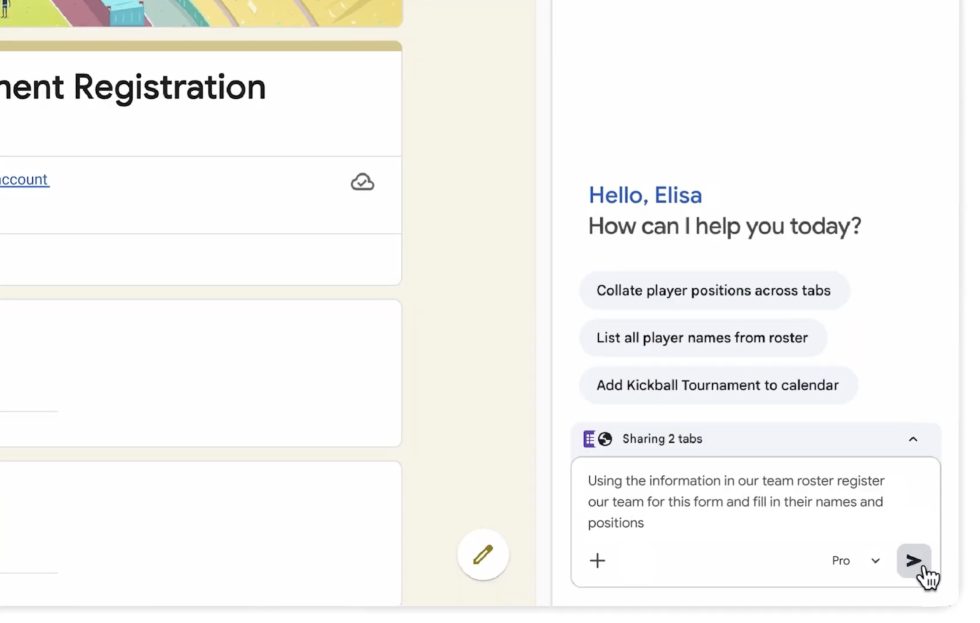
5. Auto Browse in Chrome: The final new feature today from Google is an auto browse feature within Chrome that can complete more complex tasks for you. This is the “agentic” AI experience where AI is doing things for you rather than just returning info you request.
What does that look like? Google provided a couple of examples. For one, you could be looking at image inspiration for a party and then tell Gemini to head over to Etsy to find supplies for the party from that image, add them to cart, but not spend more than $75. It can also apply discount codes if available and sign-in or use your Password Manager if needed.
Google even showed someone with a couple of tabs open, one of which was a spreadsheet with a kids soccer team. The other tab was a tournament registration form needing to be filled out with the info from the sheet. They then added both tabs to the Gemini sidepanel and asked for the form to be filled out, which it then did for them.
And lastly, Google showed a situation where someone was apartment shopping on Redfin. They asked Gemini to go through all of their favorited spots and shrink the list to those that are pet friendly. Then it was asked to add a search partner to the list, which Gemini did and then completed the task of inviting them.
While some of these examples are very specific types of tasks, I guess the point is that you’ll find yourself in a situation where it may be worth opening the Gemini sidepanel in Chrome and seeing if it can help you out.
This new Auto Browse feature is rolling out today to AI Pro and Ultra subscribers.