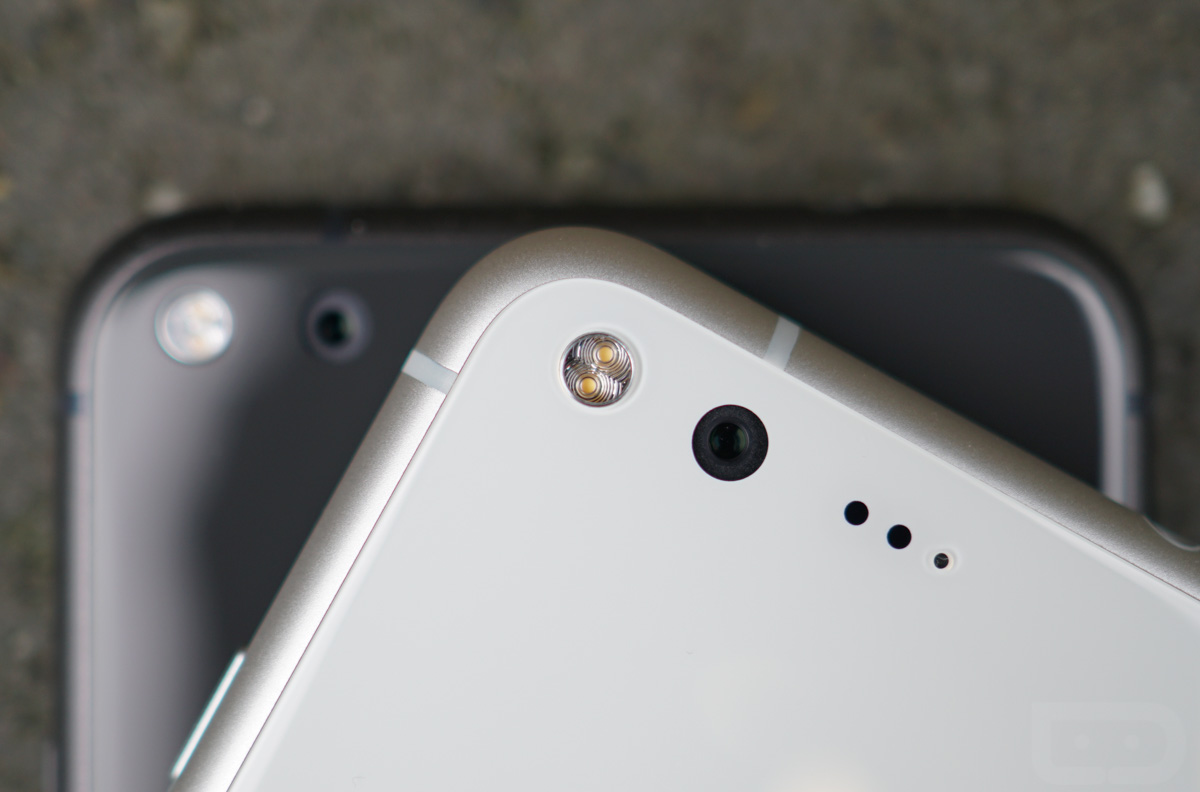
Once the Google Pixel and Pixel XL hit store shelves and starting arriving on the doorsteps of pre-orderees, a number of people reported an odd halo/arc lens flare in some of the early pictures they had taken. Reddit and forum threads were created across the internet to discuss the issue, because there were legitimate concerns over whether or not this was a hardware issue that could not be fixed. According to Google, who responded to a thread in their Product Forums quite quickly, they are aware and working on a software fix. That’s right, a software fix.
Wait, why is it that Droid Life didn’t mention this lens flare in either our camera review or full phone review, you might be wondering? That’s a good question! The answer is – because we haven’t had any issue with lens flare on two different phones. In fact, I looked through the dozens of photos I’ve taken and found exactly one photo, taken in a location with a whole bunch of windows and the sun causing all sorts of over-the-top reflections as it peaks through them, that presents the problem. Honestly, I just blamed the windows and the angle of the sun when I looked at this shot the first time.
Here is that photo. See the flare in the bottom right, that partial circle? That’s the problem owners of the Pixel phones are seeing.

Again, while I haven’t experienced this issue at all, really, Google is obviously aware that it is a problem for many. In a quick response on the Pixel User Community Product Forums, this is what they shared:
First, for some background — flare is a property of ALL camera lenses. It comes in a ton of different shapes and sizes and can even be used for creative effect — good and bad :-). The shape, color, amount, etc. of flare is related to dozens of different parameters of the lens structure and inclement light.
However, we have seen reports about this “halo/arc flare”. This is the specific kind of flare that appears as a bright/low-contrast arc in the corners of the frame.
You can expect a software update in the next few weeks that will improve the effects of this issue. We’re working on some algorithms that recognize the halo/arc flare, characterize it mathematically, and then subtract it from the image. 🙂 You will need to use HDR+ to see the benefits of this software.
Also, there is no point getting your device replaced thanks to this issue. The Pixel camera’s lens structure is very highly controlled — this means that all Pixels take high-quality images, but it also means all Pixels have the same flare characteristics.
I wrote a post a while ago about how by doing things in software, we are able to make Pixel’s camera even better over time. This is one of those ways.
So the idea here is that Google will issue a software update in the coming weeks that it thinks will be able to remove this halo lens flare as it processes HDR+ photos. After the update, if you aren’t using HDR+ then your photos could very well still show this flare. They are also suggesting that returning your Pixel for a refund or new unit won’t do any good because the flare will show up on all units.
Is it a hardware issue then? It sort of sounds like it. This sounds to me like there is no going back, but that Google will attempt to use its fancy image processing to remove the flare should it show up going forward or at least reduce it. Let’s just hope that you all have the experience that I’ve had, which is one that rarely (if ever) shows this problem.
Google is paying 97$ per hour! Work for few hours and have longer with friends & family! !mj288d:
On tuesday I got a great new Land Rover Range Rover from having earned $8752 this last four weeks.. Its the most-financialy rewarding I’ve had.. It sounds unbelievable but you wont forgive yourself if you don’t check it
!mj288d:
➽➽
➽➽;➽➽ http://GoogleFinancialJobsCash288MediaLiveGetPay$97Hour… ★★✫★★✫★★✫★★✫★★✫★★✫★★✫★★✫★★✫★★✫★★✫★★✫★★✫★★✫★★✫★★✫★★✫★★::::::!mj288d:….,…..
The Nexus 6 had this exact same problem big time, along with the corresponding Moto X of the same design. There it was an unfixable hardware problem solved by using HDR exclusively. Hopefully the Pixel has a better fix…
Great camera!
Sarcasm?
Yes.
FWIW, I just went back through my Note 4 pictures. 725 on device going back to 2013. NOT ONE with any type of flare. But surely it’s a software issue…
software will retouch this hardware “bug”… but wait for next revision it’s first device, and like test… paid test 🙂
So nice that google is right on this problem, meanwhile my nexus 5x can’t run nougat due to the massive battery drain issue that has existed since the fourth developer preview release. I’m certainly not going to spend $ to get a shiny new pixel……
This problem exists on all Pixels. It’s the way the glass is flush with the back of the phone. I cut a little circle in some left over dbrand skin (circle just enough to barely cover around the actual lens portion) and it worked. Told dbrand they need to mitigate this asap with a ‘halogate Pixel skin’ lol.
I haven’t had any lens flares on my iPhone 7 Plus.
The Doctor uses a Police Public Call Box Phone, that’s bigger on the inside.
And it allows me to talk to anyone at any point in time and space. 😉
The bells of St. John are ringing.
I haven’t seen this issue yet either looking at the pictures I’ve taken. Maybe it is a very specific angle or conditions which I haven’t encounter yet. That said the camera is pretty darn amazing. It is so fast and loving the Pixel XL so far.
Google should just call it the ‘Michael Bay Lens Flare’ effect. LOL
This sucks……Still debating on getting the Pixel XL and LG V20 to replace my Note 7……XL with flares and V20 with the rear camera glass shattering…..UGH….
I haven’t experienced this issue, but I’m glad Google is addressing it quickly.
I’m having this issue on my 6P as well on the Camera App on 7.1 DP1
Was just able to duplicate it by a window in my office. Why God why. https://uploads.disquscdn.com/images/7fadf44c7d4a11251990fb7723ba07305afe9cab899d7a1000c34f68e1926336.jpg
Reproduce*
Dangit, Rod. Duplicate the effect?
I only see 1 flare.
That’s one flare too many.
Once you see it once, you will start seeing it in a lot of your photos. I experienced that last year with the Nexus 6P and ended up returning it. The Nexus 5X didn’t have the issue thankfully.
Flaregate?
This reminds me of the voice quality issues on the 6p that were supposedly software but were really hardware related to the noise cancelation speaker.
JJ Abrams has hacked the pixel cams
Not mine, cuz even though I ordered a pixel 2 weeks ago……..mine is still in “pre ordered” status. Lame.
Like you, I looked through all my shots and only found a flare in one. I did some testing this morning and was able to easily create a flare though. It will appear if you point the Pixel so that a bright light source is just out of frame near one of the corners of the image.
I have had the issue, but putting my hand nearby the lens to “block” incoming direct sun light tends to take it away. It sometimes happen on a Sony a5000 camera I have and I solve the issue the same way.
Still seems like user error to me. Don’t take shots in atrocious light. The reason no reviewers mentioned it is because it isn’t a real world problem.
Or because tech reviewers don’t get outside much. And the ones that do (Tim and Kellen) live in cloudy and rainy Portland, so they still don’t see the sun very often.
No problems here. It does seem like Google went more neutral in coloring of photos, vs with my 6p. Saturation doesn’t seem to be so rich. More true to life.
On the topic of cameras. Does anyone’s camera make clicking sounds. It seems to be when it’s focusing from near to far, or far to near. Not sure if it’s anything to worry about. Some sites seem to say it will go away.
And here we go…
It’s always something
I guess it is better than the flares Galaxy Note 7 owners were experiencing…
No fire and great pictures Galaxy Note 7 for the win
I have not had this issue with my Pixel at all.
Every time I see a pic from the Pixel I get envious.
What phone do you have?
OpO
And so the lag begins.
This is not lag, right?
When they start putting software patches on what’s probably a hardware problem, the inevitable Android lag isn’t far behind.
It’s the same thing with my Nexus 6p. They dropped the ball with this on both phones.
Not really, considering the 6P uses different lens elements and software.
The software isn’t that much different and the difference in lenses doesn’t matter. It’s an issue with both phones that they didn’t fix.
Different is different. Doesn’t matter how much. Plus, the issue affecting the Pixel only occurs under certain lighting conditions, not with every photo, or even the majority of photos taken.
And as an owner of both a Pixel and a 6P, I’ve never encountered this with either of them, so it’s not some glaring defect or missed bug.
Which is the same scenario with my 6p. They’re different sensors, that both have a sensor glare issue that has yet to be fixed. It’s an issue on Google’s end.
It’s an issue with the cover glass, not the sensor or lens itself. I returned the 6P last year due in part to this issue and picked up a 5X. The 5X does not have this issue despite having the same sensor and lens. The only differences is that the camera cover glass on the 6P and Pixel extends across the entire back of the phone, allowing it to pick up and bounce around a lot more reflections, whereas the cover glass on the 5X is small and similar to other phones.
https://uploads.disquscdn.com/images/502548fae71933ef85c551214d5e61c1b442f4c9f49337362b1a060ff46c5a9c.jpg
ihave had this issue with my 6p as of late as well
i think its a software issue
duh, easy fix, stop taking pictures 😉
Bigger issue: My Pixel (bought from google store) has disabled wifi hotspot for unlimited data users on VZW. I activated my phone over wifi and inserted sim later and hotspot is still disabled.
https://uploads.disquscdn.com/images/24d0c2278b60d47e354374caae20721e0140807836edf18362682b26742936c4.png https://uploads.disquscdn.com/images/ba816e305199f0e873f604dda5a788948d6ba8ecef6f9563f550764782bc5ea3.png
Just checked on my Pixel on GoPhone. Looks like it checks on the backend with your carrier. Interesting… It probably only looks for Verizon though.
Because you’re not subscribed to hotspot.
See above. It has always worked on unlocked non-carrier phones in the past.
Now it doesn’t. And because you’re not in contract Verizon can do, literally, whatever the hell they want with your level of service.
I’m not blaming verizon for this I’m aware that they try to block tethering for unlimited users. Some people buy unlocked devices to utilize tethering on unlimited data so I’m notifying the community that google has blocked this capability with the pixel. Mobile hotspots still work perfectly fine on nexus devices and the moto x; google only performs a carrier check on the pixel. I will likely just go back to a nexus or moto x for a while so I can keep tethering (or seek an easy root workaround).
couldn’t they also cancel the plan for violation of ToS as well?
It was never “supposed” to though. You were skirting their requirements
No it hasn’t. I have unlimited data as well and my unlocked Nexus 6 bought from Motorola always checked for a subscription and failed. You could disable the subscription check with a build.prop modification, but at some point that seemed to stop working — it would activate the hotspot, but devices that connected to it wouldn’t have internet access, which made me think Verizon was doing something on their end.
Unless VZW includes free hotspot with your plan, it doesn’t matter if you bought the phone from Google/Amazon, or Reggie down at the swap meet. You’re not getting the mobile hotspot unless you pay for it.
It works on Moto X (2015) bought directly from Motorola and every nexus phone without any tinkering.
I would try Network Signal Refresher Pro and Tethering Shortcut
https://play.google.com/store/apps/details?id=com.atejapps.networksignalrefresherpro
https://play.google.com/store/apps/details?id=com.kabasoft.util.TetheringShortcut
https://www.reddit.com/r/Android/comments/4qkzki/til_how_to_use_wifi_tether_with_no_root_on_a/
http://forum.xda-developers.com/pixel-xl/help/native-hotspot-verizon-unlimited-data-t3483538
Only worked on 6P Nexus 6 needed net.tethering.noprovisioning=true added to the build.prop, I assume that the pixel will need the same…
True, but this is a different phone, in a different year, and obviously Verizon is handling things differently now.
Holy sh*t, that sucks!!
Easy fix…don’t shoot straight into the sun or at 45 degree angle from glaring sun. What happens when you DO want a lens flare??? Then you watch one of the new Star Trek movies…
OK fair point, fair point.
Stupid advice. You don’t need to be in sunlight for this to happen. Just went to take a picture of my cat in my basement and got lens flare. Should I just shoot all my pictures in complete darkness?
You have a cat and a basement…and referred to the science of light as it pertains to hitting glass as “stupid”………i’m just going to walk away slowly, knowing that the issue is on the post processing side and glad they’re going to rectify it.
Yeah post processing side? Did you even read the article??
LOL HTC
This is what happens when you dogfood a device in development to a bunch of googlers who never f*cking go outside.
“Hey boss we never saw this during product testing!”
“Simon you never leave your mother’s basement!”
Man you just go from site to site commenting the same thing, don’t ya?
If it’s funny, it’s funny. And that my friend, was funny – no matter where it was posted.
it really wasn’t funny…..
…to you.
https://uploads.disquscdn.com/images/e18652ca2c462221c802ba17b83210f5c6e01d72cbdfac7bfa36bc03851d699f.jpg I have had it happen on one shot…
Ah Lake Winnepesaukah! Gorgeous!!
Yeah, this happens on DSLR an mirrorless lenses that cost hundreds of dollars. When you point a lens with multiple elements at the brightness object in the sky, there’s only so much you can do.
ETA: I think it’s kind of a cool shot honestly.
Agreed, definitely not upset about it.
Yeah I mean big circles is a nice filter for instagram. Email them and let them know
I think it’s actually nice to see it. I’d like to see a solution where it captures both ways.
It’s absolutely a hardware issue. And Google is correct, all lenses have flare to some degree or another. Most manufacturers of camera lenses will, these days, use various coatings on the lens elements themselves to reduce flare (and sometimes practically eliminate it). Know that flare occurs due to bright light sources in an image OR the light rays from that source striking the glass (this is why camera lenses come with or have as an accessory, a lens hood – to block stray light). The sun is the most obvious example. Others are reflections and lights.
As Google also stated, sometimes lens flare can be an artistic choice and I have one lens which I purposely use to create dramatic flare and ghosting.
Finally, know that software correction of a lens flare problem will necessarily reduce image quality. Always. There’s no getting around it. Whether that reduction in image quality is noticeable, or worth the trade off, is up to the user. Interesting that it’s only available in HDR mode. To me, that’s actually a good thing as the processing algorithms won’t be applied to ALL images and HDR is best used when there are dark and light parts of an image which is naturally going to be an image where a bright light source is present.
Finally someone who gets it. It IS a hw issue and patching via sw WILL degrade the image quality. Google is just trying to avoid the stigma of massive recalls / RMAs. And almost everyone is so blind that they are lapping up the “math magic” bs. Even Android Police didn’t call it out and instead going “hallelujah”. They are acting so defensive when it comes to Google Pixel, that it looks extremely shady. I’m glad that DL called a spade a spade.
https://uploads.disquscdn.com/images/8ea7f1ef4a84fb9885cccc28187d02d8d1f4dd412d7ddd1ee5234fcb3230bf69.gif
Using HDR on the Pixel is a necessity to get the high quality photos for which it’s being praised.
I know right, thank goodness for the instantaneous shutter speed that makes using HDR a non-issue on the Pixel.
Oh, I forgot to mention that if an image shows lens flare, then it necessarily has less contrast than the same image without lens flare. Sometimes that’s preferable, sometimes it’s not. SOME of that can be overcome by processing such as HDR, boosting contrast and sharpness, etc. Some can not. Here’s an example of an image (found online) with lens flare and the same image (slightly recomposed) without lens flare. Notice that the one with flare has less contrast and color saturation.
https://uploads.disquscdn.com/images/36697f59916aa36be31fc10d8a0a0e953c74e0269aa63dc2dbbaca30e58462bc.jpg
Also, I think Google should provide the option to have either image, the one with flare, and the one without, and allow the user to choose to keep either one or both.
They also need to issue and update to fix Ambient Display and/or Moves (lift to review notifications)
What’s wrong with them?
“Lift to Check Phone” Doesn’t exist on the Pixels. It seems like something they forgot to add in
Hmmmmmmm.. You’re right. Just picked up my Pixel and my 6P….works fine on the 6p.
Yeah, people were asking about that yesterday on here and found out they didn’t have that option.
Also having this issue. The only way to view notifications is to power on the device. A bummer after 3 years of useful moto active display notifications. I brought this up to the support and they said it is a known issue that they are actively fixing. I guess we will wait and see.
You can turn on the notification light until then as well. Under Settings>Notifications and tap the gear up top
Yeah the main point is that a standard stock android feature isn’t working on a pure google phone. A notification light is helpful but a big step back from what android has used for years. And you shouldn’t have to download a 3rd party app to mimic a stock android feature since android 5.0…
The notification light is a stock feature. Not a third party app. And in my use over the years, has always been my primary method of checking if I have a notification.
Gravity and Lightflow are options.
This will come in a future update I believe. Sorry, no reference, but I read it somewhere.
I’m also having this issue on my 6P.
Yep, I returned the 6P last year due to exactly this issue. Picked up a 5X and surprisingly the 5X has a lot less lens flares. Or maybe not so surprisingly. The 6P and Pixel have one thing in common… camera cover glass that extends far beyond the cameras themselves and across the entire backs of the phones.
If you look back to the iPhone 4, when the back of the iPhone was all glass and the camera was flush with the back, you’ll notice that there is still a separator (a little metal ring) and that the camera cover is still a separate piece than the glass on the rest of the back. I suspect Apple had this same issue when developing the iPhone 4 back then and solved it with hardware rather than software.
Its weird, I didn’t see that much reflection before it was updated to Nougat.
Haven’t had it happen yet, though admittedly most if not all the pictures I’ve taken have been indoors.
I’ve experienced it enough to wonder if it was related to the phone or if i was just having bad luck with my photo angles.
Noticed this issue right away with my Pixel XL.
“The Pixel camera’s lens structure is very highly controlled — this means that all Pixels take high-quality images, but it also means all Pixels have the same flare characteristics.”
Sounds like a hardware issue.
That could be rectified via software updates.
I’m commenting blind here as I don’t have a Pixel, but the idea that it’s an “issue” is erroneous. You have to know the limitations of the hardware you’re using. All cameras/lenses have it. Just work around it, or carry another piece of hardware for that shot.
Somewhere, J.J. Abrams is weeping…
That movie was such a mess from those lens flares, but he seems to have learned his lesson on it, his newer stuff isn’t as crazy with them.
Which movie?
All of them?
Star Wars had maybe a few but I don’t have the patience to sit through New Hope v2 to confirm
Google is paying 97$ per hour! Work for few hours and have longer with friends & family! !mj288d:
On tuesday I got a great new Land Rover Range Rover from having earned $8752 this last four weeks.. Its the most-financialy rewarding I’ve had.. It sounds unbelievable but you wont forgive yourself if you don’t check it
!mj288d:
➽➽
➽➽;➽➽ http://GoogleFinancialJobsCash288MediaLiveGetPay$97Hour… ★★✫★★✫★★✫★★✫★★✫★★✫★★✫★★✫★★✫★★✫★★✫★★✫★★✫★★✫★★✫★★✫★★✫★★::::::!mj288d:….,……
star trek ?
I’ve taken hundred of shots already, and haven’t seem this in any of them. Definitely ducks for the people who’ve had this affect their shots, and hopefully the software fix eliminates it.
I can tell your phone is still new because it still autocorrects sucks into ducks lol
Lol.
Fixed! lol
why can autocorrection be smarter? Is my expectation too high?
Hah!
I took a bit of flak before I realized that autocorrect was translating my email sign-off as “breast regards”. Try explaining that to some woman you hardly know.
Oh wow!
Having used the camera a lot already, how’s the battery life been? I’m seeing so many mixed results out. I have an S6 now and I’d rather switch to iPhone than have another phone that won’t last me the day with moderate use.
It’s better than what i was getting on my 6P, but it’s nothing mind blowing. For my use, as long as i get through the workday and back home, I’m good. On average, i get about two and a half hours of SOT, coming off the charger at 5 am, and i don’t get home until about 12 or 13 hours later. At that point I’ve usually got about 30 – 35% battery left.