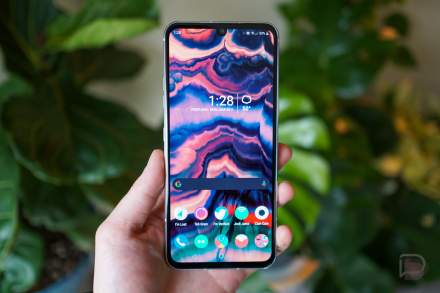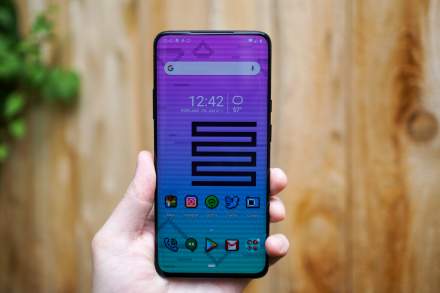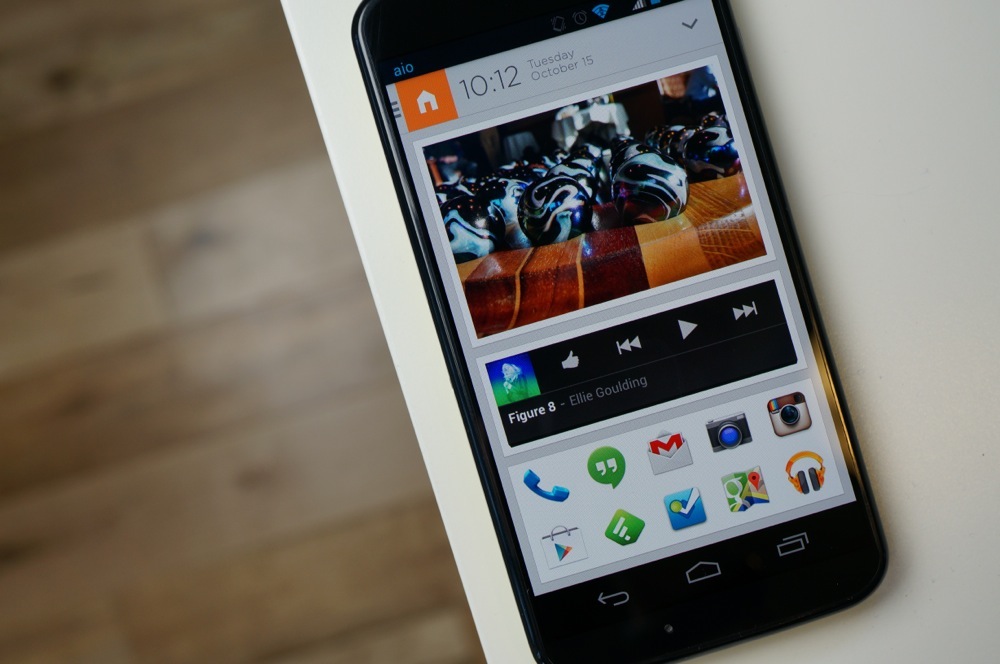
Icon packs are one of the reasons we continue to love Android, so it was a bit disheartening when the contextual Aviate launcher released without support for them. Now all of that has been remedied, with Aviate bringing to the table support for existing icon packs for popular launchers in the latest update.
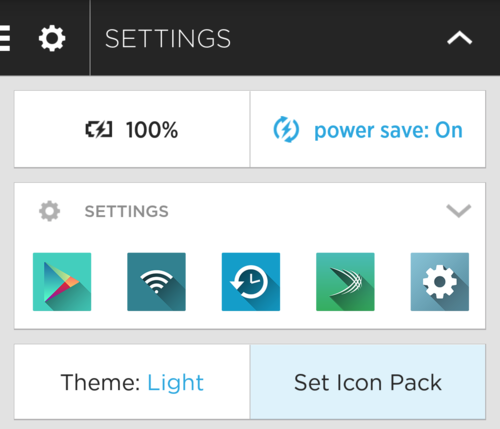
To enable a custom icon pack, all you have to do is swipe into the Spaces menu through Aviate, and then jump into Settings. There you will find a “Set Icon Pack” button which will allow you to choose your favorite icon pack (we’re currently digging Lumos, Cryten, Influx, and these) to customize your home screen.
It’s mentioned in the Aviate blog post that existing icon packs for ADW, Apex, and Nova Launcher are supported, so the icon packs mentioned above should work just fine.
This is a pretty major enhancement for the launcher, but the lack of icon pack support from earlier can be forgiven considering the app is still in beta. Needless to say, go give version 1.0.75 a shot.
Play Link
[responsive_vid]
Hello i would like to try it could someone send invitation arek.gryl@gmail.com
Thank you in advance
I still got 5 invites email me gerrison.b@gmail.com
I have one more left. First to respond gets it.
***********@gmail.com
That was fast thank you!
Sent.
If anyone still has any codes left could you possibly send me one? (Jokerized@gmail.com)
It’s a nice and welcomed addition. It’ll be nice when the Icon Packs add Aviate to a supported list so I can actually select the icons I want it to display though. I have the Lumos icon pack, but it just defaults to whatever it wants to show on my phone.
I have 2 invites left. First two that want it can have it. Just post your e-mail.
Can I have one ? Jokerized1@gmail.com
Please send me one .. Thanks sohandaumesh@gmail.com
I have 3 invites left if anyone wants them.
remark900@gmail.com if you could send me one that’d be great!
Sent. Enjoy.
Could I have one please? Xallx.7905@gmail.com
Sent
do you still have an invite? If so it would be awesome my email is blaik783@gmail.com. And thank you!
Sent…and I’m out.
Doesn’t support landscape mode other than that I like it.
What’s the icon pack in the picture?
Anyone have an extra code?
Blackdraggin@gmail.com
Maybe I’m missing the setting (or maybe there is none) but is there a way to change from Home to Work based on time? (I work from home.)
all invitations left. anyone???
are you saying you have invitations to give?
If you have one… i’d love it
jredeker36@gmail.com
I’d love one: marker19041@gmail.com
Now if only GNL would get some icon pack lovin’ I’d be super excited.
Anymore invite codes out there? Shoot one my way please, thank you. j.sosa.2011@gmail.com
I have 3 invites left… If anyone is still looking
theprogrocker@gmail.com if you can!
Sent
Joshuaknight56@gmail.com
Sent
Xsoldier2000@gmail.com…thanks
Sent
Thank you so much…I was tempted to reject it because of the ‘Yankeefan’ email handle (as I’m a die hard Red Sox fan) but realized I don’t want to be one of THOSE guys… thanks a lot again!
I actually live in the North East myself. My email causes that reaction quite a bit.
cvkamboj@gmail.com
I’ve been using this for 2 weeks and I dig it a lot. about to try some icon packs.
just use YAHOO as your code
It ran dry 🙁
Anyone have an invite for me? jredeker36@gmail.com
Just Sent one to you
Got it! Thank you!
That’s a nice looking phone you got there. 🙂
Anyone else tried Lightning Launcher? The customization options are clunky as heck but you can do some pretty awesome stuff with it. Plus it runs well even on the old GNex.
please post your
email….
I have 3 invites. Who wants? Reply with your email.
I’d love one, p.diesing@gmail.com
gioq21@gmail.com
Thanks a bunch!
ericbell19050@gmail.com. Thank you 🙂
ruvy01@live.com, thanks 🙂
I have some too!
balagiwithak@gmail.com, if you have one left. Thanks!
heelfan71@gmail.com
Thank you. 🙂
Ray.sommer@gmail.com
It even includes a built in alarm to notify you when it’s time to change your tampon.
Moto’s launcher should be able to support custom icons too :B
Here is a hint for my fellow aviate users. If you want folders, install App category. You can add a folder to the desktop, reboot your phone and its now listed in your apps. Same thing goes with the app auto app category. Finally if you want your folders where your photoswidgets are, use auto App organizer free. Happy folder creating!
Would you be able to send me an invite?
Only if you come back here and share at least 2 of your 5 invites here. I only have 1 left. What’s your email address?
I was planning on sharing them.
Sent
Can you share one with me?
jredeker36@gmail.com
Can you please share with me one
Can you please share with me one sohandaumesh@gmail.com
I need a code please.
Support wallpapers and replacing all stock widgets then we’ll talk.
Hey guys, I have only used one invite to dl aviate to my phone, so I still have the remaining. Let me know….
send me one please
please share one sohandaumesh@gmail.com
hey, it gives the error as : Invalid code. Please confirm that the code sent is from the primary account. I guess the code needs to be sent using aviate UI
Is that Jellybean you got there?
Anyone got a code they can send me please?
I do
Can you send one please..
mikezahorchak@gmail.com
Sent
Thanks very much!
please send me one too sohandaumesh@gmail.com
Sent
This is definitely a step in the right direction, although since it’s still under beta it could use some more fine tuning. The custom icons you can set look terrible and grainy.
Agreed. I applied the Lumos icon pack, but all the icons definitely look really grainy. It’s pretty much the one thing keeping me from using Aviate as a replacement for Nova.
Can you assign custom icons to though?
can anyone send me a code 🙂
Did you get one yet?
I would really appreciate one
Rwentz003@gmail.com
There you go man
Awesome man, thanks!
can I have one also ?
They allow custom groups yet?