
 Kellen
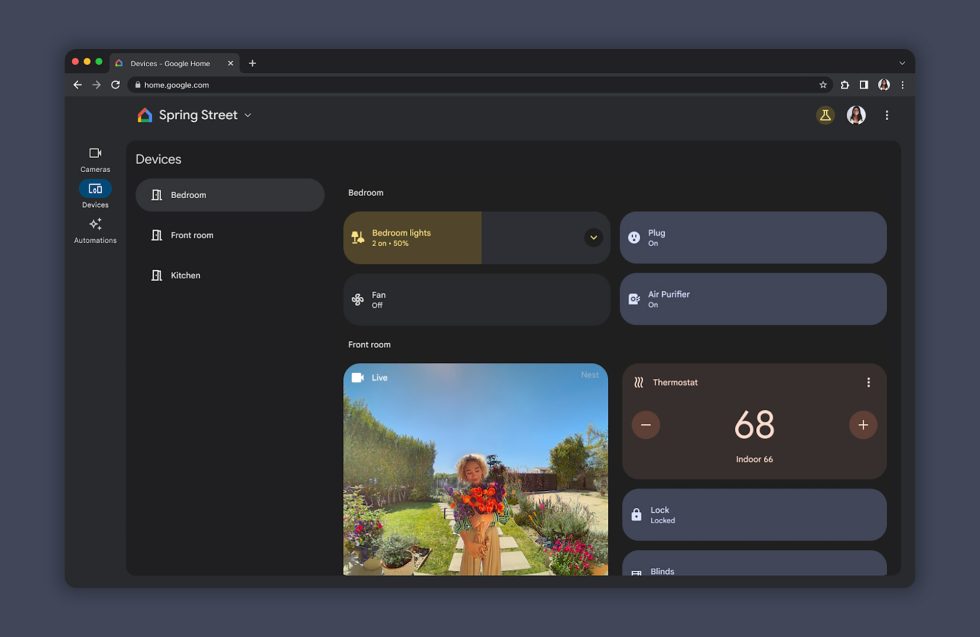
The transition from the Nest online and app experience over to Google Home has been a lengthy one. It has only been since last year that Google widely rolled out a web-based experience for Google Home controls, even if they were limited at first. Today, Google announced that they are finally bringing more device controls and adding a full Devices tab for you.
In this new Devices tab you’ll find, well, devices. You should see just about every single device you have attached to Google Home in here, with breakdowns by room. You’ll be able to click or slide or tap included buttons on them as you do in the app, and for the most part, this is a big feature improvement for the web experience. It might finally be worth bookmarking for easy access when on your computer.
Google says that it is continuing to invest in expanding controls for more device types, so if you aren’t seeing a device listed or the functionality seems limited, you’ll just have to try and remain patient. They promise they are working on this and “will share more information when they’re available.”
To access, head to home.google.com or hit that link below.
// Google Nest
Collapse Show Comments1 Comment