More Reading

Post navigation

116 Comments

  • Can you use the lite or the paying one to personalise a light/colour for a contact, as opposed to or in addition to, applications? (i.e. if a certain person phones/messages/whatsapps etc then a certain colour comes on?)

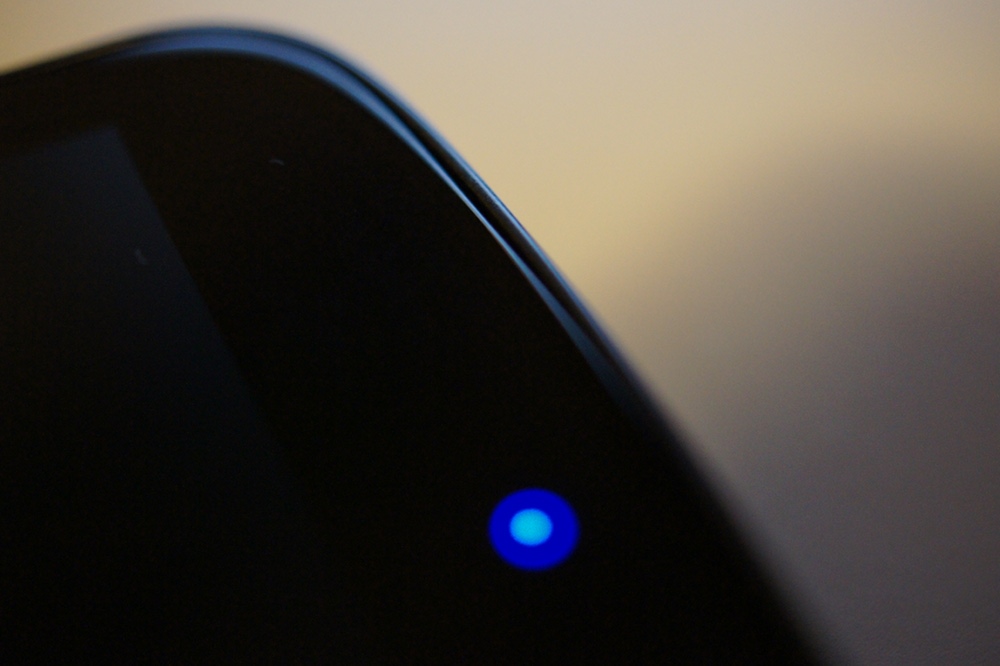
  • What does the standard notification light notify you about? Is it plain notifications like an app installed or a reminder or is it just calls , emails, texts? Ive been using the phone for 3 days now, have the pulse notification light setting checked, and h ave not seen that light go on once

  • This app originally surfaced to control Nexus One trackball lighting after direct access methods changed with GB. I do wonder if the color model is more accurate on the GalNex. Will find out later this evening! 😀

  • Root isn’t needed on the galaxy nexus. Some htc phones require root to change permissions to control the led. You can deny root if you want.

    That led listed at the bottom of general settings is the amoled nacklight led. I’ve remobed the option in later versions of the app.

  • keeps locking up my phone. After using it the screen won’t turn back on…it’ll flash briefly, and then immediately shut off again. Needed to pull the battery and uninstall the app….what a waste of money.

    • You just have to disable the s6e8aa0 control at the bottom of General Settings, and it will fix this problem. I encourage you to try it again, because I was having the same problems until I found this.

  • Has anyone been able to make this work while the screen is on? I leave my phone plugged in all day, so the screen stays on, I’d love to be able to use the notifications at the same time.

    • Why does your screen stay on while plugged in? 
      Mine doesn’t stay on.  Can’t you hit the power once and put ‘er to sleep?

    • You cannot have notification LED and screen on at the same time. If you are missing the option to turn your screen off while plugged in (or if, perhaps, you have a media app running in the background that toggles the ‘keep awake while plugged in’ setting) try installing widgetzoid and adding one of the custom setting single item toggles to your desktop. There is a toggle for that ‘while powered’ setting.

  • my buddy’s step-sister makes $73 an hour on the computer. She has been fired for 5 months but last month her income was $7425 just working on the computer for a few hours. Go to this web site and read more…ufil.ms/lVXgF

  • This appears to require root on my Galaxy Nexus (or at least, it asks for it, whether or not it actually needs it), but I don’t see anyone commenting about that aspect of it.  Anyone else seeing this?

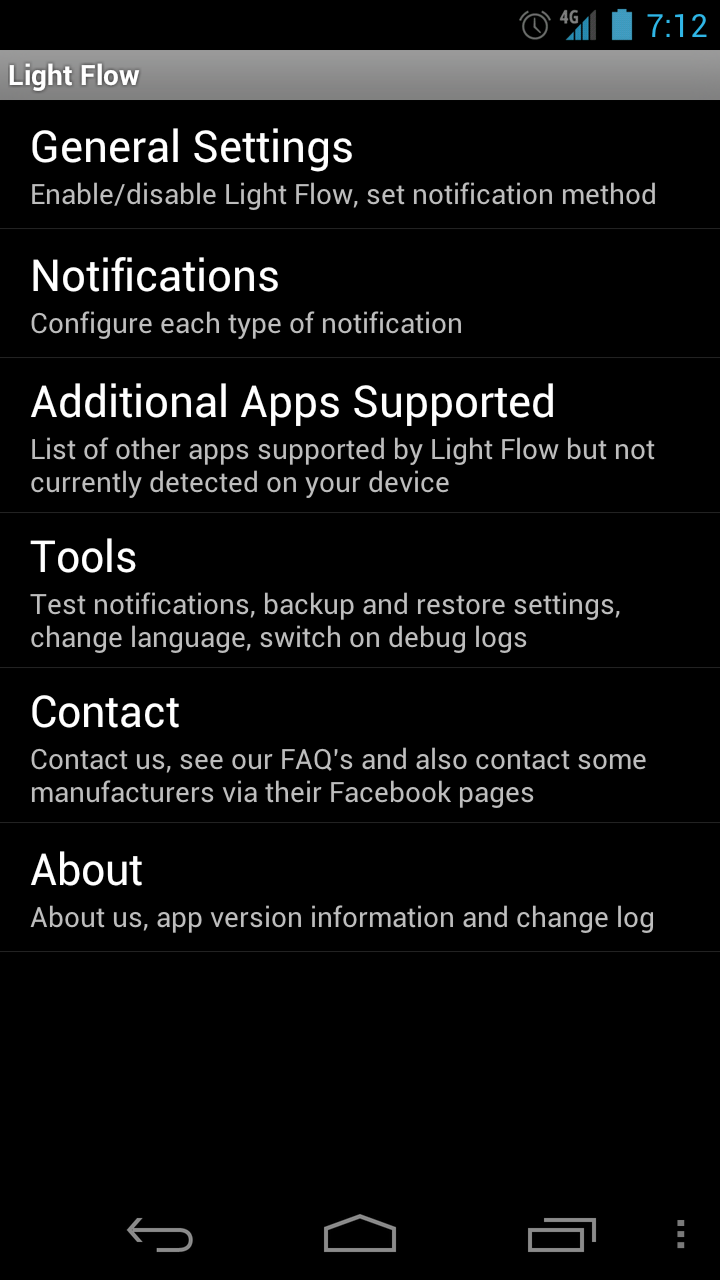
  • My god, what a horribly disjointed application, there are so many menu items and different sections it’s extremely overwhelming. That app could use a re-write.

    • I totally agree. I downloaded the free version for my G-Nex and used it for about a day and ended up uninstalling it. Anyone know the difference between the free and paid versions?

  • This has been working perfectly for me (had to reboot to get it started, like it said).  It controls vibration, too, which is awesome.  Now I can replicate my normal Blackberry vibrations for email, use different colors and vibration for Gmail, etc.  Very nice app.

  • I downloaded light flow tonight and was yet to see the notification light after having the nexus since friday afternoon now i see a variety of colors for all desired notifications:))

  • I loved this app since I had it installed on my og before root.  It definitely works flawlessly on the nexus.

  • This app caused my Nexus to random reboot. Uninstalled and problem went away. Loved the app but hesitant to install again.

    • the shell/holster combo has a built in kickstand…usually cheaper to buy on amazon then direct from verizon but it has to be the verizon model as the seido or aftermarket shell/holster combos do not have the kickstand

    • Try the Otterbox. It has a rotating belt clip that rotates and makes into a kickstand. I have it and it works great. Only issue is that this thing is huge with the case and belt clip. Works for me.

  • this is a great app but needs some fixing. notifications with the screen clear notification style doesnt work on the gnex, i use app and sometimes the light stays on annoyingly after viewing notification

  • A little late to this party but the paid version alternates colors if you have more than one notification going.  Worth the 2 bucks to me.

    Note: if you plan to upgrade from free -> paid uninstall first.  Creates a duplicate app that is hard to tell difference to delete old one.  Will have to re customize settings as well. 

  • In the web version of the market, that download history graph on the right means this dev is absolutely loving the Galaxy Nexus right about now.

  • it works fine for me with all the notificatons i set except my twitter notification is now broken. The app doesnt have twitter listed and the notification light no longer works when i get a twitter notification. Anyone else having this problem?

  • why would the app need the ability to log every keystroke and access personal info?  Even if it doesn’t have internet access, shouldn’t need those permissions??

    • This is a feature related to accessibility – any new keyboard or input or other feature that interacts with the accessibility stack will trigger this warning. It is only odd in this case because you aren’t actually using the app to enter data – however the notification system is part of accessibility.

  • I had an issue with this app that isn’t horribly bad but annoying.  Every once in awhile the notification light would blink when I didn’t have any notification.  I finally figured out (I think) that I needed to open the app and go to the notification settings menu.  Then I would close the app and the yellow notification would go away.  

  • Had to disable this app… purchased from the Market and now I can’t wake up my Nexus and have to keep pulling the battery. I have disabled the app, hopefully it will fix the issue while I wait for the developer to fix the app because I would love for it to work!

    • I posted a earlier but it might work for you.

      Try the fix after you install the app then turn off foreground, uninstall, install, turn off foreground, turn on.  It seemed to work when I hit the power button to wake but then it reverted back to waking after a couple minutes. 

    • You just have to disable the s6e8aa0 control at the bottom of General Settings, and it will fix this problem. I encourage you to try it again, because I was having the same problems until I found this.

  • I had no notification light functionality out of the box at all, which seems well, wrong…but at least I was able to get it to work using Light Flow. Not sure how I feel about having to use a third party app to get it to work at all, but it is working fine now. Between that and constant 3G to4G switching and what seems to be a really flaky signal, I’m still deciding if I’m going to hang on to this phone or take it back to Verizon for a potential swap out or replacement with another make/model. Too bad nothing else appeals to me at the moment.

  • This is what I love about the Nexus, it has enough buzz and great reviews, that it will draw developers out of the wood works to make cool apps.

      • Well I think it’s time to start making apps only for the Nexus.

        The rest of you will be just fine.

        • Is that why it needs an app to control that “more robust LED system”? 

          Maybe thats why it has Thunderbolt quality battery life then. You know with that “more robust LED system”. 

        • That is what Android says. If you enable the accessibility portion the app could see information *like* CC info. Not that it does see CC info. 
          The app proceeds to say it does not have data access period. So the problem is what? L2Read before clicking

      • Nowhere in the article did it say this app was just recently created for the Galaxy Nexus. The article says and I quote “This app, is awesome for the G-Nex.” What’s the problem with that? Nobody is allowed to talk about apps that work well with new phones? Get off your high horse. Yeah Light Flow has been out for a while…does that mean it can’t be promoted still? Ask the developer(s) how offended they are about the new publicity.

        Bottom line…old app that does good things for a new phone…and you have a problem with that?

        • You may want to read the original comment that I replied to understand the context of what I was saying. 

          Also read the fricken title of the post. Many many people did not know about this app before it was posted “for the Galaxy Nexus”. 

          I have a problem with great apps and devs that get no love or any sort of attention until its in a “G-Nex” post. Believe it or not their WAS a time BEFORE the “ZOMG TEH NFC!!!!” Jesus phone. How about giving some respect to something OTHER than the “G-Nex” hmmm? 

  • has anyone able to get this working on their g-nex for more than 5 minutes.  It seems that when it did work after about 5 minutes the I was unable to wake the screen after hitting the power button.  When the screen did light is was for only a 10th of a sec.

    I did try the fix where you would turn off foreground, uninstall, install, turn off foreground, turn on then it seemed to work when I hit the power button to wake but then it reverted back to waking after a couple minutes.

    • Sorry last paragraph should of read 
      I did try the fix where you would turn off foreground, uninstall, install, turn off foreground, turn on then it seemed to work when I hit the power button to wake but then it reverted back to  NOT waking after a couple minutes.

    • Here is the the fix for that problem 100%.  Open LightFlow app and go to General Settings.  Scroll to the very bottom where it says other LEDs.  There will be an LED listed as a bunch of letters and numbers.  Make sure that box is UNchecked.  Check is bad…empty box is good.

      My theory is the LED listed is actually the LEDs for the AMOLED display, not a notification LED.

      • I don’t know, I have that checked at bottom to control it, and I’m not having any issues with it, other than if I only clear the notificationbar and don’t access the app in particular, but knowing that means it is me, not the app itself.

        going to go to the paid version shortly, if you do remember to uninstall then install.

  • This is an old app that works on a multitude of phones. Guess if you don’t drop Nexus in the title, no one would look?

    • Exactly. Ive been using Lightflow since my Droid X days. But now all of the sudden you mention it next to “Nexus” and NOW people know about it. 

      I even made a comment about this app in the Notification video Kellen posted a month or so ago. Of course the iNexus idiots flamed me for mentioning it. 

        • Psssst dont tell anyone but the Galaxy Nexus comes with this REALLY AWESOME app where you can get MOAR apps for it! Some are even FREE! 

          I think its called “Android Market” or something like that. Ohhh man those stupid Bionic users will be SO PISSED when they hear this one!

          -_-

  • there’s SO many options. i’m not sure i’m down with donating an hour to setting up my notification light.

  • Had to do my first and only (X2) battery pull after installing this app… screen wouldn’t light up after locking and receiving a notification.  Uninstalled!

  • For some reason it doesnt work on my phone.  Not sure what else to do, i’ve played around w/ just about every setting.

    • you toggled the accessibility setting, right?
      (has to be done in order to make this work)

      see “noted” section at bottom of main post by kellex

  • The annoying part of the app is that if you swipe away a notification and dont actually check it, the light continues to blink. Then you have to remember what color you set for that particular app which usually involves going into light flow then going into lets say gmail so that the light goes away.

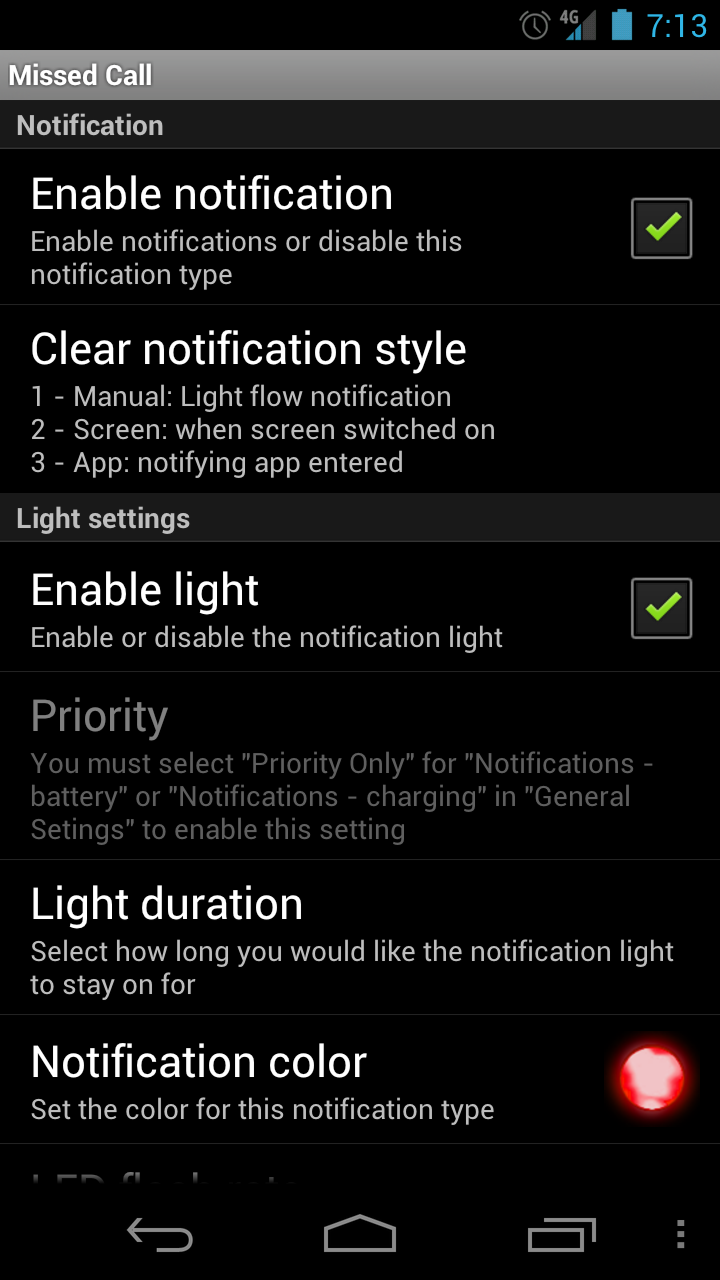
    • There is a setting on light flow for each notification that allows you to clear the notification by turning the screen on, entering the app, or clearing a light flow notification

  • How does it know the difference between an email received via Touchdown and the built-in Email app?

    • It identifies which app is submitting the notification and acts upon that. The developer’s website has a list of all the different applications it can handle, and if yours isn’t on the list, you can tell them and they’ll work to add it.

  • i did notice this on a phone vid posted on DL. i think it was a Kellex vid on then 
    GN

  • Yes baby the applications available for the Galaxy Nexus is starting to add up and the funny part is people have not seen anything yet the best is yet to come. It’s beautiful to be and early adaptor a part of history….

  • I use it on the Razr….but I have noticed it doesn’t always work..every now and then I have to toggle the enable box

    • It can drain pretty quick if you have fast blinking enabled and too many notifications on. The nice thing about the app is it will cycle through active notifications (not just show you the latest one)

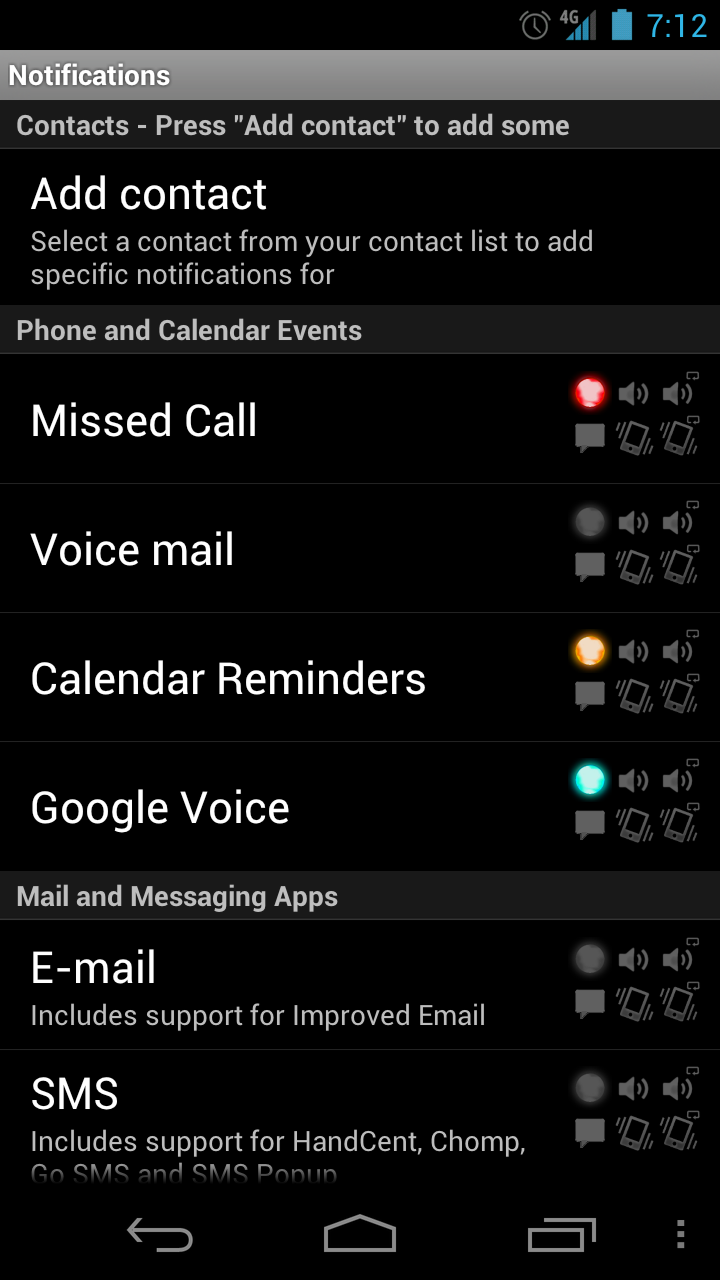
    • It has blue, bright pink, cyan, deep orange, gold, green, indigo, lilac (?), lime, magenta, orange, pink, purple, red, sky blue, turquoise, white, and yellow.

  • i use it…love it…get the paid app…don’t forget to silence your default notification sound in the android settings

      • To be more specific…if u have a notification sound set in light flow it will play both …alternatively, you could not set a notification sound in light flow and just use your android default

        • Yeah that part isn’t very clear in the app, and I ran into 65 things going for a single text. They actually recommend you stick with the Android default sounds/vibe as that is what best reliably polls Light Flow for the LED. You can do it the other way too but..YRMV

          • then turn on your default notification and silence light flow notifications if you don’t want to hear 2 sounds

Comments are closed.

back to top