
Android is getting a host of new theft protection updates from Google, designed for users on Android 16+. The updates are being built onto existing features, “designed to give you greater peace of mind by making your device a much harder target for criminals.”
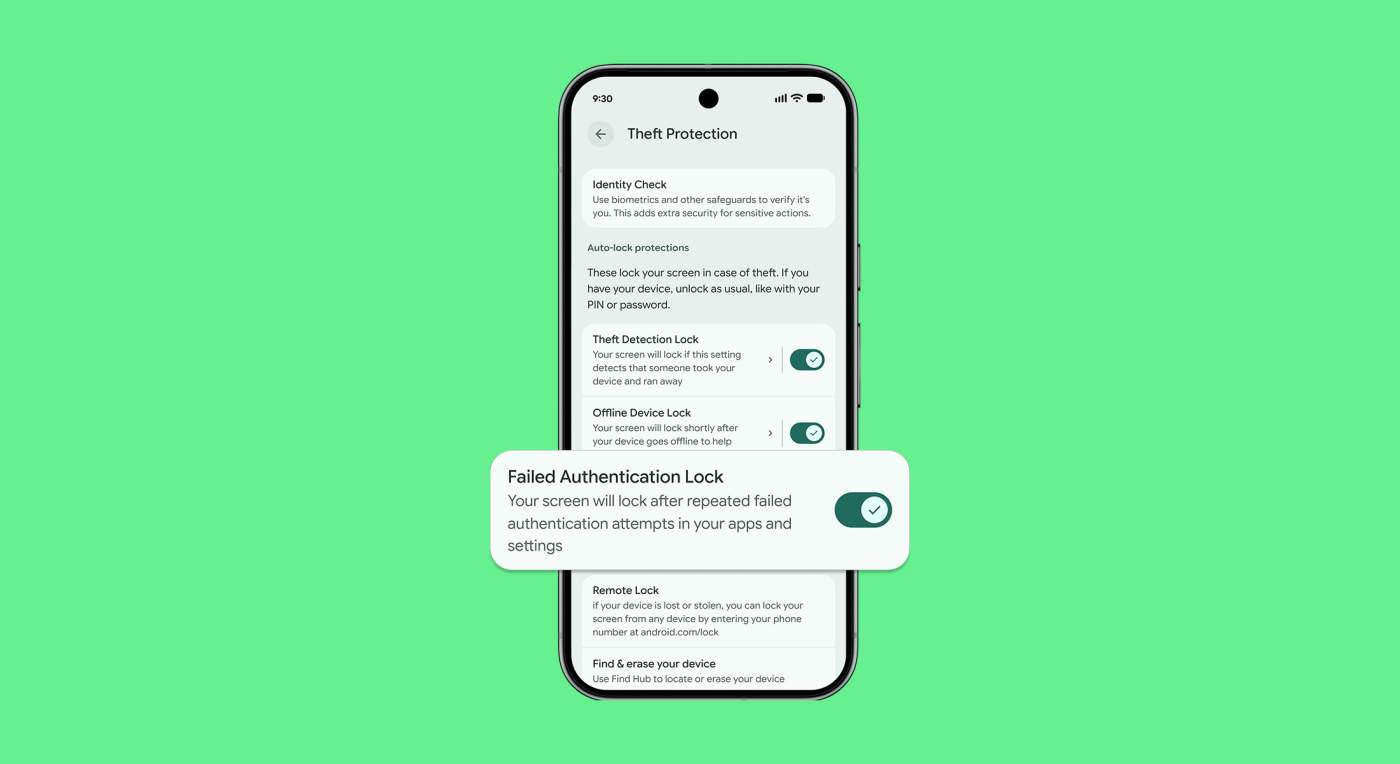
In Android 15, Google launched Failed Authentication Lock. This feature automatically locks a device’s screen after too many failed authentication attempts. Starting now, a new dedicated enable/disable toggle in settings will be available, providing more more control over a device’s security.
Similarly, early last year Google introduced Identity Check. With this, users are required to utilize biometrics when performing certain actions outside of trusted places. Google says that later in the year, “we extended this safeguard to cover all features and apps that use the Android Biometric Prompt. This means that critical tools that utilize Biometric Prompt, like third-party banking apps and Google Password Manager, now automatically benefit from the additional security of Identity Check.”
PIN Guessing: Google is also making it harder for thieves to guess your device PIN, pattern, or password. To do so, it’s increasing the lockout time after failed attempts. Thankfully, to make sure you aren’t locked out by mistake, identical incorrect guesses no longer count toward your retry limit.
Last but not least, a new optional security question/challenge is being added to the Remote Lock feature. This is designed to help ensure that the real device owner is initiating the lock.
There’s a lot of info in Google’s post, so if you find yourself curious about Android’s theft protection tools, follow the link below.