Samsung is releasing a new beta for Galaxy S23 series owners in the US, South Korea, and Germany. The beta is for One UI 6, based on Android 14. We’re still waiting on the official announcement, but thanks to a slip up from Samsung Germany, we have the details early.
According to Samsung, One UI 6 will offer a, “decidedly simple look.” Users will note a more modern and reduced appearance, such as in the revamped Quick Panel for convenient access to system settings. Samsung says that in One UI 6, a single swipe from the upper right hand corner of the screen will display the entire Quick Panel, which is one less swipe than what we have on One UI 5 right now. You’ll need Instant Access to Quick Panel enabled for this to work, a new feature introduced in this beta.
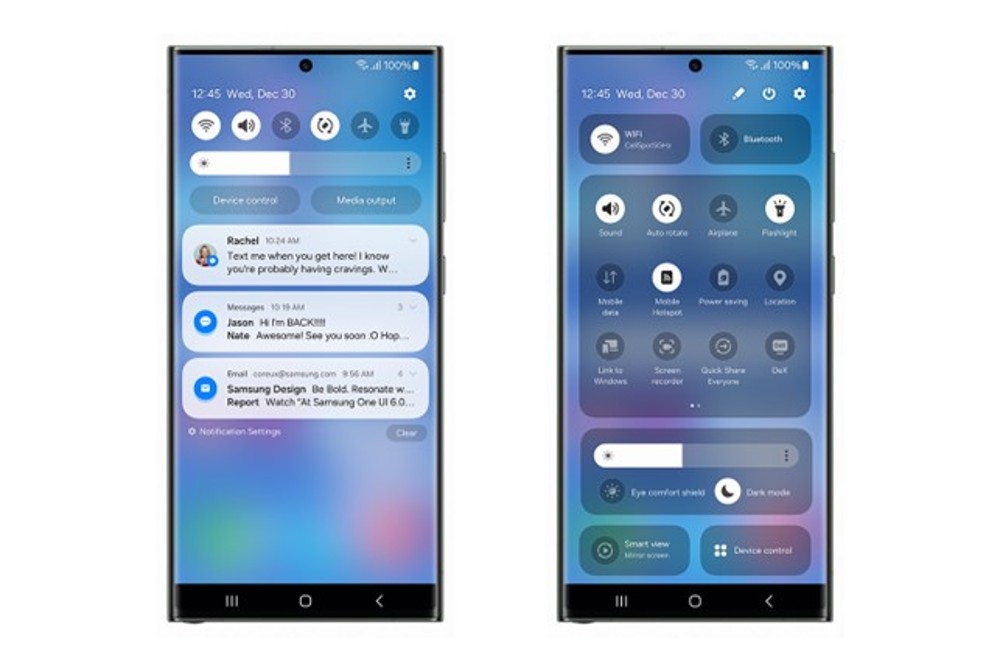
Samsung is also bringing more customization for certain situations.
Among other things, owners of the Galaxy S23 series now have the opportunity to set background images for the appropriate situations – for example, a photo of a quiet forest while the smartphone is in sleep mode. A new camera widget also makes it possible to specify the storage location for certain photos in advance.
How to Install One UI 6
Want to give One UI 6 a try? On your Galaxy S23 series phone, you’ll need to open up Samsung Members and find the correct page to enroll your device into the beta. Once enrolled, you’ll get notified when the beta is ready for downloading and installing. It’s not live quite yet, but once Samsung makes all of this official, it should roll out quickly.
// Samsung (Germany)
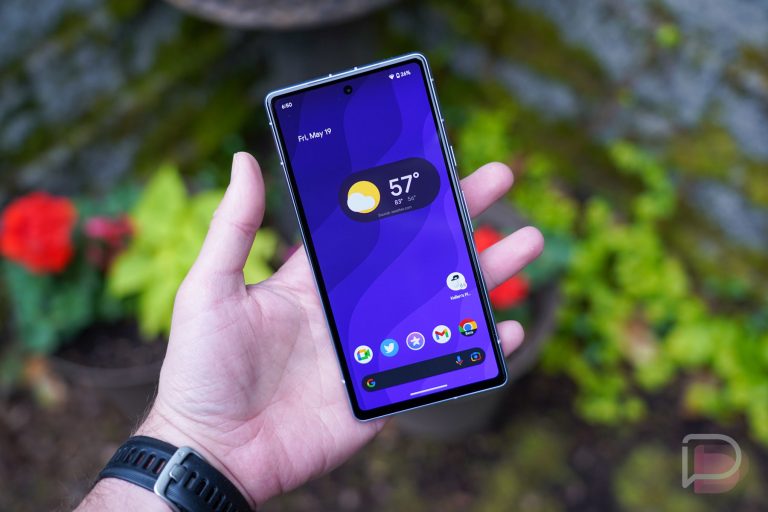
Wish they’d change the status bar icons they look so outdated
Also false alarm. Announcement was pulled. Was a mistake
They need to get rid of the buttons and push their base into gestures. At least make gestures the default. Funny to see their backwards buttons are still the default experience in Android 14.
Even as someone who only uses gestures, I can see the benefit of offering both options. Choice is good. I think they leave buttons as default just because it’s the simplest way of navigating for those who are less tech savvy.
They should at least start offering the option during setup, not hiding it in settings.
How is it hidden in settings?
It is offered during first time setup.
Fair point.
“Funny to see their backwards buttons are still the default experience in Android 14.”
Backwards based on what? The first Nexus? The first ever Android had the back button on the right, & with the exception of the OG Droid Motorola had the back button on the right until they were bought by Google.
I don’t like gestures and I like my back button on the right side. Things are fine as they are for me.
With the exception of my OG Droid & test driving the Galaxy Nexus for a week before returning it, 4 of the 5 Moto’s & all 7 Samsung’s have had the back button on the right side; so that’s what I’ve been used to for the last 12 years.
Ever use gestures with a bulky case?
Not a case guy myself, but I always have at least one for all my phones and even the Spigen basic tpu one (think it’s slim fit or something) on my s23 ultra makes swiping up from the bottom, whether for app drawer or multi-task window…difficult.
Buttons just work better in that situation.
And, it’s not my situation, but I’ve had the case on long enough a few times to be annoyed by it.
I agree 100%. I like the gestures if you are calmly sitting down and using a naked phone or minimalistic case.
but the buttons are easier to fumble one-handed or do from muscle memory.
if I had a 6″ screen phone I’d probably go with gestures to maximize my available screen space.
but with a bigger device, I can take the hit for the buttons. Samsung’s double tap to hide the button bar is brilliant.
No they don’t , choice is good I for one prefer the buttons , they’re totally customizable as well