
 Tim
Tim
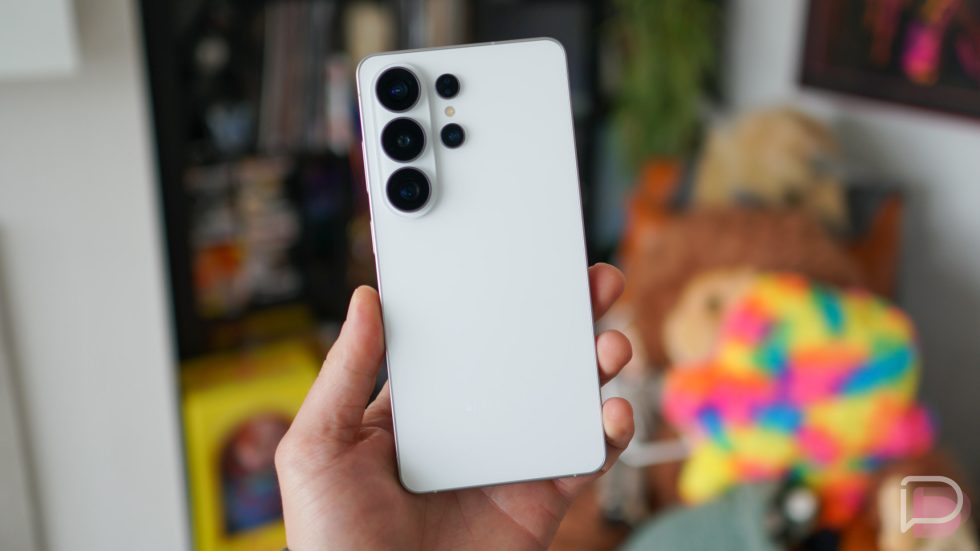
Galaxy 26 Ultra has arrived. It’s perfect for 2026, taking an AI-first approach to many things, which is either a turn on or immediate turn off depending on the user.
Samsung’s aim was to deliver a lighter, faster, and smarter experience from its flagship device. Did they achieve that? That’s what we’re here to find out. You won’t find many physical changes between this phone and last year’s Galaxy S25 Ultra, but we do feel like there’s a compelling argument to be made in favor of this model. Let’s check out what’s new for 2026.
This is our Galaxy S26 Ultra review!
The Good
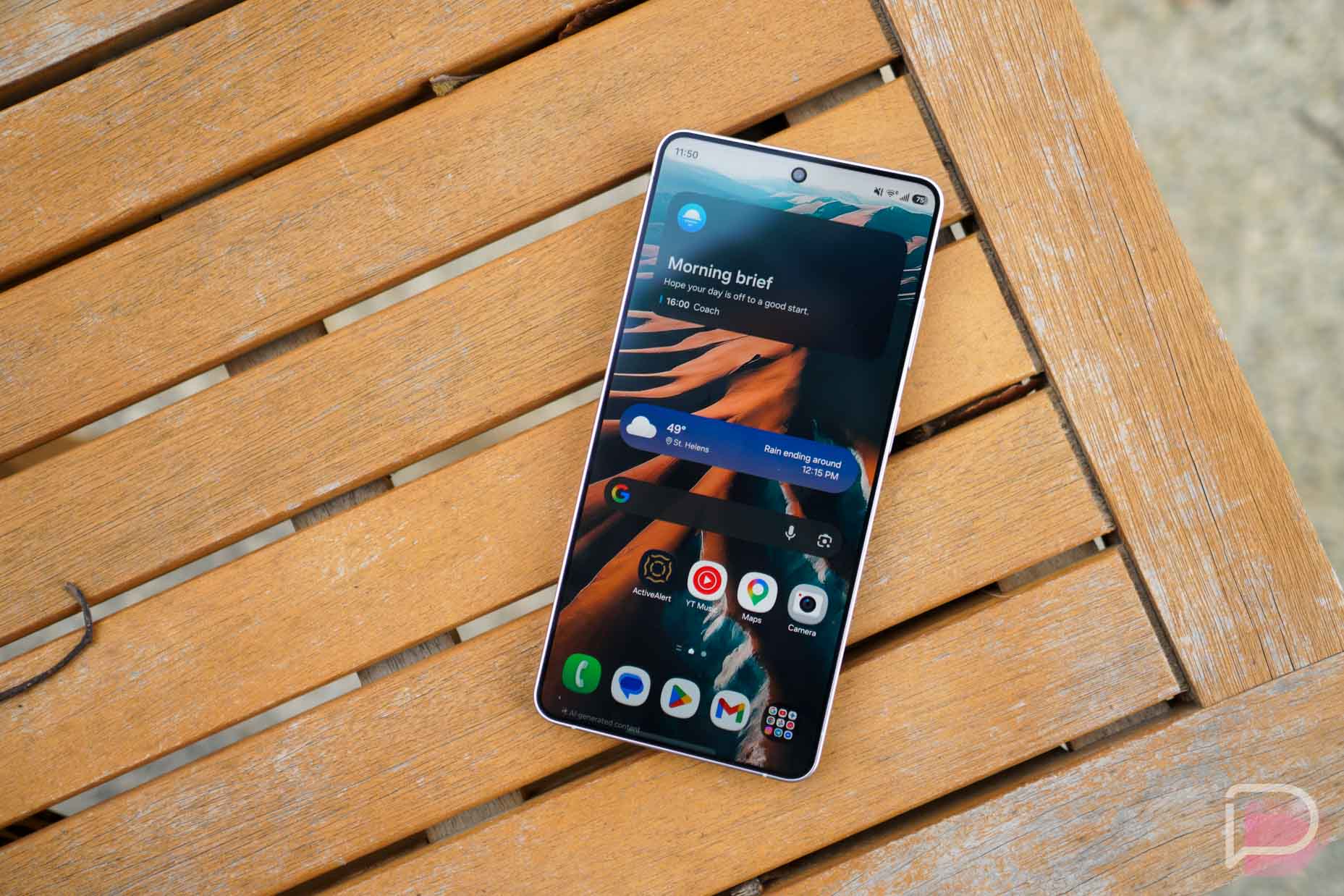
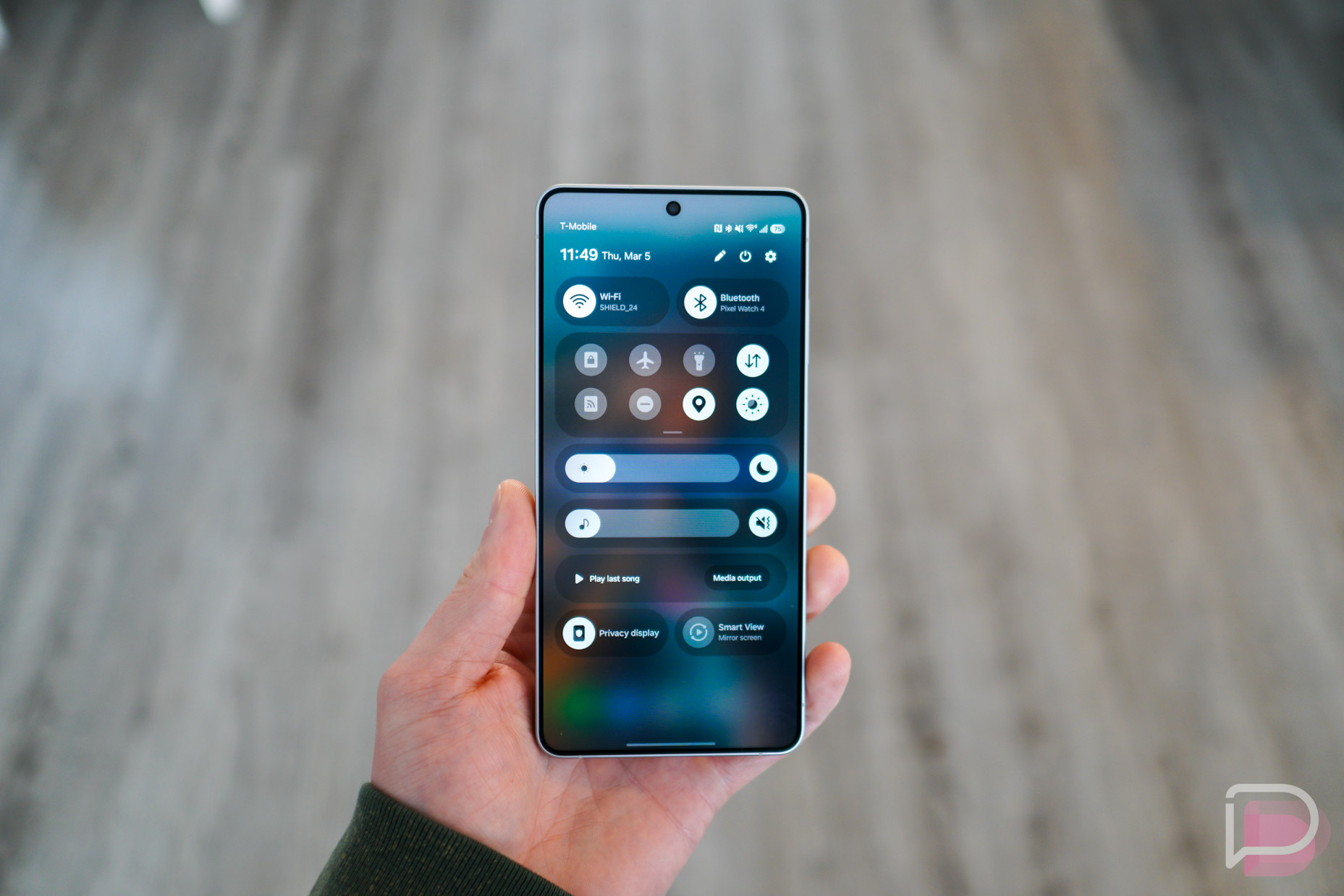
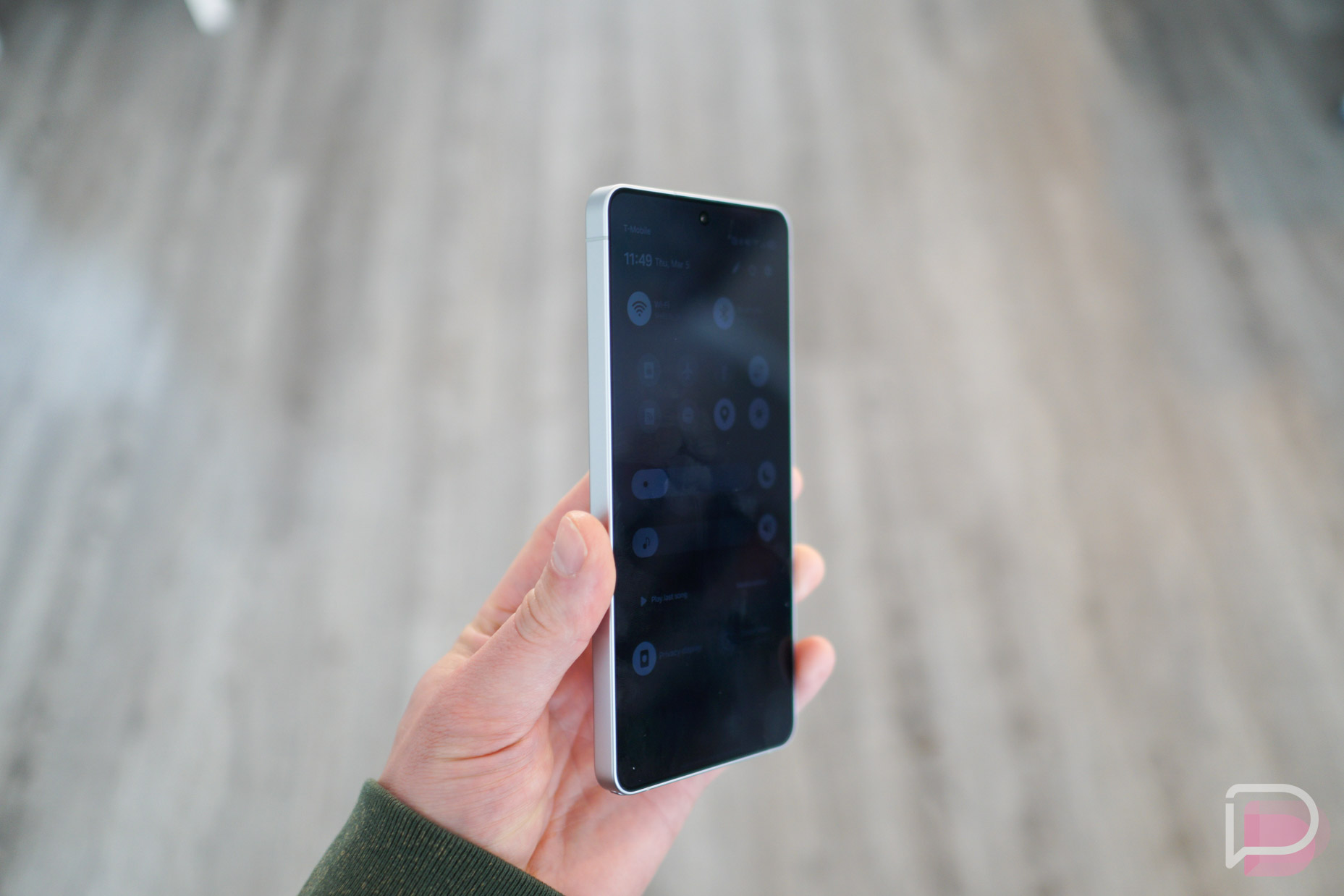
Display: The biggest hardware change we have on the Galaxy S26 Ultra is the introduction of Privacy Display. Basically, Samsung is ensuring that buyers of this phone will never have to apply a privacy screen to this device, which we know a lot of people do. When enabled, people looking over your shoulder won’t be able to see what’s happening on your screen. You can opt between a mild effect or drastic effect, but that higher “Maximum privacy protection” does change the way your screen looks in a somewhat negative way. What we really like is that you can enable the feature for select apps, as well as when you’re inputting device PINs and for notification pop-ups. It’s a very well designed feature that works perfectly as designed.
Specs wise, the phone has a 6.9″ Dynamic AMOLED 2X QHD+ display that gets very bright (peak brightness of 2600 nits) and is plenty colorful. The refresh rate is adaptive from 1Hz to 120Hz, plus you’ll find all of your S Pen support. Inside the Settings menu, Samsung is still providing features like Easy Mode and Edge Panels, though, most of you might already know that Edge Panels are one of the first things I disable as I find it tends to get in the way of my swipe gestures.
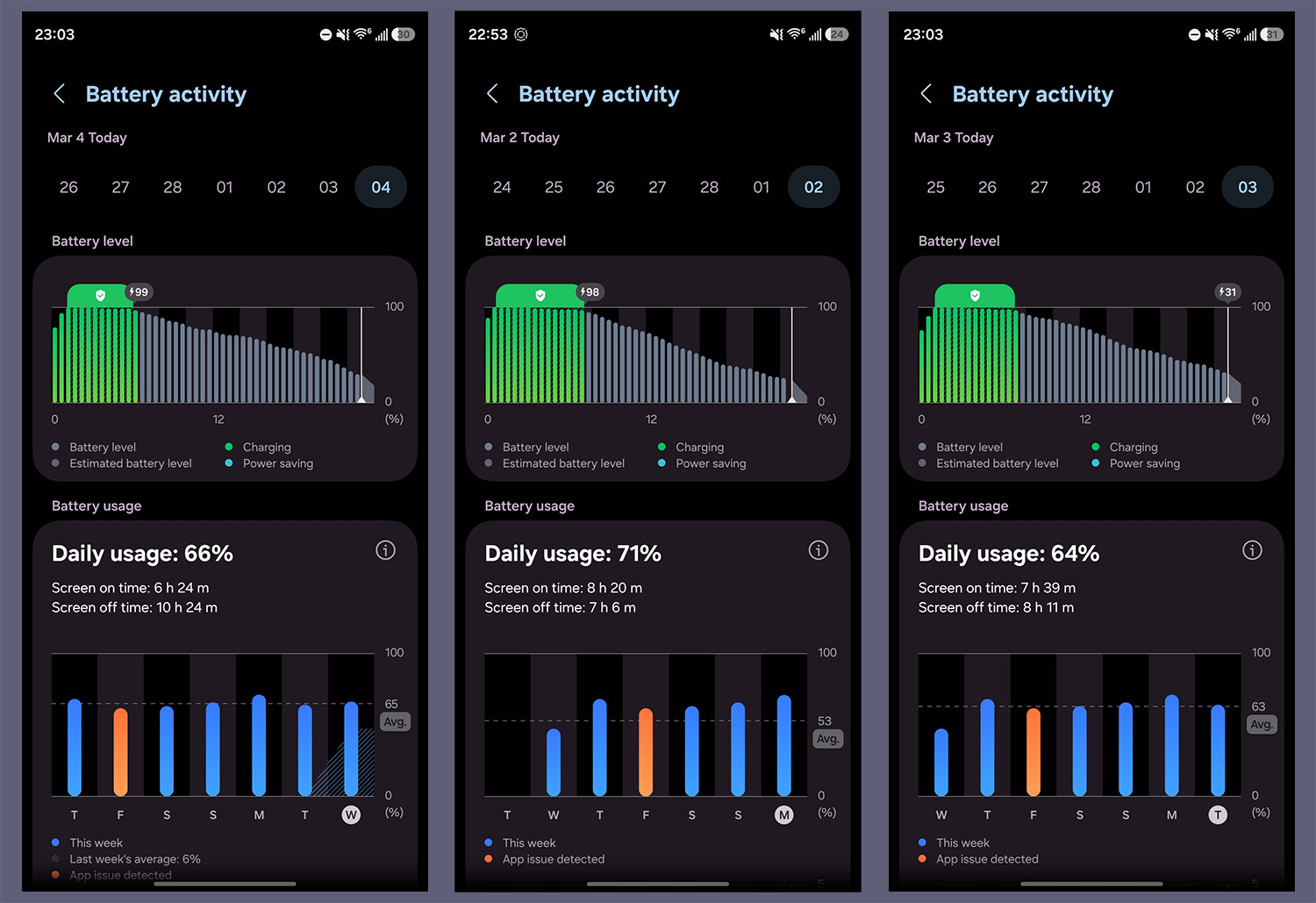
Battery: I’m not sure what sorcery Samsung and Qualcomm cooked up with this device, but I’m getting battery life like the folks who comment on this website. My usual average for screen on time is about 4 hours, but I’m getting 7-8 hours of this device with plenty of juice left over. I wouldn’t say my usage has changed at all, but I have been home more this past week fostering a puppy. That does mean I’ve been watching more YouTube and TikTok, which I thought would drain the battery faster. But no, this thing is putting in work. My day right now is about 7am to 10pm, with my average between 7.5 hours of screen on time and about 20-30% battery remaining. I’ve been very impressed.
In the Other Notes section I included a statement from Samsung regarding the absence of Qi2 magnets, which isn’t really a massive deal, but is worth talking about since other major Android OEMs (and Apple) offer internal magnets.
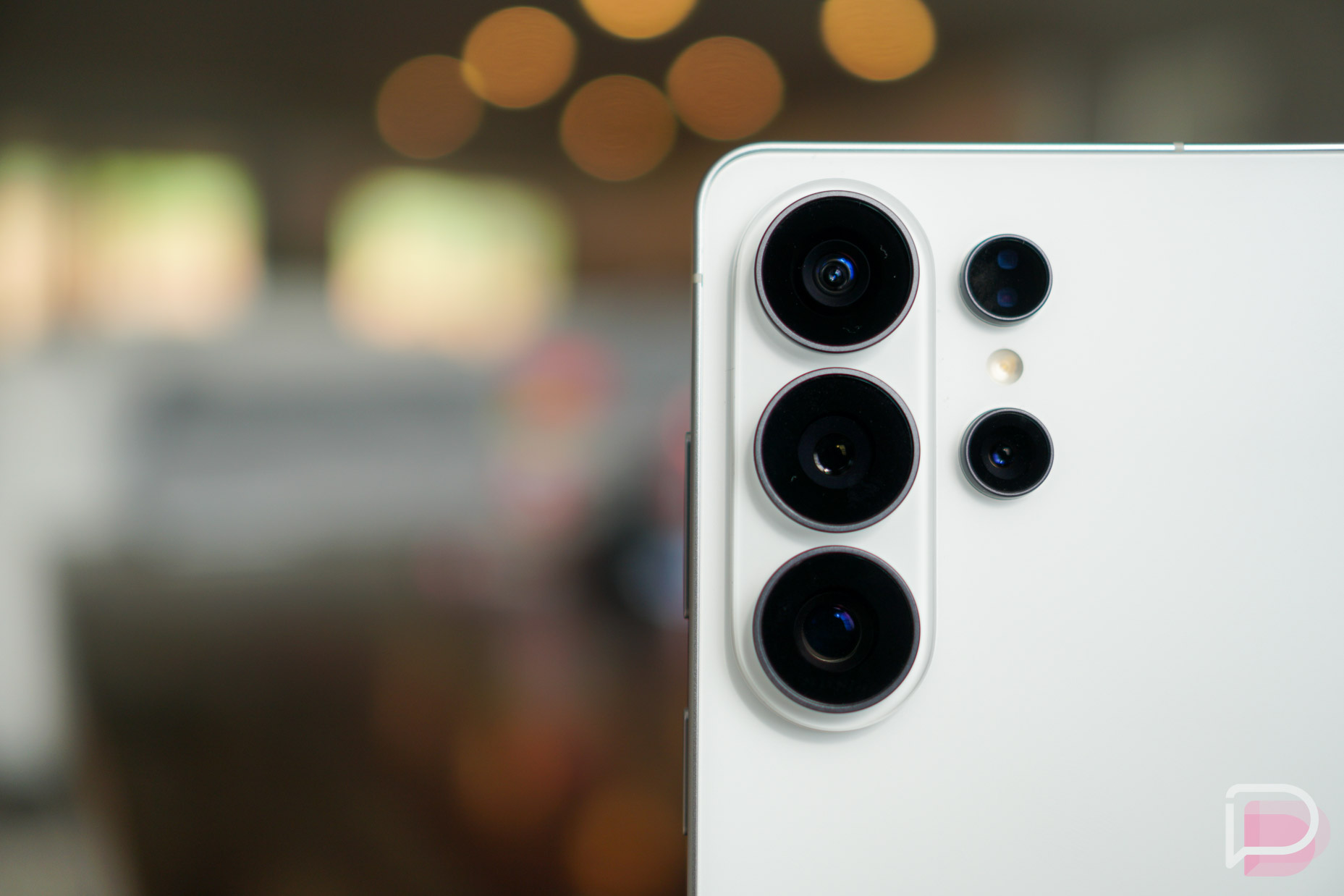
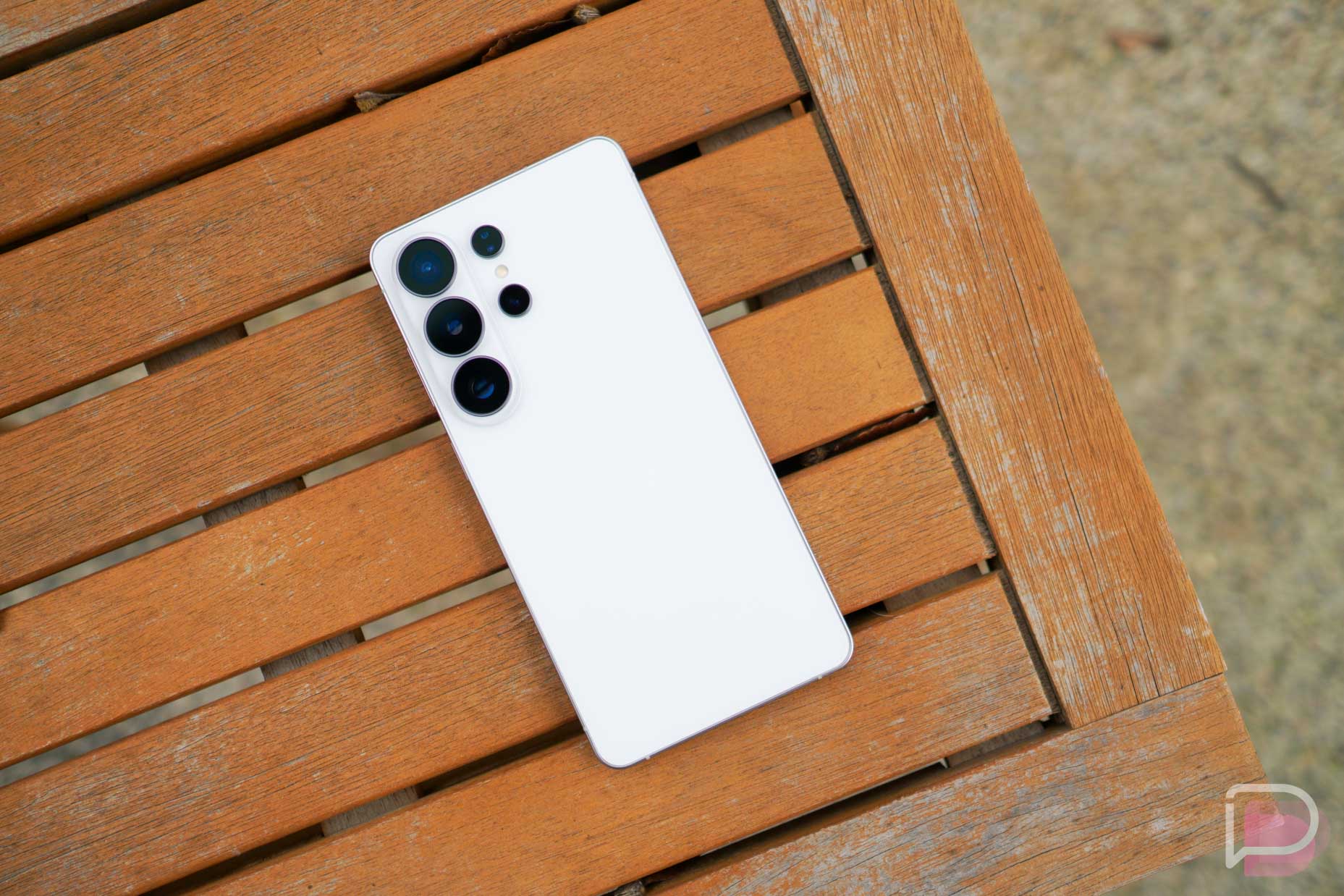
Camera: Cameras are relatively unchanged on the Galaxy S26 Ultra from last year. That’s not a bad thing, as the hardware is a good setup. There’s a 200MP wide angle, 50MP ultra-wide angle, 10MP that handles up to 3x optical zoom, and a 50MP that does optical up to 5x and “optical quality” up to 10x. For ultra adaptability, the phone does offer a 100x level zoom, but unlike the Pixel 10 Pro, the quality and detail of the shots are very digital (grainy, lacking detail). While plenty of folks moan about AI, we have to admit that Google’s usage of it to clean up high-res zoom shots is quite awesome.
One slight hardware change is a wider f/1.4 aperture on the 200MP camera, allowing for more light to hit the sensor. This plays directly into the improved Nightography mode that ships with the device. There are a few new things on this phone we should point out. There’s the new Ocean Mode, designed to help those taking this phone underwater capture more true colors along the ocean depths, as well as a new horizontal lock option when shooting action videos. This feature will be extremely useful for those who are trying to capture videos of fast moving subjects, such as a child playing sports or a puppy running through the tall grass.
After a week of shooting with the phone, it’s pretty much identical to last year’s Galaxy S25 Ultra. It’s very quick to lock focus onto a subject and snap shots, which for a phone, is the primary concern. For those who want to dive deeper into settings, there is no shortage. There are zoom levels, controls for every little thing (WB, filters, aspect ratio, etc.), and all of the modes you could ever need. Expert RAW, Pro Video, Slow Motion, Hyperlapse, and Portrait Video are all baked in.
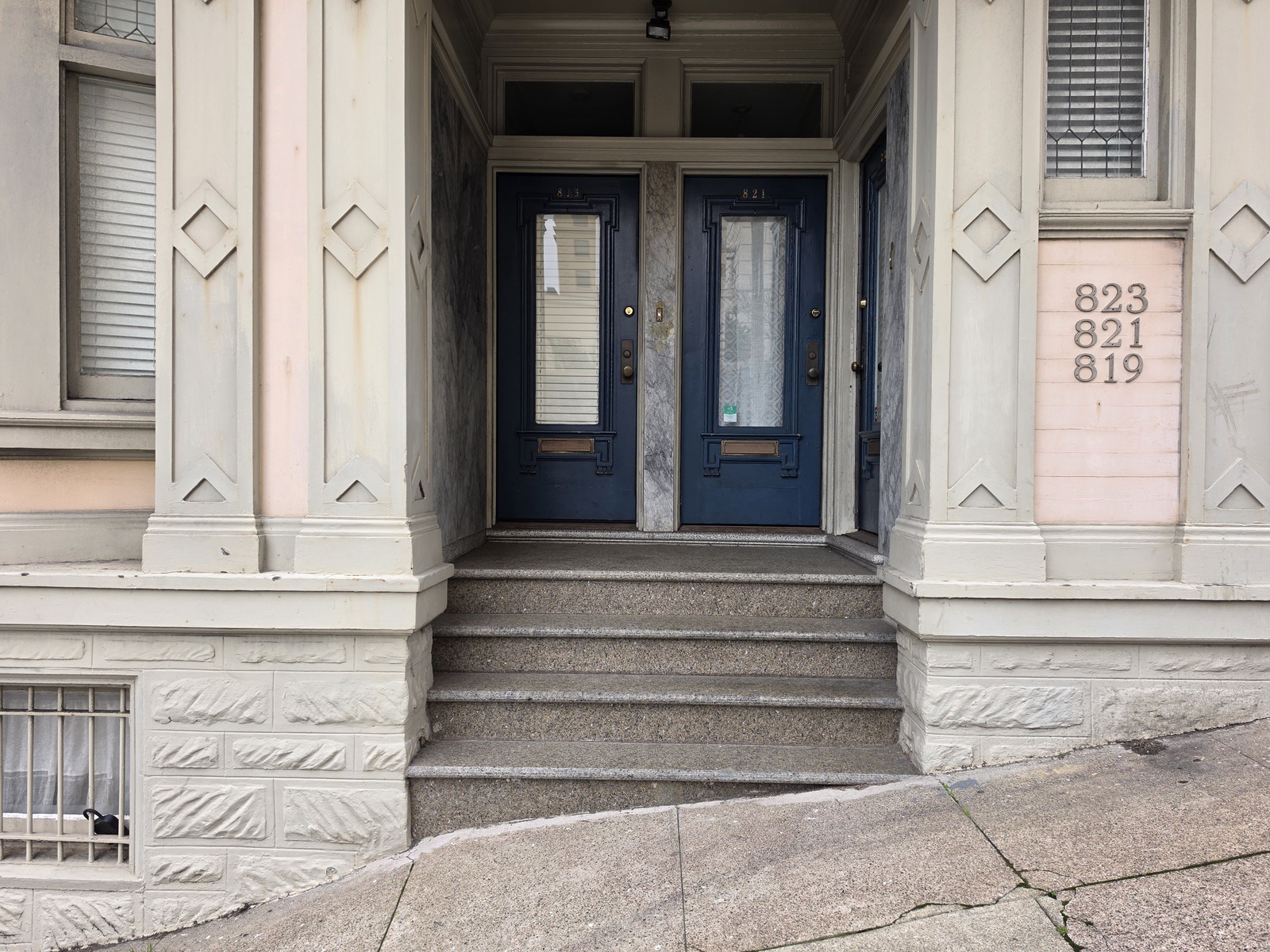
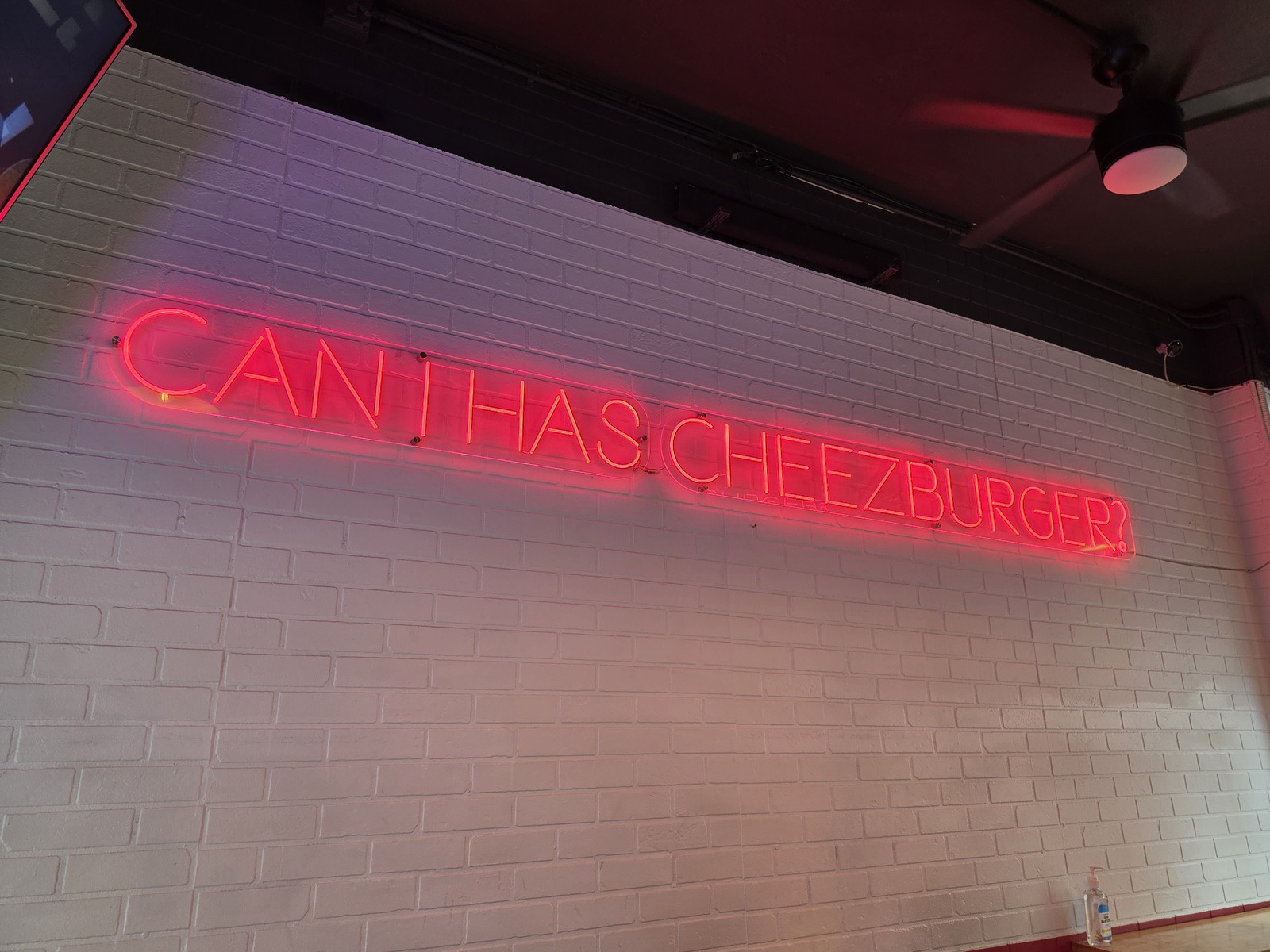
Below I have camera samples. All have been resized, but beyond that, untouched and unedited.











Specs/Performance: Powered by the Qualcomm-made Snapdragon 8 Elite Gen 5 for Galaxy (3nm) chipset, Galaxy S26 Ultra rips. There are no stutters, onboard processing is fast (like when processing 200MP photos), and gaming has been a delight. I’m not the type of user who would be able to redline this device, but the amount of gaming and video viewing I have been doing has been met with zero issues. For those concerned, Samsung says the chipset offers bumps of 19% in CPU performance, 39% in NPU performance, and a 24% increase in GPU performance.
We have the full spec sheet available here, but other highlights include up to 16GB RAM, up to 1TB storage, 5,000mAh battery with Super Fast Charging 3.0, and an IP68 rating.
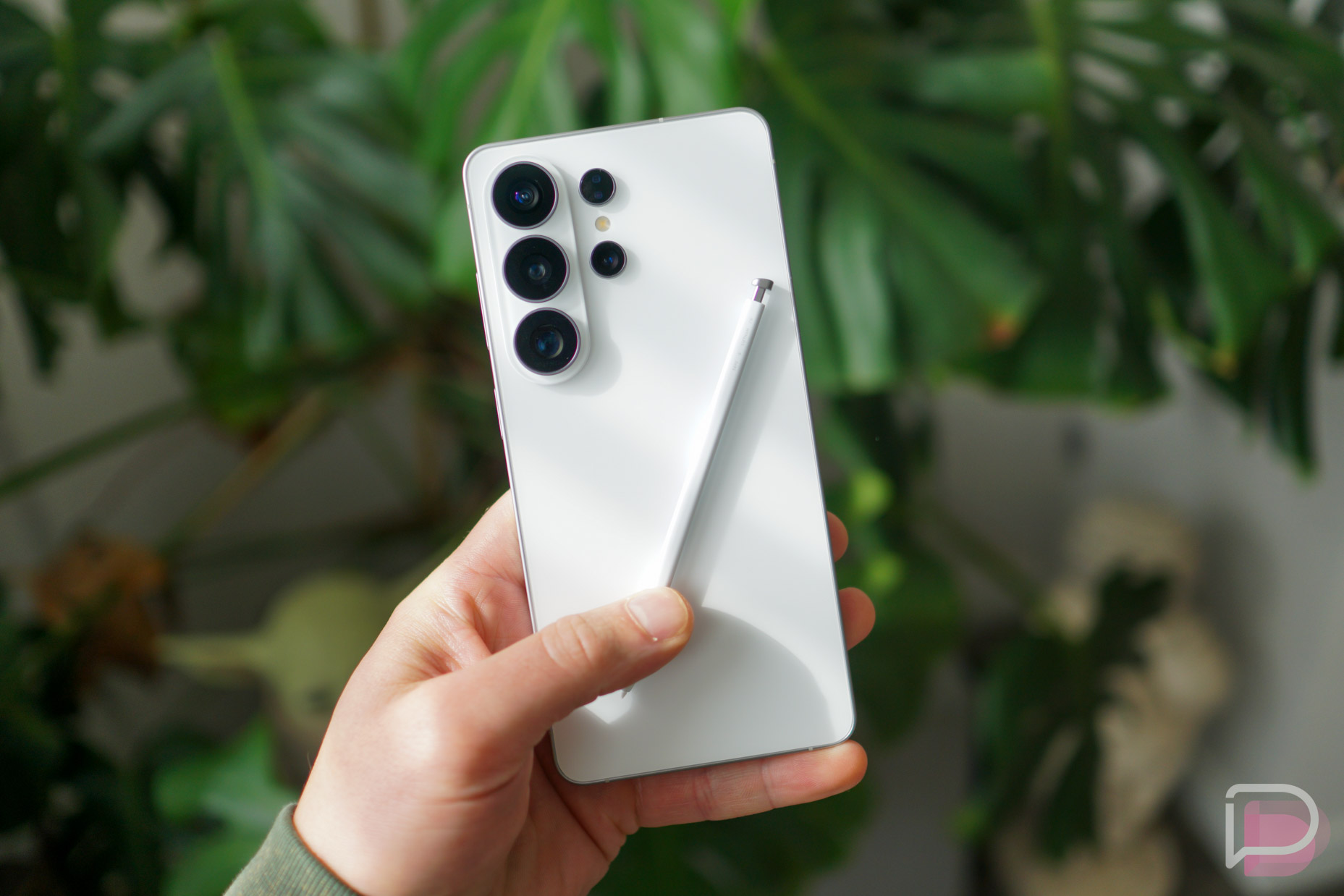
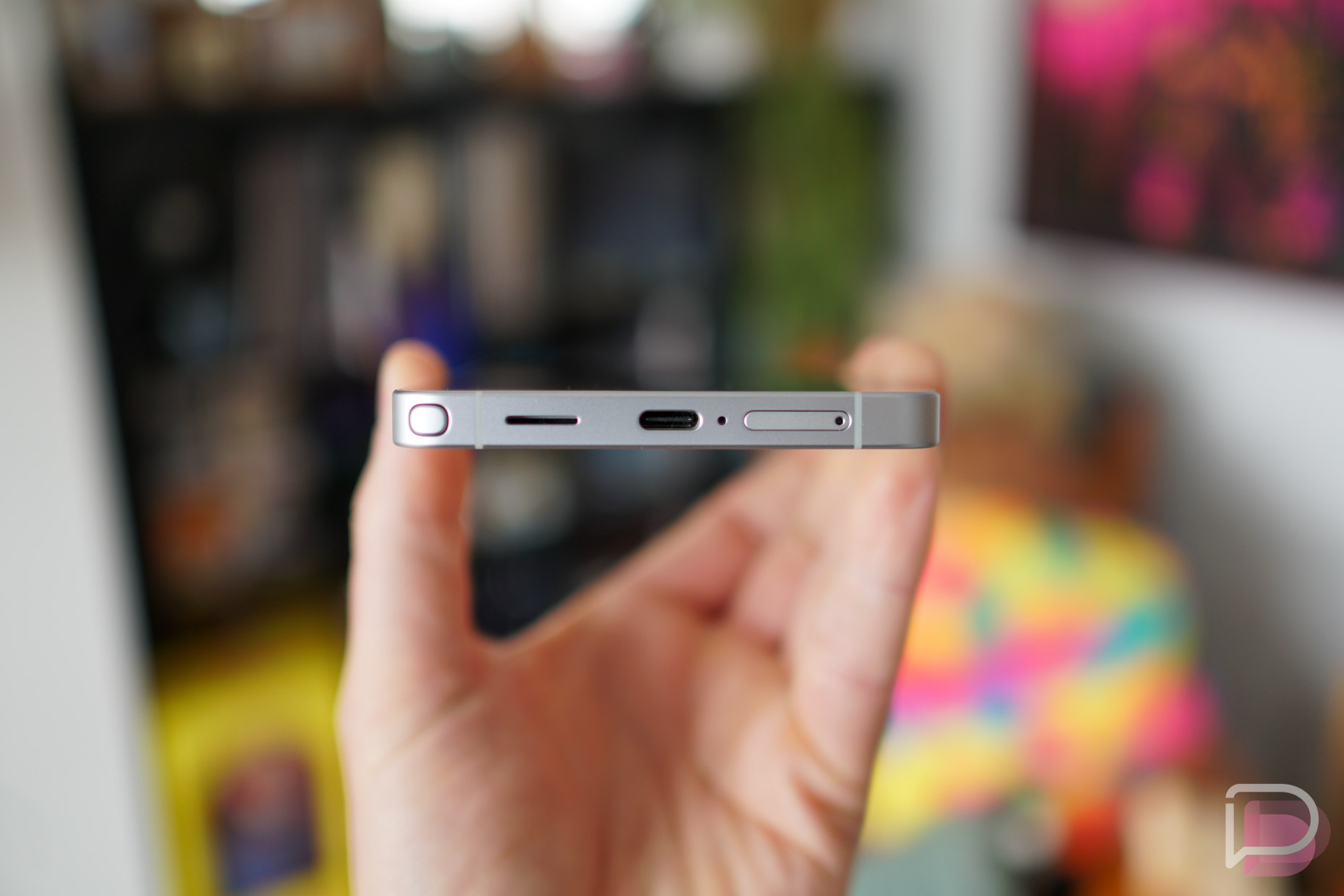
Hardware/S Pen: Here’s another section where you won’t find many changes from the Galaxy S25 Ultra. Even if true, what Samsung did change has been noticeable, such as a shift back to an aluminum frame for a lighter and slimmer device, a slight tweak to the camera plateau (that’s what we’ll call it), and the non-inclusion of Qi2 magnets for wireless charging coil alignment. Whether it’s because it was messing with S Pen tech or Samsung wanted to ensure the slimmest Ultra device it could, it was reported for quite some time that Qi2 magnets were essentially confirmed for the device, so the fact that they are absent has obviously sent myself into a tailspin. But no worries, Samsung makes Qi2-compatible phone cases and charging accessories. Let’s not discuss this anymore.
Back to what the hardware does offer, this is a very light and slim Ultra device, similar to the in-hand experience of a Galaxy Z Fold 7. It weighs in at 214g and is just 7.9mm thick, while S25 Ultra was 218g and 8.2mm thick. It offers an IP68 rating, along with a combination of Corning-made Gorilla Armor 2 and Gorilla Glass Victus 2. Samsung also built in its largest vapor chamber yet, allowing the device to stay cool even during intense gaming sessions. Having gamed a little bit with the phone, I will say, the phone never got hot.
Maybe most importantly to at least a few Ultra buyers, the S Pen remains intact. I have used it a single time, just to test an AI-powered feature, but it’s there if I ever need it. There remains plenty of things to do with it, such as Creative Studio which has all sorts of AI generative capability now, AI Select, note creation, and Screen Write. If you happen to be a creative or maybe want to let your child have some fun, then I can see Creative Studio being quite a good time. You can draw your own images, then have AI upscale them to something worth appreciating. You can create sticker sets, add existing images to other photos, and plenty else. While powerful, it does require the actual desire to want to use it, which I sadly lack.
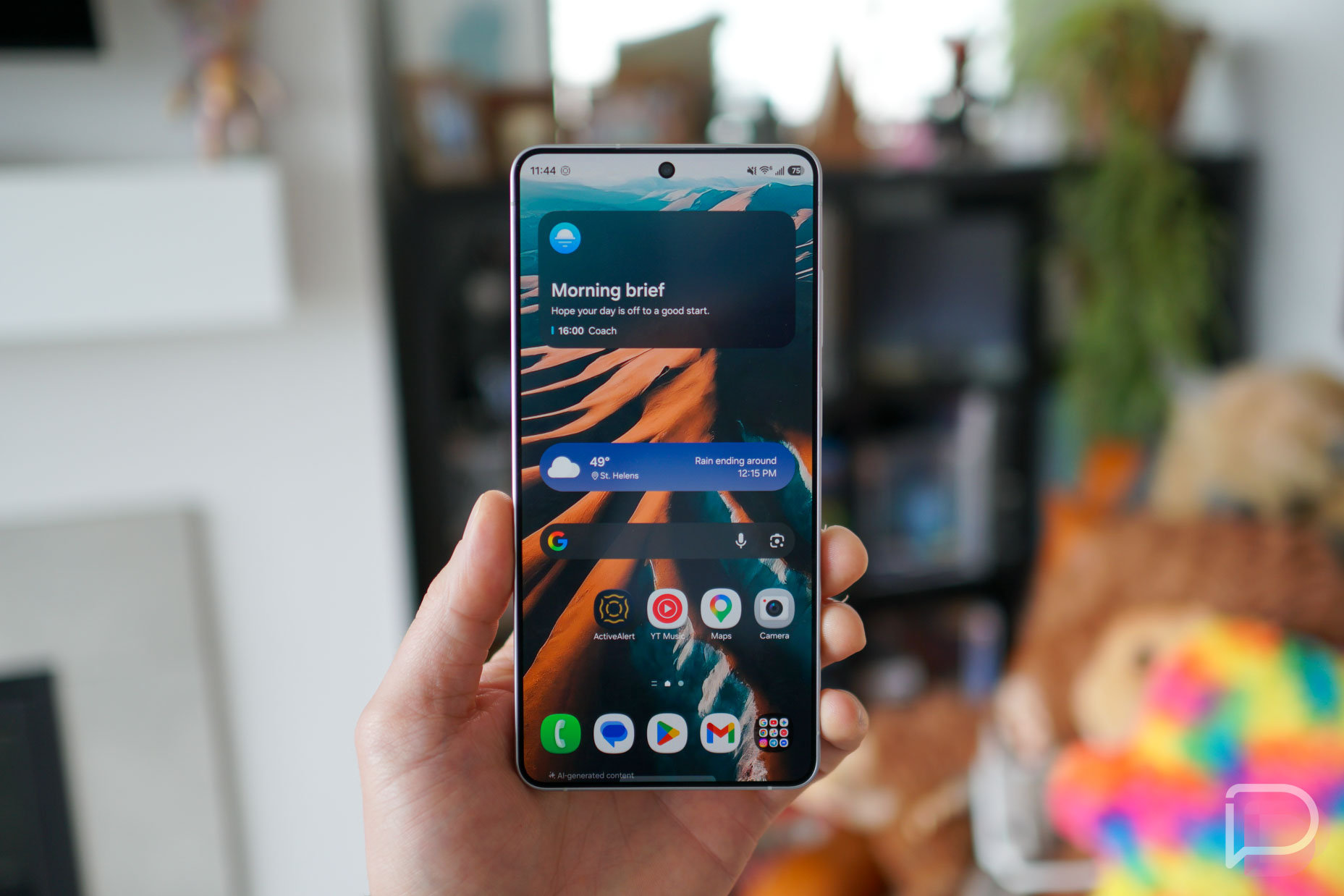
Software/AI: This is where Samsung wanted to innovate and offer a unique experience. Galaxy S26 Ultra is an AI phone, designed to be agentic with the ability to complete tasks for you without needing to be asked. A few of the features are certainly cool for a keynote event, but do require the user to be fully bought into the Galaxy ecosystem of apps and services. For example, Now Nudge picks up on context on your screen and prompts you with shortcuts. It then minimizes the steps to your next action and also provides Autofill suggestions. Let’s say a friend asks you for photos from a recent trip to San Francisco inside the messaging app. Galaxy AI will recognize the request, then take you to the Gallery and show you shots specifically from that trip. It’s designed to remove as many steps as possible for you to get actions done more quickly, which is certainly admirable and “cool.”
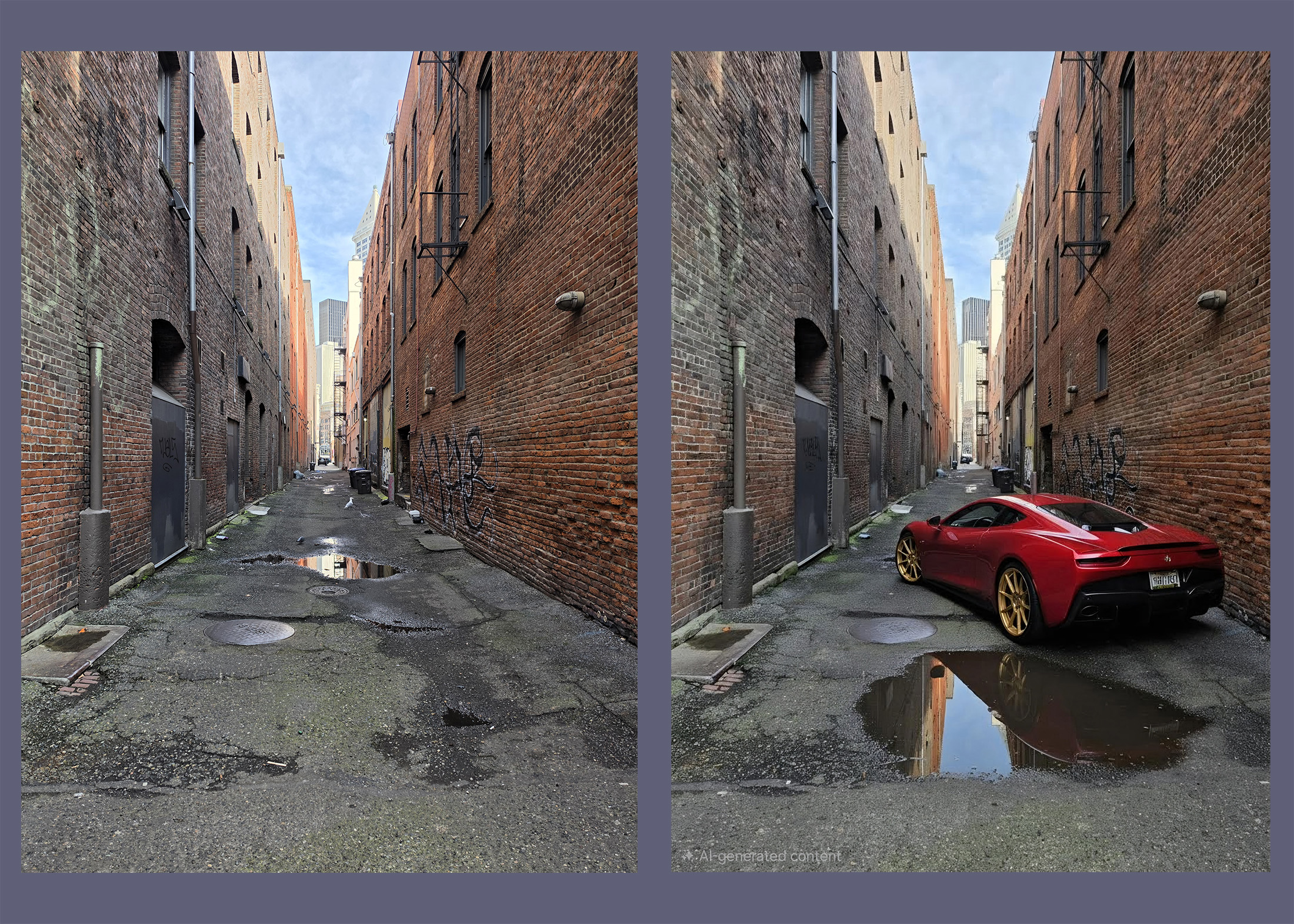
Another neat keynote-centric feature is Photo Assist. Inside the Gallery app, users can now make any AI-powered edits they may want, but there are limitations. You can add hats to a dog or add animals to a photo, but you can’t make it look like a natural disaster has taken place to a landscape. Disappointing, but understandable. I tested it on a few phots and it all looks relatively good. I made it look like my foster dog was at a birthday party and I added a red sports car with gold wheels to an alley in Seattle. While the limits to this seem endless, I wonder what exactly we’re trying to achieve here? As AI advances, internally I now long more deeply for things that are “real” and imperfect. The amount of AI slop I see on my various timelines is getting to be a bit much, and ultimately, I don’t want to add to that. I see no issue in removing unwanted objects/people from photos, but beyond that, I have little desire to alter the past.
Bixby got a slick upgrade. We’ve discussed it already in a writeup, but think of Bixby as your AI helper for device controls. If you can’t find a certain setting, maybe because there are 10,000 of them, Bixby can help you locate it. “Bixby, my eyes are tired, can you fix that?” Bixby can then point you to Eye Comfort Shield and even place a system toggle inside its responses. It’s a very slick upgrade for a service that we thought was dead years ago. Welcome back, Bixby.
AI-powered Call Screening is now also baked into the device, which is lovely. These days, it’s mostly spam calls that I receive, so it’s nice to send those people directly to an AI to help keep them busy. When using, you can view on the screen what the caller and AI are saying, then you can choose to answer the call at any time or hang up. You can choose to auto screen all incoming calls or you can decide for each call as they come in.
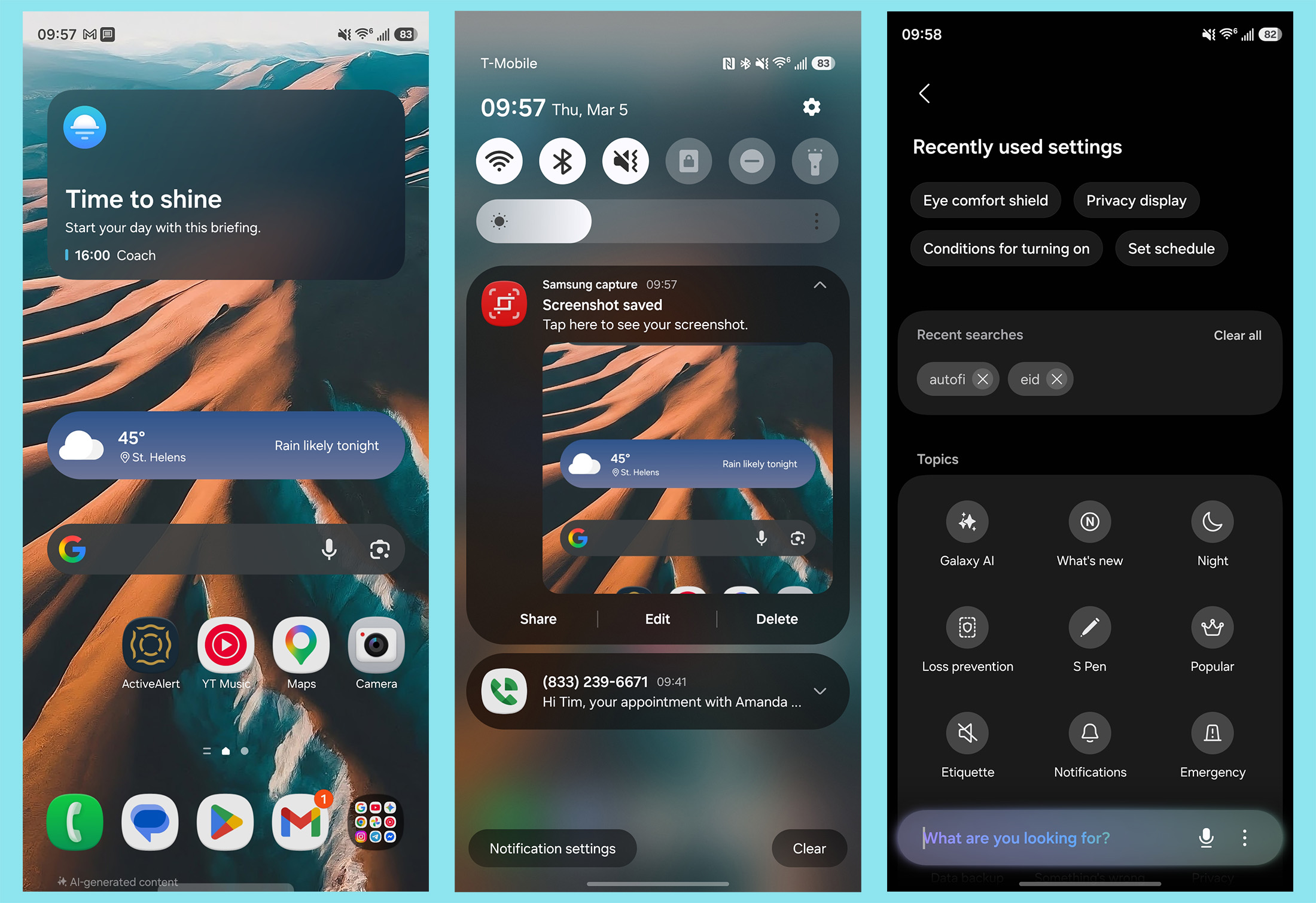
Galaxy S26 Ultra comes out of the box running Android 16 with One UI 8.5 on top. It’s a a very clean software experience, though, there are so many customization settings that it can be a little overwhelming. If you’re looking for suggestions, I’d recommend the following. Under Panel Settings, I opt for “Together,” which combines your notifications and system toggles into a single pulldown. This is the classic Android approach, which works best for me. I disable the Edge Panel, which interferes with my swipe gestures sometimes, and I also recommend that you decide which actions you want the power button to handle, since companies seem content on having it do anything but turn the phone on/off. I like a double-press for opening the camera and long press for accessing Gemini, but there are plenty of options to choose from.
Could be Better
Samsung Keyboard: My biggest takeaway from my week with Galaxy S26 Ultra is how awful Samsung’s stock keyboard app is. Holy. After 3 days of what I can only describe as pure jank, I made the switch to Gboard. This is upsetting because if you aren’t using the Samsung Keyboard, you miss out on some of the deeper AI integration that Samsung implemented. Oh well, I guess. The keyboard wasn’t set to auto capitalize out of the box, but even after enabling, it was app dependent. Some apps I typed in, it would auto capitalize “I” and some wouldn’t. The swiping feature was highly inaccurate and after multiple cases of awful, awful autocorrect, I was over it. Why would I waste my time trying to teach the keyboard how I talk? Gboard is so much better in essentially all aspects.
Other Notes
- No Qi2 Magnets: Here’s the statement we received from Samsung on the matter. “Galaxy S26 series supports Qi2-compatible phone cases, offering users flexibility without embedding the feature directly into the device. This decision reflects Samsung’s broader commitment to thinner, lighter designs, driven by advanced engineering that prioritizes compactness and portability.“
- Messaging: This issue isn’t exclusive to Galaxy S26 Ultra, but Android in general. I came from an iPhone 17 Pro, and honestly, it’s time Google and Apple fixed the messaging mess. RCS isn’t the answer. iMessage is the superior messaging platform and I’m telling you right now, I’d pay $10/mo as an Android user to access it. Apple, you’re leaving millions on the table keep it exclusive. The hardest part about switching from iOS to Android? The messaging.
- Updates: Samsung is providing 7 years of Android OS and security updates for the device, confirming support through 2033.
Pricing and Availability
The price for 2026 goes unchanged, which is awesome. Galaxy S26 Ultra is priced starting at $1299, but buyers from Samsung’s website hardly ever have to pay full price. With trade-in options, as well as instant savings to be had, we hope no one is having to ever spend full price on this device. But even if you do, there are worse things out there to spend this kind of money on. Given it’s a Samsung flagship, you can find it at all of your local retailer and carrier stores, who are also usually running promotions to help knock that price down a bit.
The Verdict
Galaxy S26 Ultra feels like a natural progression for the lineup. Samsung baked in more AI, which you can choose to enjoy or not, but from the hardware standpoint, it doesn’t get much better than this. I adore Privacy Display, plus the battery life and camera experience have been really fantastic. From my $1299 smartphones, that’s paramount. Even the thing I disliked the most, which was the keyboard, was an easy fix thanks to the Android OS.
I’ve been reading other reviews and comments about the device. Many people find this to be a rather boring update, and while I don’t necessarily disagree, I think given the history that Samsung has in terms of adopting newer tech, this phone doesn’t disappoint me. Samsung chooses to innovate in the spaces that it’s proficient in and knows that the majority of customers care about, such as the display and camera. I get it, Chinese OEMs are doing very neat things with their phones, but us US-based buyers have to accept that Samsung and Google aren’t quite ready for anything too drastic. I’m not saying that I like it, but I’m not in a headspace to constantly complain about it.
If you want a handsome phone that delivers the high-end specs you want, a great camera and awesome battery life, I’d look no further than Galaxy S26 Ultra.
Collapse Show Comments3 Comments