
 Kellen
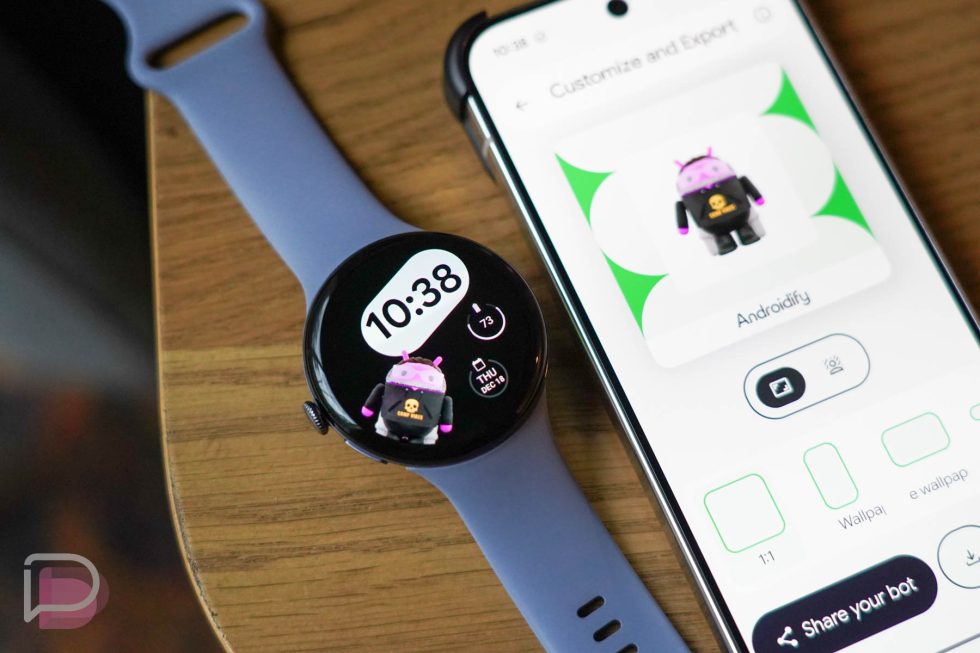
Google brought its Androidify experience to your Wear OS smartwatch today as a watch face.
In a brief announcement, Google said that Androidify can now be used to design a bot of yourself and then sent directly to your connected Wear OS watch. This is all happening through the new Androidify app that was re-introduced back in September of this year.
All you need to do is install Androidify (here) on your phone and watch. You’ll then use the app on your phone to design a bugdroid bot before choosing to share or export to your watch. If you have a watch connected and choose the little watch icon during export, you’ll then get to choose from several different watch faces before clicking “Send to watch.”
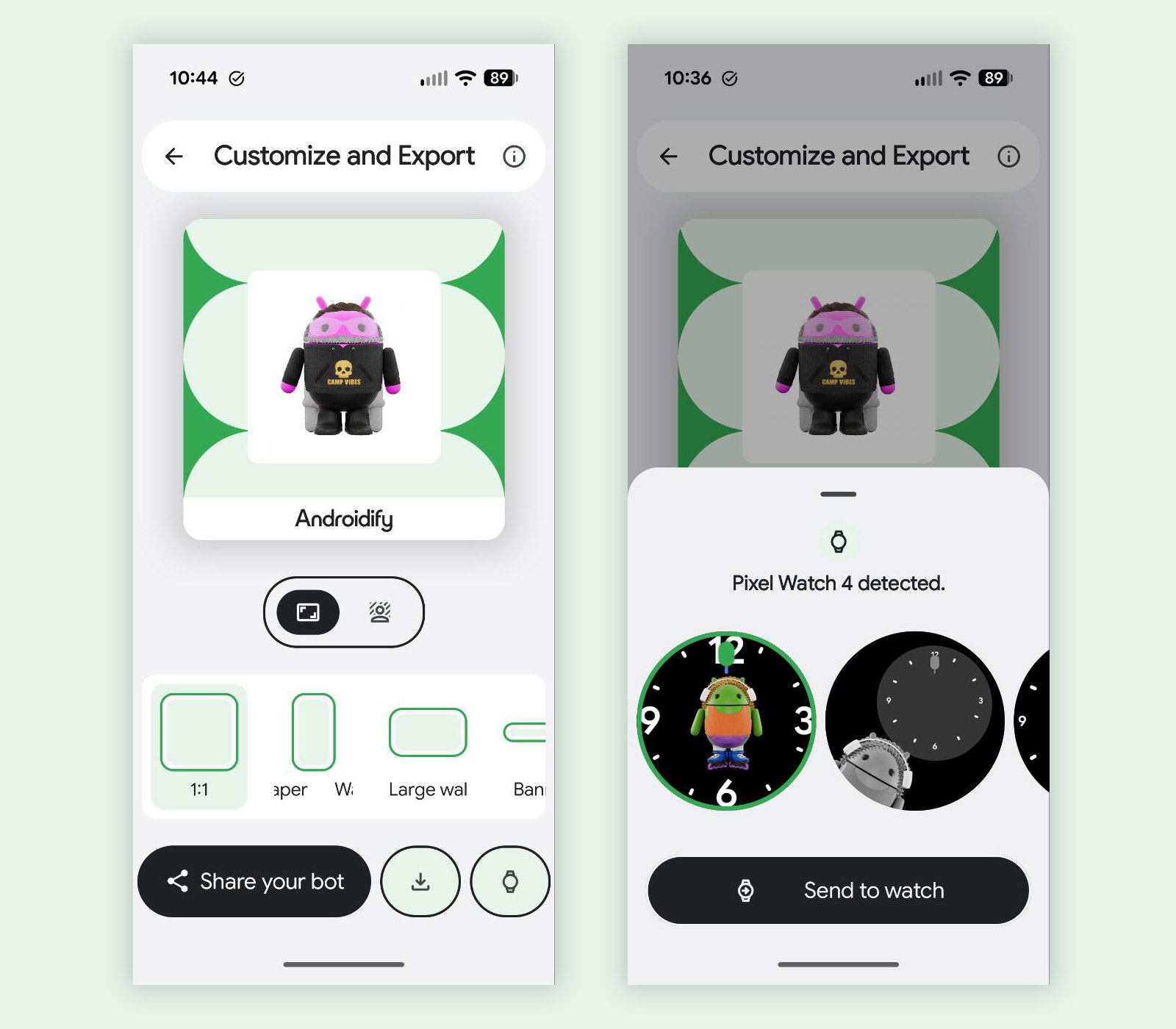
Once you’ve sent to your watch, you may have to go to the watch itself and manually set the watch face. For me, it didn’t set automatically, but choosing the watch face is pretty simple (long press on your watch face and add a new one). You could also apply it through your Wear OS companion app depending on the watch. For Pixel Watch owners, that would be through the Pixel Watch app.
Collapse Show Comments1 Comment