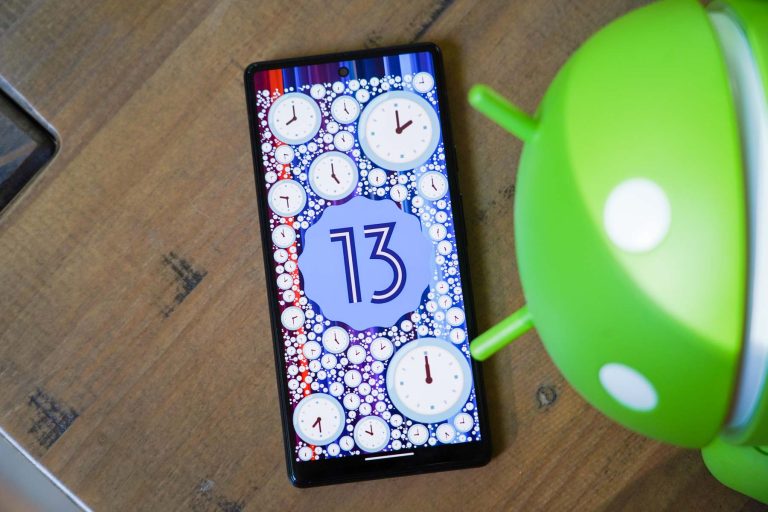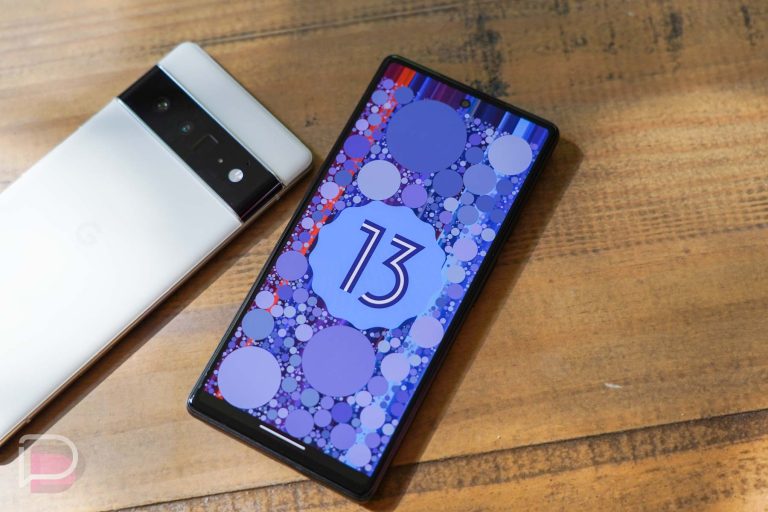

The Android 13 update for your Pixel phone is noteworthy because of the new features, like notification permissions, more Material You colors, a fancier media player, etc. But Google isn’t only using Android 13 as a way to launch new goodies, they are also squashing a ton of bugs. By my count, they are fixing at least 150 items in this new Android 13 update.
On the Pixel Phone Help community, Google posted the entire list of bugs that are fixed in Android 13 and it really is extensive. They had to break it all out into categories because of the number of items here.
Google fixed some minor things, like Gboard covering text fields or text disappearing in the Phone app or password autofill not working. They fixed a battery charging bug that was stopping charging before 100%, improved thermal mitigation, and idle power consumption. They fixed a ton of items related to the fingerprint reader on the Pixel 6 and Pixel 6a, even claiming to have improved “performance, stability, and reliability.” Mmmhmm, sure.
Let’s see, what else – display greenness is gone, Gboard freezing is better, and there is improved stability in picture-in-picture. Google says it improved adaptive brightness, haptic feedback (again), general device performance, touch screen palm detection, and system stability. They took care of some boot looping, fixed a bunch of weird screen off and locking issues, and the list goes on.
If you were having issues with your Pixel phone, they might be gone now. It’s time to update to Android 13.
Android 13 bug fixes
Apps
- Fix for issue causing Gboard to display over text field while typing in certain conditions
- Fix for issue causing white bar to display at the bottom of the Google feed in the launcher under certain conditions
- Fix for issue hiding some recent pictures from attachment picker in Messages
- Fix for issue in Phone app causing some text to appear invisible while managing blocked numbers in dark mode.
- Fix for issue occasionally causing different color themes to display between Personal and Work profiles
- Fix for issue occasionally preventing password autofill from triggering in certain apps
- Fix to allow Live Caption to respect system settings for caption font sizes *[1]
Assistant
- Fix for issue occasionally causing call Quick Phrases prompts to remain on the screen after a call has ended *[1]
Audio
- Fix for issue causing audio stream volume to reset while in uninitialized state
- Fix for issue causing crackling or noise artifacts when playing audio via LDAC codec in certain conditions
- Fix for issue causing distorted call audio in certain conditions while multitasking between apps *[1]
Battery & Charging
- Fix for issue causing different battery charge percentage to display between Always-on Display and status bar in certain conditions
- Fix for issue occasionally causing charging to stop before battery level reaches 100%
- Fix for issue preventing Adaptive Charging to trigger in certain conditions
- Fix for issue preventing screen timeout to turn off the display in certain conditions
- Fix for issue preventing wireless charging with Pixel Stand or other accessories in certain conditions *[4]
- Fix to improve thermal mitigation handling in certain conditions and scenarios *[1]
- General improvements for idle power consumption under certain conditions
Biometrics
- Fix for issue causing app crashes during fingerprint unlock in certain conditions *[1]
- Fix for issue occasionally preventing fingerprint unlock while notification shade is down *[1]
- Fix for issue preventing face unlock to trigger in certain conditions *[3]
- Fix for issue where fingerprint icon would occasionally overlap with UI elements on screen *[1]
- Fix for issue where fingerprint icon would occasionally persist on-screen *[1]
- Fix for issue where fingerprint would intermittently stop working in certain conditions *[1]
- Fix to improve fingerprint haptics latency and response during unlock *[1]
- General improvements for fingerprint performance, stability and reliability *[1]
- General improvements for fingerprint unlock in different lighting conditions *[1]
- General usability improvements for fingerprint enrollment *[1]
Bluetooth
- Fix for issue causing Bluetooth audio to skip during device wake-up in certain conditions *[1]
- Fix for issue causing Bluetooth to incorrectly report current media playback status *[1]
- Fix for issue causing choppy audio playback over Bluetooth LE in certain conditions *[1]
- Fix for issue causing lost device UUIDs for previously paired Bluetooth accessories
- Fix for issue occasionally causing audio playback to switch to phone speaker while connected to Bluetooth accessories
- Fix for issue preventing previously paired devices from automatically reconnecting in certain conditions
- Fix for issue with service connection leak on Bluetooth LE *[1]
- Fix for streaming info to display properly on Car screen when connected through Bluetooth
- Fix to address device connection issues due to conflicting states in Bluetooth toggle settings
- Fix to address issue of longer device connection times over Bluetooth LE *[1]
- Fix to correctly pause media when a Bluetooth device disconnects *[1]
- Fix to improve Bluetooth LE background connection stability in certain conditions *[1]
- General compatibility improvements for various Bluetooth headsets and accessories with Android 13
- General improvements for Bluetooth stability and performance in certain conditions
Camera
- Fix for issue causing greyed out shutter button while adjusting zoom level in certain conditions *[1]
- Fix to improve detection of connected Bluetooth accessories while video recording
- General improvements for camera stability and performances in certain conditions
Connectivity
- Fix for issue preventing connection over Ethernet in certain conditions
Display & Graphics
- Fix for issue causing display to appear green under certain conditions *[1]
- Fix for issue causing display to flicker while unlocking with fingerprint in certain conditions *[1]
- Fix for issue occasionally preventing Night Light from automatically turning off at sunrise *[1]
- Fix for issue preventing display to render under certain conditions *[2]
- Fix for issues causing screen flicker under certain conditions
Framework
- Fix for issue causing app installation from Play store to fail in certain conditions
- Fix for issue causing Gboard to freeze in certain conditions
- Fix for issue causing Gboard to freeze when long-pressing enter key in certain conditions
- Fix for issue occasionally causing system crash when disabling Work Profile
- Fix for issue occasionally preventing app notifications from being dismissed in certain conditions
- Fix for issue occasionally preventing notifications or updates from apps from running in the background
- Fix for issue preventing keyboard from displaying in certain apps and conditions
- Fix for issue preventing WiFi printing with certain printers or apps
- Fix for Settings app crash when opening Passwords & accounts in certain conditions
- General improvements for Android framework stability
- Stability and compatibility improvements with certain apps in Android 13
- Stability improvements for device restore or transfer during setup in certain scenarios
Location & GPS
- Fix for issue causing location services cache corruption in certain conditions *[1]
- Improvements for GPS stability and location accuracy in certain conditions *[1]
Media
- Fix for issue occasionally causing incorrectly shifted colors during video playback in Photos *[1]
- Improve stability of the Picture-in-Picture mini player window in certain apps and scenarios
- Improve support for DRM-protected video streams in certain apps and scenarios
NFC
- Add support for NFC payments in secondary profiles
Sensors
- Add option to toggle haptic feedback for touch interaction while silent mode is active
- Fix for issue causing screen to stay off after a phone call ends
- Fix for issue occasionally causing display to remain in AOD after picking up device or touching screen *[1]
- Fix for issue preventing current timezone to be detected from device location in certain conditions
- General improvements for adaptive brightness response in certain conditions *[1]
- Improvements for haptic feedback strength and response in certain conditions *[5]
System
- Fix for issue causing device to enter a reboot loop after updating in certain conditions
- Fix for issue occasionally causing device to freeze on the Google logo during startup *[1]
- Fix for issue occasionally causing device to stall or freeze during unlock
- Fix for issue occasionally causing device to unexpectedly reboot and show “Device corrupted” warning
- Fix for issue occasionally causing slow performance while an OTA update installs in the background
- Fix for issue occasionally preventing Android Auto to connect over USB in certain conditions *[1]
- Fix for issue occasionally preventing device to charge over USB with certain third-party cables or adapters *[5]
- FIx for issue occasionally preventing OTA update from installing on device
- General improvements for device performance in certain conditions and scenarios
- General improvements for system stability and performance in certain conditions
Telephony
- Fix for issue causing data usage alerts to appear even when disabled in certain conditions
- Fix for issue causing Wi-Fi calls to end unexpectedly in certain conditions *[1]
- Fix for issue occasionally causing call to drop when attempting to merge two calls *[1]
- Fix for issue occasionally causing Phone Services to repeatedly request location *[1]
- Fix for issue where call occasionally cannot be placed due to incorrect incoming call message *[1]
- Fix for issue where duplicate call notifications can appear in certain conditions *[1]
- Fix for issue where missed call notifications may not appear on lock screen in certain conditions *[1]
- Fix for issue where new SIM cards are not enabled under certain circumstances *[1]
- Fix issue requiring device restart when network handover occurs under certain conditions *[1]
- Fix issue where call ringing sound continues after call is answered or terminated in certain circumstances
- Fix issue where incorrect network may be displayed under certain circumstances when multiple SIM cards are enabled *[1]
- Fix issue where users cannot send SMS messages under certain circumstances *[1]
- General improvements for network connection stability & performance in certain conditions
Touch
- General improvements for touch screen palm detection and response *[1]
User Interface
- Add option in Settings to show vibration mode icon in status bar
- Fix for incorrect text in “Swipe to access Google app” instructions in launcher settings
- Fix for issue causing bottom row of app drawer to appear hidden when using 3-button navigation
- Fix for issue causing certain animations to display while “Remove animations” setting is enabled
- Fix for issue causing certain background color themes to lack sufficient contrast with UI elements
- Fix for issue causing certain notification content to appear truncated on lock screen
- Fix for issue causing certain Toast popup notifications to appear without an app icon
- Fix for issue causing Clock icon to show the wrong time in certain conditions
- Fix for issue causing keyboard to use the wrong color scheme during device setup when dark mode is enabled
- Fix for issue causing overview to highlight a previous app while using 3-button navigation in certain conditions
- Fix for issue causing screen rotation button from appearing during device setup
- Fix for issue causing screen to flicker when using apps in Picture-in-Picture mode under certain conditions
- Fix for issue causing screen to turn off with incoming notification under certain conditions
- Fix for issue causing storage settings options to incorrectly open Files app in certain conditions
- Fix for issue causing tiles in Quick settings to show the wrong name or appear disabled in certain conditions
- Fix for issue causing volume level UI animation to skip when long-pressing volume buttons
- Fix for issue occasionally causing app shortcuts to display the wrong icon on home screen
- Fix for issue occasionally causing blank lock screen after waking device while face unlock is active
- Fix for issue occasionally causing certain media apps to trigger an empty notification
- Fix for issue occasionally causing Clipboard modal to appear with a large font size after copying text
- Fix for issue occasionally causing collapsed notifications to flicker when dragging notification shade
- Fix for issue occasionally causing duplicate notifications to appear for pinned Conversations or contacts
- Fix for issue occasionally causing fingerprint icon position to slightly change between the Always-On Display and lock screen
- Fix for issue occasionally causing inconsistent network type indicators to display between Settings and status bar
- Fix for issue occasionally causing incorrect color theme to display in status bar after app splash screen displays
- Fix for issue occasionally causing lock icon on lock screen to appear in the wrong position or size
- Fix for issue occasionally causing lock screen to display after fingerprint unlock instead of home screen
- Fix for issue occasionally causing long delay before launcher icons appear after restarting device
- Fix for issue occasionally causing notification shade to extend down after unlocking device
- Fix for issue occasionally causing notification shade to flash when unlocking device with fingerprint
- Fix for issue occasionally causing power button to trigger lock screen instead of turning off display
- Fix for issue occasionally causing Quick settings to display with incorrect color theme while fingerprint authentication modal is active
- Fix for issue occasionally causing Settings to open while long-pressing on brightness slider in Quick settings
- Fix for issue occasionally causing status bar notification icon positions to change when time changes
- Fix for issue occasionally causing Storage page in Settings to show incorrect usage totals
- Fix for issue occasionally preventing recent messages from displaying in Conversations widget
- Fix for issue preventing “Default USB configuration” developer setting from appearing in search results
- Fix for issue preventing double-tap gesture to wake display under certain conditions
- Fix for issue preventing notifications to appear for new text messages under certain conditions
- General improvements for gesture navigation support with third-party launcher apps
- General improvements for stability in UI, launcher, gesture navigation and system apps
- General improvements for device setup experience
Wi-Fi
- Fix for issue causing data usage in Settings to omit totals for certain apps
- Fix for issue causing device to reboot when connecting to Wi-Fi network with TDI enabled *[1]
- Fix for issue causing Wi-Fi confirmation dialog to close unexpectedly when TalkBack is enabled
- Fix for issue impacting Android Auto stability while connected to Wi-Fi
- Fix for issue occasionally causing device to reboot when signing into a Wi-Fi network
- Fix for issue occasionally preventing connection to WPA2-Enterprise networks in certain conditions
- Fix for issue preventing Wi-Fi network from connecting when entering a correct password after entering an incorrect password
- Fix for issue while connecting to temporary Wi-Fi networks with certain apps *[1]
- General improvements for Wi-Fi stability and performance in certain conditions
—————————————————————Device ApplicabilityFixes are available for all supported Pixel devices unless otherwise indicated below.*[1] Included on Pixel 6, Pixel 6 Pro & Pixel 6a*[2] Included on Pixel 4a (5G), Pixel 5 & Pixel 5a (5G)*[3] Included on Pixel 4 & Pixel 4 XL*[4] Included on Pixel 4, Pixel 4 XL, Pixel 5, Pixel 6 & Pixel 6 Pro*[5] Included on Pixel 6a